Rokid AR Spatial AR Glasses Pack & Station 2 User Manual
Model: Rokid ARspatial | Brand: Rokid
1. Producte acabatview
The Rokid AR Spatial AR Glasses Pack, featuring the Smart Glasses Max 2 and Station 2, offers an immersive augmented reality experience with a unique three-screen display. Designed for versatility, it supports various applications from work and entertainment to gaming, providing enhanced productivity and immersion.

Image: Rokid AR Spatial AR Glasses Max 2 and Station 2 connected.
Característiques principals:
- Innovative Three-Screen Display: Allows up to three independent screens simultaneously for efficient multitasking.
- Camp ultra ample de View: Cinema Mode offers a 32:9 ultra-wide curved screen (150-300 inches). Micro OLED display with 120Hz refresh rate, 600 nits peak brightness, 108% sRGB, and 50° FOV for 1920x1200 resolution.
- 3 DoF Functionality: Advanced 3DoF technology provides a seamless and immersive experience in any posture.
- Station 2 Power & Performance: Equipped with a 5000mAh battery, dual Type-C ports for simultaneous charging and use, 8GB RAM, 128GB ROM, Bluetooth 5.2, Wi-Fi 6, and a 9-axis IMU sensor.
- Comfortable Wear (Myopia-Friendly): Lightweight (75g) Max 2 glasses with soft temple arms and adjustable air-cushioned nose pad. Supports vision correction up to 600 degrees.
- Exclusive Rokid Ecosystem: Station 2 runs on Rokid's proprietary ecosystem, offering access to various apps and XR/3D games.
2. Què hi ha a la caixa
Your Rokid AR Spatial AR Glasses Pack includes the following components:
- Rokid Max 2 AR Glasses
- Rokid Station 2
- Cable USB-C
- Eyewear Storage Case
- Warranty Card + Manual

Image: All components included in the Rokid AR Spatial AR Glasses Pack.
3. Configuració
3.1 Configuració inicial
- Charge Station 2: Before first use, ensure your Rokid Station 2 is fully charged using the provided USB-C cable.
- Connect Glasses: Plug the USB-C cable from the Rokid Max 2 AR Glasses into one of the Type-C ports on the Rokid Station 2.
- Ajusteu per a la comoditat: Adjust the air-cushioned nose pad and soft temple arms for a comfortable fit. If you have myopia, adjust the vision correction dials on the glasses (0.00D to -6.00D).
3.2 Connexió a dispositius
The Rokid AR Spatial AR Glasses and Station 2 offer broad compatibility with various devices:
- USB-C Phones (with DisplayPort): Most Android phones supporting DisplayPort can connect directly via USB-C.
- Type-C Models (direct connectivity): Samsung, Huawei, Vivo's tablet series released since 2021 can directly connect.
- Phones without Type-C/DP: Can wirelessly connect to Station 2 via apps supporting Chromecast/Miracast/DLNA.
- Consoles de jocs:
- Steam Deck: Supports direct connection.
- Nintendo Switch: Requires a Rokid Hub (HDMI adapter) for plug & play.
- PS4 Slim/5, Xbox Series X/S: Most major game consoles can be connected via an HDMI Adapter.
- Ordinadors:
- USB-C Laptops: All laptops with USB-C ports can connect directly.
- Windows Laptops (without USB-C DP): Connect via an HDMI adapter.

Image: Experience a 300-inch screen for gaming or media with Rokid AR Glasses.
Video: Official guide on how to connect iPhone and iPad to Rokid AR Glasses.
4. Modes de funcionament i característiques
The Rokid AR Spatial AR Glasses and Station 2 offer a rich set of features and operating modes to enhance your experience:
- Three-Screen Display: Utilize up to three virtual screens simultaneously for multitasking. This allows you to run multiple applications side-by-side, such as watching a video, browsing the web, and chatting.

Image: A user enjoying a multi-screen setup with the Rokid AR Glasses, displaying chat, movies, and documents simultaneously.
- Ultra-Wide Curved Screen: In Cinema Mode, experience an expansive 32:9 ultra-wide curved screen, adjustable from 150 to 300 inches, transforming any space into a personal theater.
- 3 DoF Functionality: The glasses incorporate 3 Degrees of Freedom (3DoF) technology, ensuring a stable and immersive viewing experience regardless of your head's orientation or body posture. The screen remains anchored in space.

Image: A user holding the Station 2, demonstrating the "screen anywhere" capability with 3DoF technology.
- Spatial Album & Cross-Device Transfer: The Spatial Album feature allows playback of spatial videos captured with smartphones or other spatial devices. Content can be instantly shared from your smartphone to Station 2 and between Station 2 devices.

Imatge: Un usuari viewing spatial photos and videos through the Rokid AR Glasses, with the Station 2 nearby.
- Interaction Methods: Control your device using touch controls, spatial rays (single-hand control), voice commands for hands-free operation, and Bluetooth keyboard/mouse support for precise input. Easy switching between landscape and portrait modes is also supported.
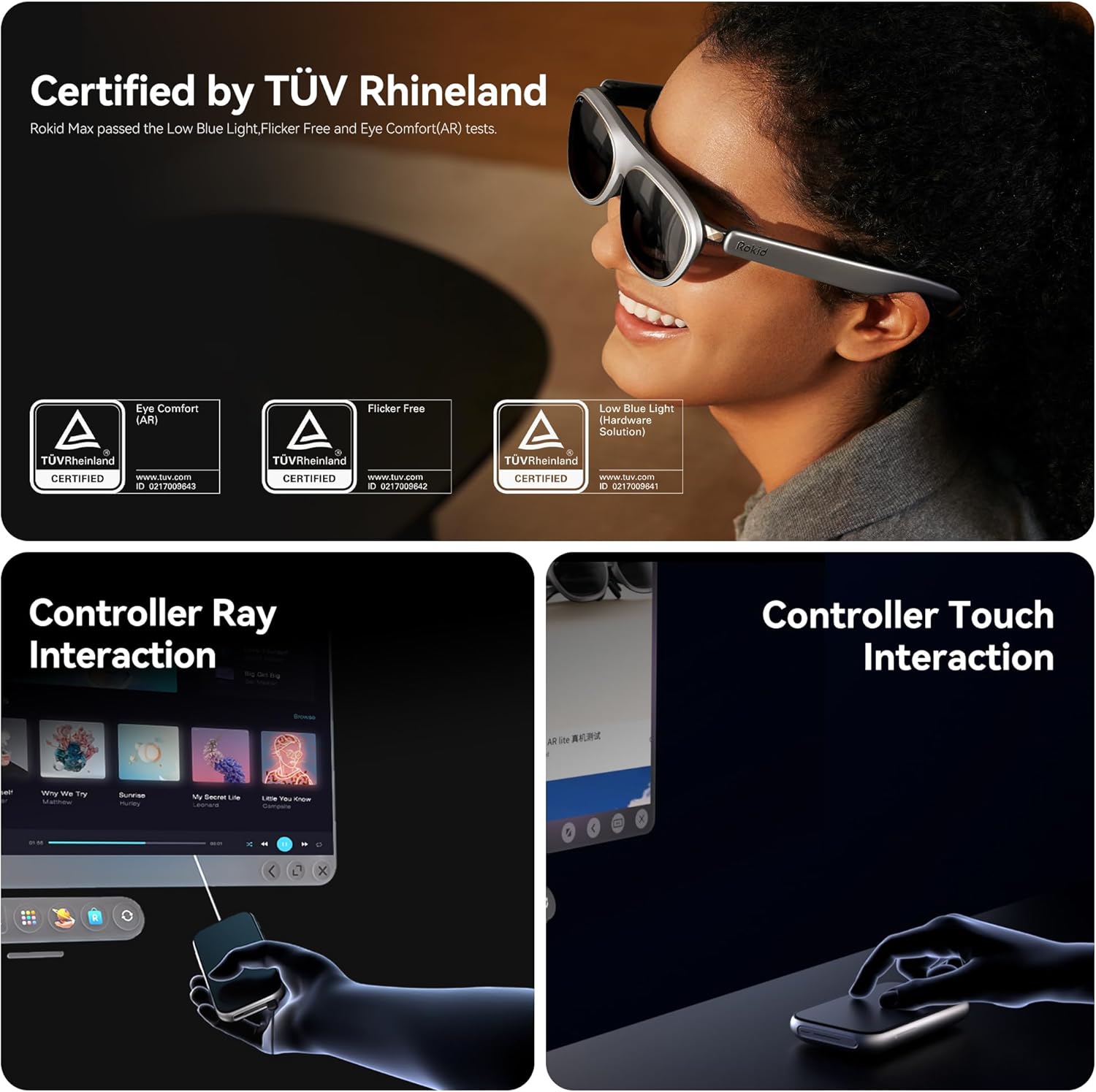
Image: Illustrations showing both controller ray interaction and controller touch interaction methods for the Rokid AR Glasses.
- Myopia-Friendly Design: The Max 2 glasses support vision correction for up to 600 degrees, eliminating the need for additional glasses for many users. (Note: Users with myopia greater than 600° may need separate prescription lenses.)

Image: A user wearing Rokid AR Glasses, highlighting the 0.00D-6.00D nearsightedness and IPD adjustment feature.
5. Manteniment
Proper care and maintenance will ensure the longevity and optimal performance of your Rokid AR Spatial AR Glasses and Station 2.
- Neteja de lents: Use a microfiber cloth specifically designed for optical lenses to gently wipe the display. Avoid abrasive materials or harsh chemicals that could scratch the lenses.
- Neteja del cos: Wipe the body of the glasses and Station 2 with a soft, damp cloth. Do not use excessive moisture or immerse the devices in water.
- Emmagatzematge: When not in use, store the glasses in the provided eyewear storage case to protect them from dust, scratches, and impacts. Store in a cool, dry place away from direct sunlight.
- Cura de la bateria: To maintain battery health, avoid fully discharging the Station 2 frequently. Charge it regularly, and if storing for an extended period, ensure it has a partial charge (around 50%).
- Gestió de cables: Handle USB-C cables carefully. Avoid sharp bends or excessive pulling to prevent damage to the connectors or cables.
6. Solució De Problemes
If you encounter issues with your Rokid AR Spatial AR Glasses Pack, refer to the following common troubleshooting steps:
| Problema | Causa possible | Solució |
|---|---|---|
| Sense pantalla/Pantalla negra | Loose connection, low battery, incompatible device. | Ensure cables are securely connected. Charge Station 2. Verify device compatibility (DisplayPort over USB-C or appropriate adapter). |
| Imatge parpellejant o distorsionada | Cable issue, software glitch, refresh rate mismatch. | Try a different USB-C cable. Restart Station 2 and the connected device. Check display settings on your device for refresh rate. |
| Sense àudio | Volume too low, audio output settings, faulty connection. | Increase volume on Station 2 and connected device. Check audio output settings on your device to ensure sound is routed to the glasses. |
| No es pot connectar a la Wi-Fi/Bluetooth | Incorrect password, out of range, interference. | Double-check Wi-Fi password. Ensure devices are within range. Reduce interference from other wireless devices. Restart Station 2. |
| Glasses feel uncomfortable | Improper fit, unadjusted nose pad. | Adjust the nose pad and temple arms for a better fit. Ensure the glasses are seated correctly on your face. |
For further assistance, please contact Rokid customer service.
7. Especificacions
| Característica | Detall |
|---|---|
| Dimensions del producte | 8.66 x 6.69 x 5.31 polzades |
| Pes de l'article | 2.65 ounces (glasses only) |
| Número de model | ARspatial |
| Marca | Rokid |
| Color | Negre |
| Tipus de visualització | Micro-OLED |
| Resolució | 1920x1200 (per eye) |
| Freqüència d'actualització | 120 Hz |
| Camp de View (FOV) | 50° |
| Screen Size (Virtual) | Up to 300 inches (Cinema Mode) |
| Spatial Tracking | 3 DoF (Degrees of Freedom) |
| Station 2 Battery | 5000 mAh |
| Station 2 Memory/Storage | 8 GB de RAM, 128 GB de ROM |
| Connectivitat | Wi-Fi 6, Bluetooth 5.2, Dual Type-C ports |
| Correcció de la visió | 0.00D to -6.00D (built-in) |
| Components inclosos | Rokid Max 2 AR Glasses, Rokid Station 2, USB C cable, Eyewear storage case, Warranty card + manual |
8. Garantia i Suport
Rokid offers a comprehensive after-sales system and a highly skilled service team to assist you with any questions or issues regarding your product.
- Atenció al client: If you have any questions, please reach out to Rokid's service team for assistance and solutions.
- Manual d'usuari (PDF): For detailed instructions and diagrams, you can also refer to the official Instruccions d'ús (IFU) en PDF.


