
1. Configuració inicial
1.1 Contingut del paquet
Abans de començar, assegureu-vos que tots els elements estiguin presents al paquet:
- ALLDOCUBE iPlay70S Tablet
- Cable USB-Type C
- Power Adapter (5V 3A compatible)
- Manual d'usuari
1.2 Càrrega de la tauleta
It is recommended to fully charge the tablet before first use. Connect the provided USB Type-C cable to the charging-specific Type-C port on the tablet and the power adapter, then plug the adapter into a power outlet.

Imatge: Més deview of the tablet's ports, including the 6000mAh battery, dedicated charging Type-C port, multi-function Type-C port, 3.5mm headphone jack, and SD card slot.
1.3 Engegada/apagada
- Per encendre: Press and hold the power button until the ALLDOCUBE logo appears.
- Per apagar: Press and hold the power button, then select "Power Off" from the options.
- Per reiniciar: Press and hold the power button, then select "Restart" from the options.
1.4 Initial Configuration (Android 15)
Upon first startup, follow the on-screen prompts to configure your tablet:
- Seleccioneu el vostre idioma preferit.
- Connecteu-vos a una xarxa Wi-Fi.
- Inicia la sessió amb el teu compte de Google o crea'n un de nou.
- Review i acceptar els termes i condicions.
Nota important:
- This is a Wi-Fi model tablet and does not support SIM cards for cellular data.
- GPS, fingerprint authentication, and face recognition are not supported on this device.
- Avoid directly transferring data from other tablets during initial setup, as this may cause errors.
2. Com utilitzar la tauleta
2.1 Característiques de la IA
The iPlay70S integrates several AI-powered features to enhance user experience:
- AI Gestures: Perform actions like sliding up/down, taking screenshots, or returning to the previous page with simple hand gestures.
- Posture Reminder: An AI posture reminder alerts you if you maintain a hunched posture for extended periods, promoting better ergonomics.
- AI Video Upscaling (AISR): Upscales low-resolution videos to up to 4K quality, supporting both local and online content.
- Auto-Photo: The tablet can detect smiles or an "OK" sign and automatically capture photos, useful for solo travelers.
- Assistent: Use voice commands to check weather, news, or perform daily tasks, receiving instant feedback.
- Google Lens: Translate text, get homework help, identify products, plants, and places by simply pointing your camera.

Image: Visual representation of AI gestures for screen control (screenshot, scroll down, scroll up, back) and the AI posture reminder function.

Image: Comparison of video quality with AI upscaling off and on, alongside icons for smile and OK sign detection for the auto-photo feature.
2.2 Característiques d'Android 15
The iPlay70S runs on the latest Android 15 OS, offering enhanced convenience:
- Clone App: Easily clone popular apps like WeChat, Facebook, Instagram, Messenger, and WhatsApp to log in with two accounts simultaneously, ideal for separating work and personal use.
- Pantalla dividida: Display two applications simultaneously for efficient multitasking.
- Small Window Mode: Display apps in a small window, allowing you to perform other tasks without occupying the entire screen.
- Ajust de temperatura de color: Adjust the screen's color temperature for visual comfort, adapting to day and night environments.
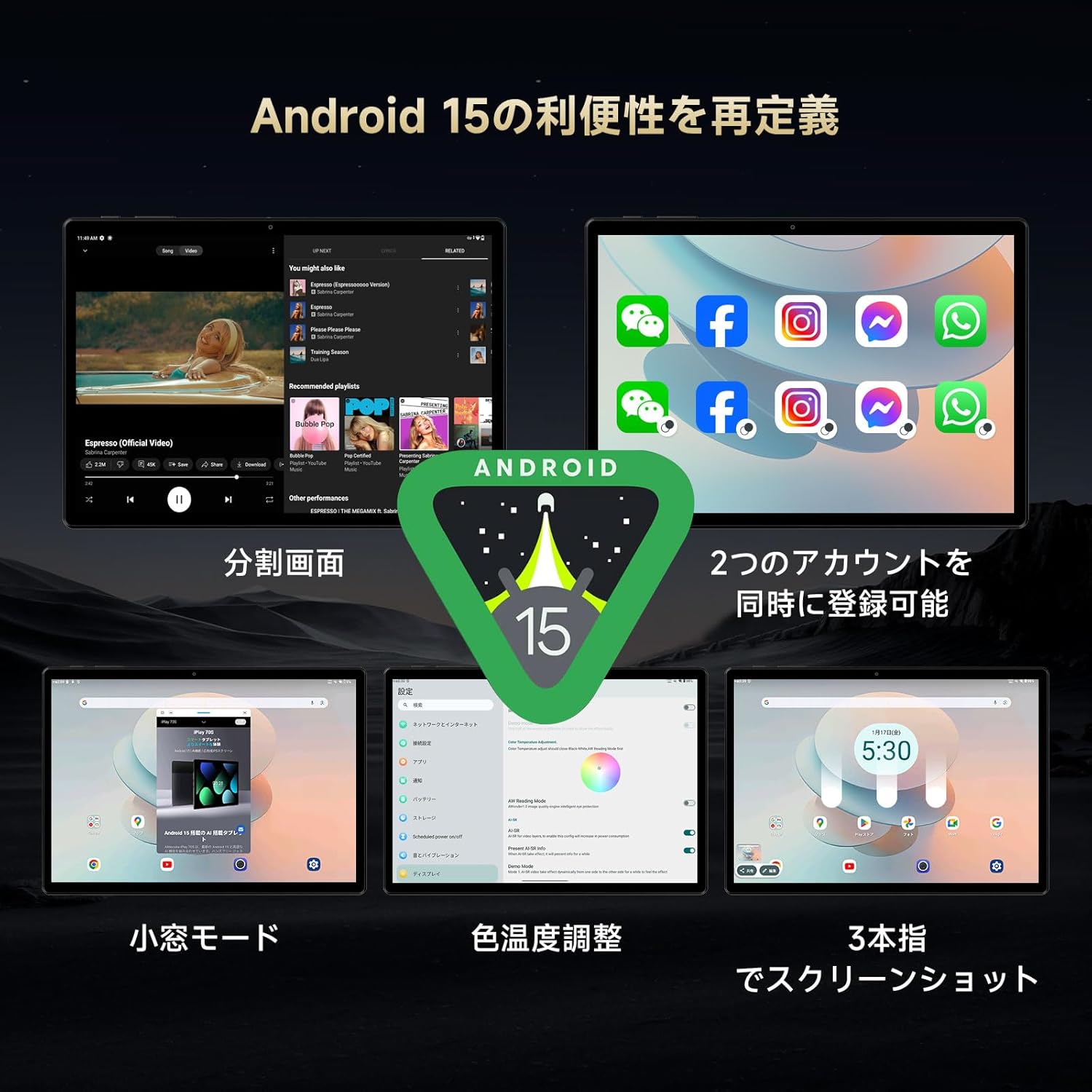
Image: A collage illustrating key Android 15 features on the tablet, including split screen, app cloning, small window mode, and color temperature settings.
2.3 Pantalla
Experience vibrant visuals on the 10.5-inch display:
- Resolució: 1920x1280 pixels, providing clear and detailed images.
- Tipus de panell: IPS technology ensures vivid colors and clear viewdes de diversos angles.
- Densitat de píxels: 220 PPI for sharp details.
- Brillantor: Up to 400 cd/m², making the screen visible even outdoors during the day.
- Freqüència d'actualització: 60Hz for smooth visuals.
- Toca: 10-point multi-touch for smooth and responsive interaction.
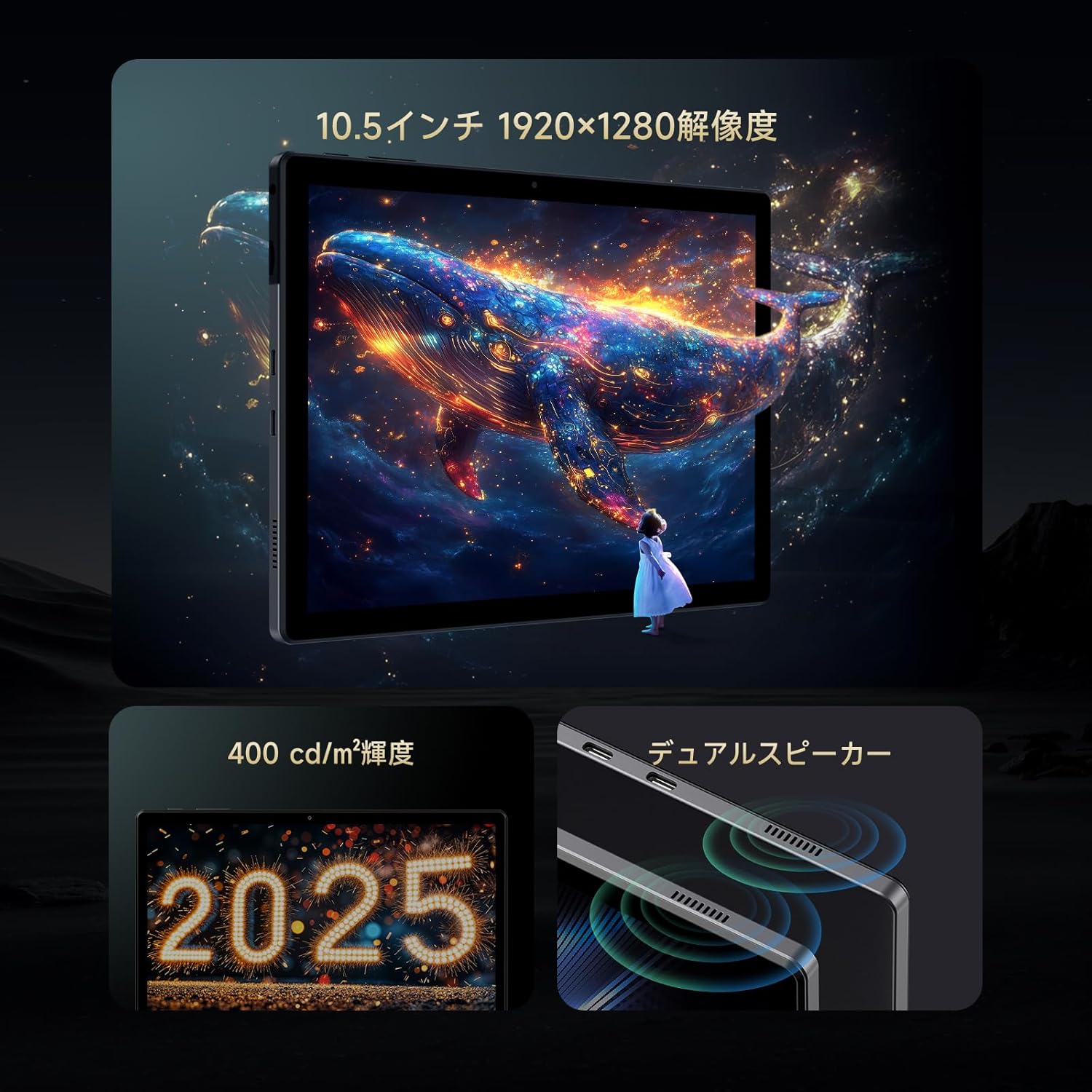
Image: The tablet screen displaying a vibrant image, with callouts for 10.5-inch 1920x1280 resolution, 400 cd/m² brightness, and dual speakers.
2.4 Rendiment i emmagatzematge
The iPlay70S is designed for smooth performance:
- Processador: Powerful A733MX-N3X 8-core processor (12nm process technology) with AI function support. Achieves over 320,000 points in AnTuTu benchmark.
- RAM: 12GB (4GB physical RAM + 8GB virtual memory) LPDDR4X, ensuring smooth multitasking.
- Emmagatzematge intern: 128GB UFS 2.2 for fast app and data access.
- Emmagatzematge ampliable: Supports up to 1TB via microSD card (not included).

Image: Diagram illustrating the tablet's core specifications: A733MX-N3X CPU, AnTuTu benchmark score, Wi-Fi 6, Bluetooth 5.2, and the 12GB RAM + 128GB ROM configuration.
2.5 Connectivitat
- Wi-Fi: Supports Wi-Fi 6 for faster and more stable internet connections, ideal for online streaming and gaming.
- Bluetooth: Bluetooth 5.2 for stable connections with wireless headphones, speakers, and other devices.
- Ports USB tipus C: One dedicated for charging, another multi-functional Type-C port supporting USB 3.1 for charging, OTG, data transfer, and HUB expansion (USB 3.0/2.0, RJ45).
2.6 Audio and Cameras
- Altaveus duals: Enjoy immersive audio for movies and music.
- Presa d'auriculars de 3.5 mm: Connect your favorite wired headphones or external speakers for high-quality audio.
- Càmera frontal: 2MP, suitable for online meetings and selfies.
- Càmera posterior: 5MP, for capturing photos of your surroundings.
2.7 Sensors
- Sensor de gravetat: Automatically adjusts screen orientation when you tilt the device.
- Sensor de llum: Ajusta automàticament la brillantor de la pantalla en funció de la llum ambiental.
3. Manteniment
3.1 Cura de la bateria
The tablet is equipped with a 6000mAh battery. To maximize battery life:
- Feu servir el carregador i el cable originals per a una càrrega òptima.
- Eviteu les temperatures extremes (calor o fred), ja que poden degradar el rendiment de la bateria.
- No deixeu que la bateria es descarregui completament amb freqüència.
3.2 Actualitzacions de programari
Keep your tablet's software up to date to ensure optimal performance and security. Updates may include bug fixes and new features. For example, the "U1035_B15_V1.0.20250218" update resolved clock drift issues.
3.3 Neteja
Feu servir un drap suau i sense borrissol per netejar la pantalla i el cos de la tauleta. Eviteu utilitzar productes químics agressius o materials abrasius.
4. Solució De Problemes
If you encounter issues with your ALLDOCUBE iPlay70S, refer to the following common solutions:
| Problema | Possible solució |
|---|---|
| La tauleta no s'encén | Assegureu-vos que la bateria estigui carregada. Connecteu-la al carregador durant almenys 30 minuts abans d'intentar tornar-la a encendre. |
| Clock drifts or is inaccurate | Ensure your tablet's software is updated to the latest version (e.g., U1035_B15_V1.0.20250218 or newer). Check date and time settings to ensure automatic synchronization is enabled. |
| Apps freeze or crash frequently | Clear the cache of the problematic app. If the issue persists, uninstall and reinstall the app. Ensure sufficient free storage space. |
| No es pot connectar a la Wi-Fi | Restart the tablet and your Wi-Fi router. Ensure you are entering the correct password. Try connecting to a different Wi-Fi network if available. |
| Video playback issues with streaming services (e.g., Disney+) | Some streaming services may have specific DRM requirements that might not be fully supported. Ensure the app is updated. Try clearing the app's cache and data. |
| Rendiment lent | Close unnecessary background applications. Clear cached data. Consider reducing the number of widgets on your home screen. |
Si aquestes solucions no resolen el problema, poseu-vos en contacte amb l'atenció al client.
5. Especificacions del producte
| Característica | Detall |
|---|---|
| Marca | ALLDOCUBE |
| Nom del model | iPlay 70 S |
| Sistema operatiu | Android 15 |
| Mida de la pantalla | 10.5 polzades |
| Resolució de visualització | 1920 x 1280 píxels |
| CPU | A733MX-N3X 8-core, 1.8 GHz |
| RAM | 12 GB (4GB physical + 8GB virtual) LPDDR4X |
| Emmagatzematge | 128 GB UFS 2.2 (expandable up to 1TB) |
| Connectivitat | Wi-Fi 6, Bluetooth 5.2 |
| Capacitat de la bateria | 6000 mAh |
| Càmeres | Front: 2 MP, Rear: 5 MP |
| Ports | Dual Type-C (one charging-only, one multi-function USB 3.1), 3.5mm headphone jack, MicroSD card slot |
| Sensors | Gravity sensor, Light sensor |
| Dimensions | 28.5 x 24.5 x 3.4 cm |
| Pes | 940 g |
6. Informació de la garantia
The ALLDOCUBE iPlay70S comes with a Garantia del producte de 12 mesos from the date of purchase. Please retain your proof of purchase for warranty claims. The warranty covers manufacturing defects but typically excludes damage caused by misuse, accidents, or unauthorized modifications.
7. Atenció al client
For any inquiries, technical assistance, or warranty claims, please contact ALLDOCUBE customer support through one of the following methods:
- Official LINE Account: @175lhsbh
- A través de la pàgina de producte d'Amazon: Click on the store name on the product page, then select "Ask a question."
- Via compte d'Amazon: Go to "Your Orders," select the relevant order, and then click "Contact Seller."
Our customer support team is committed to providing solutions and improving our products based on your feedback.


