Introducció
Thank you for choosing the ATTACK SHARK G500 Wireless Over-ear Noise Canceling Headphones. This manual provides detailed instructions for setting up, operating, maintaining, and troubleshooting your new headphones. Please read this manual thoroughly before use to ensure optimal performance and longevity of your device.
Producte acabatview
The ATTACK SHARK G500 headphones are designed to deliver a superior audio experience with advanced Active Noise Cancellation (ANC) technology. They offer versatile connectivity options, comfortable wear, and long-lasting battery life, making them suitable for various activities from gaming to travel.

Figure 1: ATTACK SHARK G500 Wireless Over-ear Noise Canceling Headphones (Beige)
The image displays the ATTACK SHARK G500 headphones in a beige color, highlighting their over-ear design and cushioned earcups.
Contingut del paquet
- ATTACK SHARK G500 Wireless Over-ear Headphones
- Cable de càrrega USB tipus C
- Cable d'àudio de 3.5 mm
- Manual d'usuari
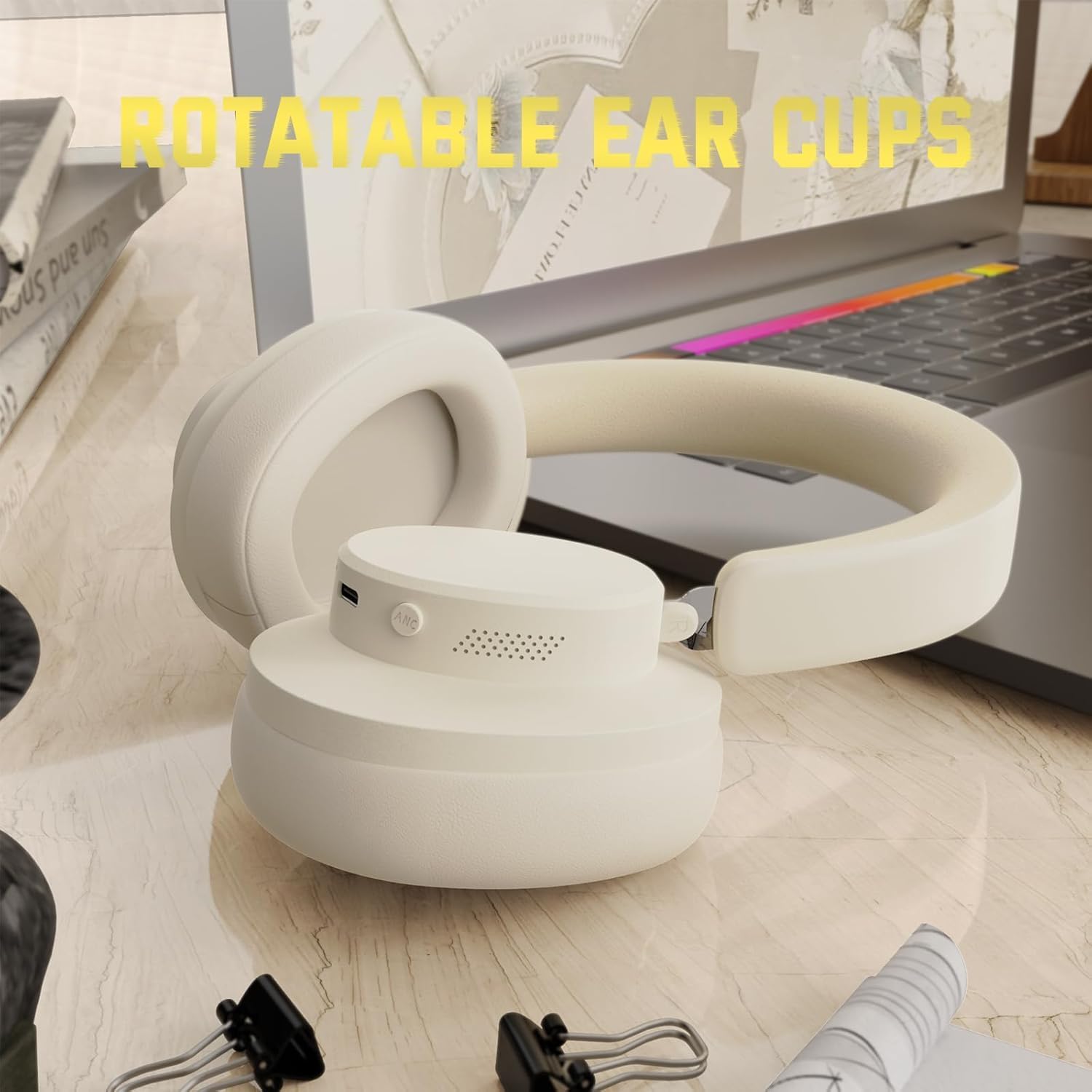
Figure 2: Included accessories with the G500 headphones
This image shows the complete package contents, including the headphones, charging cable, 3.5mm audio cable, and the user manual.
Configuració
1. Càrrega dels auriculars
- Locate the USB Type-C charging port on the headphone earcup.
- Connect the provided USB Type-C charging cable to the headphones and a compatible USB power source (e.g., computer, wall adapter).
- The LED indicator will illuminate during charging. A full charge typically takes approximately 2 hours.
- The LED indicator will change color or turn off once charging is complete.
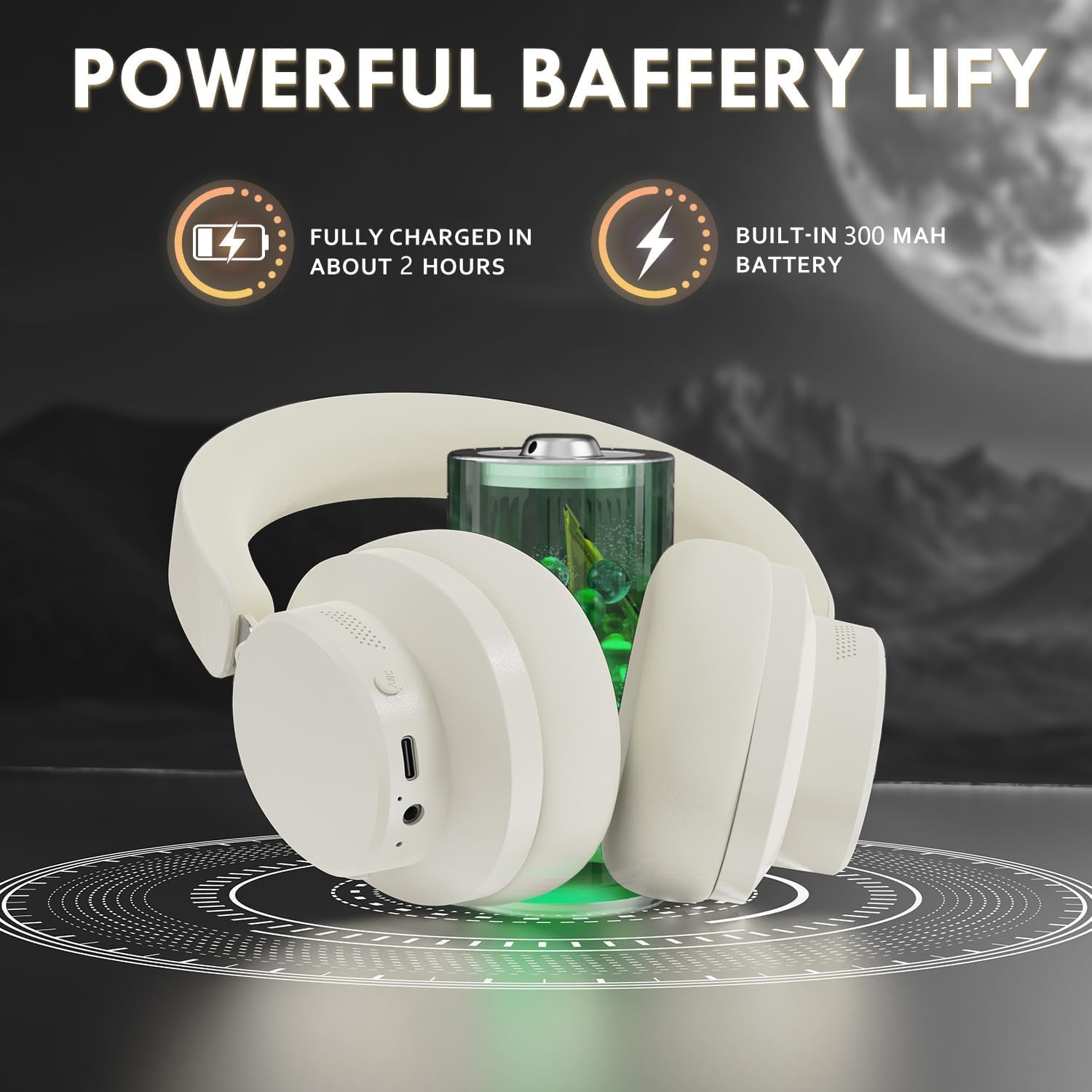
Figure 3: Location of the charging port and LED indicator
This image highlights the USB Type-C charging port and the LED indicator on the headphone earcup, essential for monitoring charging status.
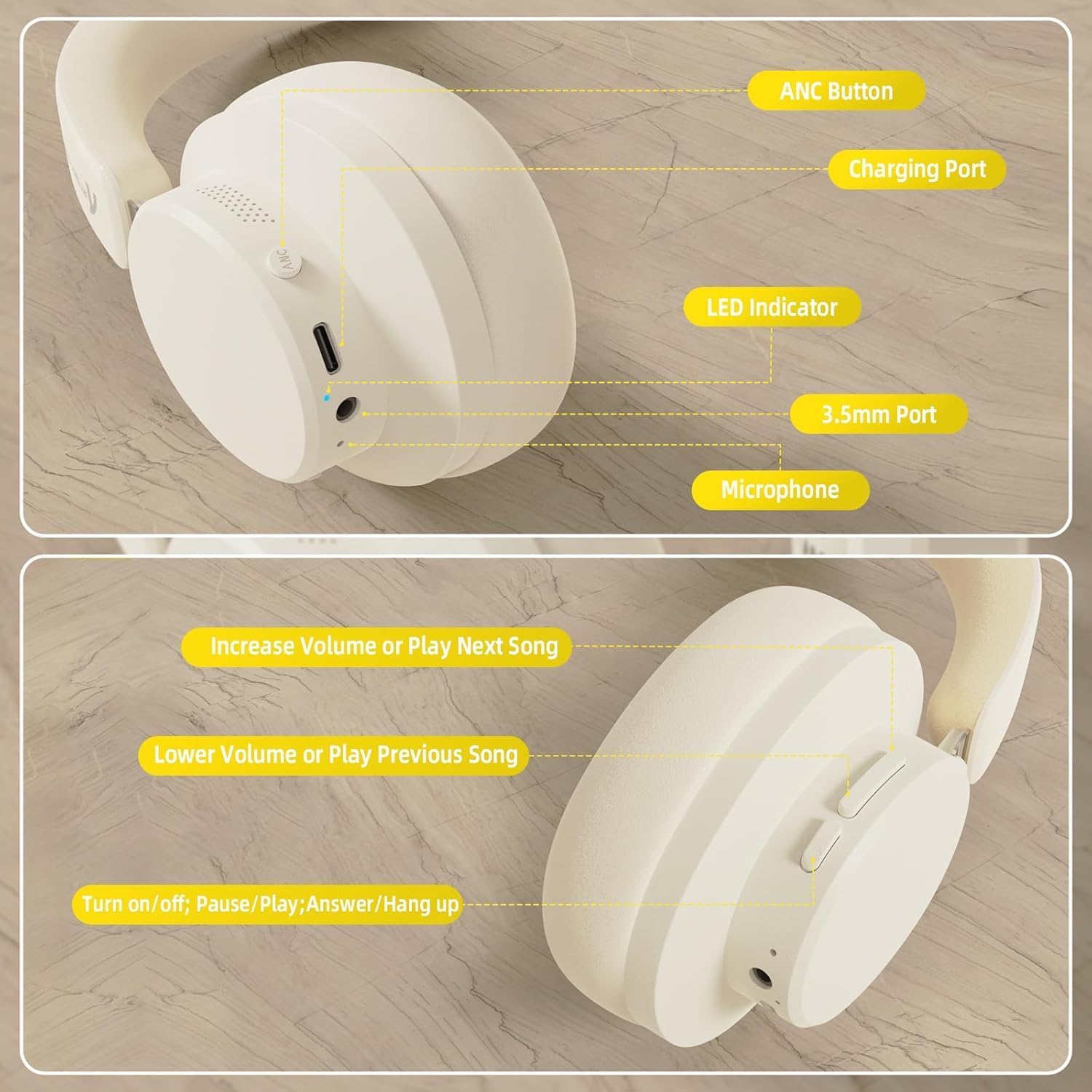
Figure 4: Visual representation of headphones charging
The image illustrates the headphones connected to a power source, with a battery icon indicating the charging process.
2. Emparellament Bluetooth
- Assegureu-vos que els auriculars estiguin completament carregats i apagats.
- Press and hold the Power/Multi-function button until the LED indicator flashes, indicating pairing mode.
- Al dispositiu (telèfon intel·ligent, tauleta, ordinador portàtil), activeu el Bluetooth i cerqueu els dispositius disponibles.
- Select "ATTACK SHARK G500" from the list of devices to pair.
- The LED indicator will stop flashing and remain solid once successfully paired.
Video 1: ATTACK SHARK G300 Wireless Over-Ear Headphones (demonstrates general headphone features, including connectivity)
Aquest vídeo ofereix una visió generalview of ATTACK SHARK wireless over-ear headphones, showcasing their design and some features, which can be helpful for understanding the physical aspects and basic operation of the G500 model.
Figure 5: Dual mode connection example
The image illustrates the headphones connected wirelessly to both a smartphone and a laptop, demonstrating the dual-mode connectivity.
3. Connexió per cable
- Insert one end of the 3.5mm audio cable into the 3.5mm port on the headphone earcup.
- Connect the other end of the 3.5mm audio cable to the audio output jack of your device.
- Els auriculars canviaran automàticament al mode amb cable.
Instruccions de funcionament
Controls acabatsview
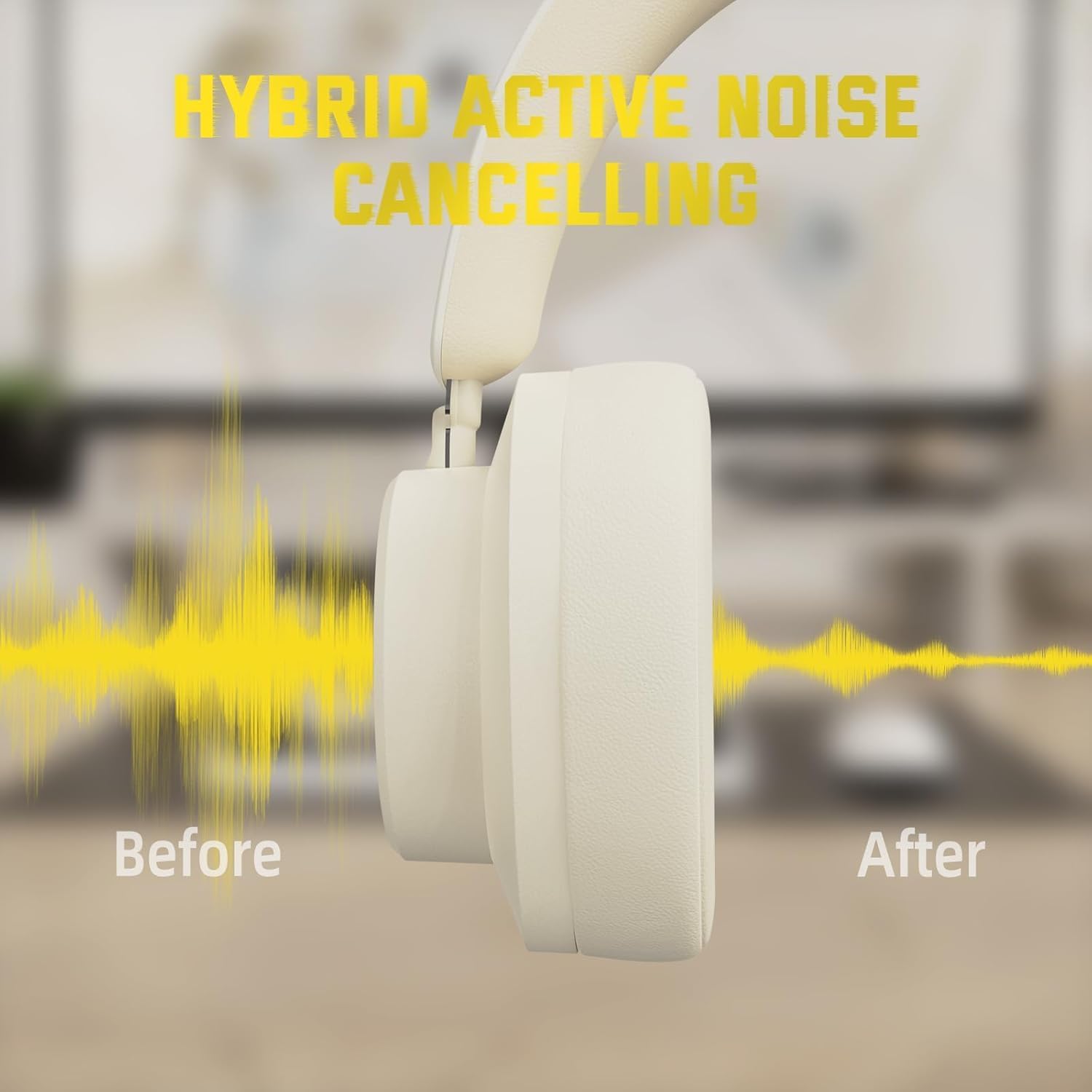
Figura 6: Detallada view of headphone controls
This image provides a clear diagram of all control buttons and ports on the headphones, including the ANC button, charging port, LED indicator, 3.5mm port, and microphone.
Encès/Apagat
- To Power On: Press and hold the Multi-function button for 3 seconds.
- To Power Off: Press and hold the Multi-function button for 3 seconds.
Cancel·lació activa de soroll (ANC)
- Press the ANC button to toggle Active Noise Cancellation on/off.
- When ANC is active, ambient noise will be significantly reduced.
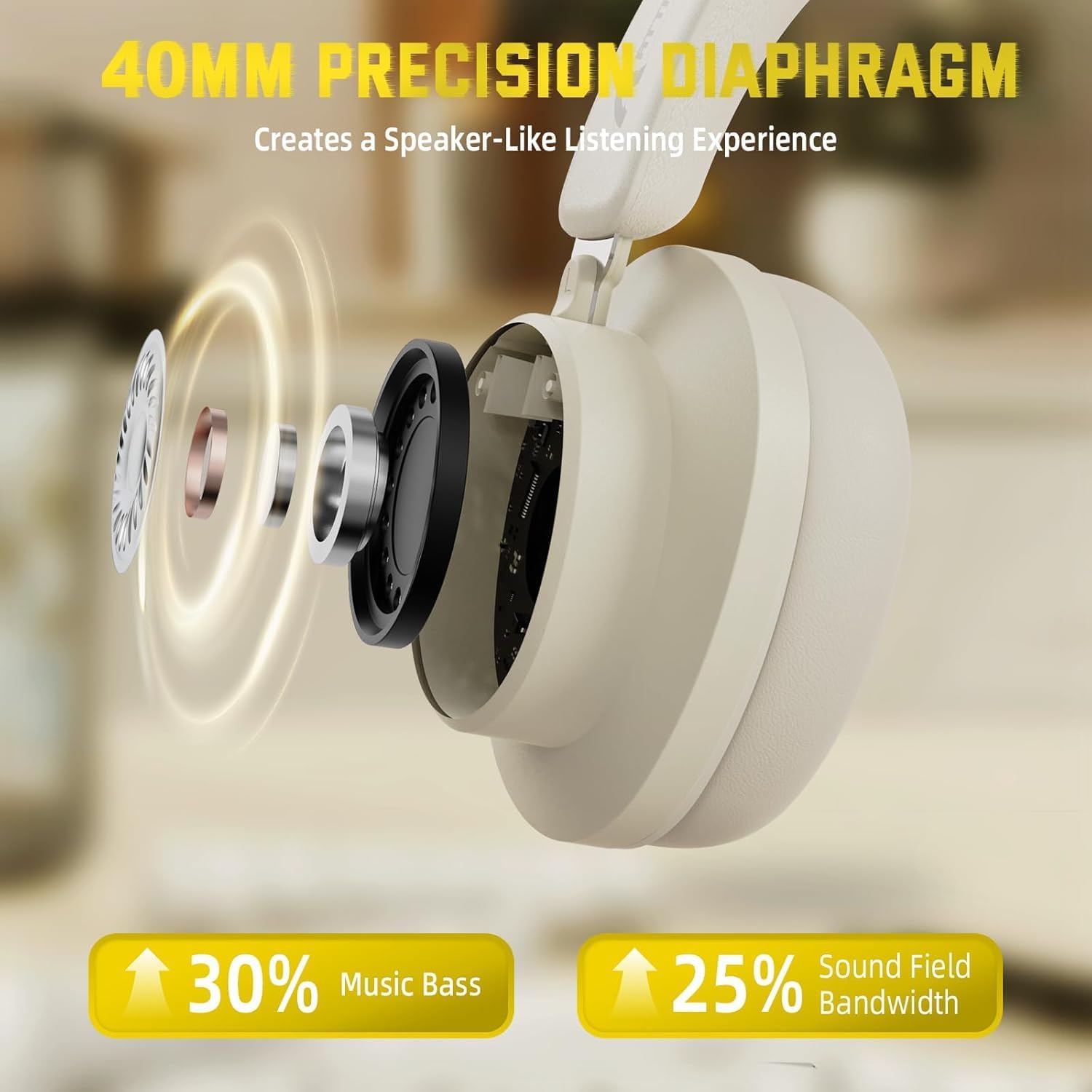
Figure 7: Hybrid Active Noise Cancelling in action
This diagram visually represents the effect of Hybrid Active Noise Cancelling, showing how external noise is reduced when the feature is activated.
Music Playback & Calls
- Play/Pause: Short press the Multi-function button.
- Next Song: Long press the Volume + button.
- Previous Song: Long press the Volume - button.
- Volume Up: Short press the Volume + button.
- Volume Down: Short press the Volume - button.
- Answer/End Call: Short press the Multi-function button.
- Reject Call: Long press the Multi-function button.
Manteniment
- Netegeu els auriculars regularment amb un drap suau i sec.
- Eviteu exposar els auriculars a temperatures extremes, humitat o líquids.
- Store the headphones in a cool, dry place when not in use. The rotatable earcups allow for compact storage.
- No intenteu desmuntar ni reparar els auriculars vosaltres mateixos, ja que això anul·larà la garantia.

Figure 8: Rotatable earcups for easy storage
This image demonstrates the rotatable earcups, which allow the headphones to be folded flat for convenient storage and portability.
Resolució de problemes
| Problema | Possible solució |
|---|---|
| Els auriculars no s'encenen | Ensure the headphones are fully charged. Press and hold the Multi-function button for 3-5 seconds. |
| No es pot emparellar per Bluetooth | Make sure the headphones are in pairing mode (flashing LED). Turn off and on Bluetooth on your device. Ensure the headphones are not connected to another device. |
| No sound in wireless mode | Check device volume and headphone volume. Ensure headphones are successfully paired. Try re-pairing. |
| No hi ha so en mode amb cable | Ensure the 3.5mm audio cable is securely connected to both the headphones and the device. Check device volume. |
| L'ANC no funciona eficaçment | Ensure the ANC button is pressed and the feature is active. Adjust headphone fit to ensure a good seal around your ears. |
Especificacions
| Característica | Detall |
|---|---|
| Nom del model | G500 |
| Tecnologia de connectivitat | Amb cable, sense fil (Bluetooth 5.0) |
| Conector d'auriculars | 3.5 mm Jack |
| Control de soroll | Active Noise Cancellation (21±2DB reduction) |
| Tipus de controlador d'àudio | 40mm Neodymium Dynamic Driver |
| Durada de la bateria | Up to 20 Hours (300 mAh battery) |
| Material | Memory Foam, Plastic/Other Lightweight Polymer |
| Pes de l'article | 10.8 unces (aprox. 210 g) |
| Característiques especials | Microphone Included, Rechargeable Battery, Rotatable Earcups |
| Dispositius compatibles | Laptops, Desktops, Tablets, Telephones, Gaming Consoles, Cellphones |
Garantia i Suport
For warranty information and customer support, please refer to the official ATTACK SHARK weblloc web o poseu-vos en contacte amb el vostre distribuïdor. Conserveu el rebut de compra com a comprovant de compra per a reclamacions de garantia.


