1. Introducció
This manual provides detailed instructions for the installation, operation, and maintenance of your Irfora Cordless Expandable Phone System D1015TAM-D. Please read this manual thoroughly before using the phone system to ensure proper functionality and to prevent damage.
2. Informació de seguretat
- Utilitzeu només els adaptadors de corrent i les bateries subministrats.
- Do not expose the phone system to water or excessive moisture.
- Avoid placing the base unit or handsets near heat sources or direct sunlight.
- Keep the phone system away from strong electromagnetic fields.
- The distance between the main unit and the handset should not exceed 80 meters for optimal performance.
3. Contingut del paquet
Verifiqueu que tots els elements siguin presents al paquet:
- 2 telèfons
- 2 x Charging Cradles
- 1 x Phone Line Cord
- 4 x 1.2V 400MAh Ni-MH AAA Batteries
- 2 x adaptadors de potència
4. Producte acabatview
The Irfora Cordless Expandable Phone System features large buttons and a clear display for ease of use. It includes an integrated answering machine and supports multiple handsets.

Figura 4.1: Handset with large buttons and a 1.8-inch LCD screen, designed for clear visibility and ease of use.

Figura 4.2: Handset keypad layout, showing M1, M2, M3 for speed dialing and the standard numeric keys.

Figura 4.3: The phone system features an integrated telephone answering machine for message recording.

Figura 4.4: Acabatview of phone and answering machine features, including LCD display, handset registration, call memories, and recording capabilities.

Figura 4.5: The base unit and handset feature an incoming call indicator.
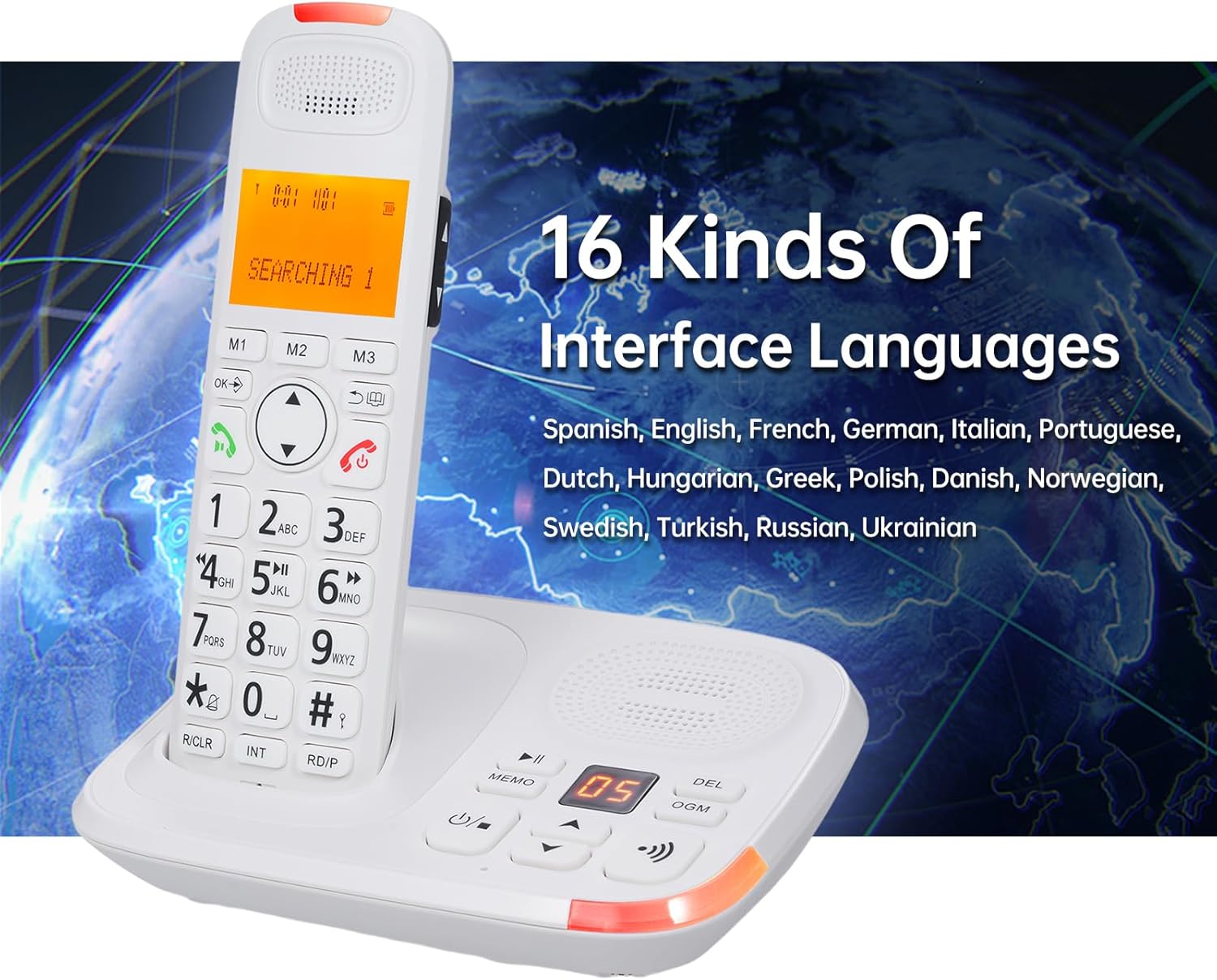
Figura 4.6: The phone system supports 16 interface languages, including Spanish, English, French, German, Italian, Portuguese, Dutch, Hungarian, Greek, Polish, Danish, Norwegian, Swedish, Turkish, Russian, and Ukrainian.
5. Configuració
5.1 Instal·lació de la bateria
- Obriu la tapa del compartiment de la bateria a la part posterior de cada auricular.
- Insert the two 1.2V 400MAh Ni-MH AAA batteries, ensuring correct polarity.
- Tanqueu la tapa del compartiment de la bateria.
- Place the handset in its charging cradle to charge for at least 12 hours before first use.
5.2 Connexió de la unitat base
- Connect one end of the phone line cord to the LINE jack on the base unit.
- Connect the other end of the phone line cord to your telephone wall jack.
- Plug the power adapter into the DC IN jack on the base unit.
- Connecteu l'adaptador d'alimentació a una presa de corrent estàndard.
- For the second charging cradle, plug its power adapter into a standard electrical outlet.
5.3 Registre del telèfon
The system supports a maximum of 5 handsets registered to the same base unit. Refer to the on-screen menu for specific registration steps if additional handsets need to be registered or re-registered.
6. Instruccions de funcionament
6.1 Funcions de trucada bàsiques
- Fer una trucada: Enter the phone number and press the Truca botó.
- Respondre una trucada: Quan soni el telèfon, premeu la tecla Truca button. The system supports auto/manual answering.
- Finalització d'una trucada: Premeu el botó Finalitzar la trucada button or place the handset back in the cradle.
- Torna a marcar: Premeu el botó Reposició botó per trucar a l'últim número marcat.
- Pausa: Use the pause function during dialing as needed.
- Silenciar: Premeu el botó Silenciar button during a call to temporarily disable your microphone.
- Augment d'àudio: Use the dedicated key for audio boost during a call to increase volume.
6.2 Answering Machine (TAM)
- The digital answering machine can record up to 60 minutes of messages.
- The base unit has a 2-digit LCD display to indicate messages.
- Enregistrament de notes: Record memos up to 2 minutes in length.
- Outgoing Message (OGM): Two groups of OGM can be recorded by the user.
- Voice prompts are available in English, Spanish, French, and German.
6.3 Phone Book and Call Memories
- Guia telefònica: Store up to 50 entries with a maximum of 12 characters and 20 digits.
- Incoming Call Memories: Stores up to 30 incoming numbers.
- Outgoing Call Memories: Stores up to 10 outgoing numbers.
- De marcatge ràpid: Utilize M1, M2, M3 buttons for quick access to frequently called numbers.
6.4 Intercom and Conference Calls
- Intercomunicador: Initiate calls between two registered handsets.
- Transferència de trucades: Transfer an external call to another handset.
- Conferència trucada: Conduct a three-way conference call involving an external call and two handsets.
6.5 Settings and Features
- Interface Languages: Select from 16 languages including Spanish, English, French, German, Italian, Portuguese, Dutch, Hungarian, Greek, Polish, Danish, Norwegian, Swedish, Turkish, Russian, and Ukrainian.
- Flash Time: Adjustable settings for 100/300/600/1000ms.
- Ringing Tones: 10 selectable ringing tones. Adjustable ringing tone, earpiece, and hands-free volume. Different melodies can be set for different calls.
- Bloqueig del teclat: Function to lock the keypad to prevent accidental dialing.
- Dialing Barring: Function to restrict certain outgoing calls.
- Retroil·luminació LCD: The LCD screen features a backlight function.
- Despertador: An alarm clock function is available.
7. Manteniment
- Clean the phone system with a soft, damp tela. No utilitzeu netejadors abrasius ni dissolvents.
- Ensure the charging contacts on the handset and cradle are clean for proper charging.
- Replace batteries when they no longer hold a charge effectively.
8. Solució De Problemes
- Sense to de marcatge:
- Check if the phone line cord is securely connected to both the base unit and the wall jack.
- Ensure the power adapter is properly connected and plugged into a working outlet.
- El telèfon no es carrega:
- Verify the handset is correctly seated in the charging cradle.
- Clean the charging contacts on both the handset and cradle.
- Check if the charging cradle's power adapter is connected.
- Poor Call Quality or Range Issues:
- Ensure the handset is within 80 meters of the base unit.
- Relocate the base unit away from other electronic devices that may cause interference.
- Base Unit and Handset Ring Simultaneously, Cannot Answer Both:
- This is normal operation. When a call comes in, both the main unit and handset will ring. You can only choose one of them to answer the call, not both simultaneously.
9. Especificacions
| Model | D1015TAM-D |
| Handset Dimensions | 19 x 5.7 x 2.7 cm (7.48 x 2.24 x 1.06 polzades) |
| Cradle Dimensions | 16.8 x 12.5 x 6 cm (6.61 x 4.92 x 2.36 inches) and 10 x 11.2 x 7 cm (3.94 x 4.41 x 2.76 inches) |
| Bateries | 4 x 1.2V 400MAh Ni-MH AAA batteries |
| Pantalla LCD | 1.8 inches, 3 lines display, backlight function |
| Expandabilitat | Max. 5 handsets per base unit, Max. 4 bases per handset |
| Phone Book Memory | 50 entries (12 characters & 20 digits max) |
| Call Memories | 30 incoming, 10 outgoing |
| Temps d'enregistrament del contestador automàtic | Màx. 60 minuts |
| Memo Recording Time | Màx. 120 segons |
| Flash Time Settings | 100/300/600/1000ms |
| Idiomes d'interfície | 16 options (Spanish, English, French, German, Italian, Portuguese, Dutch, Hungarian, Greek, Polish, Danish, Norwegian, Swedish, Turkish, Russian, Ukrainian) |
| Fabricant | Irfora |
| ASIN | B0DRG4WSDY |


