Welcome to the INSMART Smart Scale user manual. This guide provides comprehensive instructions for setting up, operating, and maintaining your new smart scale. Designed to help you monitor your health with precision, the INSMART Smart Scale offers detailed body composition analysis and seamless integration with your fitness applications.
Característiques clau
Alta precisió: Equipped with 4 high-sensitive electrodes for precise measurements within 0.2lb/0.05kg, up to 400lb/180kg capacity.
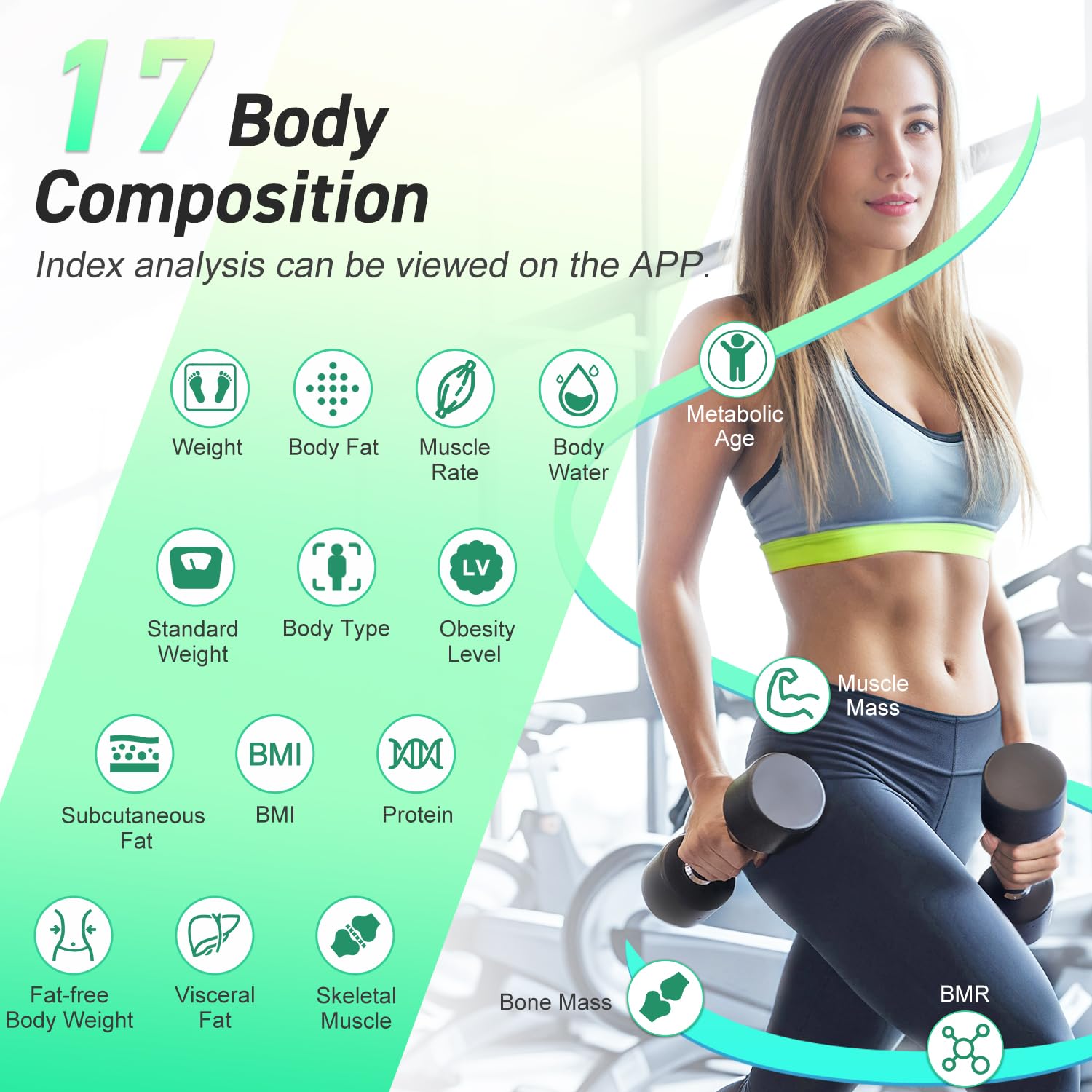
17 Body Composition Metrics: Measures Weight, BMI, Body Fat, Fat-free Body Weight, Subcutaneous Fat, Visceral Fat, Body Water, Skeletal Muscle, Muscle Mass, Bone Mass, Protein, BMR, Standard weight, body type, obesity level, and Metabolic Age.
Sincronització d'aplicacions: Connects via Bluetooth 4.0 to iOS 8.0 / Android 6.0 or higher devices, syncing data with INSMART Health, Apple Health, Google Fit, and Fitbit.
Usuaris il·limitats: Supports tracking for an unlimited number of users, with automatic chart generation for fitness trend monitoring.
Mode nadó: Features a dedicated Baby Mode for safe and convenient measurement of baby's weight and BMI.
Disseny durador: Constructed with thickened tempered glass for durability and a maximum capacity of 400lbs/180kg.
Guia de configuració
1. Instal·lació de la bateria
Locate the battery compartment on the underside of the scale. Insert the included 2 AAA batteries, ensuring correct polarity. The scale will power on automatically once batteries are inserted.
Image: INSMART Smart Scale with included AAA batteries, demonstrating the battery type.
Video: Official INSMART video demonstrating the battery installation process and initial setup of the smart scale.
2. App Download and Profile Creació
Download the "INSMART Health" app from the Apple App Store or Google Play Store. Once installed, open the app and create your personal profile by entering your name, gender, height, age, and target weight. The app allows for multiple user profiles, making it convenient for families.
Image: The INSMART Health app interface displaying multiple user profiles, highlighting the family sharing feature.
Image: Screenshot showing the INSMART Health app available on Google Play and Apple App Store, with app icons for Insmart Health, Apple Health, Google Fit, and Fitbit.
3. Initial Scale Placement
For accurate readings, place the INSMART Smart Scale on a hard, dry, and flat surface. Avoid carpets or uneven flooring, as this can affect measurement precision.
Image: Diagram illustrating the sturdy design of the INSMART Smart Scale, featuring tempered glass and anti-slip silicone feet for stable and accurate measurements.
Instruccions de funcionament
1. Prendre una mesura
Ensure your phone's Bluetooth is enabled and the INSMART Health app is open. Step onto the scale barefoot and stand still for at least 5 seconds. The scale will display your weight, and all 17 body composition metrics will automatically sync to the app.
Image: A person standing barefoot on the INSMART Smart Scale, with a smartphone displaying the synced body data, emphasizing wireless Bluetooth connection.
Video: Official INSMART video demonstrating how to use the smart scale, including stepping on it and viewing data on the app.
2. Understanding Your Body Data
The INSMART Health app provides detailed insights into 17 key body composition metrics:
Pes
IMC (índex de massa corporal)
Percentatge de greix corporaltage
Pes corporal sense greixos
Greix subcutani
Greix visceral
Aigua corporal
Múscul esquelètic
Massa muscular
Missa òssia
Proteïna
BMR (taxa metabòlica basal)
Pes estàndard
Tipus de cos
Nivell d'obesitat
Edat metabòlica
Tu pots view historical data and trends within the app to track your progress over time.
Image: Infographic detailing the 17 body composition metrics measured by the INSMART Smart Scale, including Weight, Body Fat, Muscle Rate, Body Water, Metabolic Age, and more.
Imatge: Un usuari viewing their health data trends on the INSMART Health app, with logos indicating compatibility with Apple Health, Google Fit, and Fitbit.
3. Conversió d'unitats
To switch between weight units (kg/lb/st:lb), step on the scale to activate the display. Then, press the "UNIT" conversion button located on the backside of the scale.
Image: Diagram illustrating the unit conversion button located on the back of the INSMART Smart Scale, allowing users to switch between kilograms, pounds, and stones.
4. Mode nadó
The scale supports a "Baby Mode" for measuring the weight of infants. Refer to the app's instructions for activating this feature, which allows for safe and accurate weighing of your baby while holding them.
Manteniment
Neteja
Netegeu la superfície de la bàscula amb un drap suau iamp cloth. Do not use abrasive cleaners or immerse the scale in water. Keep the surface dry after cleaning.
Emmagatzematge
Store the scale in a cool, dry place. Avoid extreme temperatures or direct sunlight. Do not place heavy objects on the scale when not in use.
Resolució de problemes
No Bluetooth Connection to My Scale
Ensure your phone's network is enabled (for registered users).
Verify that Bluetooth and GPS connection are enabled on your phone.
Pair the device and take a measurement when the app is open.
If connection fails, proceed as follows:
Tap the "Setting" button in the app.
Then tap "Device Binding".
Tap "+" to search and pair the Bluetooth Scale.
Go back to the home page, tap the "Measure" button to start weighing.
Image: Visual guide for troubleshooting Bluetooth connection issues with the INSMART Smart Scale, showing app navigation steps.
Resultats de mesura inexactes
Ensure the scale is placed on a hard, dry, flat surface. Avoid carpets or other soft surfaces.
Step on, then step off the scale and wait for the screen to display "0.0". Step back on to weigh yourself.
Ensure you are standing barefoot on the electrodes for body composition analysis.
Especificacions
Dimensions del producte
10.3 x 10.3 x 1 polzades; 2.69 lliures
Número de model de l'article
CF598
Bateries
Necessites 2 piles AAA (incloses)
Fabricant
INTELIGENT
País d'origen
Xina
Capacitat de pes
400lb / 180kg
Tipus de visualització
LED
Garantia i Suport
For warranty information, technical support, or any inquiries regarding your INSMART Smart Scale, please contact INSMART customer service through the contact details provided with your product packaging or visit the official INSMART weblloc.
Documents relacionats - CF598
Guia de l'usuari de la bàscula intel·ligent INSMART Health Guia d'usuari completa per a la bàscula intel·ligent INSMART Health, que detalla la configuració, l'ús, la integració de l'aplicació i la resolució de problemes per a una anàlisi precisa de la composició corporal.
Manual d'usuari de la bàscula intel·ligent INSMART: la vostra guia de mètriques de salut Baixeu el manual d'usuari de la bàscula intel·ligent INSMART per obtenir instruccions detallades sobre com utilitzar la vostra bàscula amb Bluetooth. Apreneu sobre la tecnologia BIA, el seguiment de l'índex de massa corporal, el greix corporal i altres indicadors de salut amb l'aplicació Fitdays.
Guia d'inici ràpid de la bàscula de greix corporal Bluetooth d'Insmart Una guia d'inici ràpid per a la bàscula de greix corporal Bluetooth Insmart, que cobreix la configuració, la connexió a l'aplicació, la resolució de problemes, la precisió de la mesura i la configuració de la unitat.
Manual d'usuari de la bàscula intel·ligent Bluetooth INSMART 260H Manual d'usuari de la bàscula intel·ligent Bluetooth INSMART 260H, que cobreix la configuració, el mesurament, les funcions de l'aplicació, l'anàlisi de dades i la resolució de problemes per al seguiment de la composició corporal.