1. Introducció
Thank you for choosing the Lafocuse Digital Alarm Clock ZH0154B. This 6.7-inch LED digital clock is designed to provide clear time display, alarm functions, temperature, and date information. It features adjustable brightness and flexible power options to suit your needs. Please read this manual carefully to ensure proper setup and operation.
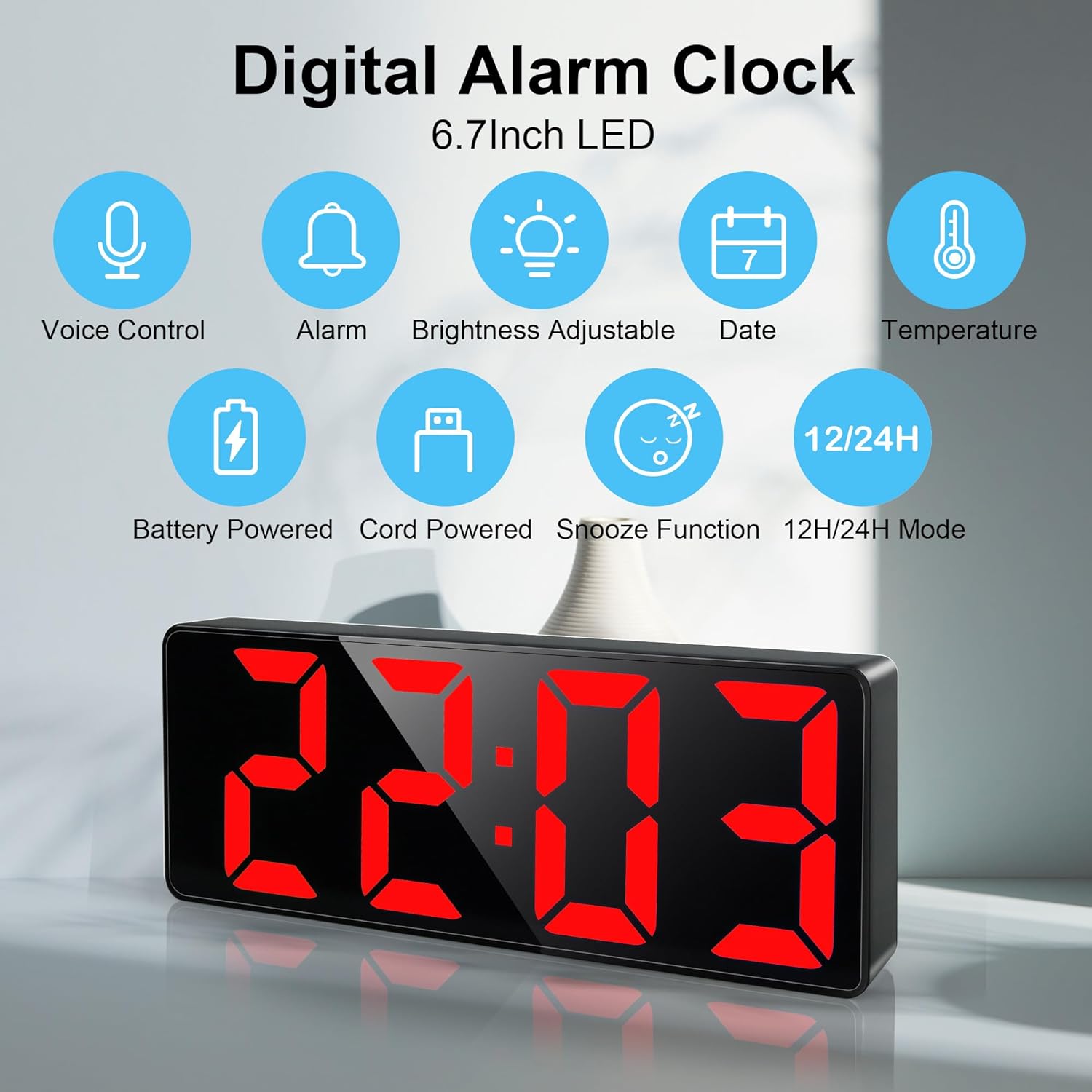
Image 1.1: Lafocuse Digital Alarm Clock ZH0154B showcasing its main features including time, date, temperature, and alarm functions.
2. Producte acabatview
The Lafocuse Digital Alarm Clock ZH0154B features a sleek design with a large LED display. Understanding the button layout and ports is essential for operation.

Imatge 2.1: posterior view of the alarm clock with labeled buttons and ports. Dimensions are also shown: 15.8cm (6.3 inches) length, 5.8cm (2.3 inches) height, and 2.5cm (1.0 inch) depth.
Button and Port Identification:
- BAIX: Used to decrease values during settings.
- AMUNT: Used to increase values during settings.
- LLUM/SNOOZE: Adjusts brightness or activates snooze function.
- Mode: Cycles through display modes (Time, Date, Temperature) and enters setting modes.
- ALARMA: Entra al mode de configuració de l'alarma.
- Compartiment de la bateria: Holds three AAA batteries for backup power.
- Port del cable d'alimentació: USB port for continuous power supply.
3. Configuració
3.1 Alimentació del dispositiu
The alarm clock offers two power options:
- USB Cable (Recommended): Connect the included USB cable to the Power Cord Port (7) on the back of the clock and plug the other end into a USB power adapter (not included) or a powered USB port. This provides continuous power, keeping the LED display constantly lit.
- AAA Batteries (Backup): Insert three AAA batteries (not included) into the Battery Compartment (6). When powered by batteries, the LED screen will not stay on continuously to conserve power. It will activate with a light touch and automatically turn off after 16 seconds.

Image 3.1: Illustration of the two power modes: USB for constant display and battery for touch-activated display.
3.2 Configuració inicial de la data i l'hora
Upon first power-up or after a reset, you may need to set the current time and date.
- Manteniu premut el botó MODE button (4) for 3 seconds to enter time setting mode. The year will flash.
- Utilitza el UP (2) o ABAIX (1) buttons to adjust the year.
- Premeu MODE de nou per confirmar l'any i passar a la configuració del mes. El mes parpellejarà.
- Utilitza el UP (2) o ABAIX (1) buttons to adjust the month.
- Premeu MODE de nou per confirmar el mes i passar a la configuració de la data. La data parpellejarà.
- Utilitza el UP (2) o ABAIX (1) buttons to adjust the date.
- Premeu MODE de nou per confirmar la data i passar a la configuració de l'hora. L'hora parpellejarà.
- Utilitza el UP (2) o ABAIX (1) buttons to adjust the hour.
- Premeu MODE again to confirm the hour and move to minute setting. The minute will flash.
- Utilitza el UP (2) o ABAIX (1) buttons to adjust the minute.
- Premeu MODE one last time to save all settings and exit.
4. Instruccions de funcionament
4.1 Setting Time (12/24 Hour Mode)
To switch between 12-hour and 24-hour display modes:
- While in normal time display mode, press and hold the MODE button (4) until the display changes between 12H and 24H.
- Utilitza el UP (2) o ABAIX (1) buttons to select your preferred format.
- Premeu MODE (4) per confirmar.
4.2 Setting Date and Temperature Display
The clock can cycle through time, date, and temperature displays.
- En el mode de visualització normal, premeu breument el botó MODE button (4) to switch between Time, Date, and Temperature displays.

Image 4.1: The clock cycling through Temperature, Time, and Date display modes.
4.3 Setting Alarms and Snooze Function
The clock supports up to three alarm settings and an adjustable snooze duration.
- Manteniu premut el botó ALARMA button (5) for 3 seconds to enter alarm setting mode. The alarm hour will flash.
- Utilitza el UP (2) o ABAIX (1) buttons to set the desired alarm hour.
- Premeu ALARMA (5) again to confirm the hour and move to minute setting. The alarm minute will flash.
- Utilitza el UP (2) o ABAIX (1) buttons to set the desired alarm minute.
- Premeu ALARMA (5) again to select the alarm mode. The display will show '1-5', '1-6', or '1-7'.
- 1-5: L'alarma sona de dilluns a divendres.
- 1-6: L'alarma sona de dilluns a dissabte.
- 1-7: Alarm sounds Monday to Sunday.
- Utilitza el UP (2) o ABAIX (1) buttons to select your preferred alarm mode.
- Premeu ALARMA (5) again to save the alarm setting and exit.
Per activar la funció de repetició:
- Quan soni l'alarma, premeu el botó LLUM / SNOOZE button (3) to activate snooze. The alarm will pause and sound again after the set snooze duration.
- The default snooze time is 5 minutes. To adjust the snooze duration (1-60 minutes), press and hold the LLUM / SNOOZE button (3) during alarm setting mode until the snooze time flashes, then use UP (2) o ABAIX (1) to adjust.

Image 4.2: Setting the snooze time and selecting one of the three alarm modes.
4.4 Ajust de la brillantor
The clock has 3 levels of brightness and an option to turn off the display completely.
- En el mode de visualització de l'hora normal, premeu breument la tecla LLUM / SNOOZE button (3) to cycle through brightness levels (Bright, Medium, Low).
- To turn off the display completely (Non-disturb mode), press and hold the LLUM / SNOOZE button (3). This is useful for preventing light disturbance during sleep. Press any button to reactivate the display.

Image 4.3: Visual representation of the adjustable brightness levels and the screen-off feature.

Image 4.4: The 'Turned-off Screen' feature in use, demonstrating how to avoid light disturbance at night by pressing and holding the SNOOZE/LIGHT button.
5. Manteniment
- Netegeu el rellotge amb un drap suau i sec. No utilitzeu productes de neteja abrasius ni dissolvents.
- Eviteu exposar el rellotge a temperatures extremes, llum solar directa o humitat elevada.
- If using batteries, replace them regularly to prevent leakage, especially if the clock will not be used for an extended period.
6. Solució De Problemes
| Problema | Causa possible | Solució |
|---|---|---|
| La pantalla està apagada o parpelleja. | Sense electricitat o amb piles baixes. | Ensure USB cable is securely connected to a working power source. If using batteries, replace them. |
| L'alarma no sona. | Alarm not set or turned off. Incorrect alarm mode selected. | Verify alarm time and mode (1-5, 1-6, 1-7) are correctly set. Ensure alarm is activated. |
| L'hora/data és incorrecta. | Incorrectly set or power interruption. | Reset time and date following Section 3.2. Ensure continuous power via USB to prevent loss of settings. |
| La pantalla s'apaga automàticament. | Funcionant amb bateria. | This is normal behavior for battery mode. Connect via USB for continuous display. |
7. Especificacions
- Marca: Lafocus
- Número de model: ZH0154B
- Color: Vermell
- Dimensions del producte (L x A x A): 15.8 x 3.81 x 5.8 cm (6.3 x 1.5 x 2.3 polzades)
- Material: Plàstic
- Característiques especials: Night anti-disturbance, 6.7" LED screen
- Pes de l'article: 150 g
- Tipus de visualització: Digital
- Estil: Modern
- Font d'alimentació: Corded Electric (USB) or 3x AAA Battery Powered
8. Garantia i Suport
For warranty information and customer support, please refer to the documentation provided with your purchase or contact Lafocuse customer service directly. Keep your proof of purchase for any warranty claims.
