1. Producte acabatview
The MOREFINE M10 Mini PC is a compact and powerful desktop computer designed for various applications, from office tasks and streaming to light photo editing and use as a network-attached storage (NAS) device. It features a 12th Gen Intel Alder Lake-N100 processor, high-speed LPDDR5 RAM, and a fast NVME SSD for responsive performance.

Image: The MOREFINE M10 Mini PC, showcasing its compact design and various connectivity ports.
Característiques principals:
- 12th Gen Alder Lake-N100 Processor: Equipped with a 12th Gen Alder Lake-N100 Processor (up to 3.4 GHz) and Intel UHD Graphics, offering improved performance for daily computing tasks.
- Memòria i emmagatzematge d'alta velocitat: Features 12GB LPDDR5 4800MHz RAM and a 512GB NVME M.2 SSD for fast boot times, quick application loading, and efficient multitasking. Storage is expandable up to 2TB.
- 4K UHD Dual Display Support: Two HD2.0 ports allow simultaneous connection to two 4K monitors, enhancing productivity and visual experience.
- Ultra-Fast Connectivity: Includes 2.5G dual Gigabit Ethernet, WiFi 6, and Bluetooth 5.2 for stable and high-speed network connections and seamless peripheral pairing.
- Disseny compacte i portàtil: Measures approximately 5.5 x 2.4 x 0.82 inches, making it highly portable and suitable for various setups, including VESA mount options for a tidy workspace.

Image: Detailed specifications of the 12th Gen Intel Alder Lake-N100 Processor.
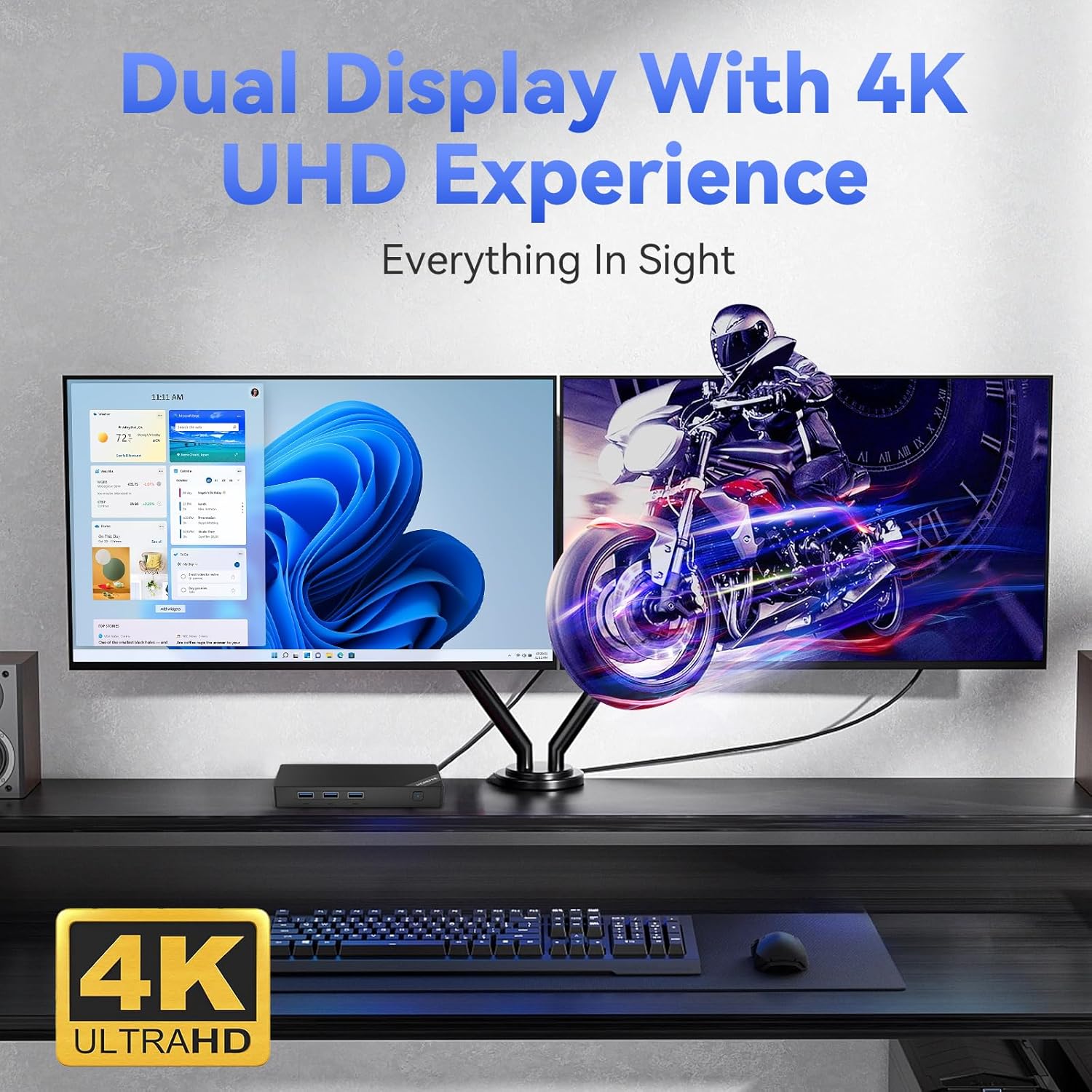
Image: The Mini PC supporting a dual 4K UHD display setup.

Image: Illustrating the Mini PC's advanced wireless connectivity options.
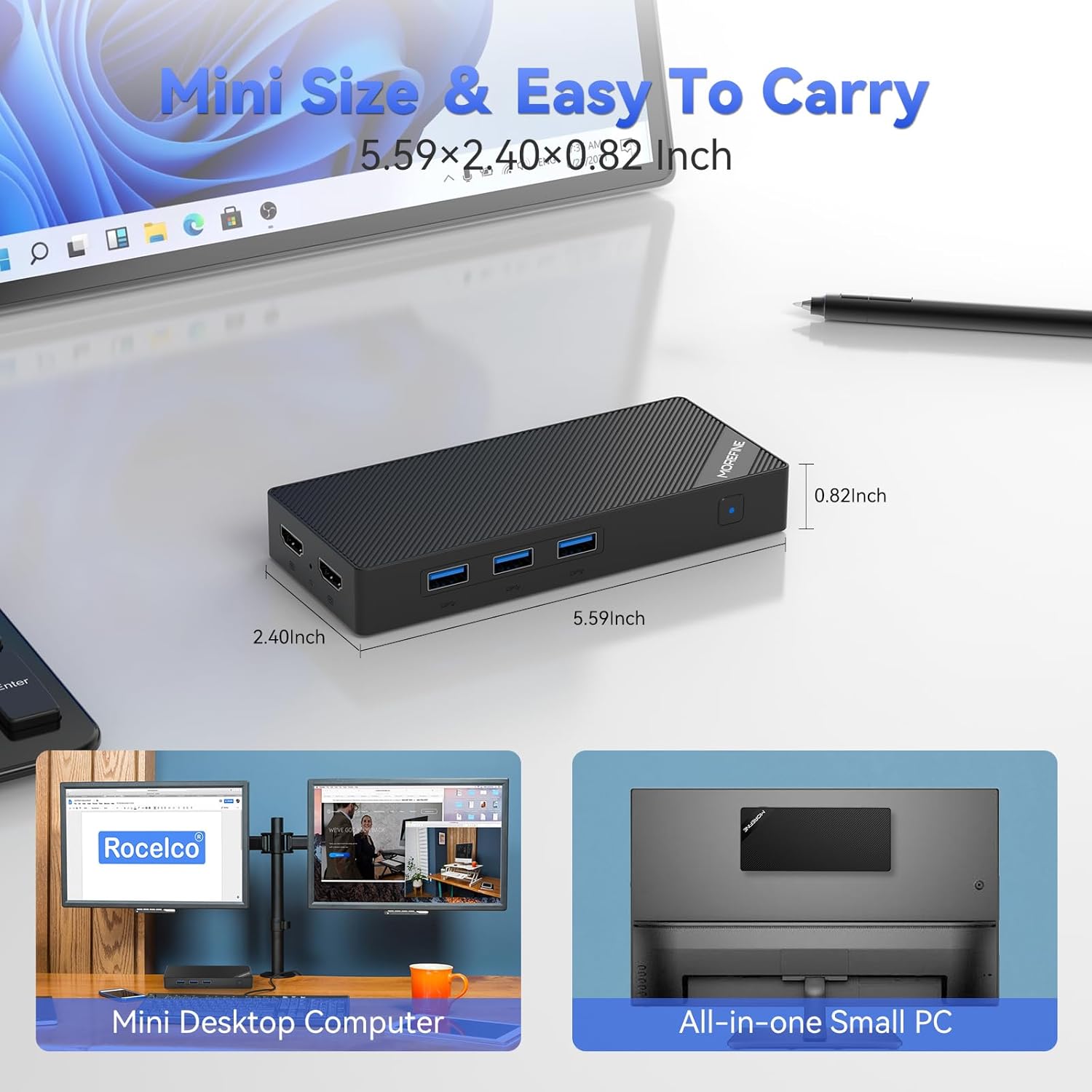
Image: The compact dimensions of the MOREFINE Mini PC, emphasizing its portability.
2. Què hi ha a la caixa
En obrir el paquet, comproveu que hi hagi tots els elements següents:
- 1 x MOREFINE Mini PC
- 1 x cable HDMI
- 1 x Manual d'usuari (aquest document)
- 1 x adaptador de corrent
3. Guia de configuració
Follow these steps to set up your MOREFINE Mini PC:
- Connect to a Display: Use the provided HDMI cable to connect one or both HDMI 2.0 ports on the Mini PC to your monitor(s) or TV. The Mini PC supports dual 4K displays.
- Connecteu els perifèrics: Plug in your keyboard, mouse, and any other USB devices into the available USB 3.2 ports.
- Connectar-se a la xarxa (opcional): For a wired connection, connect an Ethernet cable from your router or modem to the 2.5G RJ45 LAN port on the Mini PC. For wireless, you can configure WiFi 6 after powering on.
- Connectar l'alimentació: Plug the power adapter into the DC-in port on the Mini PC, then plug the adapter into a power outlet.
- Encès: Press the power button located on the front of the Mini PC. The power indicator light will illuminate.

Imatge: Més deview of the Mini PC's multi-purpose ports for various connections.
4. Instruccions de funcionament
Encès/apagat:
- Per encendre: Premeu el botó d'encesa una vegada.
- Per apagar: From the operating system, select 'Shut Down'. Alternatively, press and hold the power button for 5-7 seconds for a forced shutdown (use only when necessary).
Sistema operatiu:
The Mini PC comes with an operating system pre-installed. Follow the on-screen instructions for initial setup, including language, region, and user account creation.
Connectivitat de xarxa:
- Cablejat (Ethernet): If you connected an Ethernet cable during setup, the system should automatically detect the network connection.
- Sense fil (Wi-Fi): Access the network settings within your operating system, select your Wi-Fi network, and enter the password to connect. The Mini PC supports Wi-Fi 6 for fast wireless speeds.
Dispositius Bluetooth:
To connect Bluetooth devices (e.g., headphones, speakers, keyboards), enable Bluetooth in your operating system settings, search for available devices, and pair with your desired device.
Dual Display Usage:
With two HDMI 2.0 ports, you can extend or duplicate your desktop across two monitors. Configure display settings within your operating system to arrange screens, adjust resolution, and set primary displays.

Image: The Mini PC's versatility for various applications.
5. Manteniment
Un manteniment adequat garanteix la longevitat i el rendiment òptim del vostre Mini PC:
- Neteja: Regularly clean the exterior of the Mini PC with a soft, dry cloth. Avoid using liquid cleaners or abrasive materials. Ensure ventilation openings are free from dust and obstructions.
- Ventilació: Place the Mini PC in a well-ventilated area to prevent overheating. Do not block the air vents.
- Temperatura: Operate the Mini PC within recommended temperature ranges. Avoid extreme hot or cold environments.
- Actualitzacions de programari: Mantingueu el sistema operatiu i els controladors actualitzats per garantir la seguretat, l'estabilitat i el rendiment.
- Còpia de seguretat de dades: Feu còpies de seguretat de les dades importants regularment en un disc dur extern o en un emmagatzematge al núvol per evitar la pèrdua de dades.
6. Solució De Problemes
If you encounter issues with your MOREFINE Mini PC, refer to the following common problems and solutions:
| Problema | Possible solució |
|---|---|
| No hi ha alimentació/El sistema no s'encén |
|
| No es mostra al monitor |
|
| No internet connection (wired) |
|
| No internet connection (wireless) |
|
| El sistema és lent o no respon |
|
If these solutions do not resolve the issue, please refer to the Support section for further assistance.
7. Especificacions
Detailed technical specifications for the MOREFINE M10 Mini PC:
| Característica | Especificació |
|---|---|
| Marca | MÉS FINS |
| Número de model | M10-N100-12+512 |
| Processador | 12th Gen Intel Alder Lake-N100 (up to 3.4 GHz, 4 Cores, 4 Threads, 6MB Cache) |
| Gràfics | Gràfics Intel UHD (integrats) |
| RAM | 12 GB LPDDR5 4800 MHz |
| Emmagatzematge | 512GB NVME M.2 SSD (Expandable up to 2TB) |
| Resolució de pantalla màxima | 3840x2160 Pixels (4K UHD) |
| Sortida de vídeo | 2 x HDMI 2.0 |
| Ports USB | 3 x USB 3.2, 1 x Type-C |
| Xarxa | 2.5G Dual Gigabit Ethernet (RJ45), Wi-Fi 6 |
| Bluetooth | Bluetooth 5.2 |
| Àudio | Jack d'àudio |
| Sistema operatiu | OS (as specified) |
| Pes de l'article | 1.21 lliures (aprox. 0.55 kg) |
| Dimensions (L x A x A) | 5.59 x 2.40 x 0.82 polzades (aprox. 14.2 x 6.1 x 2.1 cm) |
| Color | Negre |
| Característiques especials | WOL (Wake On LAN), PXE Boot, Auto Power On, VESA Mount support |
8. Garantia i Suport
Informació de la garantia:
Your MOREFINE Mini PC is covered by a manufacturer's warranty. Please refer to the warranty card included in your product packaging or visit the official MOREFINE weblloc web per obtenir informació detallada sobre els termes i condicions de la cobertura i la durada de la garantia.
Atenció al client:
For technical assistance, troubleshooting beyond this manual, or warranty claims, please contact MOREFINE customer support. You can typically find contact information on the official MOREFINE weblloc web o a través del venedor on vau comprar el producte.
When contacting support, please have your product model number (M10-N100-12+512) and purchase details readily available.


