Introducció
The BITZEE Hamster Ball is an interactive digital pet toy designed to provide an engaging experience for users aged 5 and up. This device allows you to care for and interact with digital hamsters and other friends through touch and movement. This manual provides essential information for setting up, operating, maintaining, and troubleshooting your BITZEE Hamster Ball.

Image: The BITZEE Hamster Ball, a spherical purple device with a digital hamster displayed on its screen, positioned on its stand.
Què hi ha a la caixa
Please ensure all components are present before beginning use:
- 1 BITZEE Hamster Ball
- 1 Stand
- 1 Guia d'inici ràpid
- 1 Instruction Sheet (this document)

Image: The retail packaging for the BITZEE Hamster Ball, illustrating the product and its key features.
Configuració
Instal·lació de la bateria
The BITZEE Hamster Ball requires 3 AA batteries, which are included with the product. To install or replace batteries:
- Locate the battery compartment on the underside of the Hamster Ball or its stand.
- Using a small Phillips head screwdriver, loosen the screw on the battery compartment cover.
- Traieu la coberta.
- Introduïu 3 piles AA, assegurant-vos de la polaritat correcta (+/-) tal com s'indica a l'interior del compartiment.
- Torneu a col·locar la coberta i premeu el cargol amb seguretat.
Encès inicial
After battery installation, the device should power on automatically or by pressing the main interaction button. Follow any on-screen prompts to begin your digital pet journey.
Instruccions de funcionament
Basic Interaction
The BITZEE Hamster Ball responds to various physical interactions:
- Toca: Gently touch the top surface of the ball to interact with your digital pet.
- Moviment: Tilt, shake, or roll the ball to elicit reactions and navigate menus.

Image: A hand touching the BITZEE Hamster Ball, demonstrating touch interaction with the digital pet.

Image: A hand rolling the BITZEE Hamster Ball, showing how movement affects the digital pet.
Caring for Your Bitzee
Your digital hamster requires care to grow and thrive:
- Alimentació: Provide treats to keep your Bitzee happy and healthy.
- Acariciar: Gentle touches help build a bond with your digital pet.
- Exercici: Engage your Bitzee on the digital hamster wheel.
- Bany: Keep your Bitzee clean through interactive actions.

Image: A user interacting with the BITZEE Hamster Ball, demonstrating care actions for the digital pet.
Evolució
Your hero hamster will evolve through different stages:
- Bebè: El s inicialtage of your digital pet.
- Teen: Achieved through consistent care and interaction.
- Super Bitzee: The final evolved form, unlocking new features and interactions.

Image: Visual representation of the Bitzee hamster's evolution stages: Baby, Teen, and Super Bitzee.
Unlocking Friends
Roll and explore with your Bitzee Hamster Ball to discover and collect over 20 unique digital friends. Each friend has distinct themes and interacts with your hero hamster, evolving alongside it.
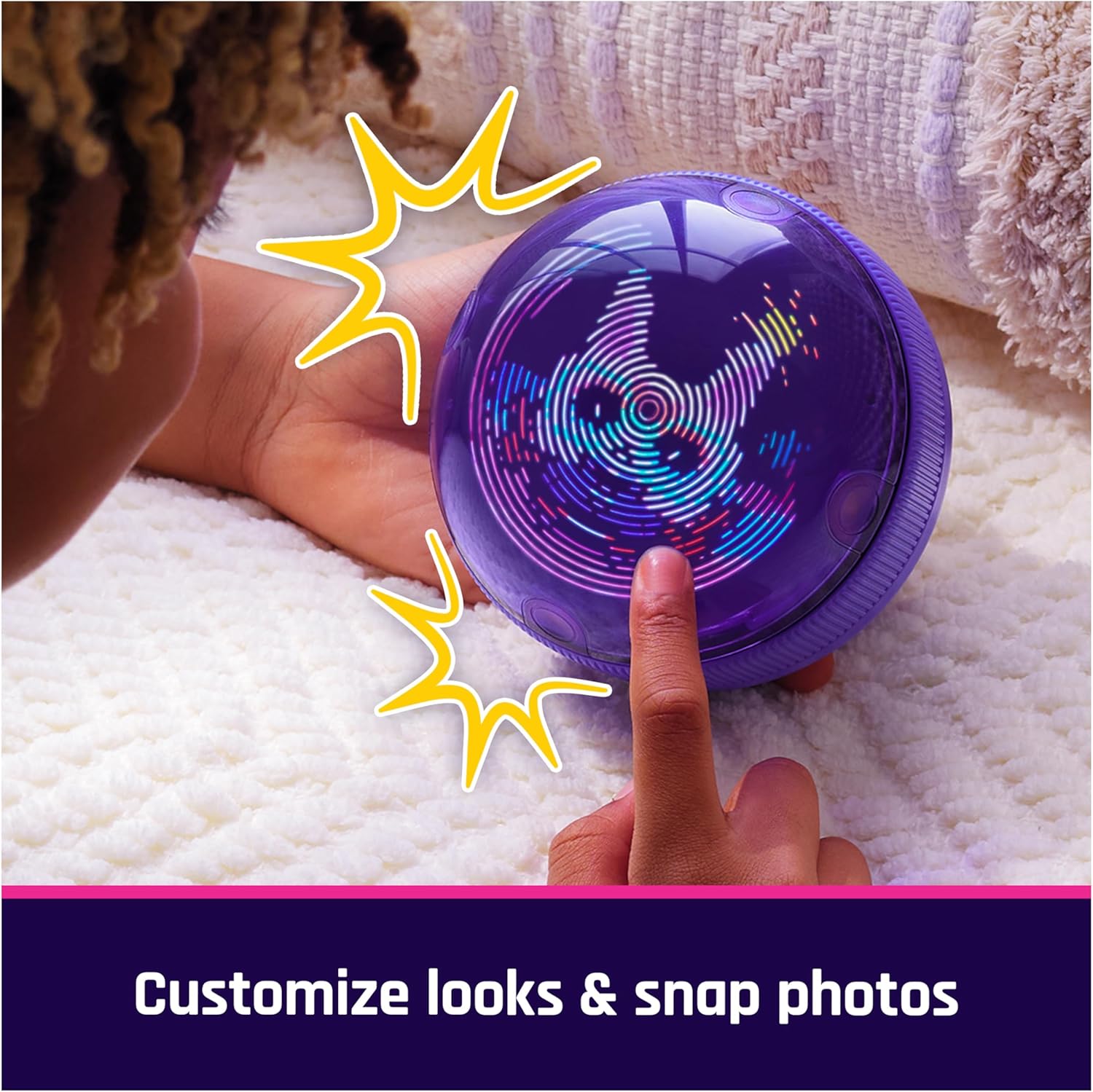
Image: The BITZEE Hamster Ball surrounded by various digital hamster friends, showcasing the collection aspect.
Customization and Mini-Games
Personalize your hero Bitzee hamster by customizing its outfits, backdrop, and pose. You can also snap pictures of your customized pet and scroll through different looks. Additionally, the device includes 5 mini-games for further entertainment.

Image: A user customizing their Bitzee hamster's appearance within the Hamster Ball interface.
Manteniment
Neteja
To clean your BITZEE Hamster Ball, gently wipe the exterior with a soft, dry cloth. Avoid using abrasive cleaners, solvents, or submerging the device in water, as this can damage the electronics.
Emmagatzematge
When not in use, store the Hamster Ball in a cool, dry place away from direct sunlight and extreme temperatures. If storing for an extended period, it is recommended to remove the batteries to prevent leakage.
Resolució de problemes
- El dispositiu no s'encén: Ensure batteries are correctly installed and fully charged. Replace with new batteries if necessary.
- Pantalla que no respon: If the digital pet is not responding to touch or movement, try restarting the device by removing and reinserting the batteries. Ensure your interactions are gentle and deliberate.
- Problemes de so: Check if the volume is turned down or muted in the device settings (if applicable). If issues persist, a battery reset may resolve it.
- Pantalla parpellejant: The display technology may exhibit minor flickering under certain lighting conditions or when recorded on video. This is generally normal operation and not a defect.
Especificacions
| Dimensions del producte | 4.2 x 4.25 x 4.25 polzades |
| Pes de l'article | 8.3 unces |
| Número de model | 6073722 |
| Edat recomanada | 5 anys i més |
| Bateries | 3 piles AA (incloses) |
| Fabricant | Spin Master |
Garantia i Suport
Compromís de Spin Master Care
This product is covered by the Spin Master Care Commitment. For full details regarding warranty, returns, or customer service, please refer to the official Spin Master website or contact their customer support directly. Contact information can typically be found on the product packaging or their official weblloc.
Per obtenir més ajuda o consultes, visiteu el BITZEE Store on Amazon.