1. Introducció
Welcome to the user manual for your new Xiaomi Redmi Note 14 4G LTE smartphone. This guide provides essential information to help you set up, operate, and maintain your device. The Redmi Note 14 4G LTE is designed to offer a balanced experience with strong performance, a high-quality camera, and extended battery life.
Key features include a vibrant 6.67-inch AMOLED display with a 120Hz refresh rate, a powerful Helio G99-Ultra processor, and a versatile 108MP AI camera system. Its durable design features Corning Gorilla Glass 5 for enhanced screen protection and supports touch control even with wet fingers.
2. Què hi ha a la caixa
Upon unboxing your Xiaomi Redmi Note 14 4G LTE, please ensure all the following items are present:
- Xiaomi Redmi Note 14 4G LTE Smartphone
- Adaptador de paret
- Cable USB
- Expulsor de la safata SIM
- Carregador de cotxes ràpid

Imatge: Frontal view of the Xiaomi Redmi Note 14 4G LTE smartphone.
3. Guia de configuració
3.1. Instal·lació de la targeta SIM
The Redmi Note 14 4G LTE supports dual SIM cards or one SIM and a MicroSD card. To install your SIM card(s):
- Localitza la safata de la targeta SIM al lateral del dispositiu.
- Introduïu l'eina d'expulsió de la safata de la SIM al forat petit que hi ha al costat de la safata i premeu suaument fins que la safata surti.
- Col·loqueu la targeta (o targetes) Nano-SIM i/o la targeta MicroSD a les ranures designades de la safata. Assegureu-vos que els contactes daurats estiguin mirant cap avall.
- Empenyeu amb cura la safata cap al dispositiu fins que encaixi al seu lloc.
3.2. Engegada i configuració inicials
Per encendre el dispositiu per primera vegada:
- Premeu i manteniu premut el botó d'engegada (situat al costat dret) fins que aparegui el logotip de Xiaomi.
- Segueix les instruccions que apareixen a la pantalla per seleccionar l'idioma i la regió i connectar-te a una xarxa Wi-Fi.
- Inicia la sessió amb el teu compte de Google o crea'n un de nou per accedir als serveis de Google i a Play Store.
- Set up your preferred screen lock method (PIN, pattern, password, fingerprint, or face unlock).
- Complete the setup process to begin using your device.

Imatge: Lateral view of the Xiaomi Redmi Note 14 4G LTE, highlighting the SIM tray and power/volume buttons.
4. Funcionament del vostre dispositiu
4.1. Característiques de la pantalla
The Redmi Note 14 4G LTE features a 6.67-inch AMOLED display with a resolution of 2400 x 1080 pixels. Enjoy smooth visuals with a 120Hz refresh rate and responsive interactions with a 240Hz touch sampling rate. The display offers up to 1800 nits peak brightness, ensuring clear visibility even in direct sunlight. It is protected by Corning Gorilla Glass 5, providing enhanced scratch resistance. The device also supports accurate touch recognition even with wet or oily fingers.
4.2. Rendiment
Powered by the Helio G99-Ultra processor (6nm manufacturing process, Octa-core up to 2.2GHz) and Mali-G57 MC2 GPU, coupled with 6GB of RAM, the device handles daily tasks, multitasking, and moderate gaming with ease. Apps open quickly, and switching between them is seamless, providing a fluid user experience.
4.3. Sistema de càmeres
Capture stunning photos and videos with the versatile triple camera system:
- Càmera principal de 108MP: Features 0.64µm pixel size (9-in-1 to 1.92µm), f/1.7 aperture, 6P lens, and a 1/1.67-inch sensor size for detailed and vibrant images in various lighting conditions.
- Càmera de profunditat de 2MP: f/2.4 aperture for enhanced portrait mode with natural background blur.
- Càmera macro de 2MP: f/2.4 aperture for close-up shots with fine detail.
- Càmera frontal: 20MP sensor (1/4-inch sensor size, f/2.2 aperture, 4P lens) for high-quality selfies and video calls.
Video recording capabilities include 1080p at 60fps/30fps and 720p at 30fps for both rear and front cameras.
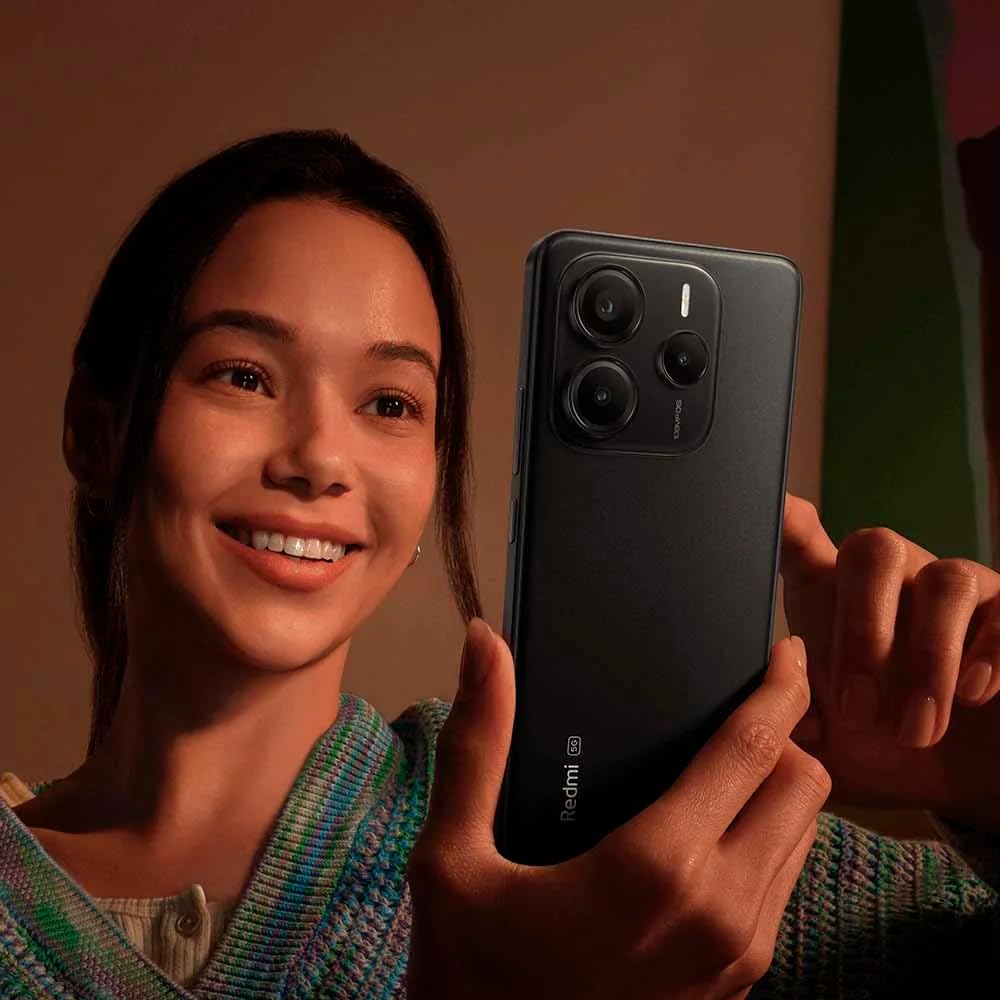
Image: A user holding the Xiaomi Redmi Note 14 4G LTE, demonstrating its camera use.
4.4. Durada de la bateria
Equipped with a 5500 mAh Lithium Polymer battery, the Redmi Note 14 4G LTE provides extended usage on a single charge, easily lasting through a full day of heavy use. The device supports fast charging to quickly get you back to full power.
5. Connectivitat
The Redmi Note 14 4G LTE offers comprehensive connectivity options:
- Xarxa: Supports 4G LTE (Bands 1/2/3/4/5/7/8/20/28, TDD Band 38/40/41), 3G WCDMA (Bands 2/4/5/8), and 2G GSM (Quad Band). Designed for use on T-Mobile, Mint, Tello, or any T-Mobile network in the USA.
- Wi-Fi: 802.11a/b/g/n/ac, supports 2.4GHz and 5GHz Wi-Fi, and Wi-Fi Direct.
- Bluetooth: Version 5.3 for efficient wireless connections.
- GPS: L1, A-GPS supplementary positioning, GLONASS (G1), BDS (B1I), Galileo E1, Electronic compass, Wireless network, Data network, and Sensor Assisted Positioning.
- Sensors: Sensor de proximitat, sensor de llum ambiental, acceleròmetre, brúixola electrònica, emissor d'infrarojos, giroscopi.
- Jack d'àudio: 3.5 mm.
6. Especificacions
| Característica | Especificació |
|---|---|
| Marca | Xiaomi |
| Nom del model | Nota 14 4G |
| Número de model de l'article | 24117RN76L |
| Sistema operatiu | HyperOS basat en Android 14 |
| Mida de la pantalla | AMOLED d'6.67 polzades |
| Resolució | 2400 x 1080 |
| Freqüència d'actualització | Fins a 120 Hz |
| Lluminositat màxima | 1800 nits |
| Processador | Helio G99-Ultra (octa-nucli, fins a 2.2 GHz) |
| RAM | 6 GB |
| Capacitat d'emmagatzematge de memòria | 128 GB |
| Càmera principal | Càmera triple de 108MP + 2MP + 2MP |
| Càmera frontal | 20MP |
| Capacitat de la bateria | 5500 milionsamp Hores (mAh) |
| Connectivitat | 4G LTE, Wi-Fi (802.11a/b/g/n/ac), Bluetooth 5.3, GPS |
| Característiques especials | Dual SIM, Corning Gorilla Glass 5, Wet Finger Touch Control |
| Dimensions del producte | 5.91 x 3.94 x 5.91 polzades |
| Pes de l'article | 13 unces |
| Color | Negre |
7. Manteniment
Per garantir la longevitat i el rendiment òptim del teu Xiaomi Redmi Note 14 4G LTE, segueix aquestes pautes de manteniment:
- Mantingueu-lo net: Netegeu el telèfon regularment amb un drap suau i sense borrissol. Eviteu productes químics agressius o materials abrasius.
- Actualitzacions de programari: Install system updates as they become available to benefit from the latest features, security patches, and performance improvements.
- Cura de la bateria: Avoid extreme temperatures. Do not let the battery drain completely frequently, and avoid keeping it at 100% charge for extended periods.
- Gestió d'emmagatzematge: Netegeu periòdicament els innecessaris files, cache, and uninstall unused apps to free up storage space and maintain smooth operation.
- Protegir de danys: Feu servir una funda protectora i un protector de pantalla per protegir-vos de caigudes i ratllades.
8. Solució De Problemes
If you encounter issues with your device, refer to the following common troubleshooting steps:
- El dispositiu no s'encén: Ensure the battery is charged. Connect the phone to its charger for at least 15 minutes, then try powering it on again. If it still doesn't turn on, perform a forced restart by holding the Power button for about 10-15 seconds.
- Les aplicacions es bloquegen o es bloquegen: Tanca l'aplicació problemàtica i torna-la a obrir. Si el problema persisteix, esborra la memòria cau i les dades de l'aplicació a Configuració > Aplicacions. Com a últim recurs, desinstal·la i torna a instal·lar l'aplicació.
- Mala connectivitat de xarxa: Check if Airplane Mode is off. Restart your device. Verify your SIM card is properly inserted. If issues persist, contact your mobile carrier.
- Esgotament ràpid de la bateria: Redueix la brillantor de la pantalla, desactiva les funcions que no fas servir com el Bluetooth o el GPS i tanca les aplicacions en segon pla. Comprova l'ús de la bateria a Configuració per identificar les aplicacions que consumeixen molta bateria.
- Pantalla tàctil que no respon: Restart the device. If the issue is localized, ensure the screen is clean and free of moisture. If the problem persists, a factory reset might be necessary (back up your data first).
9. Garantia i Suport
Your Xiaomi Redmi Note 14 4G LTE comes with a standard manufacturer's warranty. Please refer to the warranty card included in your product packaging for specific terms and conditions, including warranty period and coverage details. Keep your proof of purchase for warranty claims.
For further assistance, technical support, or to explore additional products, please visit the official Xiaomi weblloc web o poseu-vos en contacte amb el seu servei d'atenció al client. També podeu visitar el Botiga Xiaomi a Amazon per a més informació i ofertes de productes.