1. Introducció
This manual provides detailed instructions for the installation, operation, and maintenance of your XTRONS 12.3-inch Android 13 Car Stereo. Please read this manual thoroughly before using the product to ensure proper functionality and safety.
2. Models i anys aplicables
This unit is designed for the following vehicle models:
- AUDI A6 S6 RS6 (Typ C7) (2016-2018) with MiB System - Left Hand Drive
- AUDI A7 S7 RS7 (Typ C7) (2016-2018) with MiB System - Left Hand Drive
3. Característiques principals
- Sistema operatiu: Octa-core with Latest Android 13, 4GB DDR4 RAM, 64GB Solid State ROM.
- Visualització: 1920*720 resolution, 12.3-inch IPS Touch Screen with 178° Viewangle ing.
- Connectivitat: Bluetooth 5.0, Dual Wi-Fi Band (2.4GHz/5GHz), Global 4G LTE (Micro-SIM card required, data only).
- Integració del telèfon intel·ligent: Built-in Wireless CarPlay and Wireless/Wired Android Auto.
- Multimèdia: Multi-task Display, Picture-in-Picture (PIP) functionality.
- Integració de vehicles: Retains original car functions (speed, fuel level, safety warnings, fiber optic sound system, radio, CD player, Bluetooth).
4. Contingut del paquet
Verifiqueu que tots els elements siguin presents al paquet:
- 1 x Arnès de cablejat ISO
- 1 x Antena GPS
- 1 x cable d'àudio
- 1 cable AMI
- 1 x antena 4G
- 1 minialtaveu
- 1 x Fitting Frame
- 3 x cargols
- 1 x Manual d'usuari
- 1 x Instrucció d'instal·lació

Figura 4.1: Accessoris inclosos
5. Configuració i instal·lació
For detailed installation steps, refer to the included 'Installation Instruction' manual. Below are key considerations:
5.1 Comprovació de compatibilitat
Before installation, verify your factory stereo software version. Navigate to "Setup or Menu - setup MMI - Settings - version information" on your factory stereo. Compatible versions include MSTD, MHI2, and MHIG.

Figure 5.1: Software Version Compatibility
5.2 Audi Music Interface (AMI) Connection
If your vehicle is equipped with an Audi music interface, connect the provided XTRONS AMI cable (firstly connected with the audio extension cable) to the Audi music interface.

Figure 5.2: Audi Music Interface Connection
5.3 Instal·lació física
The unit features a fully-laminated, ultra-slim design with a tailor-made bezel for seamless integration into your Audi's dashboard.

Figure 5.3: Installed XTRONS Car Stereo

Figure 5.4: Screen Size and Multi-tasking Display
6. Instruccions de funcionament
6.1 Interfície d'usuari i navegació
The unit runs on Android 13, offering a responsive and intuitive touch screen interface. Navigate through applications and settings using the IPS touch screen.
6.2 CarPlay sense fil i Android Auto
Connect your iPhone wirelessly via Bluetooth for CarPlay, or your Android phone wirelessly via Bluetooth or with a USB cable for Android Auto. This allows access to GPS, calls, music, Google Assistant, and Siri directly from the car stereo screen.

Figura 6.1: Interfície sense fil de CarPlay i Android Auto
6.3 Connectivitat 4G LTE global
Insert a Micro-SIM card into the designated slot to enable 4G mobile broadband connection. This provides internet access for navigation, streaming, and app downloads. Note: This feature supports data only, not phone calls.
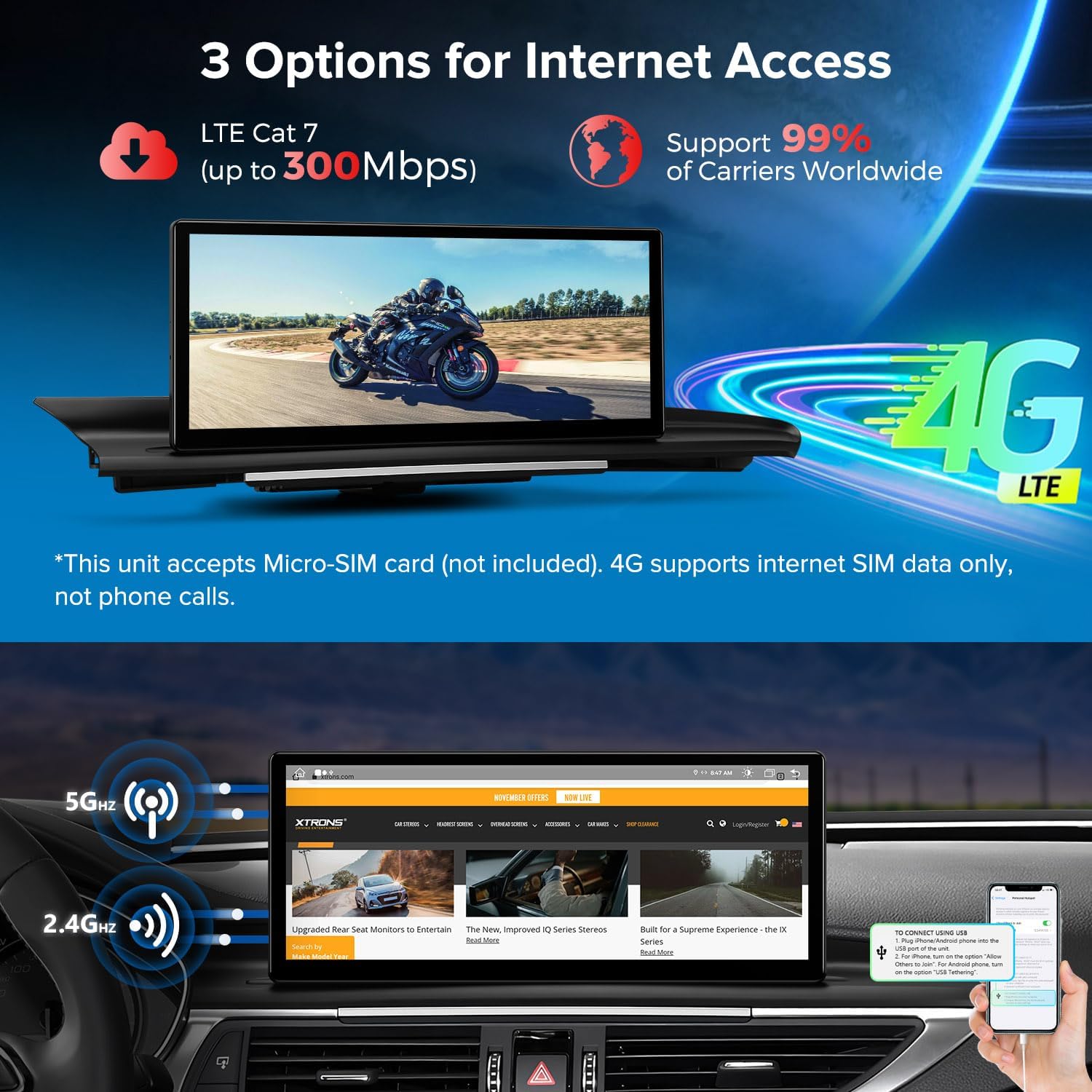
Figure 6.2: 4G LTE and Dual Wi-Fi Connectivity
6.4 Pantalla d'informació original del cotxe
The car stereo seamlessly integrates and displays OEM car-centric functions such as speed, engine speed, remaining fuel, temperature, parking brake status, and seat belt reminders on its screen.

Figure 6.3: Original Car Information Display
6.5 Multi-tasking and Picture-in-Picture (PIP)
The system supports running two applications simultaneously on the 12.3-inch IPS screen, allowing for easier multi-tasking. The Picture-in-Picture feature ensures you don't miss video content while switching between other applications.
7. Especificacions
- Número de model: 3dc0b50e-2f04-4346-a5f5-a6927a99377e
- Tecnologia de connectivitat: Bluetooth, HDMI, USB
- Tipus de controlador: Android
- Característica especial: Touchscreen, Voice Control
- Dispositius compatibles: Smartphone, Speaker, Television, Personal Computer, Game Console
- Tipus de connector: Jack de 3.5 mm, USB
- Mode de sortida d'àudio: Estèreo, Envoltant
- Configuració del canal de so envoltant: 5.1
- Codificació de vídeo: H.264, H.265/HEVC, MPEG-4
- Nombre de canals: 6
8. Solució De Problemes
If you encounter any issues with your XTRONS car stereo, please refer to the following general troubleshooting tips:
- Sense energia: Comproveu totes les connexions d'alimentació i assegureu-vos que el vehicle estigui engegat.
- Sense so: Verifiqueu la configuració del volum, comproveu les connexions dels altaveus i assegureu-vos que s'ha seleccionat la font d'àudio correcta.
- La pantalla tàctil no respon: Try restarting the unit. If the issue persists, perform a factory reset (refer to the 'Settings' menu).
- Pèrdua de senyal GPS: Assegureu-vos que l'antena GPS estigui instal·lada correctament i que tingui una vista clara view del cel.
- Problemes de connexió Bluetooth: Assegureu-vos que el Bluetooth estigui activat tant a l'estèreo com al dispositiu. Proveu de desvincular i tornar a vincular els dispositius.
- CarPlay/Android Auto no es connecta: Check USB cable connection (if wired), ensure Bluetooth is on (if wireless), and verify your phone's settings for CarPlay/Android Auto.
- Rendiment lent: Close unnecessary applications and clear cache. Consider a factory reset if performance remains poor.
For more specific issues, consult the detailed installation and user manuals provided with the product or contact XTRONS customer support.
9. Manteniment
Per garantir la longevitat i el rendiment òptim del vostre estèreo de cotxe XTRONS, seguiu aquestes pautes de manteniment:
- Neteja: Feu servir un drap suau i sec per netejar la pantalla i l'exterior. Eviteu productes de neteja o dissolvents abrasius.
- Actualitzacions de programari: Regularly check for and install software updates to ensure the system runs efficiently and has the latest features and security patches.
- Condicions ambientals: Eviteu exposar la unitat a temperatures extremes, a la llum solar directa durant períodes prolongats o a una humitat excessiva.
- Gestió de cables: Assegureu-vos que tots els cables estiguin connectats correctament i que no estiguin pinçats ni danyats.
10. Garantia i Suport
For warranty information, please refer to the warranty card included in your product packaging or visit the official XTRONS website. For technical support, product inquiries, or service requests, please contact XTRONS customer service through their official channels.


