1. Introducció
This manual provides comprehensive instructions for the setup, operation, and maintenance of your Bextgoo 4G LTE Cellular Security Camera, Model R90-Pro. This camera is designed for remote monitoring in locations without Wi-Fi access, utilizing 4G LTE cellular networks. It features a 5200mAh battery, HD video recording, 160° wide-angle view, AI motion detection, and night vision capabilities.
2. Contingut del paquet
Si us plau, verifiqueu que tots els elements siguin presents al vostre paquet:
- Bextgoo 4G LTE Cellular Security Camera (Model R90-Pro)
- Suport de muntatge
- 4G SIM Card (with 300MB free data trial)
- Screw Pack for mounting
- Cable de càrrega USB-C
- Manual d'usuari (aquest document)

Image: The Bextgoo 4G LTE Cellular Security Camera, showing the device itself, the included 4G SIM card, and the mounting bracket. This illustrates the primary components included in the product package.
3. Especificacions del producte
| Característica | Especificació |
|---|---|
| Nom del model | R90-Pro |
| Connectivitat | 4G LTE Cellular (No Wi-Fi required) |
| Capacitat de la bateria | Ió de liti de 5200 mAh (inclosa) |
| Resolució de vídeo | 2K HD (1080P HD for live view/recording) |
| Viewangle ing | 160 graus |
| Zoom digital | 10x |
| Gamma de visió nocturna | Up to 65 feet (20 meters) / 33 feet (10 meters) with IR lights |
| Detecció de moviment | AI Motion Detection (filters people, vehicles, pets) |
| Emmagatzematge local | Targeta Micro SD (fins a 128 GB, no inclosa) |
| Emmagatzematge al núvol | 30-day free trial available |
| Dimensions (L x A x A) | 2.16 x 1.65 x 1.49 polzades |
| Pes | 8.1 unces |
| Font d'alimentació | Funciona amb bateria (5 V) |
| Ús interior/exterior | Interior, Exterior |
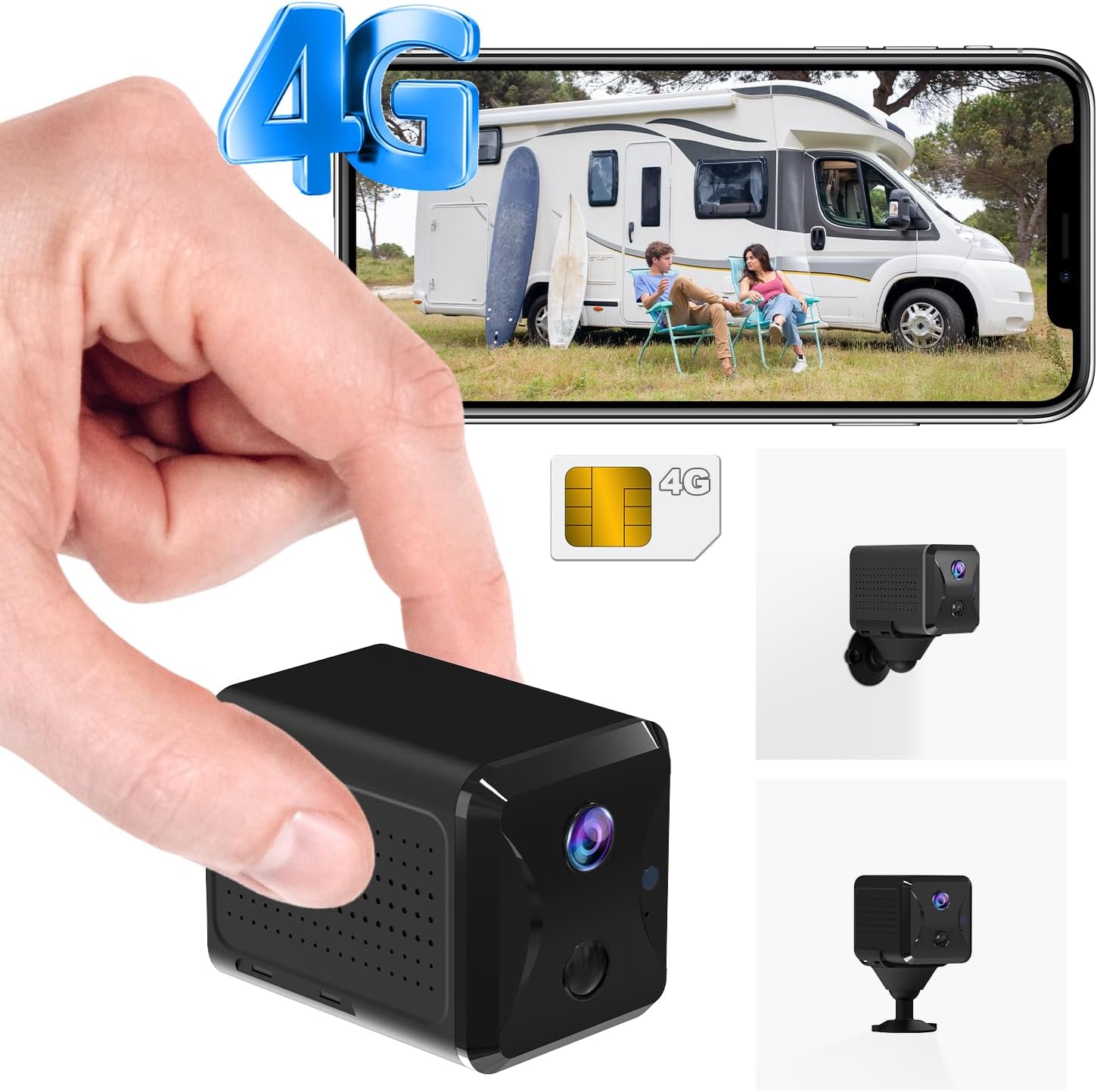
Image: The Bextgoo 4G LTE Cellular Security Camera, highlighting its compact design and 4G connectivity feature, suitable for various environments.
4. Guia de configuració
4.1 Càrrega de la càmera
Before initial use, fully charge the camera using the provided USB-C cable. Connect the cable to the camera's USB-C port and a standard 5V USB power adapter (not included). The charging indicator light will show the charging status.
4.2 Instal·lació de la targeta SIM
The camera comes with a prepaid 4G SIM card. To install:
- Localitza la ranura de la targeta SIM a la càmera.
- Insert the provided 4G SIM card into the slot with the gold contacts facing down and the notched corner aligned correctly. Push until it clicks into place.
- Assegureu-vos que la targeta SIM estigui ben col·locada.
The camera is compatible with SIM cards from various carriers such as AT&T, T-Mobile, Verizon, MetroPCS, C Spire, and ClearTalk. If using your own SIM card, ensure it is a 4G LTE data SIM.

Imatge: Un primer pla view of the Bextgoo camera, illustrating the correct method for inserting the 4G SIM card into its designated slot.
4.3 Instal·lació i emparellament de l'aplicació
The camera operates via the UBox app. Follow these steps to set up:
- Download the UBox App: Cerca "UBox" in your smartphone's app store (iOS App Store or Google Play Store) and install it.
- Enceneu la càmera: Turn on the camera using the ON/OFF switch. Wait for the indicator light to turn solid blue, indicating it's ready for connection.
- Afegeix un dispositiu a l'aplicació: Open the UBox app, create an account or log in. Tap "Add Device" or the "+" icon.
- Scan Setup Code: The app will prompt you to scan a QR code. Locate the setup QR code on the camera (usually on the back or bottom) and scan it using your phone's camera through the app.
- Segueix les instruccions que apareixen a la pantalla: Complete the pairing process by following any additional instructions provided by the UBox app. This may include naming your camera and setting initial preferences.

Image: A visual guide demonstrating the four simple steps for setting up the Bextgoo camera using the UBox mobile application, from downloading the app to scanning the setup code.
5. Instruccions de funcionament
5.1 Viu View i Monitorització Remota
Once connected, you can access the live video feed from your camera through the UBox app. This allows for real-time monitoring from any location with cellular service.
- Open the UBox app and select your camera from the device list.
- The live feed will display. You can use the digital zoom feature (10x) to view detalls.
Imatge: Una persona viewing the live feed from the Bextgoo camera on their smartphone, demonstrating remote viewing capabilities in an outdoor setting.
5.2 Detecció de moviment i alertes
The camera features advanced AI motion detection to minimize false alarms. When motion is detected, you will receive instant notifications on your smartphone.
- Customizing Alerts: Within the UBox app settings for your camera, you can adjust motion detection sensitivity and set specific time periods for alerts. This helps in receiving notifications only for relevant events.
- Enregistrament d'esdeveniments: Upon detection, the camera will automatically record video clips.

Image: A smartphone screen showing notifications from the UBox app, indicating activity detected by the security camera, with a visual representation of motion detection in action.
5.3 Visió nocturna
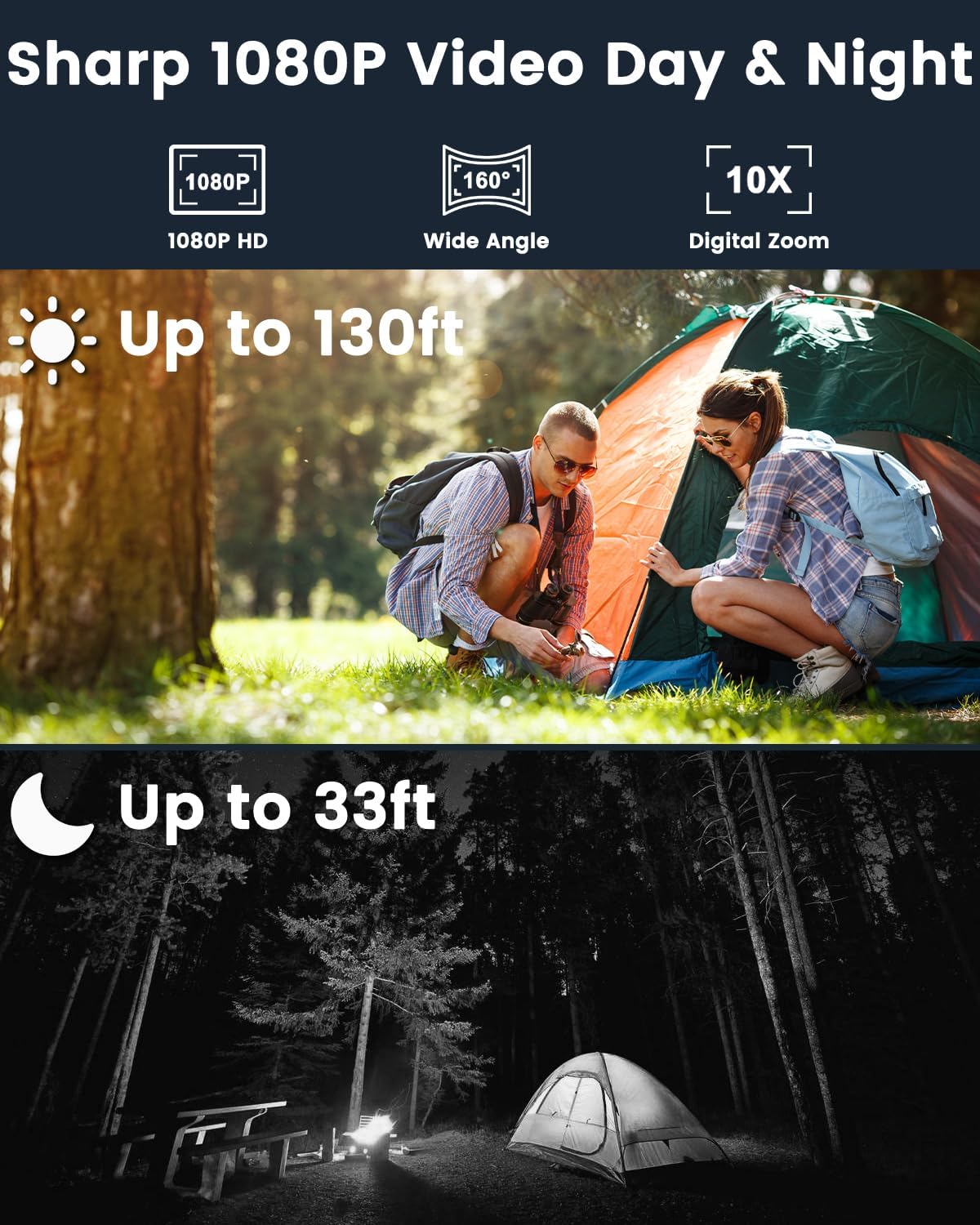
The camera is equipped with 6 upgraded IR lights for enhanced night vision, providing clear visibility up to 10 meters (33 feet) in low-light conditions.

Image: A split image demonstrating the camera's performance in both daytime (up to 130ft) and nighttime (up to 33ft) conditions, highlighting its clear HD video capabilities in varying light.
5.4 Opcions d'emmagatzematge
La càmera admet dos mètodes d'emmagatzematge per al vídeo gravat:
- Local Storage (Micro SD Card): Insert a Micro SD card (up to 128GB, not included) into the camera's SD card slot. Recordings will be saved directly to the card. When the card is full, older recordings will be automatically overwritten.
- Emmagatzematge al núvol: A 30-day free trial of cloud storage is available. This option provides secure, encrypted storage for your video clips. After the trial, a subscription may be required.

Image: The Bextgoo camera with a Micro SD card being inserted, alongside an icon representing cloud storage, illustrating the flexible storage options available.
5.5 Reproducció de vídeo
Recorded videos can be reviewed through the UBox app. You can access both local (SD card) and cloud-stored footage.
- Navigate to the playback section within the app for your camera.
- Select the desired date and time to review esdeveniments enregistrats.

Image: A smartphone displaying the video playback interface of the UBox app, allowing users to review recorded events and pinpoint key moments.
5.6 Sharing Device Access
You can share access to your camera with family members or trusted individuals through the UBox app, allowing multiple users to view the live feed and receive alerts.

Image: Multiple individuals viewing the camera feed on their smartphones, demonstrating the unlimited device sharing feature for family viewing.
6. Instal·lació i col·locació
The Bextgoo camera is designed for versatile placement, suitable for both indoor and outdoor use. It can be mounted on ceilings, walls, or placed on tabletops.
- Muntatge: Use the provided mounting bracket and screw pack to secure the camera to a desired surface. Ensure the mounting surface is stable and can support the camera's weight.
- Consideracions d'ubicació:
- Choose a location with good 4G LTE signal strength for optimal performance.
- Position the camera to cover the desired monitoring area, taking advantage of its 160° wide-angle view.
- For outdoor use, consider placing the camera in a sheltered area to protect it from extreme weather, although it is rated for outdoor use.

Image: The Bextgoo camera shown in different installation environments, including tabletop, wall-mounted, and ceiling-mounted positions, demonstrating its adaptability.

Image: Illustrations of various environments where the Bextgoo 4G LTE camera can be used, such as vehicles, motorhomes, camping sites, and remote cabins, highlighting its versatility without needing Wi-Fi.
7. Manteniment
7.1 Gestió de la bateria
The camera's 5200mAh battery provides extended usage. To maximize battery life:
- Fully charge the camera before extended periods of use.
- Reduce motion detection sensitivity or frequency if continuous recording is not required, as this consumes more power.
- Avoid exposing the camera to extreme temperatures, which can affect battery performance.
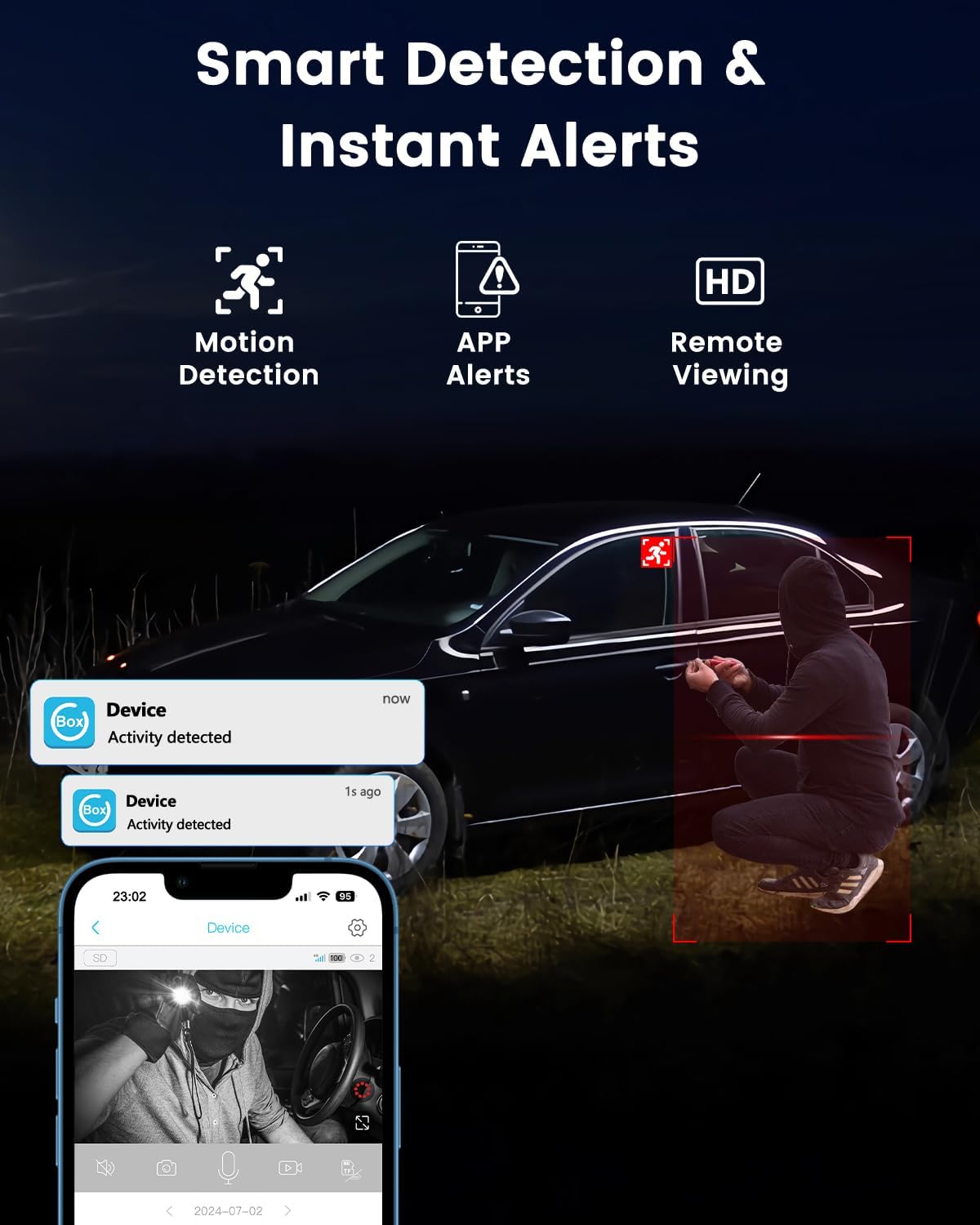
Image: An illustration comparing the Bextgoo camera's 5200mAh battery capacity to smaller alternatives, emphasizing its longer battery life.
7.2 Neteja
To ensure clear image quality, periodically clean the camera lens and body.
- Use a soft, dry cloth to wipe the lens. Avoid abrasive materials that could scratch the surface.
- Per al cos de la càmera, una lleugera damp Es pot fer servir un drap, però assegureu-vos que no entri humitat als ports.
7.3 actualitzacions de microprogramari
Periodically check the UBox app for available firmware updates. Keeping your camera's firmware updated ensures optimal performance, new features, and security enhancements.
8. Solució De Problemes
| Problema | Causa possible | Solució |
|---|---|---|
| Camera not connecting to app. | Low battery, incorrect SIM card insertion, no 4G signal, app issue. |
|
| Sense alertes de detecció de moviment. | Sensitivity too low, incorrect schedule, app notifications disabled. |
|
| Poca qualitat de vídeo. | Dirty lens, poor cellular signal, low light conditions. |
|
| La bateria s'esgota ràpidament. | Frequent motion detection, continuous live view, weak signal. |
|
9. Garantia i Suport
Bextgoo is committed to providing high-quality security products. For warranty information, technical support, or any inquiries regarding your Bextgoo 4G LTE Cellular Security Camera, please refer to the following:
- Fabricant: Bextgoo
- Botiga de marca: Visit the Bextgoo Store on Amazon
- Atenció al client: Please contact Bextgoo customer support through the contact information provided on the official Bextgoo website or via your purchase platform for assistance.
Bextgoo states: "Every camera will be strictly tested and checked before shipment. With the advanced encryption technology, all data are securely stored and only you can access."


