1. Introducció
This manual provides essential information for the installation, operation, and maintenance of your ARENTI O3 4MP Wi-Fi IP65 Weatherproof Surveillance Camera. The ARENTI O3 camera is designed to offer a comprehensive security solution for both home and business environments. It features 2K 4MP resolution for clear and detailed imaging, innovative color night vision for visibility in low-light conditions, and two-way audio for real-time communication. The camera supports continuous 24/7 recording, zone intrusion detection, and offers flexible storage options including SD card and cloud services. Its IP65 weather resistance ensures reliable outdoor performance. Please read this manual thoroughly before using the product to ensure proper setup and functionality.
2. Contingut del paquet
Verifiqueu que tots els elements que s'enumeren a continuació s'inclouen al vostre paquet:
- ARENTI O3 Surveillance Camera
- Adaptador d'alimentació
- Cable d'alimentació
- Guia d'inici ràpid
- Mounting Material (screws, wall anchors)
- Funda de silicona
3. Producte acabatview
Familiarize yourself with the components of your ARENTI O3 camera.
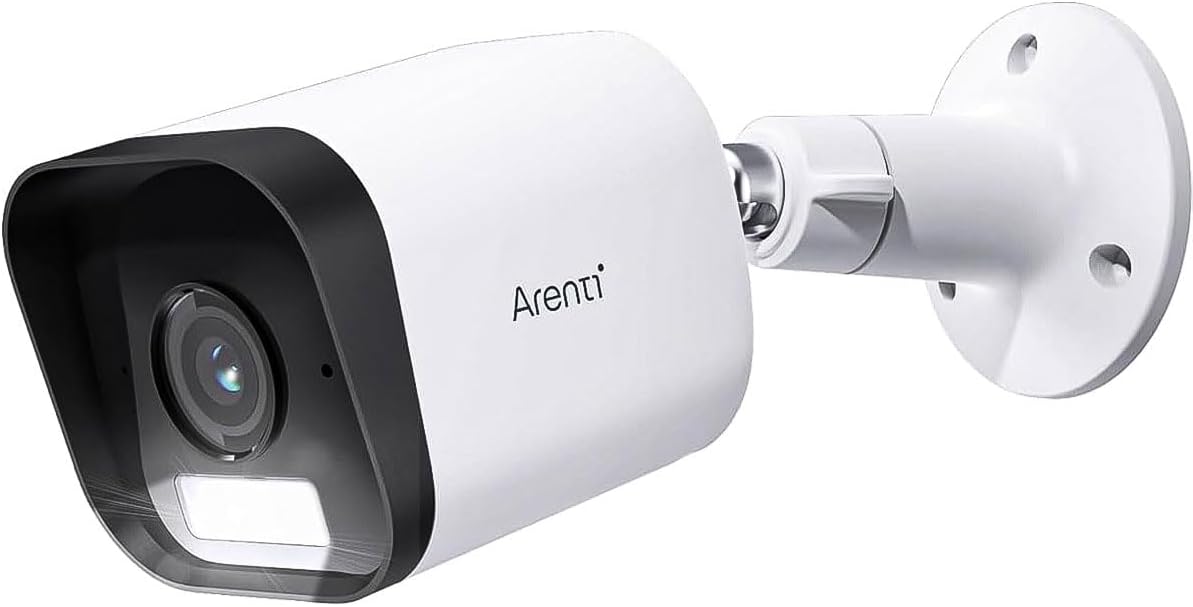
Figure 3.1: ARENTI O3 Surveillance Camera with Mounting Bracket

Figura 3.2: Frontal view of the ARENTI O3 camera, highlighting the lens, infrared LEDs, and light sensor.
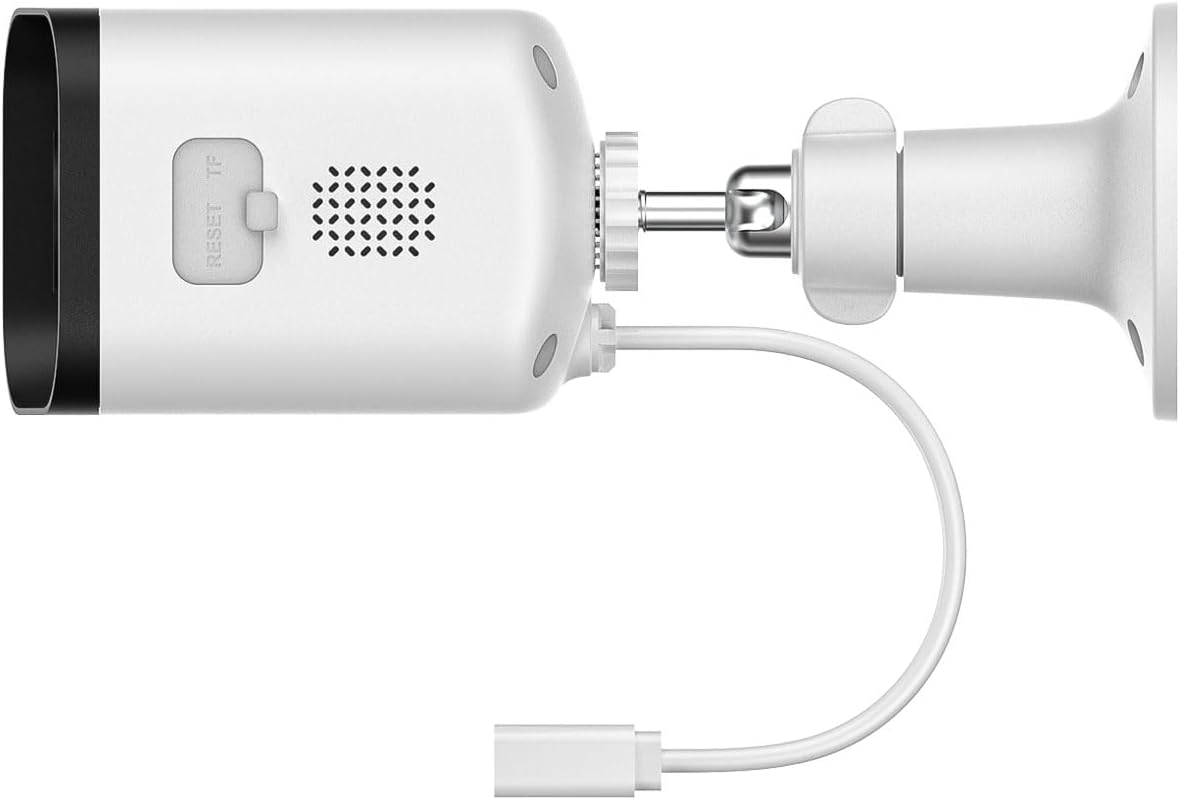
Figure 3.3: Rear and side view of the ARENTI O3 camera, showing the reset button, TF (microSD) card slot, speaker, and power cable connection.
4. Configuració
Follow these steps to set up your ARENTI O3 camera:
- Descarrega l'aplicació: Cerca the 'Arenti' app on your smartphone's app store (iOS or Android) and install it.
- Crea un compte: Open the Arenti app and follow the on-screen instructions to create a new user account or log in if you already have one.
- Enceneu la càmera: Connect the power cable to the camera and plug the power adapter into an electrical outlet. The camera will power on, and an indicator light will show its status.
- Afegeix un dispositiu: In the Arenti app, tap the '+' icon to add a new device. Select the ARENTI O3 camera from the list of available devices.
- Connecta't a Wi-Fi: Follow the app's instructions to connect the camera to your 2.4 GHz Wi-Fi network. Ensure your Wi-Fi password is correct.
- Muntar la càmera: Choose a suitable outdoor location for mounting. Use the provided mounting material to securely attach the camera to a wall or desired surface. Ensure the camera has a clear field of view and is within range of your Wi-Fi signal.
- Ajust d'angle: Ajusta la càmera viewing angle using the adjustable bracket to cover the desired surveillance area.

Figure 4.1: ARENTI O3 camera mounted on an outdoor wall, providing surveillance of a backyard area.
5. Instruccions de funcionament
Once your ARENTI O3 camera is set up, you can utilize its various features through the Arenti app.
- Viu View: Access the live video feed from your camera anytime, anywhere via the Arenti app.
- Enregistrament continu 24/7: The camera supports continuous recording. Footage can be stored on a microSD card (up to 256GB, not included) or via optional cloud storage services.
- Visió nocturna en color: The camera automatically switches to color night vision in low-light conditions, providing clear, detailed color images even in darkness.
- Àudio bidireccional: Use the built-in microphone and speaker to communicate with individuals near the camera in real-time.
- Detecció de moviment i alertes: The camera detects people, pets, vehicles, and luggage. Configure motion detection zones and sensitivity settings in the app to receive relevant alerts.
- Alarmes sonores i visuals: When motion is detected, the camera can trigger integrated audible and visual alarms to deter intruders. These can be configured in the app.
- Reproducció: Review foo gravattage stored on your microSD card or cloud service through the app's playback feature.
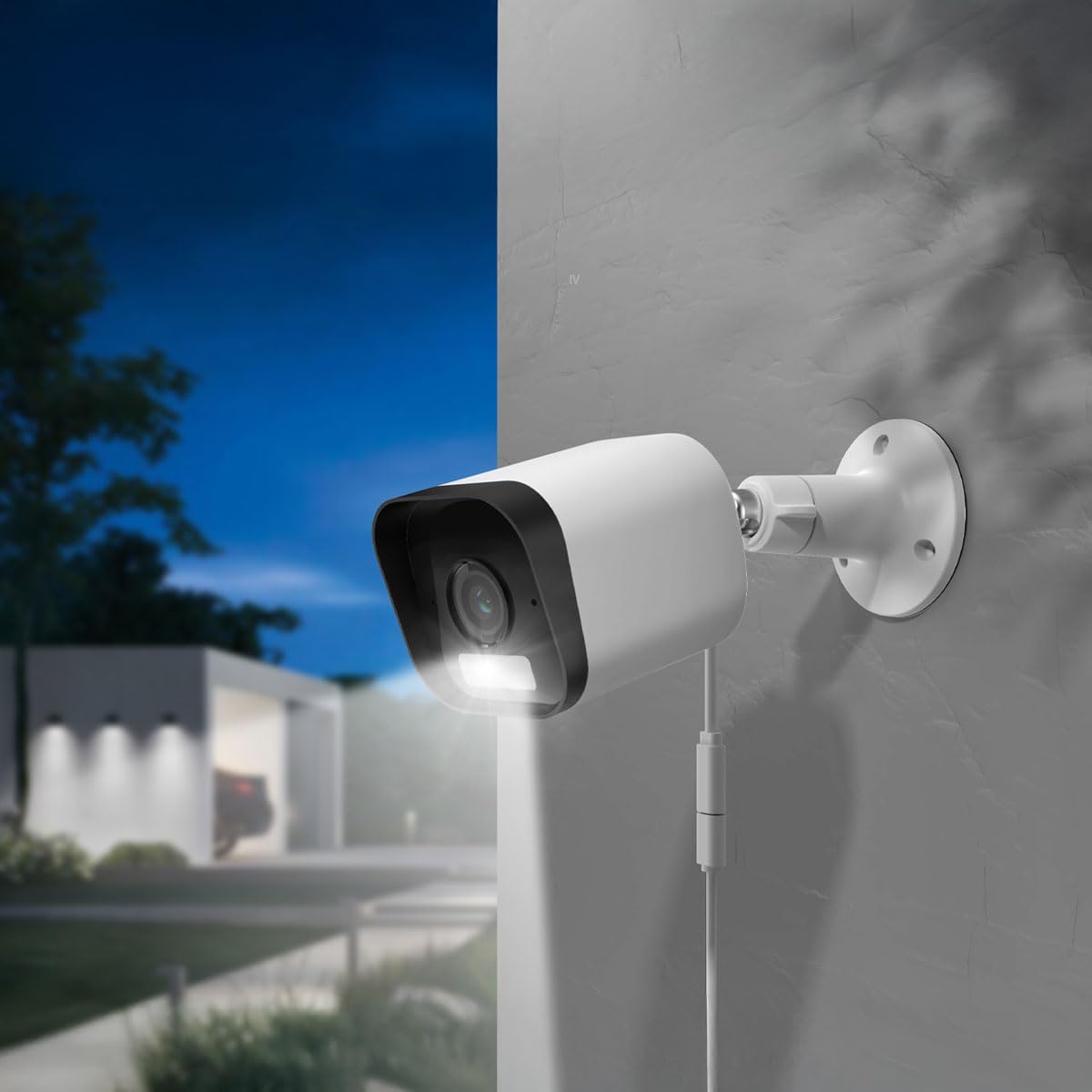
Figure 5.1: The ARENTI O3 camera installed outdoors, demonstrating its color night vision capability in a low-light environment.
6. Manteniment
Un manteniment regular garanteix un rendiment òptim i una llarga vida útil de la càmera.
- Neteja: Netegeu periòdicament la lent i la carcassa de la càmera amb un drap suau iamp drap. Eviteu productes de neteja o dissolvents abrasius.
- Actualitzacions de firmware: Check the Arenti app regularly for firmware updates. Keeping your camera's firmware updated ensures access to the latest features and security enhancements.
- Font d'alimentació: Ensure the power cable and adapter are free from damage and properly connected.
- Connexió Wi-Fi: Monitor your Wi-Fi signal strength in the app to ensure a stable connection.

Figure 6.1: The ARENTI O3 camera installed outdoors during rainfall, showcasing its IP65 weatherproof design.
7. Solució De Problemes
If you encounter issues with your ARENTI O3 camera, refer to the following common problems and solutions:
- La càmera no s'encén:
- Ensure the power adapter is securely plugged into a working electrical outlet.
- Comproveu el cable d'alimentació per si hi ha danys.
- No es pot connectar a la Wi-Fi:
- Confirm your Wi-Fi network is 2.4 GHz. The camera does not support 5 GHz Wi-Fi.
- Verifiqueu que la contrasenya del Wi-Fi sigui correcta.
- Assegureu-vos que la càmera estigui dins de l'abast del vostre encaminador Wi-Fi.
- Prova de reiniciar el router i la càmera.
- Mala qualitat d'imatge:
- Netegeu la lent de la càmera.
- Comprova la velocitat de la teva connexió a Internet. Una connexió lenta pot afectar la qualitat de la transmissió en temps real.
- Assegureu-vos que no hi hagi obstacles que bloquegin la càmera view.
- Sense alertes de detecció de moviment:
- Verify motion detection is enabled in the Arenti app.
- Adjust motion detection sensitivity and detection zones.
- Revisa la configuració de notificacions de l'aplicació al teu telèfon intel·ligent.
- L'àudio bidireccional no funciona:
- Ensure microphone and speaker permissions are granted to the Arenti app on your smartphone.
- Check volume settings on both your phone and within the app.
If these steps do not resolve the issue, please contact ARENTI customer support.
8. Especificacions
| Característica | Especificació |
|---|---|
| Nom del model | Arenti O3 |
| Número de model | MS240702010 |
| Resolució de gravació de vídeo | 4 Megapixel (2K) |
| Color | Blanc |
| Tecnologia de comunicació sense fils | Wi-Fi (2.4 GHz, Wi-Fi 6 support) |
| Factor de forma | Bala |
| Viewangle ing | 85 graus |
| Gamma de visió nocturna | 10 metres |
| Voltage | 5 Volts |
| Consum d'energia | 2.5 watts |
| Dimensions de l'article (L x A x A) | 15.6 x 5.8 x 5.8 cm |
| Pes | 124 grams |
| Nivell de resistència a l'aigua | IP65 (resistent a la intempèrie) |
| Ús interior/exterior | A l'aire lliure |
| Font d'alimentació | Cable elèctric |
| Tipus de muntatge | Muntatge de paret |
| Opcions d'emmagatzematge | Targeta MicroSD (fins a 256 GB), emmagatzematge al núvol |
| Característiques especials | Audible and Visual Alarms, Color Night Vision, Two-Way Audio, Zone Detection |
9. Garantia i Suport
For warranty information and technical support, please refer to the official ARENTI weblloc web o contacteu directament amb el seu servei d'atenció al client. Conserveu el rebut de compra com a comprovant de compra per a qualsevol reclamació de garantia.