1. Introducció
This manual provides essential information for the safe and efficient operation of your Sharp 40GF2265E Smart TV. This 40-inch Full HD television features Google TV, DVB-T2, and HEVC/H.265 support, offering a comprehensive entertainment experience with integrated Google Assistant and Chromecast built-in.
2. Informació de seguretat
Please read all safety instructions carefully before using the television. Keep this manual for future reference.
- Font d'alimentació: Assegureu-vos que el televisor estigui connectat a una presa de corrent amb el volum correctetage. No sobrecarregueu les preses de corrent.
- Ventilació: No bloquegeu les obertures de ventilació. Deixeu prou espai al voltant del televisor per a un flux d'aire adequat.
- Aigua i humitat: No exposeu el televisor a la pluja ni a la humitat. No col·loqueu objectes plens de líquids, com ara gerros, a sobre del televisor.
- Neteja: Desendolleu el televisor abans de netejar-lo. Feu servir un drap suau i sec. No utilitzeu netejadors líquids ni en aerosol.
- Col·locació: Place the TV on a stable, level surface. Avoid direct sunlight, heat sources, and extreme temperatures.
- Manteniment: No intenteu fer la reparació del televisor vosaltres mateixos. Envieu totes les tasques de manteniment a personal de servei qualificat.
3. Què hi ha a la caixa
Verify that all the following components are included with your Sharp 40GF2265E Smart TV:
- Sharp 40GF2265E Smart TV
- Control remot
- Moble per a TV (2 peces)
- Cable d'alimentació
- Manual d'usuari (aquest document)
- Batteries (2 AAA for remote control)
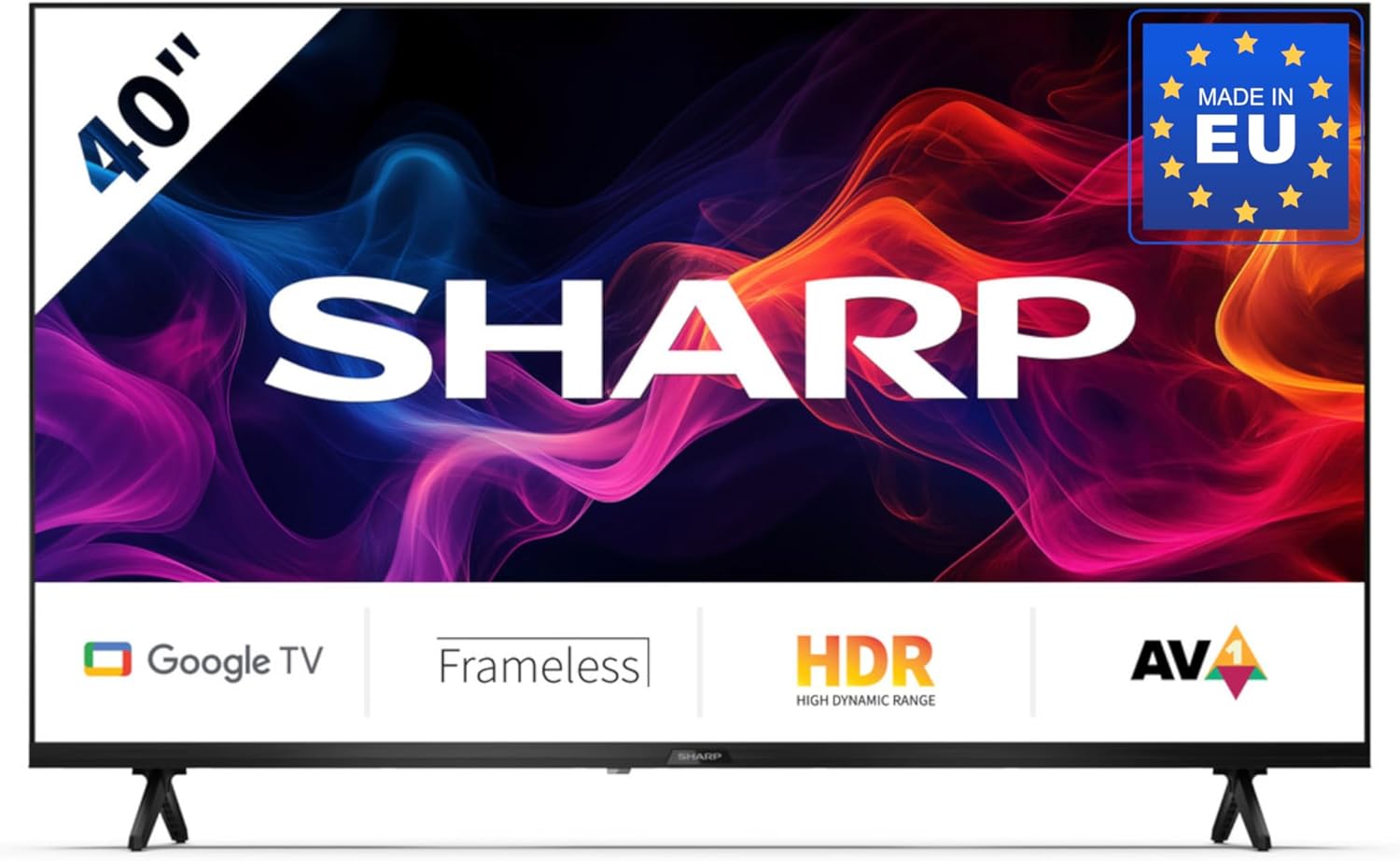
Image 3.1: Sharp 40GF2265E Smart TV with its remote control, stand, and power cable.
4. Configuració
4.1 Desembalatge
- Traieu amb cura el televisor del seu embalatge.
- Col·loqueu el televisor cara avall sobre una superfície suau i plana (per exemple, una manta o escuma) per evitar que la pantalla es faci malbé.
4.2 Col·locació del suport
To attach the included stand to your TV:
- Identifica les peces esquerra i dreta del suport.
- Alineeu cada peça del suport amb les ranures corresponents de la part inferior del televisor.
- Secure the stands using the screws provided. Ensure they are firmly attached.

Imatge 4.1: Frontal view of the Sharp 40GF2265E Smart TV with its two-piece stand correctly installed.
4.3 Muntatge a la paret (opcional)
The Sharp 40GF2265E supports VESA wall mounting. A wall mount bracket is not included. Refer to the wall mount manufacturer's instructions for installation. Ensure the wall can support the weight of the TV and the mount.
4.4 Connexió de perifèrics
Connect your external devices to the TV's rear ports:
- Antena/cable: Connect your antenna or cable TV signal to the appropriate input. The TV supports DVB-T2/C/S/S2.
- Dispositius HDMI: Use HDMI cables to connect Blu-ray players, game consoles, or other HDMI-enabled devices.
- Dispositius USB: Inseriu unitats USB per a la reproducció de contingut multimèdia o les actualitzacions de programari.
- Ethernet: Per a una connexió a Internet per cable estable, connecteu un cable Ethernet al port LAN.
- Sortida d'àudio: Use the 3.5mm audio jack or optical digital audio output for external sound systems.

Imatge 4.2: Detallada view of the rear connectivity ports on the Sharp 40GF2265E Smart TV, including HDMI, USB, and antenna inputs.
4.5 Encès
- Connecteu el cable d'alimentació al televisor i després a una presa de corrent.
- Press the power button on the remote control or on the TV itself to turn it on.
5. Funcionament del televisor
5.1 Configuració inicial
En encendre'l per primera vegada, el televisor us guiarà pel procés de configuració inicial:
- Selecció d'idioma: Trieu el vostre idioma preferit.
- Connexió de xarxa: Connecteu-vos a la vostra xarxa Wi-Fi o utilitzeu una connexió Ethernet amb cable.
- Compte de Google: Inicia la sessió amb el teu compte de Google per accedir a les funcions, aplicacions i recomanacions personalitzades de Google TV.
- Escaneig de canals: El televisor buscarà els canals digitals disponibles.
5.2 Control remot
The remote control allows you to navigate the TV's interface and control various functions. It includes a dedicated Google Assistant button for voice commands.
5.3 Funcions bàsiques del televisor
- Potència: Enceneu o apagueu el televisor.
- Volum: Ajusteu el nivell de so.
- Canal: Canviar els canals de televisió.
- Font d'entrada: Select between HDMI, TV tuner, and other inputs.
5.4 Funcions de Smart TV (Google TV)
Your Sharp 40GF2265E is powered by Google TV, offering a personalized and integrated entertainment experience.

Image 5.1: The Google TV interface on the Sharp 40GF2265E, showing recommended content and popular streaming applications.
- Accés a l'aplicació: Easily access popular streaming services like Netflix, YouTube, Prime Video, Google Play Movies & TV, and the Google Play Store for more applications.
- Assistent de Google: Press the Google Assistant button on your remote to use voice commands for searching content, controlling smart home devices, managing tasks, and more.

Image 5.2: Visual representation of the Google Assistant feature, highlighting voice interaction.
- Chromecast integrat: Cast movies, videos, photos, and apps directly from your compatible smartphone, tablet, or laptop to the TV screen.

Imatge 5.3: Un example of Chromecast built-in functionality, showing content streaming from a mobile device to the TV.
- Connectivitat Bluetooth: Connect Bluetooth-enabled devices such as headphones or soundbars wirelessly.
- Mode de joc: For an optimized gaming experience, the Game Mode reduces input lag and enhances picture settings for sharp resolution and natural contrasts.

Image 5.4: The left panel illustrates the Game Mode feature, providing a responsive gaming experience.
6. Manteniment
6.1 Neteja
- Pantalla: Netegeu suaument la pantalla amb un drap suau i sense borrissol. Per a marques difícils, netegeu lleugerament.ampen the cloth with water or a screen-specific cleaner (do not spray directly on the screen).
- Cos del televisor: Use a soft, dry cloth to clean the TV's casing.
6.2 Actualitzacions de programari
Your TV may receive software updates periodically to improve performance and add new features. Ensure your TV is connected to the internet to receive these updates automatically or check for them manually in the settings menu.
7. Solució De Problemes
Si teniu problemes amb el televisor, consulteu les solucions habituals següents:
- Sense energia: Comproveu si el cable d'alimentació està connectat correctament tant al televisor com a la presa de corrent. Proveu una altra presa de corrent.
- Sense imatge/so: Assegureu-vos que heu seleccionat la font d'entrada correcta. Comproveu totes les connexions dels cables (HDMI, antena).
- El control remot no funciona: Canvieu les piles. Assegureu-vos que no hi hagi cap obstacle entre el comandament a distància i el sensor d'infrarojos del televisor.
- Problemes de connexió de xarxa: Reinicieu el router i el mòdem. Comproveu la contrasenya del Wi-Fi. Per a connexions amb cable, assegureu-vos que el cable Ethernet estigui connectat correctament.
- Problemes de qualitat d'imatge: Ajusteu la configuració de la imatge (brillantor, contrast, nitidesa). Assegureu-vos que la font d'entrada proporciona un senyal d'alta qualitat.
For persistent issues, consult the full user manual available online or contact customer support.
8. Especificacions
Detailed technical specifications for the Sharp 40GF2265E Smart TV:
| Característica | Especificació |
|---|---|
| Marca | Afilat |
| Model | 40GF2265E |
| Mida de la pantalla | 40 polzades (101 cm en diagonal) |
| Tecnologia de visualització | LED |
| Resolució | Full HD (1080p) |
| Relació d'aspecte | 16:9 |
| Sistema operatiu | Google TV |
| Tecnologia del sintonitzador | DVB-T/T2/C/S/S2 (MPEG4 + H.265/HEVC 10 bit) |
| Connectivitat | Wi-Fi, Bluetooth, Ethernet, HDMI (multiple ports), USB (2 ports) |
| Entrada d'àudio | 3.5 mm audio jack, Optical digital audio |
| Configuració envoltant | 2.1 |
| Wattage | 37 watts |
| Característiques especials | Built-in speaker, Chromecast, Frameless design, Voice recognition |
| Dimensions del producte (amb suport) | 85.2 x 21.9 x 56.3 cm (A x P x A) |
| Pes | 5.3 quilos |

Image 8.1: Dimensional diagram of the Sharp 40GF2265E Smart TV, illustrating its width, height, and depth.
9. Garantia i Suport
For warranty information and customer support, please refer to the documentation included with your product or visit the official Sharp weblloc. També podeu trobar més informació sobre el Sharp Brand Store on Amazon.
10. Informació ambiental
This product complies with European energy efficiency standards. For detailed energy consumption data, please refer to the energy label and the EPREL database.

Image 10.1: The EU Energy Label for the Sharp 40GF2265E, indicating an energy efficiency class of E.
For more information, visit the EPREL database: https://eprel.ec.europa.eu/qr/2165902


