1. Introducció
Thank you for choosing the AOC 27B35HM Full HD 27-inch monitor. This display is designed to provide a high-quality visual experience with features such as a 120 Hz refresh rate, 1ms MPRT response time, and Adaptive Sync technology for smooth, responsive images. It also incorporates eye-care technologies like Low Blue Light and Flicker-Free to enhance viewing comfort during extended use. This manual will guide you through the setup, operation, and maintenance of your new monitor.
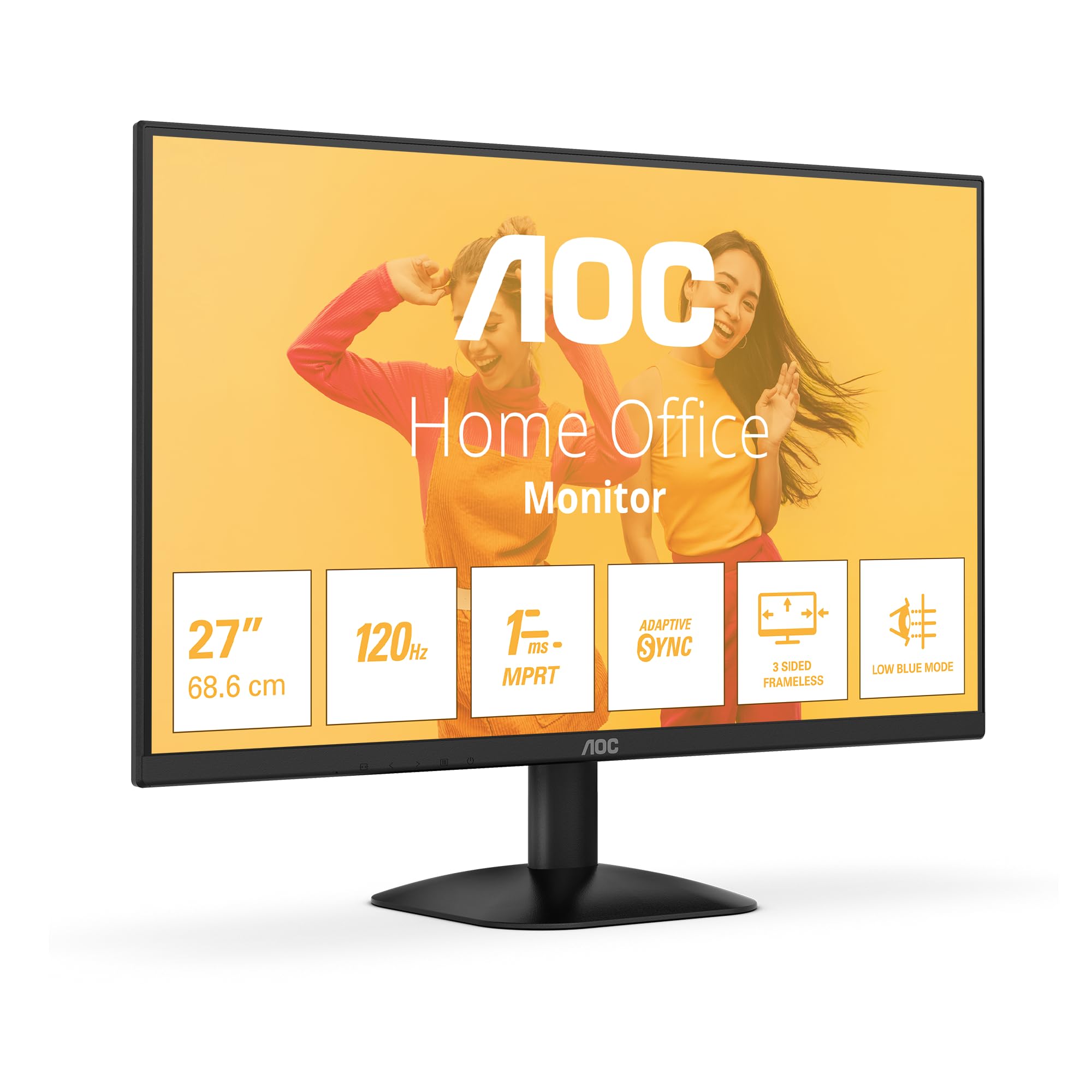
Figura 1: Frontal view of the AOC 27B35HM monitor, showcasing its 27-inch screen, 120Hz refresh rate, 1ms MPRT, Adaptive Sync, 3-sided frameless design, and Low Blue Light mode.
2. Informació de seguretat
Si us plau, llegiu atentament totes les instruccions abans d'utilitzar aquest producte. Conserveu aquest manual per a futures consultes.
- Do not place the monitor near water or in humid environments.
- Assegureu-vos que hi hagi una ventilació adequada al voltant del monitor. No bloquegeu les obertures de ventilació.
- Feu servir només l'adaptador de corrent que s'inclou amb el monitor.
- Eviteu col·locar objectes pesats al cable d'alimentació.
- No intenteu fer la reparació del monitor vosaltres mateixos. Encarregueu-vos de totes les tasques de manteniment a personal qualificat.
- Desendolleu el monitor de la presa de corrent durant tempestes o quan no el feu servir durant períodes prolongats.
3. Contingut del paquet
Verifiqueu que tots els elements següents siguin presents al paquet del producte:
- AOC 27B35HM Monitor
- Suport de monitor (base i coll)
- Cable d'alimentació
- Cable HDMI
- D-Sub (VGA) Cable (may vary by region)
- Manual d'usuari i targeta de garantia
4. Configuració
4.1 Muntatge del suport
- Col·loqueu amb cura el monitor cara avall sobre una superfície suau i neta per evitar ratllades.
- Attach the stand neck to the monitor's rear panel. Secure it with the provided screws.
- Attach the stand base to the stand neck. Tighten the thumb screw at the bottom of the base.
4.2 Connexió a un ordinador
The AOC 27B35HM monitor supports HDMI and D-Sub (VGA) connections.
- Connexió HDMI: Connect one end of the HDMI cable to the HDMI port on your computer's graphics card and the other end to the HDMI 1.4 port on the monitor.
- Connexió D-Sub (VGA): Connect one end of the D-Sub cable to the VGA port on your computer's graphics card and the other end to the D-Sub port on the monitor.
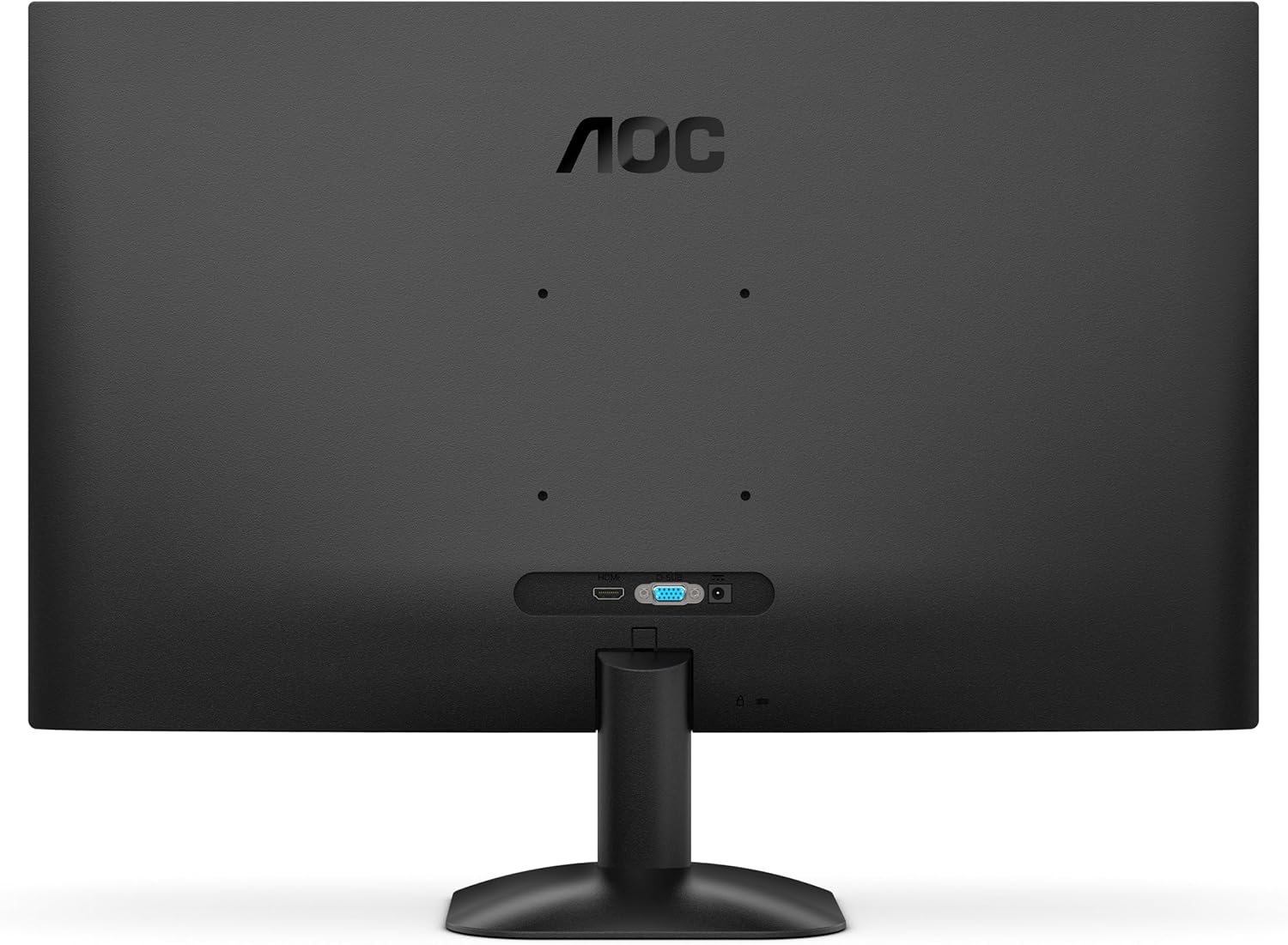
Figura 2: posterior view of the monitor, illustrating the location of the HDMI and D-Sub input ports.
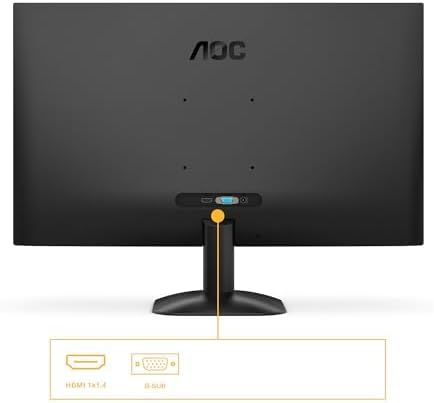
Figura 3: Detallada view of the monitor's connectivity options, specifically highlighting the HDMI 1.4 and D-Sub ports.
4.3 Connexió d'alimentació
- Connect the power cable to the monitor's power input.
- Connecteu l'altre extrem del cable d'alimentació a una presa de corrent amb connexió a terra.
5. Instruccions de funcionament
5.1 Engegada/apagada
Press the power button located on the bottom right of the monitor to turn it on or off. The power indicator light will illuminate when the monitor is on.
5.2 Menú de visualització en pantalla (OSD)
The OSD menu allows you to adjust various monitor settings. Use the buttons or joystick (if applicable) on the monitor's bezel to navigate the menu.
Key OSD Functions:
- Brillantor/Contrast: Ajusta la luminància i el contrast generals de la pantalla.
- Configuració de color: Modifiqueu la temperatura de color, el gamma i els nivells RGB individuals.
- Selecció d'entrada: Manually switch between HDMI and D-Sub input sources.
- Mode d'imatge: Select from preset display modes (e.g., Standard, Text, Game, Movie).
- Sincronització adaptativa: Enable or disable Adaptive Sync for tear-free gaming (requires a compatible graphics card).
- Mode de llum blava baixa: Reduce blue light emission to minimize eye strain.
- Tecnologia sense parpelleig: This monitor features flicker-free technology to reduce eye fatigue during prolonged use.
- HDR10: The monitor supports HDR10 for enhanced color and contrast, providing a more vivid visual experience.
6. Manteniment
6.1 Neteja de la pantalla
Netegeu suaument la pantalla amb un drap suau i sense borrissol. Per a marques difícils, dampen the cloth with a small amount of screen cleaner (non-ammonia based) and wipe gently. Do not spray cleaner directly onto the screen.
6.2 Neteja de l'exterior
Wipe the monitor's exterior with a soft, dry cloth. Avoid using abrasive cleaners or solvents.
7. Solució De Problemes
Si teniu problemes amb el monitor, consulteu els problemes i solucions més comuns següents:
| Problema | Causa possible | Solució |
|---|---|---|
| Sense poder | Cable d'alimentació no connectat; Presa de corrent defectuosa. | Assegureu-vos que el cable d'alimentació estigui connectat correctament al monitor i a la presa de corrent; proveu la presa de corrent amb un altre dispositiu. |
| Sense senyal | Cable de vídeo no connectat; entrada incorrecta seleccionada. | Check video cable connections (HDMI/D-Sub); Use OSD menu to select correct input source. |
| La imatge és massa fosca/brillant | Configuració de brillantor/contrast incorrecta. | Ajusteu la configuració de brillantor i contrast mitjançant el menú OSD. |
| Image is distorted/blurry | Incorrect resolution; Faulty cable. | Set display resolution to 1920 x 1080; Try a different video cable. |
| Pantalla parpellejant | Refresh rate mismatch; Graphics card issue. | Ensure graphics card drivers are updated; Check monitor refresh rate settings in OS. |
8. Especificacions
Detailed technical specifications for the AOC 27B35HM monitor:
| Característica | Especificació |
|---|---|
| Marca | AOC |
| Número de model | 27B35HM |
| Mida de la pantalla | 27 polzades (68.6 cm) |
| Resolució | 1920 x 1080 (Full HD) |
| Relació d'aspecte | 16:9 |
| Freqüència d'actualització | 120 Hz |
| Temps de resposta | 1 ms (MPRT) |
| Tipus de panell | LCD LCD |
| Surface Description | Mat |
| Relació de contrast | 1000:1 a 3000:1 |
| Connectivitat | 1 x HDMI 1.4, 1 x D-Sub (VGA) |
| Característiques especials | Eye Care (Low Blue Light, Adaptive Sync), HDR10 |
| Color | Negre |
| Fabricant | AOC International |
| País d'origen | Xina |
8.1 Energy Information
Per obtenir informació detallada sobre l'eficiència energètica, consulteu la base de dades EPREL:
- Número de registre EPREL: 2046639
- EPREL Link: https://eprel.ec.europa.eu/qr/2046639
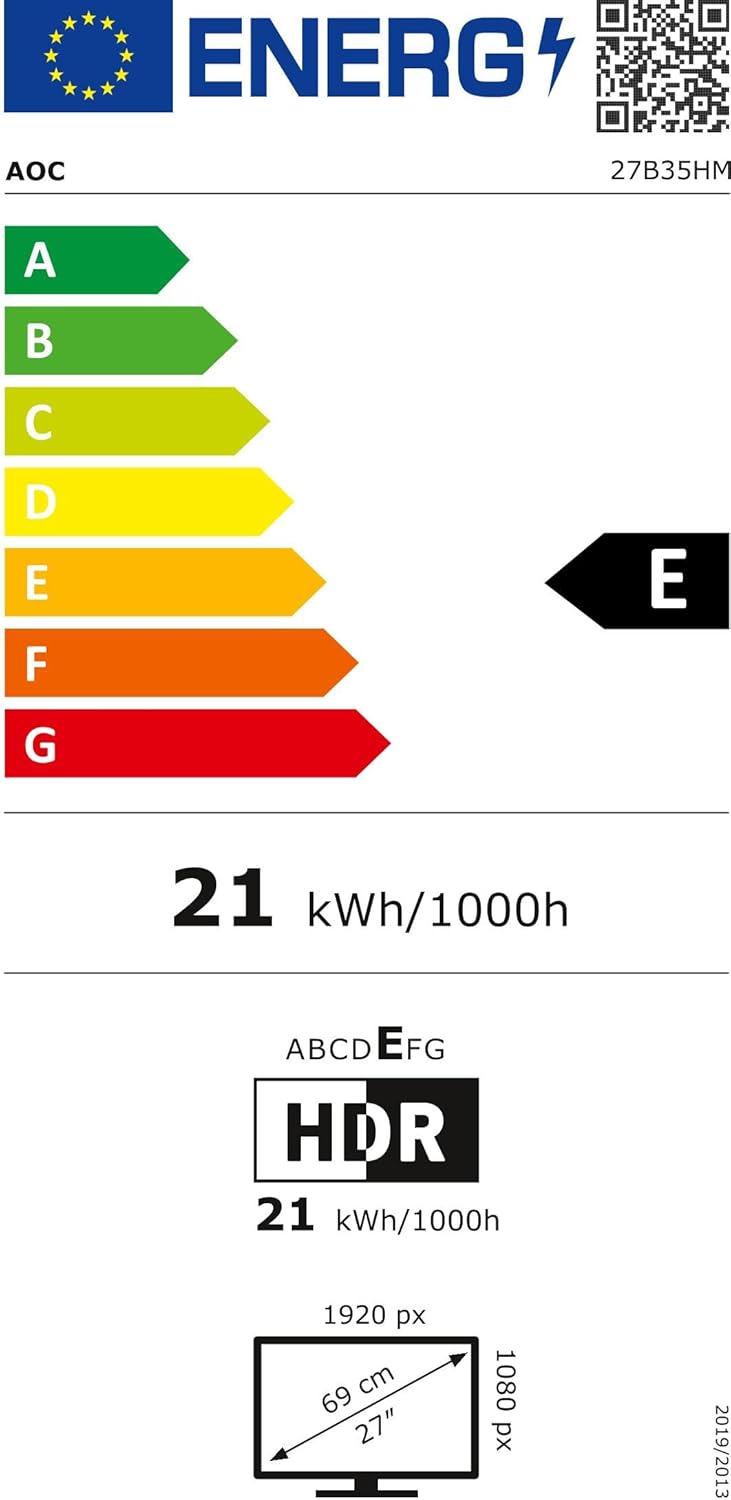
Figure 4: EU Energy Label for the AOC 27B35HM monitor, showing its energy efficiency class E and consumption of 21 kWh/1000h.
9. Garantia i Suport
9.1 Informació de la garantia
This product comes with a minimum guaranteed product support period of 8 years and a minimum guarantee period of 3 years offered by the supplier.
9.2 Atenció al client
For technical assistance, warranty claims, or other inquiries, please contact AOC International (Europe) B.V. using the following information:
- Weblloc: https://eu.aoc.com
- Correu electrònic: kevin.yang@tpv-tech.com
- Telèfon: +31 (0)20 504 6962
- Adreça: Prins Bernhardplein 200 1097 JB Amsterdam, Netherlands


