Introducció
Thank you for choosing the Oraolo Bluetooth Speaker. This manual provides essential information for setting up, operating, and maintaining your speaker. Please read it carefully before use to ensure optimal performance and longevity of your device.

Image: The Oraolo Bluetooth Speaker, showcasing its compact design and vibrant LED light ring.
Contingut del paquet
Abans de començar, assegureu-vos que tots els elements estiguin presents al paquet:
- 1 x Oraolo BS05 Bluetooth Speaker
- 1 x cable de càrrega tipus C
- 1 x Guia d'inici ràpid (Manual d'usuari)

Image: Illustration of the Oraolo Bluetooth Speaker, its retail box, USB-C charging cable, and user manual, indicating the items included in the package.
Configuració
1. Carregant l’altaveu
Before first use, fully charge the speaker. Connect the provided Type-C charging cable to the speaker's USB-C port and the other end to a USB power adapter (not included) or a computer's USB port.
- Temps de càrrega: aproximadament 2 hores.
- El llum indicador de càrrega s'il·luminarà durant la càrrega i s'apagarà quan estigui completament carregat.
2. Encendre/apagar
- Per engegar: premeu i manteniu premut el botó Botó d'encesa (
 ) durant 2-3 segons fins que sentiu un avís audible i s'activin els llums LED.
 - Per apagar: premeu i manteniu premut el botó Botó d'encesa de nou durant 2-3 segons.
3. Emparellament Bluetooth
L'altaveu entrarà automàticament en mode d'emparellament Bluetooth quan s'engegui per primera vegada o si no hi ha cap dispositiu connectat.
- Ensure the speaker is powered on and in pairing mode (LED light will flash).
- Al dispositiu (telèfon intel·ligent, tauleta, ordinador), activeu el Bluetooth.
- Cerca "Oraolo BS05" in the list of available Bluetooth devices.
- Select "Oraolo BS05" to connect. You will hear a confirmation sound once paired successfully.

Image: A smartphone screen showing Bluetooth settings with "Oraolo BS05" listed as a discoverable device, demonstrating the pairing process with two Oraolo speakers.
4. Emparellatge estèreo sense fil veritable (TWS)
You can pair two Oraolo BS05 speakers together for an immersive stereo sound experience.
- Ensure both Oraolo BS05 speakers are powered on and not connected to any other Bluetooth device.
- On one of the speakers (this will be the primary speaker), double-click the "M" (Mode) button. The speaker will enter TWS pairing mode.
- Els dos altaveus es connectaran automàticament entre si. Sentireu un so de confirmació un cop l'emparellament TWS s'hagi realitzat correctament.
- Now, connect your device to the primary speaker via Bluetooth as described in step 3. Both speakers will play audio in stereo.
- To disable TWS function, double-click the "M" button on either speaker again.

Image: A visual guide demonstrating the True Wireless Stereo (TWS) pairing process between two Oraolo Bluetooth speakers and a smartphone.
Instruccions de funcionament
Funcions del botó
Familiarize yourself with the speaker's multi-function buttons:

Image: A detailed diagram illustrating the location and function of each button on the Oraolo Bluetooth Speaker, including Mode, Power/Play/Pause, Volume/Next, Volume/Previous, USB In (Audio), SD Card Slot, USB-C, and Charging Indicator.
- Botó d'encendre (): Press and hold to Power On/Off. Short press to Play/Pause music.
- Botó "M" (Mode): Short press to switch between Bluetooth, TF Card, and USB audio input modes. Double-click for TWS pairing.
- Botó "+" (Pujar volum / Pista següent): Prem curt per pujar el volum. Prem llarg per a la pista següent.
- Botó "-" (Baixar volum / Pista anterior): Prem curt per baixar el volum. Prem llarg per a la pista anterior.
- USB IN (Audio) Port: For connecting external audio devices via USB.
- Ranura per a targeta SD: For playing music directly from a TF (Micro SD) card.
- Port USB-C: Per carregar l'altaveu.
- Indicador de càrrega: Light indicates charging status.
Reproducció d'àudio
- Mode Bluetooth: Després de l'emparellament correcte, l'àudio del dispositiu connectat es reproduirà a través de l'altaveu.
- Mode de targeta TF: Inseriu una targeta TF (Micro SD) amb àudio files into the SD Card Slot. The speaker will automatically switch to TF Card mode and begin playback.
- USB Audio Mode: Connect a USB drive with audio files to the USB IN (Audio) port. The speaker will automatically switch to USB mode and begin playback.
Efectes d'il·luminació RGB
The speaker features dynamic RGB lighting that syncs with the music. The lighting effects are automatic and enhance the listening experience.
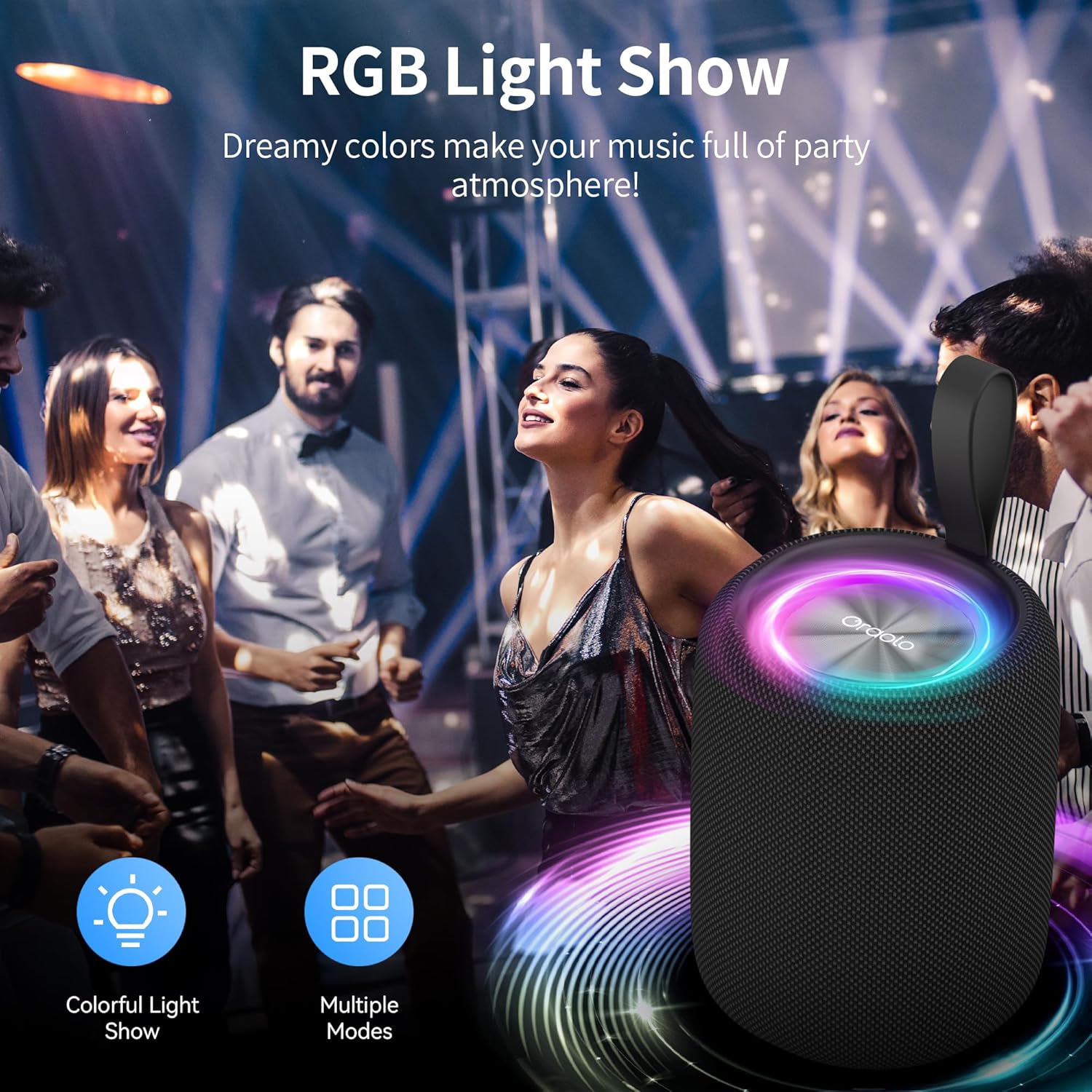
Image: The Oraolo Bluetooth Speaker displaying its RGB light show in a party setting, illustrating the dynamic lighting feature.
Trucades mans lliures
When connected to a smartphone via Bluetooth, the speaker can be used for hands-free calls.
- Respondre/Finalitzar la trucada: Premeu breument Botó d'encesa.
- Rebutja la trucada: Premeu llargament el botó Botó d'encesa.
Manteniment
Neteja
To clean the speaker, use a soft, dry cloth. Do not use abrasive cleaners, alcohol, or other chemical solvents, as these may damage the surface.
Emmagatzematge
Store the speaker in a cool, dry place away from direct sunlight and extreme temperatures. If storing for an extended period, charge the battery to approximately 50% every few months to preserve battery life.
Resistència a l'aigua (IPX6)
The Oraolo Bluetooth Speaker is IPX6 waterproof, meaning it is protected against high-pressure water jets from any direction. It is suitable for use outdoors and near water, but it should not be submerged in water.

Image: The Oraolo Bluetooth Speaker on a wet surface, illustrating its IPX6 waterproof rating, indicating resistance to strong water splashes.
Resolució de problemes
Si teniu problemes amb l'altaveu, consulteu els problemes i solucions més comuns següents:
| Problema | Causa possible | Solució |
|---|---|---|
| L'altaveu no s'encén. | Bateria baixa. | Carregueu l'altaveu completament. |
| No es pot emparellar amb un dispositiu Bluetooth. | L'altaveu no està en mode d'emparellament o està massa lluny del dispositiu. | Ensure speaker is in pairing mode. Move speaker closer to device (within 10 meters). Turn off and on Bluetooth on your device. |
| Sense so o amb un volum baix. | Volum massa baix a l'altaveu o al dispositiu; mode d'entrada incorrecte. | Increase volume on both speaker and connected device. Press "M" button to cycle through input modes (Bluetooth, TF, USB). |
| L'emparellament TWS ha fallat. | Speakers already connected to other devices; incorrect pairing steps. | Assegureu-vos que tots dos altaveus estiguin desconnectats dels altres dispositius. Seguiu els passos d'emparellament TWS amb precisió. |
| Distorsió del so. | Volum massa alt; bateria baixa; interferències. | Reduce volume. Charge the speaker. Move away from sources of interference (e.g., Wi-Fi routers, other Bluetooth devices). |
Especificacions
- Nom del model: R2219
- Material: Plàstic
- Tecnologia de connectivitat: Bluetooth 5.4
- Tipus d'altaveu: Altaveu portàtil
- Mode de sortida d'àudio: Stereo (2.0 channel configuration)
- Potència de sortida màxima dels altaveus: 5 watts
- Durada de la bateria: Fins a 8 hores
- Temps de càrrega: Aproximadament 2 hores
- Classificació impermeable: IPX6
- Dimensions del producte: 8.5P x 8.5A x 11.5H centímetres
- Pes de l'article: 0.39 quilograms (390 g)
- Dispositius compatibles: Any Bluetooth-enabled device (smartphones, tablets, computers, MP3 players, TVs, laptops)
- Característiques especials: RGB LED Lights, TWS Pairing, TF Card Support, USB Audio Input, Hands-free Calls
Garantia i Suport
Informació de la garantia
This Oraolo product comes with a Garantia limitada. Please refer to the warranty card included in your package or contact Oraolo customer support for detailed terms and conditions.
Atenció al client
For any questions, technical assistance, or warranty claims, please contact Oraolo customer support. Contact information can typically be found on the official Oraolo weblloc web o a l'embalatge.


