Introducció
Thank you for choosing the SOAR NBA Wireless Boombox Speaker. This manual provides essential information for the safe and effective use of your new speaker. Designed for the ultimate sports experience, this boombox delivers dynamic sound and features to amplify your game day celebrations. Please read this manual thoroughly before operating the device and retain it for future reference.

Imatge: Frontal view of the SOAR NBA Wireless Boombox Speaker, showcasing the Philadelphia 76ers logo and vibrant LED light show.

Image: A user enjoying the SOAR NBA Wireless Boombox Speaker outdoors on a basketball court.
Informació de seguretat
Per garantir un funcionament segur i evitar danys, observeu les precaucions següents:
- No exposeu l'altaveu a temperatures extremes, llum solar directa ni humitat elevada.
- Eviteu deixar caure o sotmetre l'altaveu a forts impactes.
- No desmunteu, repareu ni modifiqueu el dispositiu vosaltres mateixos. Envieu totes les tasques de manteniment a personal qualificat.
- Mantingueu l'altaveu allunyat de l'aigua o altres líquids.
- Feu servir només el cable de càrrega i l'adaptador de corrent especificats.
- Netegeu l'altaveu amb un drap suau i sec. No utilitzeu productes de neteja abrasius.
Contingut del paquet
Verifiqueu que tots els elements siguin presents al paquet:
- SOAR NBA Wireless Boombox Speaker
- Cable de càrrega USB
- Cable d'àudio auxiliar
- Manual d'usuari
Producte acabatview
Familiarize yourself with the various parts and controls of your SOAR NBA Wireless Boombox Speaker.

Imatge: Frontal view of the speaker, highlighting the team logo and speaker grilles.

Imatge: Detallada view of the control panel, including AUX, Micro SD, USB, DC IN ports, and control buttons.
Característiques del tauler de control:
- Botó d'encesa: Encén/apaga l'altaveu.
- Botó de mode: Canvia entre els modes Bluetooth, ràdio FM, AUX, USB i targeta TF.
- Botó Reproduir/Pausa: Controla la reproducció d'àudio.
- Botó Anterior/Baixar volum: Salta a la pista anterior o disminueix el volum.
- Botó Següent/Pujar volum: Salta a la pista següent o augmenta el volum.
- Entrada AUX: Per connectar dispositius d'àudio externs mitjançant un cable de 3.5 mm.
- Ranura per a targetes Micro SD: Per reproduir àudio des d'una targeta Micro SD.
- Port USB: Per reproduir àudio des d'una unitat USB.
- Port DC IN: Per carregar l'altaveu.
- Entrada de micròfon: Per connectar un micròfon extern.
Configuració
1. Carregant l’altaveu
Before first use, fully charge the speaker. Connect the provided USB charging cable to the DC IN port on the speaker and the other end to a USB power adapter (not included) or a computer's USB port. The charging indicator light will illuminate during charging and turn off when fully charged. A full charge provides up to 8 hours of playback.
2. Encès / apagat
Manteniu premut el botó Botó d'engegada for a few seconds to turn the speaker on or off. A voice prompt will indicate the power status.
3. Emparellament Bluetooth
Per connectar l'altaveu a un dispositiu amb Bluetooth:
- Engegueu l'altaveu. Entrarà automàticament en mode d'emparellament Bluetooth, cosa que s'indicarà amb una indicació de veu.
- Activa el Bluetooth al teu dispositiu mòbil (telèfon intel·ligent, tauleta, etc.).
- Cerca "SOAR Boombox" in the list of available Bluetooth devices.
- Select "SOAR Boombox" to connect. Once paired, a voice prompt will confirm the connection.
The speaker will automatically reconnect to the last paired device if it's within range and Bluetooth is enabled.

Image: Speaker connected via Bluetooth to a smartphone, ready for audio playback.
4. Entrada auxiliar (AUX)
Connect non-Bluetooth devices using the provided 3.5mm auxiliary cable. Insert one end into the AUX input port on the speaker and the other end into the audio output jack of your device. The speaker will automatically switch to AUX mode, or you can manually select it using the Botó de mode.
5. Entrada de micròfon
For karaoke or announcements, connect a microphone (not included) to the microphone input jack on the speaker.
6. Funcionament de la ràdio FM
Per utilitzar la ràdio FM integrada:
- Premeu el botó Botó de mode per canviar al mode de ràdio FM.
- Premeu el botó Botó Reproduir/Pausa per escanejar i desar automàticament les emissores de FM disponibles.
- Utilitza el Anterior/Abaixar el volum i Següent / Augment de volum botons per navegar entre les emissores desades.
7. Reproducció de targetes USB/TF
Insert a USB flash drive or a TF (Micro SD) card containing MP3 audio files into the respective port. The speaker will automatically detect the media and begin playback. Use the playback controls to manage your music.
8. Syncing Two Speakers (TWS Function)
For an enhanced stereo sound experience, you can pair two SOAR NBA Wireless Boombox Speakers together:
- Assegureu-vos que tots dos altaveus estiguin encesos i no connectats a cap dispositiu Bluetooth.
- En un altaveu (aquest serà l'altaveu principal), premeu dues vegades el botó Botó de mode or a dedicated TWS button (if available) to initiate TWS pairing. A voice prompt will indicate it's searching.
- The two speakers will automatically connect to each other. A voice prompt will confirm successful TWS pairing.
- Ara, connecta el dispositiu mòbil a l'altaveu principal mitjançant Bluetooth tal com es descriu al pas 3. L'àudio es reproduirà en estèreo a través dels dos altaveus.

Image: Illustration of two speakers syncing together for stereo sound, with a smartphone connected to one.
Funcionament de l'altaveu
Controls de reproducció
- Reproduir/pausa: Premeu el botó Botó Reproduir/Pausa per reproduir o posar en pausa l'àudio.
- Pista següent: Premeu breument Botó Següent/Pujar el volum per saltar a la pista següent.
- Pista anterior: Premeu breument Botó anterior/abaixar el volum per anar a la pista anterior.
Ajust de volum
- Augmenta el volum: Manteniu premut el botó Botó Següent/Pujar el volum.
- Disminueix el volum: Manteniu premut el botó Botó anterior/abaixar el volum.
Espectacle de llum LED
The speaker features an integrated RGB LED light show that syncs with the music. This feature is automatically active when the speaker is on. There is no specific button to control the light show; it operates automatically.
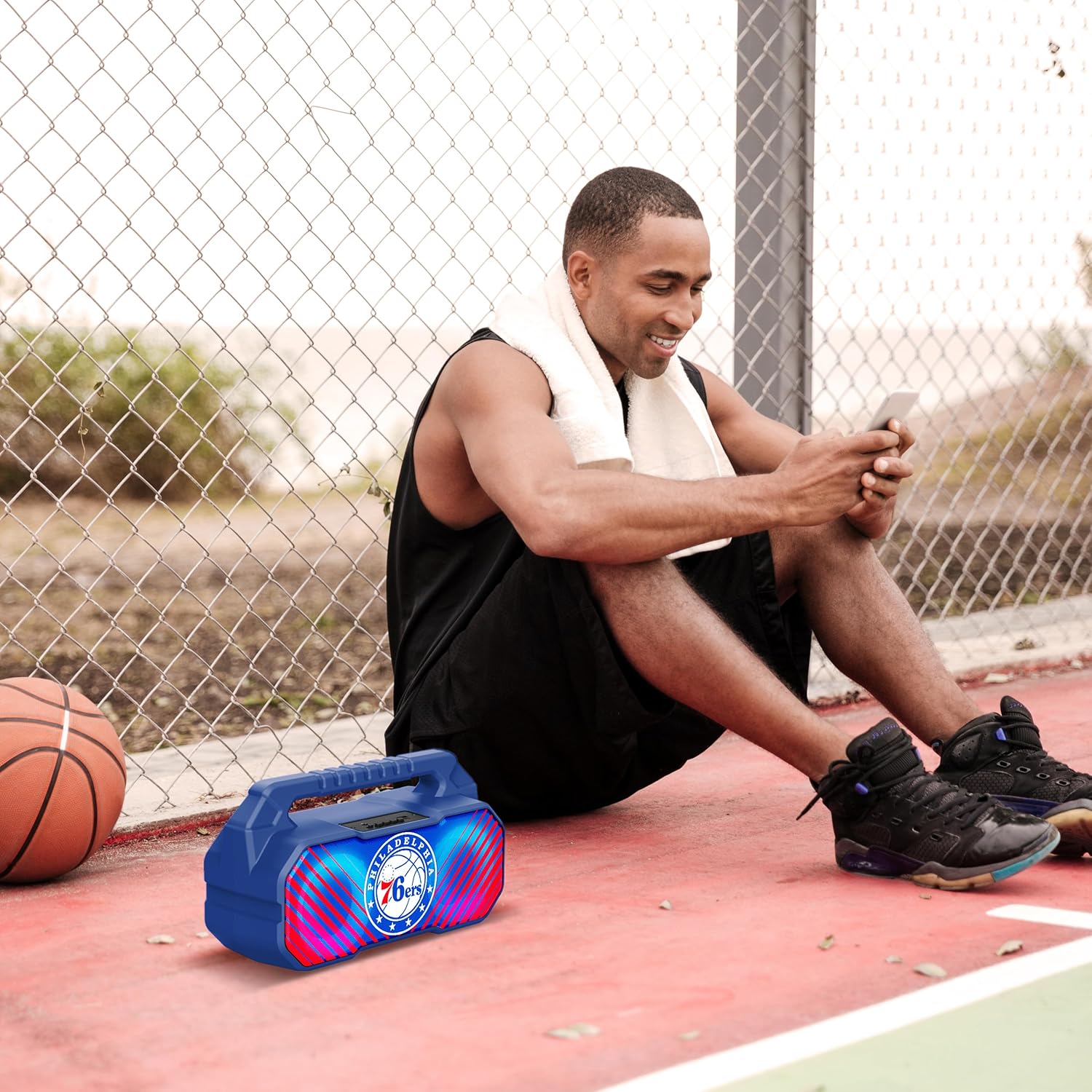
Image: The speaker's LED light show in action during a gathering, creating an ambient effect.
Manteniment
Proper care will extend the life of your speaker:
- Neteja: Netegeu l'altaveu amb un drap suau, sec i sense borrissol. No utilitzeu netejadors líquids, aerosols ni dissolvents.
- Emmagatzematge: Quan no l'utilitzeu durant períodes prolongats, guardeu l'altaveu en un lloc fresc i sec, allunyat de la llum solar directa i de temperatures extremes.
- Cura de la bateria: Per mantenir la bateria en bon estat, carregueu l'altaveu com a mínim un cop cada tres mesos si no l'utilitzeu regularment.
Resolució de problemes
Si teniu problemes amb l'altaveu, consulteu els problemes i solucions més comuns següents:
| Problema | Causa possible | Solució |
|---|---|---|
| L'altaveu no s'encén. | La bateria està baixa o esgotada. | Carregueu l'altaveu completament. |
| Sense so. | Volume is too low; incorrect mode selected; device not paired correctly. | Increase volume; press Mode button to select correct input; re-pair Bluetooth device. |
| Connexió Bluetooth inestable. | El dispositiu està massa lluny de l'altaveu; interferències. | Move device closer to speaker (within 33 feet/10 meters); avoid obstacles. |
| La recepció de ràdio FM és deficient. | Senyal feble; interferències ambientals. | Relocate the speaker; re-scan for stations. |
| L'emparellament TWS falla. | Speakers are already connected to another device; incorrect pairing procedure. | Ensure both speakers are disconnected from other devices; follow TWS pairing steps precisely. |
Especificacions
Key technical specifications for the SOAR NBA Wireless Boombox Speaker:
| Característica | Detall |
|---|---|
| Nom del model | Wireless BoomBox Speaker |
| Número de part | NBA-BBX-PHI |
| Potència de sortida | 10 Watts (2 x 5-Watt speakers) |
| Versió Bluetooth | Bluetooth 5.0 |
| Durada de la bateria | Fins a 8 hores |
| Dimensions (L x A x A) | 13.5 x 7.5 x 5.3 polzades |
| Pes | 1.11 quilos |
| Material | Plàstic |
| Components inclosos | Built-In Microphone (referring to microphone input capability) |
| UPC | 192129179047 |

Image: Dimensional drawing of the speaker, indicating its width and height.

Image: Internal component view, emphasizing the 10W speaker drivers and various features like Bluetooth 5.0, FM Radio, AUX input, and LED lights.
Garantia i Suport
The SOAR NBA Wireless Boombox Speaker comes with a 1 anys de garantia limitada des de la data de compra. Aquesta garantia cobreix els defectes de fabricació dels materials i la mà d'obra en condicions d'ús normal.
The warranty does not cover damage caused by misuse, accident, unauthorized modification, or external causes such as drops or liquid exposure.
For warranty claims or technical support, please contact the manufacturer, Prime Brands Group Inc., or refer to the contact information provided on the product packaging or the official SOAR website. Please have your proof of purchase and product model number ready when contacting support.
Manufacturer: Prime Brands Group Inc.


