1. Introducció
The Yasola RC Drone Car Model 828 is a versatile 2-in-1 remote control vehicle designed for both ground driving and aerial flight. This manual provides essential instructions for safe operation, setup, and maintenance to ensure an enjoyable experience.
2. Precaucions de seguretat
- Supervisió d'adults: Always ensure adult supervision when children are operating the drone car.
- Entorn de vol: Operate the drone in open, clear areas, away from people, animals, buildings, and other obstacles. Avoid flying in strong winds or rain.
- Seguretat de la bateria:
- Feu servir només el cable de càrrega i les bateries proporcionades.
- Do not overcharge or short-circuit batteries.
- No exposeu les piles a temperatures extremes ni al foc.
- If batteries swell or leak, discontinue use immediately.
- Seguretat de l'hèlix: Mantingueu els dits, els cabells i la roba solta allunyats de les hèlixs giratòries.
- Evitar impactes: Avoid collisions with objects or people to prevent damage to the drone car and potential injury.
- Exposició a l'aigua: Do not expose the drone car to water or moisture.
3. Contingut del paquet
Si us plau, verifiqueu que tots els elements siguin presents al paquet:
- 1 x Yasola RC Drone Car (Model 828)
- 1 x comandament a distància
- 2 x Lithium Batteries (for drone car)
- 1 x cable de càrrega USB
- 4 hèlixs de recanvi
- 1 x Manual d'usuari (aquest document)
4. Guia de configuració
4.1 Instal·lació de la bateria
For the Drone Car:
- Locate the battery compartment on the underside of the drone car.
- Obriu amb cura la tapa del compartiment de la bateria.
- Connect the drone battery to the drone's power connector.
- Col·loqueu la bateria dins del compartiment i tanqueu la tapa de manera segura.
- Use a small screwdriver to turn the battery cover screw to secure it.


Per al comandament a distància:
- Obriu el compartiment de la bateria a la part posterior del comandament a distància.
- Insert 2 LR44 batteries (included) according to the polarity markings.
- Tanqueu el compartiment de la bateria.
4.2 Càrrega de la bateria del dron
- Connecteu el cable de càrrega USB a la bateria del dron.
- Plug the USB end into a compatible USB power source (e.g., computer, USB wall adapter).
- The indicator light on the USB cable will show charging status (refer to charger for specific light indications).
- Charging typically takes approximately 60-90 minutes. Do not leave unattended while charging.
4.3 Pairing the Remote Control with the Drone Car
- Ensure the drone car battery is installed and fully charged.
- Long press the power button on the drone car to turn it on. The LED lights will begin to flash.
- Engegueu el comandament a distància. L'indicador lluminós del comandament a distància parpellejarà.
- Move the left joystick (throttle) on the remote control up and then down. The remote control will beep, and the drone car's lights will become solid, indicating successful pairing.
- The default mode after pairing is typically Flight Mode.
5. Instruccions de funcionament
5.1 Control remotview
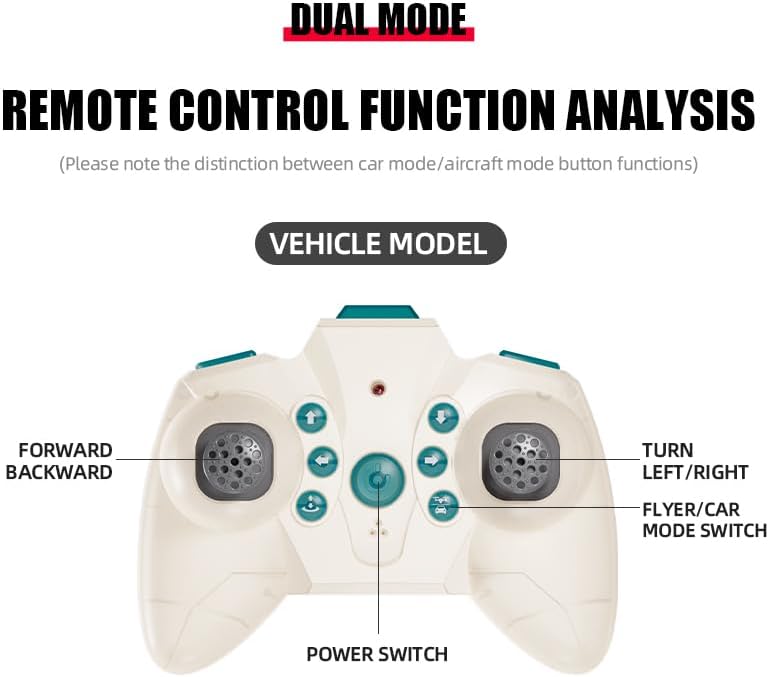
The remote control features dual modes for car and flight operation. Familiarize yourself with the controls:
- Joystick esquerre (accelerador): Controls forward/backward movement in car mode, and ascent/descent in flight mode.
- Right Joystick (Steering/Direction): Controls left/right turns in car mode, and directional flight (forward, backward, left, right) in flight mode.
- Botó de canvi de mode: Toggles between Flight Mode and Car Mode.
- One-Key Take Off/Landing Button: Initiates automatic take-off or landing in flight mode.
- Speed Shift Button: Adjusts the speed setting (low/high).
- Botó de mode sense cap: Activates headless mode for simplified flight control.
- Botó de l'interruptor de la llum: Toggles the LED lights.
5.2 Switching Between Flight Mode and Car Mode
- After pairing, the drone car is typically in Flight Mode.
- Per canviar a Mode cotxe: Ensure the drone car has landed and propellers have stopped spinning. Press the Mode Switch button on the remote control. The lights on the drone car will turn red to indicate Car Mode.
- Per canviar a Mode de vol: Press the Mode Switch button again. The lights on the drone car will turn blue to indicate Flight Mode.

5.3 Operacions de vol
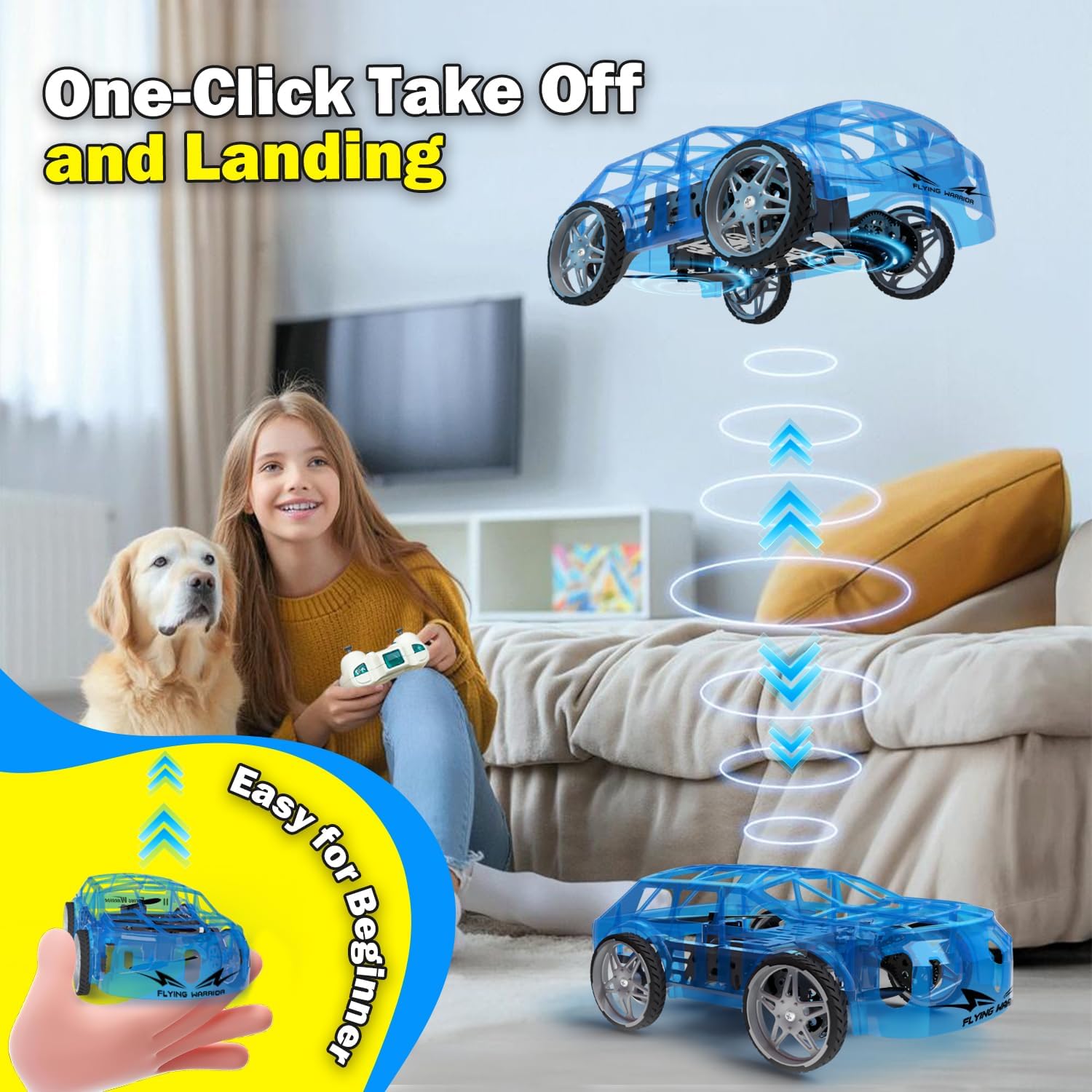
- One-Key Take Off: With the drone car in Flight Mode, press the One-Key Take Off/Landing button. The drone will automatically ascend to a stable hovering altitude.
- Control d'altitud: Premeu el joystick esquerre cap amunt per pujar i cap avall per baixar.
- Directional Flight: Push the right joystick forward to fly forward, backward to fly backward, left to fly left, and right to fly right.
- Rotació: Push the left joystick left or right to rotate the drone car.
- Ajust de velocitat: Press the Speed Shift button to toggle between low and high-speed modes.
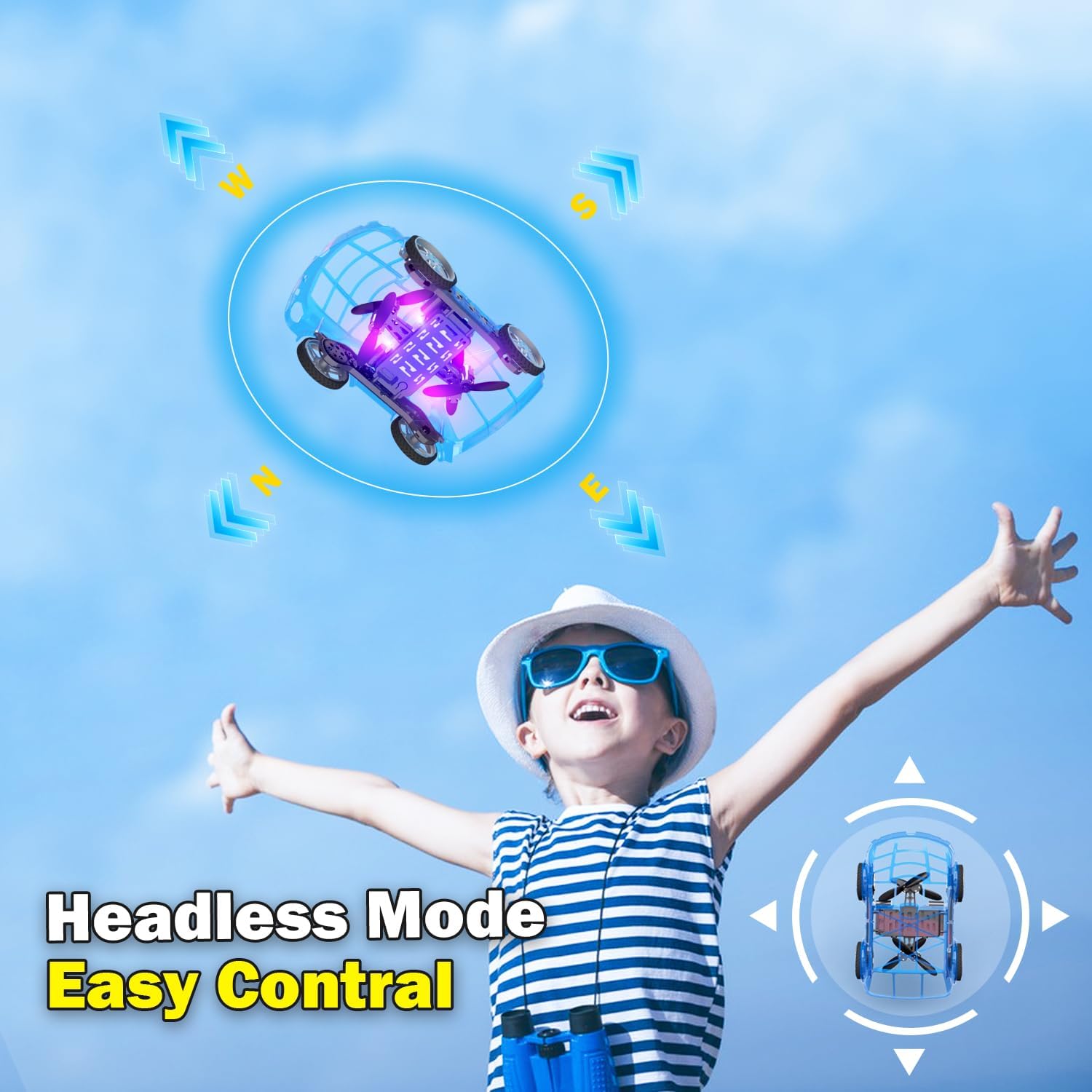
- Mode sense cap: Press the Headless Mode button to activate. In this mode, the drone's orientation is relative to the pilot, regardless of the drone's front direction. Press again to exit.
- Aterratge d'una sola clau: Press the One-Key Take Off/Landing button again to initiate an automatic landing. The drone will slowly descend and land.

5.4 Car Operations
- Endavant/Enrere: Push the left joystick up to drive forward and down to drive backward.
- Girar: Push the right joystick left to turn left and right to turn right.
- Ajust de velocitat: Press the Speed Shift button to toggle between low and high-speed modes.
6. Manteniment
- Neteja: Use a soft, dry cloth to clean the drone car. Do not use water or chemical cleaners.
- Substitució de l'hèlix: If a propeller is damaged, carefully remove it and replace it with a spare propeller, ensuring correct orientation.
- Cura de la bateria:
- Guardeu les piles en un lloc fresc i sec quan no les utilitzeu.
- Do not store fully charged or completely depleted batteries for extended periods.
- Charge batteries at least once every three months to maintain their health.
7. Solució De Problemes
| Problema | Causa possible | Solució |
|---|---|---|
| Drone car does not respond to remote control. | Not paired; low battery in drone or remote; drone not powered on. | Ensure drone and remote are powered on. Re-pair the remote control (Section 4.3). Charge drone battery. Replace remote control batteries. |
| Drone car cannot take off or flies unstably. | Low drone battery; damaged propellers; incorrect calibration; operating in windy conditions. | Charge drone battery. Check and replace damaged propellers. Perform "Outer eight calibration" (refer to video demonstration). Operate in calm conditions. |
| Short flight time (e.g., 3-5 minutes). | Normal battery capacity for mini drones; battery not fully charged. | Ensure battery is fully charged before use. Utilize the second included battery for extended play. |
| Drone car drifts during flight. | Needs fine-tuning/trimming; environmental factors (e.g., slight breeze). | Use the direction fine-tuning buttons on the remote control to correct drift. Ensure operation in a calm environment. |
8. Especificacions
- Marca: Yasola
- Nom del model: 828
- Dimensions del producte: 9.56 cm de llargada x 5.11 cm d'amplada x 3.54 cm d'alçada
- Pes de l'article: 9.4 unces (0.59 lliures)
- Material: Plàstic
- Color: Blau
- Tecnologia de connectivitat: Remote control 2.4G
- Capacitat de la bateria: 600 milionsamp Hores (ions de liti)
- Interval d'edat (descripció): Kid (recommended for ages 8-12)
- Característiques especials: Drone car, UFO, flying and running RC drone, flying car, One-Key Take Off/Landing, LED Lights, 2 Mode Control, Headless Mode, High-Low Speed Shift.
9. Garantia i Suport
For warranty information, technical support, or any inquiries regarding your Yasola RC Drone Car Model 828, please refer to the contact information provided on the product packaging or visit the official Yasola weblloc.


