1. Introducció
This manual provides detailed instructions for the setup, operation, and maintenance of your Tiqvi Smart Baby Monitor. Please read this manual thoroughly before using the device to ensure proper functionality and safety. The Tiqvi Smart Baby Monitor offers advanced features such as 1080P HD video, WiFi connectivity, remote control via the Calex Smart App, night vision, two-way audio, motion detection, and temperature monitoring.

Davant view of the Tiqvi Smart Baby Monitor, featuring a camera lens and the Tiqvi logo.
2. Què hi ha a la caixa
Carefully unpack your Tiqvi Smart Baby Monitor and verify that all items are present and in good condition. If any items are missing or damaged, please contact customer support.

An illustration showing the components included in the package: the Tiqvi Smart Baby Monitor camera, a silicone cover, a power adapter, a USB cable, and mounting screws.
- Tiqvi Smart Baby Monitor Camera
- Silicone Cover (with bear ears design)
- Adaptador d'alimentació
- Cable d'alimentació USB
- Cargols de muntatge i tacs de paret
3. Característiques del producte
The Tiqvi Smart Baby Monitor is equipped with several features designed for comprehensive baby monitoring:
- 1080P HD Video Resolution: Provides clear, high-definition live video and recordings.
- Panoràmica de 355° i inclinació de 90°: Ofereix una àmplia viewing angle to cover the entire room.
- Connectivitat WiFi: Connects to your home 2.4 GHz WiFi network for remote access.
- Calex Smart App Control: Manage all camera functions, view live feed, and receive alerts via the dedicated smartphone application.
- Visió nocturna per infrarojos: Automatically activates in low light conditions to provide clear images in the dark.
- Detecció de moviment: Alerts you to movement within the camera's field of view.
- Àudio bidireccional: Allows you to listen to your baby and speak back through the monitor.
- Monitorització de la temperatura: Built-in sensors track room temperature and send notifications for deviations.
- Emmagatzematge ampliable: Supports local storage via a MicroSD card up to 128GB (card not included).
- Funda de silicona: Includes a playful silicone cover for added protection and aesthetic appeal.

A close-up of the Tiqvi Smart Baby Monitor with icons representing its key features: temperature detection, night vision, silicone cover, and 2-way audio.
4. Instruccions de configuració
4.1 Download the Calex Smart App
- Cerca "Calex Smart" in the Apple App Store (iOS) or Google Play Store (Android).
- Descarregueu i instal·leu l'aplicació al vostre telèfon intel·ligent o tauleta.
- Registra't per obtenir un compte nou o inicia la sessió si ja en tens un.
4.2 Engegar el dispositiu
- Connect the USB power cable to the baby monitor's power port.
- Connecteu l'adaptador d'alimentació a una presa de corrent estàndard.
- The monitor will power on, and an indicator light will typically flash, indicating it's ready for pairing.
4.3 Pairing with the Calex Smart App
- Open the Calex Smart App.
- Toqueu la icona "+" a la cantonada superior dreta per afegir un dispositiu nou.
- Select "Camera" or "Smart Camera" from the device list.
- Follow the on-screen instructions in the app to connect the monitor to your 2.4 GHz WiFi network. This usually involves scanning a QR code displayed on your phone with the camera lens or entering your WiFi password.
- Once connected, the indicator light on the monitor will change (e.g., stop flashing and become solid), and the device will appear in your app.
4.4 Recomanacions de col·locació
For optimal performance, place the baby monitor on a flat, stable surface or mount it on a wall, ensuring a clear line of sight to your baby. Avoid placing it too close to the crib where a child could reach it, or near sources of interference like other electronic devices.

The Tiqvi Smart Baby Monitor placed on a dresser in a baby's nursery, near a crib, showing a typical installation environment.
5. Instruccions de funcionament
5.1 Viu View i control de càmera
Once connected, open the Calex Smart App and select your baby monitor from the device list to access the live video feed. You can use the on-screen controls to pan (rotate horizontally) and tilt (rotate vertically) the camera for a full view de l'habitació.

An image highlighting the monitor's connectivity (WiFi 2.4GHz), expandable storage (up to 128GB), and app controllability via Calex.
5.2 Àudio bidireccional
Per utilitzar la funció d'àudio bidireccional, toqueu la icona del micròfon a la pantalla en directe view interface of the Calex Smart App. Hold the button to speak, and release it to listen. This allows you to comfort your baby remotely.

A visual representation of the two-way audio function, with the baby monitor and a smartphone displaying a live feed of a sleeping baby, indicating communication is possible.
5.3 Visió nocturna
The monitor automatically switches to infrared night vision mode in low-light conditions, providing a clear black-and-white image of your baby without disturbing their sleep.
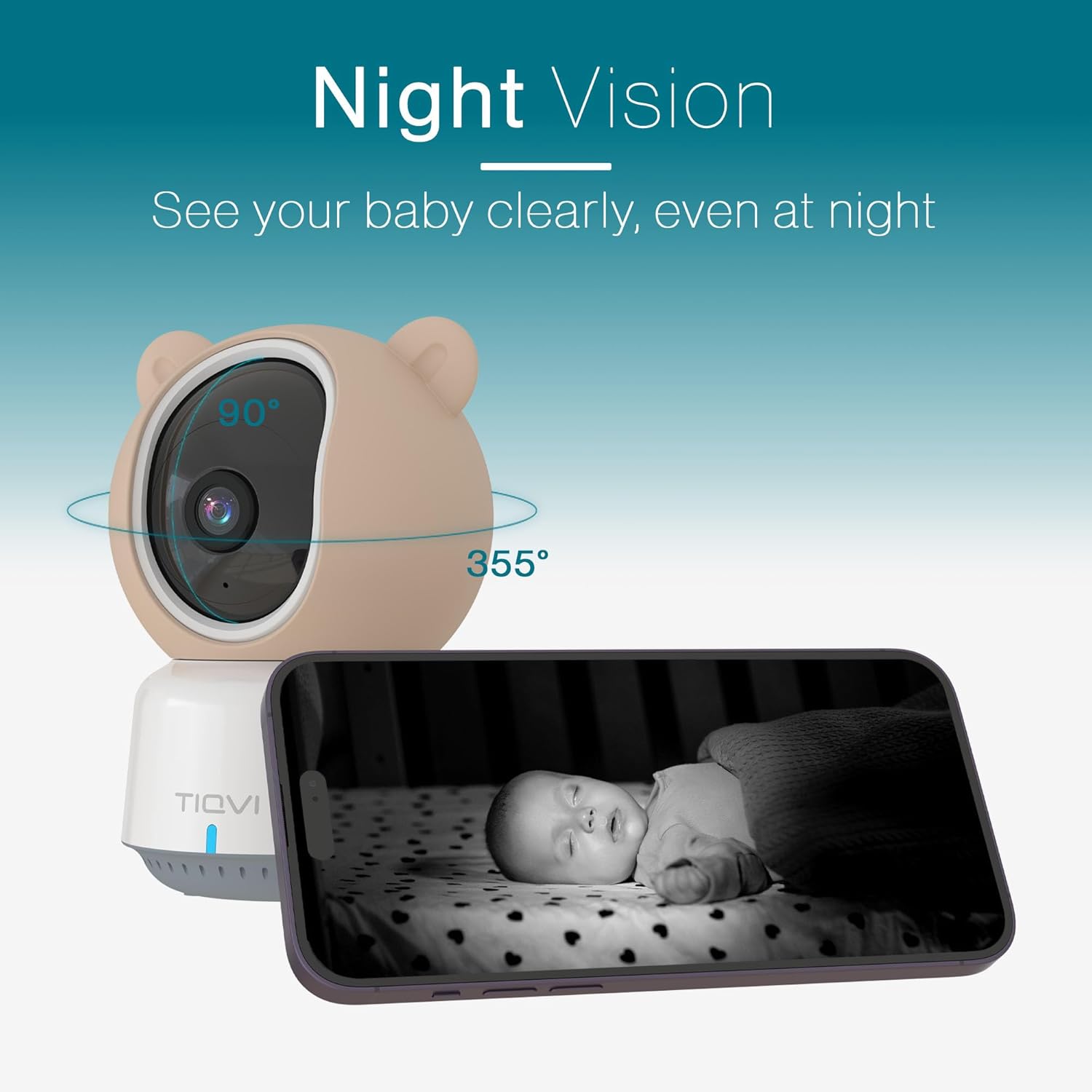
An image illustrating the night vision capability of the Tiqvi Smart Baby Monitor, showing a baby sleeping in a crib as seen through the camera's infrared lens on a smartphone screen.
5.4 Detecció de moviment
Enable motion detection in the app settings to receive alerts on your smartphone when movement is detected. You can adjust sensitivity levels to minimize false alarms.

An image demonstrating the motion detection feature, showing the baby monitor and a smartphone displaying children playing, with a highlighted area indicating detected movement.
5.5 Monitorització de la temperatura
The app displays the current room temperature detected by the monitor. You can set temperature thresholds in the app to receive alerts if the room becomes too hot or too cold.
5.6 Enregistrament i emmagatzematge de vídeo
If a MicroSD card is inserted, the monitor can record video based on motion detection or continuous recording settings configured in the Calex Smart App. Recorded footage pot ser reviewed directly from the app.
6. Manteniment
- Neteja: Use a soft, dry cloth to clean the camera lens and the body of the monitor. Do not use liquid cleaners or aerosols.
- Funda de silicona: The silicone cover can be removed and gently wiped clean with a damp cloth if necessary. Ensure it is completely dry before reattaching.
- Emmagatzematge: When not in use for extended periods, store the monitor in a cool, dry place away from direct sunlight.
7. Solució De Problemes
- Monitor not powering on: Ensure the power cable is securely connected to both the monitor and the power adapter, and the adapter is plugged into a working electrical outlet.
- No es pot connectar a WiFi:
- Ensure your WiFi network is 2.4 GHz. The monitor does not support 5 GHz networks.
- Comproveu que la contrasenya del vostre Wi-Fi sigui correcta.
- Move the monitor closer to your WiFi router.
- Restart your router and the baby monitor.
- No live video feed: Check your internet connection. If the connection is stable, try restarting the app and the monitor.
- Poca qualitat de vídeo: Ensure the camera lens is clean and free from obstructions. Check your internet speed; a slow connection can affect video quality.
- L'àudio bidireccional no funciona: Check the volume settings on your smartphone and ensure the microphone icon is enabled in the app.
- No s'han rebut alertes de detecció de moviment: Verify that motion detection is enabled in the app settings and that app notifications are allowed on your smartphone.
8. Especificacions
| Marca | Tiqvi |
| Número de model | TVS40001 |
| Dimensions (L x A x A) | 6 x 4 x 3 cm |
| Pes | 400 grams |
| Voltage | 230 Volts |
| Font d'alimentació | Elèctric |
| Protocol de connectivitat | WiFi 2.4 GHz |
| Resolució de gravació de vídeo | HD 1080P |
| Ús interior/exterior | Interior |
| Tipus de muntatge | Muntatge de paret |
| Color | Blanc |
| Components inclosos | Smart Baby Monitor with Camera and Application - WiFi - 1080P |
| UPC | 8720874213598 |
9. Garantia i Suport
For warranty information and customer support, please refer to the documentation included with your purchase or contact Tiqvi customer service directly. Keep your proof of purchase for warranty claims.

Un costat view of the product packaging, displaying the UPC barcode (8720874213598) and other product information.