1. Producte acabatview
The NARWAL Freo Z10 Ultra is an advanced robot vacuum and mop combo designed for comprehensive floor cleaning. It features AI-powered obstacle avoidance, powerful suction, and an intelligent self-cleaning base station.
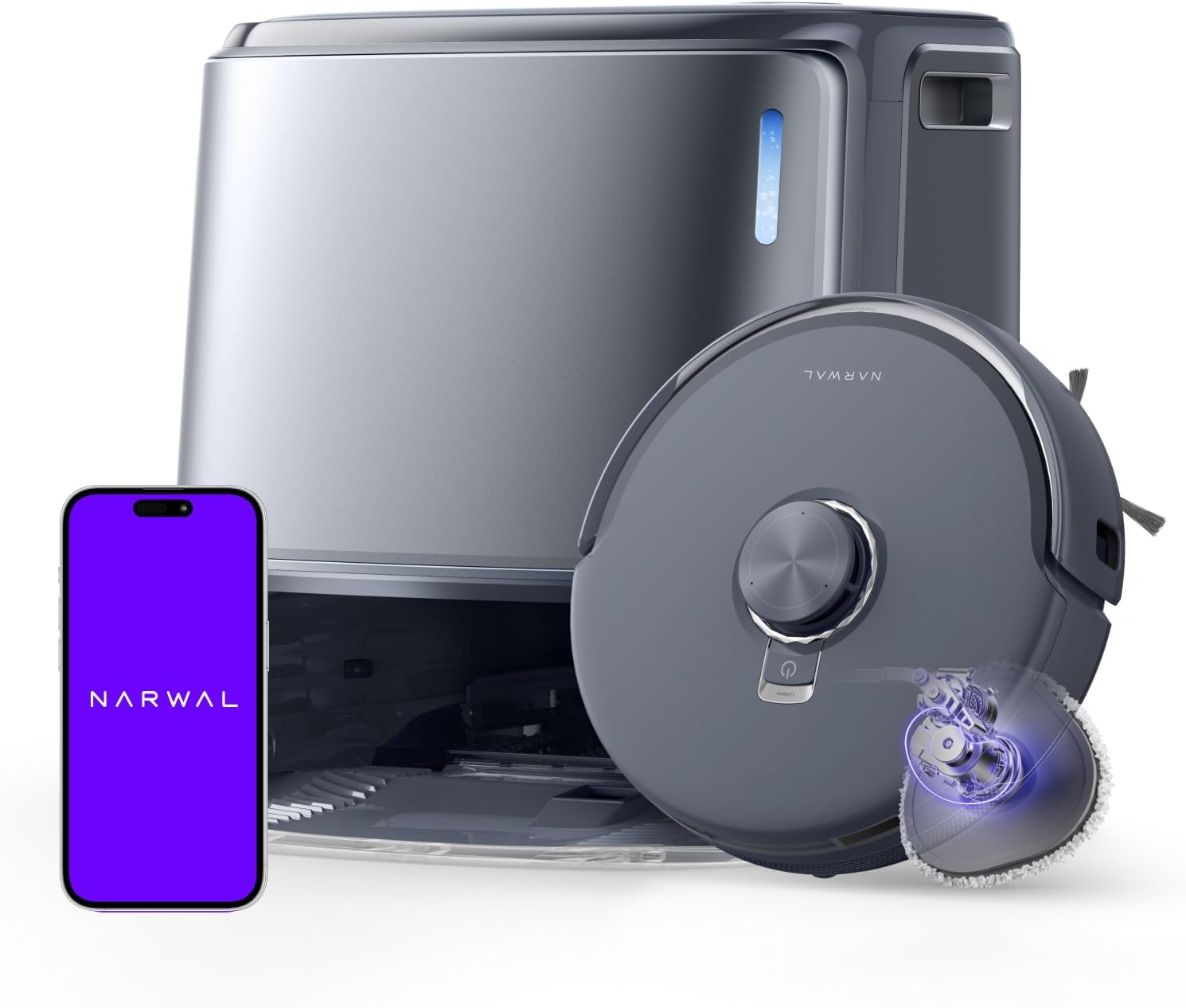
Image 1.1: NARWAL Freo Z10 Ultra Robot Vacuum and Mop Combo, showing the robot, its base station, and a smartphone displaying the control app.
2. Què hi ha a la caixa
Verifiqueu que tots els components siguin presents en desembalar:

Image 2.1: Contents of the NARWAL Freo Z10 Ultra package, including the robot, base station, side brushes, power cord, detergent, dust bag, insert bin, dust bin filter, extension ramp, and cleaning tray.
- NARWAL Freo Z10 Ultra Robot
- Estació base
- Side brush x 1 pair
- Base station power cord x 1
- Floor detergent x 1
- Extensió ramp x 1
- Dust bin filter x 1
- Base station dust bag x 1
- Baseboard cleaning module x 1
- Baseboard rag x 3
- Replaceable insert bin x 1
- Product manual x 1 (this document)
3. Configuració
3.1 Preparació inicial
- Col·locació: Position the base station on a hard, flat surface with adequate clearance around it. Ensure it is near a power outlet.
- Connexió d'alimentació: Connect the base station to a power source using the provided power cord.
- Protective Cover Removal: Before the first mapping, remove the black protective camera cover from your Freo Z10 Ultra. This allows the robot to fully utilize its visual navigation system and ensures accurate home mapping.
3.2 Connexió i mapatge de l'aplicació
The NARWAL app facilitates control and mapping of your robot.
- Download the NARWAL app from your device's app store.
- Follow the in-app instructions to connect your Freo Z10 Ultra to your home Wi-Fi network. Nota: The device only supports 2.4GHz Wi-Fi. 5GHz Wi-Fi is not supported.
- Initiate the mapping process through the app. The robot will navigate your home to create a detailed map.

Image 3.1: Illustration of the LIDAR 4.0 Precise Navigation system creating a 3D map of a room for efficient cleaning routes.
4. Instruccions de funcionament
4.1 Modes i funcions de neteja
- AI Obstacle Avoidance: Dual RGB cameras and AI chips identify over 200 household objects, enabling the robot to navigate precisely and avoid hazards.
- Edge-to-Corner Mop Coverage: The mop extends and swings to clean edges, corners, and under toe-kicks with 8N downward pressure.
- Succió de 18,000 Pa: Provides powerful suction for effective removal of dust, crumbs, and pet hair.
- DualFlow Anti-Tangle System: Features a certified tangle-free brush and side brushes that sweep hair into the roller, preventing tangles.
- Real-Time Adaptive Cleaning: Dual AI chips analyze dirt instantly, allowing the robot to switch between vacuuming and mopping as needed.
- Neteja de catifes: The mop lifts by 12mm when crossing carpets and boosts suction by 160% for deep cleaning low-pile carpets. It avoids long-pile carpets to prevent mop contact.
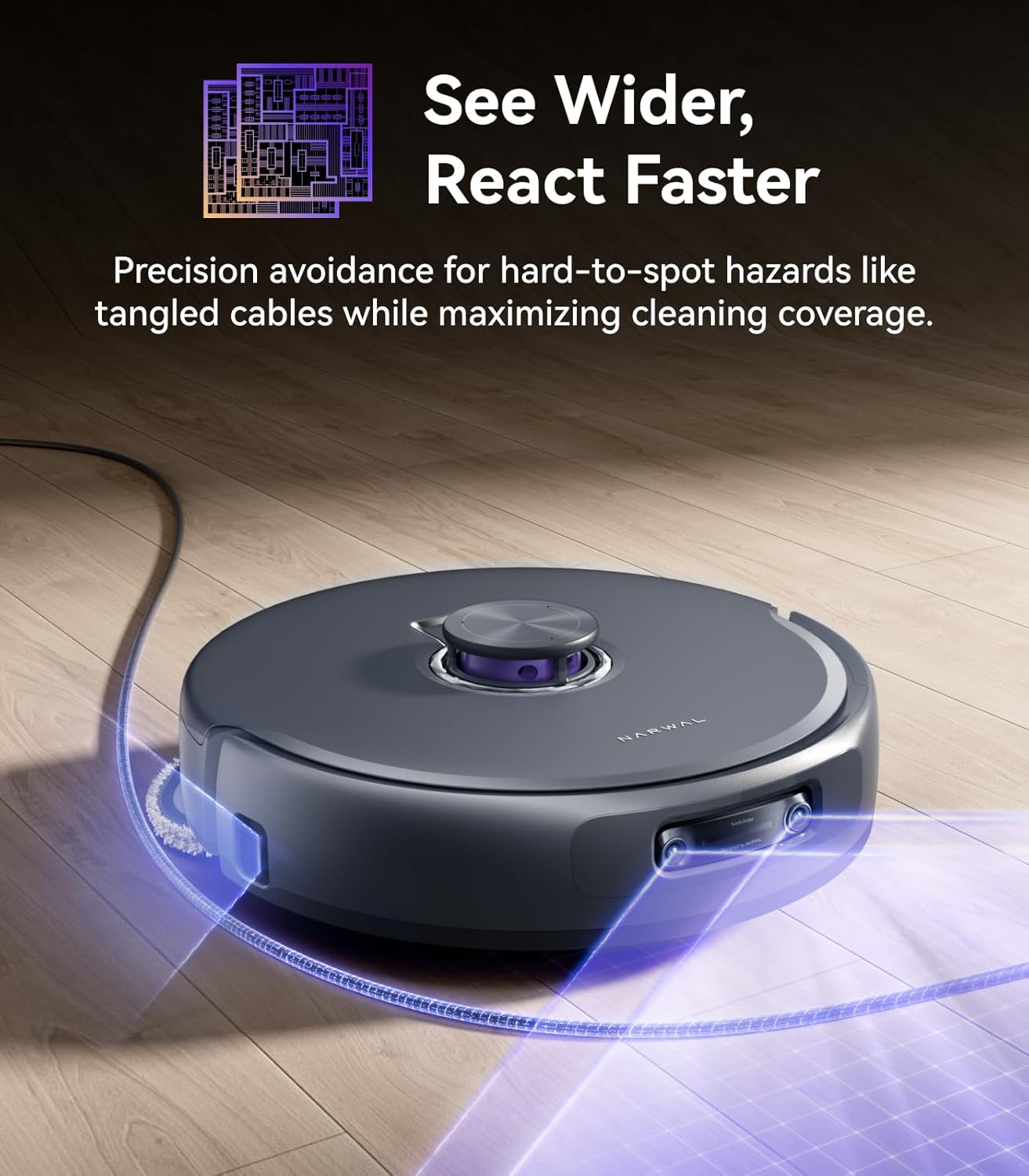
Image 4.1: The robot vacuum demonstrating its AI obstacle avoidance by navigating around cables on the floor.

Image 4.2: The robot's mop extending to reach and clean along wall edges and into corners.
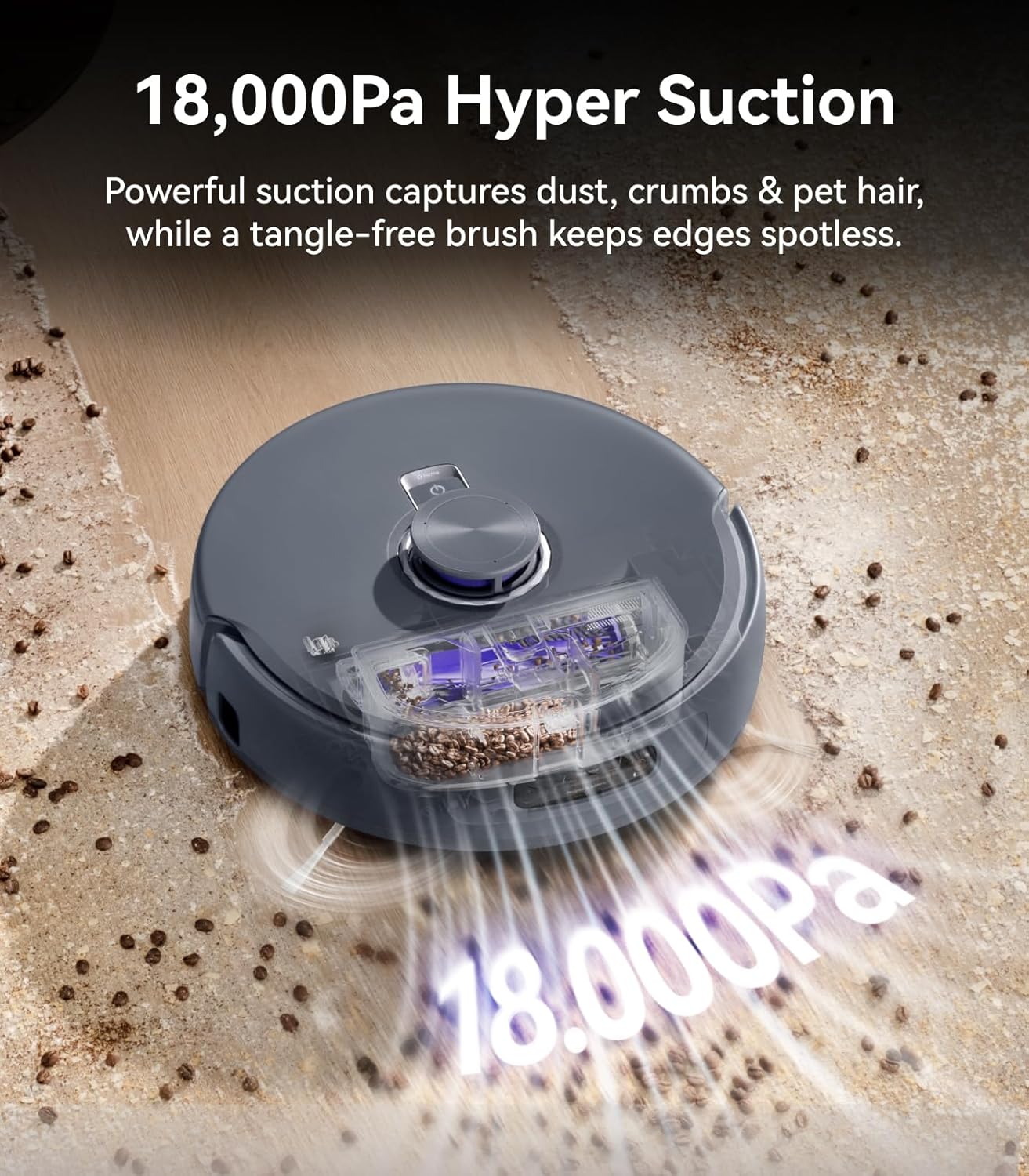
Image 4.3: The robot vacuum actively cleaning, illustrating its 18,000Pa suction power on various debris.

Image 4.4: An illustration detailing the DualFlow Tangle-Free System, showing how hair is managed to prevent tangling.

Image 4.5: The robot identifying and adapting its cleaning mode for dry cereal and wet milk spills.
4.2 Aplicació intel·ligent i control per veu
- Control de l'aplicació: Manage cleaning schedules, zones, and settings via the NARWAL app.
- Smart Pet Mode: Detects pets in real-time, avoids disturbing them, and supports live video check-ins.
- Assistent de veu: Compatible with Alexa, Siri, and Google Home for hands-free control.
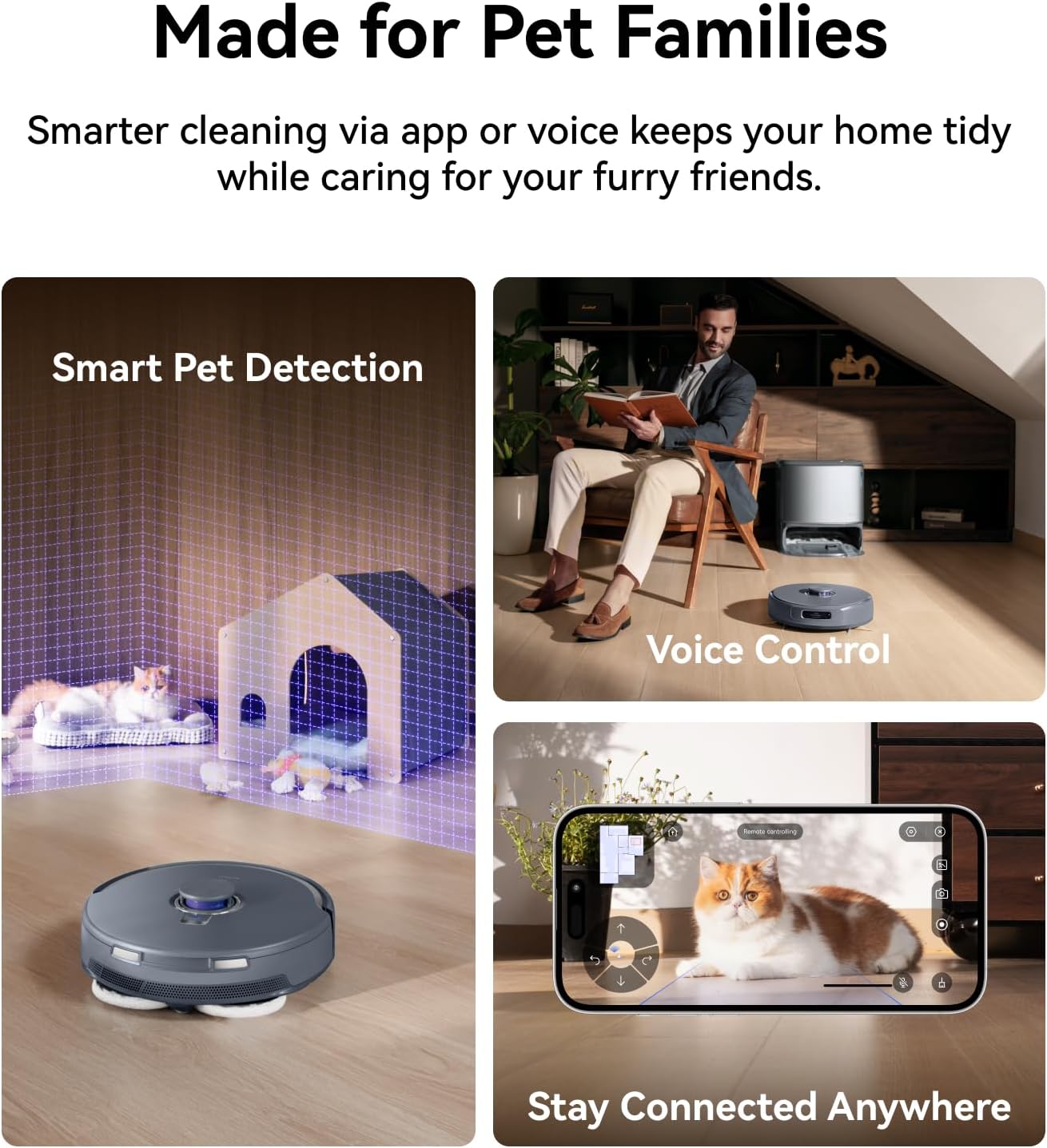
Image 4.6: Features designed for pet families, showcasing smart pet detection, voice control, and remote video monitoring.
5. Manteniment
The Freo Z10 Ultra base station provides automated maintenance features to simplify upkeep.
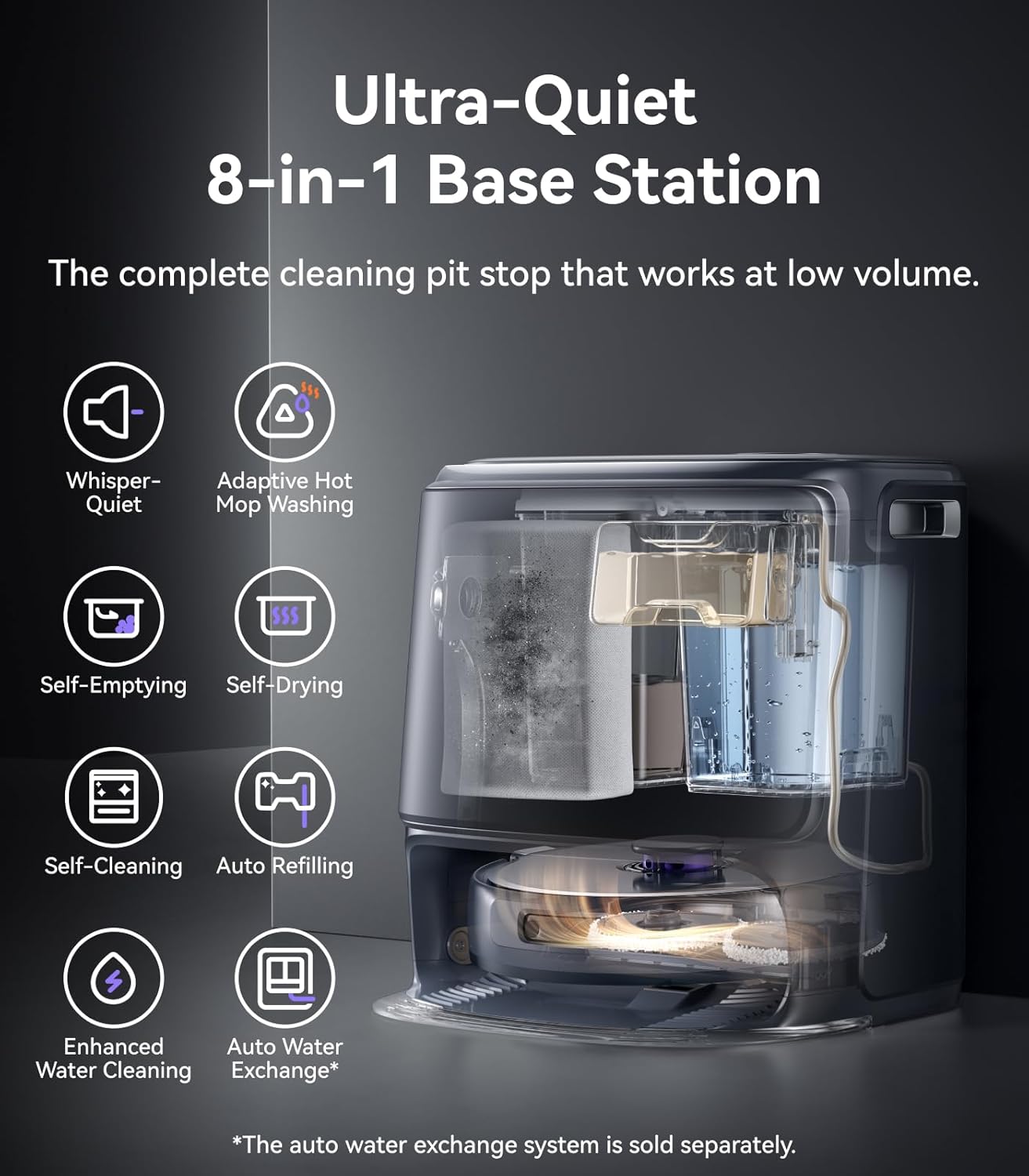
Imatge 5.1: acabatview of the base station's 8-in-1 features, including whisper-quiet operation, hot mop washing, self-emptying, self-drying, self-cleaning, auto refilling, enhanced water cleaning, and auto water exchange.
- Quiet Self-Emptying Base: The 2.5L dust bag stores up to 120 days of debris.
- Hot-Water Mop Washing: Mops are washed with 104–140°F hot water and rinsed at 167°F to prevent odors.
- Self-Drying: Mop pads are dried with 104°F air to prevent mildew and odors.
- Self-Refilling: The base station automatically mixes and dispenses cleaning solution.
- Neteja automàtica: The base station cleans itself and the mops simultaneously.
- Auto Water Exchange System: (Sold separately) Provides hands-free water management.
- Clean & Tidy Waste Disposal: The system separates wet and dry waste for easier disposal and to prevent odors.
- Neteja del sensor: Weekly, wipe the underside sensors with a dry cloth to ensure proper function.

Image 5.2: The base station's hot water mop washing process, showing different temperatures for powder, oil, and deep cleaning.

Image 5.3: Comparison illustrating the Freo Z10 Ultra's dry dustbin for clean waste disposal versus mixed wet/dry waste in other models.
6. Solució De Problemes
Q1: What should I do before starting the first mapping with Freo Z10 Ultra?
A1: Before the first mapping, please remove the black protective camera cover on your Freo Z10 Ultra. This step allows the robot to fully use its visual navigation system and ensures accurate home mapping.
Q2: What should I do if the robot disconnects from the Freo Z10 Ultra App?
A2: If your Freo Z10 Ultra shows an offline status or network disconnection, follow these 2 steps:
- Verifica la xarxa de 2.4 GHz: Ensure your router's 2.4GHz band is active (required for smart devices).
- Run a diagnostic hotspot test:
- Set up a mobile hotspot using a simple password.
- Reconnect the robot to the app via the hotspot.
Note: If the robot connects successfully to the hotspot, the issue may lie with your home Wi-Fi network. Contact your ISP if needed.
Q3: How should I respond when the base station shows an overflow error?
A3: Please follow these recommended maintenance steps:
- Remove the entire cleaning base with the white plastic cleaning tray attached.
- Check for any debris blocking the holes and scrub gently with a soft brush if needed.
- Use a microfiber cloth to wipe away all standing water from the tray and inside the base station.
Still Not Working? Please contact Narwal Customer Support with a short video or a screenshot of error messages.
Q4: How to Prevent Narwal Freo Z10 Ultra from Falling Downstairs?
A4:
- Narwal Freo Z10 Ultra prevents falls using cliff sensors that detect drops with infrared technology. Disable "Stairless Mode": Ensure it's OFF in App > Settings > General so drop-offs are recognized. (Map > Map Editing > No-Go Zones)
Note: Sensors may not detect very short stairs (shorter than 4 in/10 cm) or extremely dark/black floors.
- Keep sensors clean: Weekly, wipe the underside sensors to avoid dust interference with a dry cloth.
Q5: How does the Narwal Freo Z10 Ultra clean carpets safely and effectively?
A5: The Freo Z10 Ultra uses carpet-friendly technology to clean your carpets without damage. Here's how it works:
- Sensors de precisió: Ultrasonic sensors identify carpets accurately, avoiding confusion with tile gaps or hardwood seams.
- Auto-Raise Mop: lifts the mop 12mm when crossing carpets, keeping them dry and free from water marks.
- Potència: Automatically increases suction strength on carpets for deeper debris removal without mop contact.
Notes:
- By default, the robot avoids carpets to protect them. To enable carpet cleaning, open the app and turn on Carpet Mode (Map Editing > Carpet > Clean the Carpet).
- Recommended for: Carpets under 20mm thick with pile height ≤ 0.7cm. Very thick or rubber-backed rugs may not be detected reliably.
- For carpets beyond these limits, it's recommended to keep Carpet Mode OFF to ensure optimal performance.
7. Especificacions
| Marca | NARWAL |
| Nom del model | Freo Z10 Ultra |
| Número de model de l'article | YJCC025 |
| Color | Freo Z10 Ultra Gray |
| Dimensions del producte | 13.7 cm de llargada x 4.3 cm d'amplada x 13.9 cm d'alçada |
| Pes de l'article | 43.5 lliures |
| Durada de la bateria | 2.5 hores |
| Font d'alimentació | Funciona amb bateria |
| Mètode de control | Aplicació, veu |
| Tipus de filtre | Esponja |
| Característiques especials | Robot Vacuum and Mop Combo, AI-Powered Obstacle Avoidance, Precision Navigation, MopExtend & EdgeSwing, Corner Reverse Cleaning, Powerful 18,000Pa Suction, Revolutionary DualFlow Tangle-Free System, Carpet Cleaning, Adaptive Hot-Water Self Wash & Self Emptying, Real-Time Adaptive Cleaning, Low Noise, Smart Pet Mode, App Control, Voice Assistant, Works with Alexa |
8. Garantia i Suport
For warranty information, technical support, or service inquiries, please refer to the official NARWAL website or contact NARWAL customer support directly. Keep your purchase receipt and product serial number handy for faster service.
Informació de contacte: Si us plau, visiteu www.narwal.com per obtenir els recursos de suport i les dades de contacte més recents.


