1. Introducció
Thank you for choosing the PoP voice Wireless Lavalier Microphone J5. This manual provides detailed instructions for the proper use, setup, and maintenance of your new wireless microphone system. Please read this manual thoroughly before operation to ensure optimal performance and longevity of the product.
2. Contingut del paquet
Verifiqueu que tots els elements que s'enumeren a continuació s'inclouen al vostre paquet. Si falta algun element o hi ha algun malmès, poseu-vos en contacte amb l'atenció al client.
- 2 x Wireless Lavalier Microphones (Transmitters) with Magnetic Clips
- 1 x Receiver (Type-C connector)
- 1 x TYPE-C to Lightning Adapter
- 2 x Windproof Furry Covers
- 2 x Mic Foam Covers
- 1 x One-to-two Charging Cable
- 1 x Manual d'usuari

Imatge 2.1: acabatview of the PoP voice Wireless Lavalier Microphone J5 package contents, including two microphones, a receiver, adapters, covers, and charging cable.
3. Producte acabatview
3.1. Components i indicadors
Familiarize yourself with the main components and their indicators for effective operation.

Imatge 3.1: Detallada view of the microphone transmitter showing the connection indicator, mute indicator, noise reduction indicator, and power indicator, along with the one-click button design.
- Transmitter (Microphone): Features a power button, status indicators (connection, mute, noise reduction, power), and a magnetic attachment point.
- Receptor: Plugs into your recording device (phone, tablet, laptop) and has a status indicator.
- Clip magnètic: Used to attach the microphone securely to clothing.
- Windproof Furry Cover: Redueix el soroll del vent en ambients exteriors.
- Mic Foam Cover: Provides basic pop filter functionality and protects the microphone capsule.
4. Configuració i connexió
The PoP voice Wireless Lavalier Microphone J5 is designed for plug-and-play operation, requiring no Bluetooth pairing or app installation.
- Charge the Microphones: Before first use, fully charge both microphone transmitters using the provided charging cable. The power indicator will show charging status. A full charge takes approximately 1.5-2 hours.
- Connecteu el receptor:
- For devices with a Type-C port (e.g., Android phones, iPad Pro, iPhone 15/16): Plug the receiver directly into the device's Type-C port.
- For devices with a Lightning port (e.g., iPhone, older iPads): Attach the Lightning adapter to the receiver, then plug the combined unit into the device's Lightning port.
- Micròfons d'encesa: Press and hold the power button on each microphone transmitter until the indicator light turns on.
- Emparellament automàtic: The microphones will automatically pair with the receiver. The connection indicator on the microphone will illuminate steadily when successfully paired.
- Comença a gravar: Open your preferred recording application (e.g., camera app, voice recorder, social media app) on your device and begin recording. The microphone will now capture audio.

Image 4.1: Visual guide demonstrating the plug-and-play setup: 1. Plug the receiver into the phone. 2. Press the microphone power button. 3. Start recording.
5. Instruccions de funcionament
5.1. Ús bàsic
- Portar el micròfon: Attach the microphone to your clothing using the magnetic clip. Position it approximately 6-8 inches (15-20 cm) from your mouth for optimal sound capture. The magnetic design allows for 360° rotation for flexible positioning.
- Encès/apagat: Press and hold the power button on the microphone to turn it on or off.
5.2. Noise Reduction Mode
The microphone features an intelligent noise reduction function to minimize ambient sound interference.
- Activate Noise Reduction: Short press the dedicated noise reduction button on the microphone. The noise reduction indicator will illuminate.
- Deactivate Noise Reduction: Short press the noise reduction button again. The indicator will turn off.

Image 5.1: Illustration of the smart noise reduction feature, showing how the microphone reduces background noise while preserving clear voice quality.
5.3. Mode de silenci
Use the mute function to temporarily stop audio recording without interrupting video recording.
- Activate Mute: Short press the mute button on the microphone. The mute indicator will illuminate.
- Deactivate Mute: Short press the mute button again. The indicator will turn off.

Imatge 5.2: Ex.ample of mute mode being used during an interview or meeting, allowing the user to pause audio recording without stopping video.
5.4. Reverb Mode
The microphone includes a reverb mode to add an echo effect to your audio, suitable for certain creative applications.
- Activate Reverb: Short press the reverb button on the microphone. The reverb indicator will illuminate.
- Deactivate Reverb: Short press the reverb button again. The indicator will turn off.

Image 5.3: Depiction of reverb mode being used for recording, suggesting an enhanced audio experience.
6. Característiques clau
6.1. Magnetic Design and 360° Rotation
The microphone transmitters feature a strong magnetic attachment system, allowing for easy and secure placement on various types of clothing. The 360° rotation capability ensures optimal sound capture from any angle.

Image 6.1: Illustration of the magnetic clip attachment and the 360° spin function of the microphone for flexible positioning on clothing.
6.2. Durada de la bateria estesa
Each microphone transmitter is equipped with a built-in 60mAh battery, providing up to 6 hours of continuous use. With two transmitters, the total working time can extend up to 12 hours. Charging takes approximately 1.5 hours.
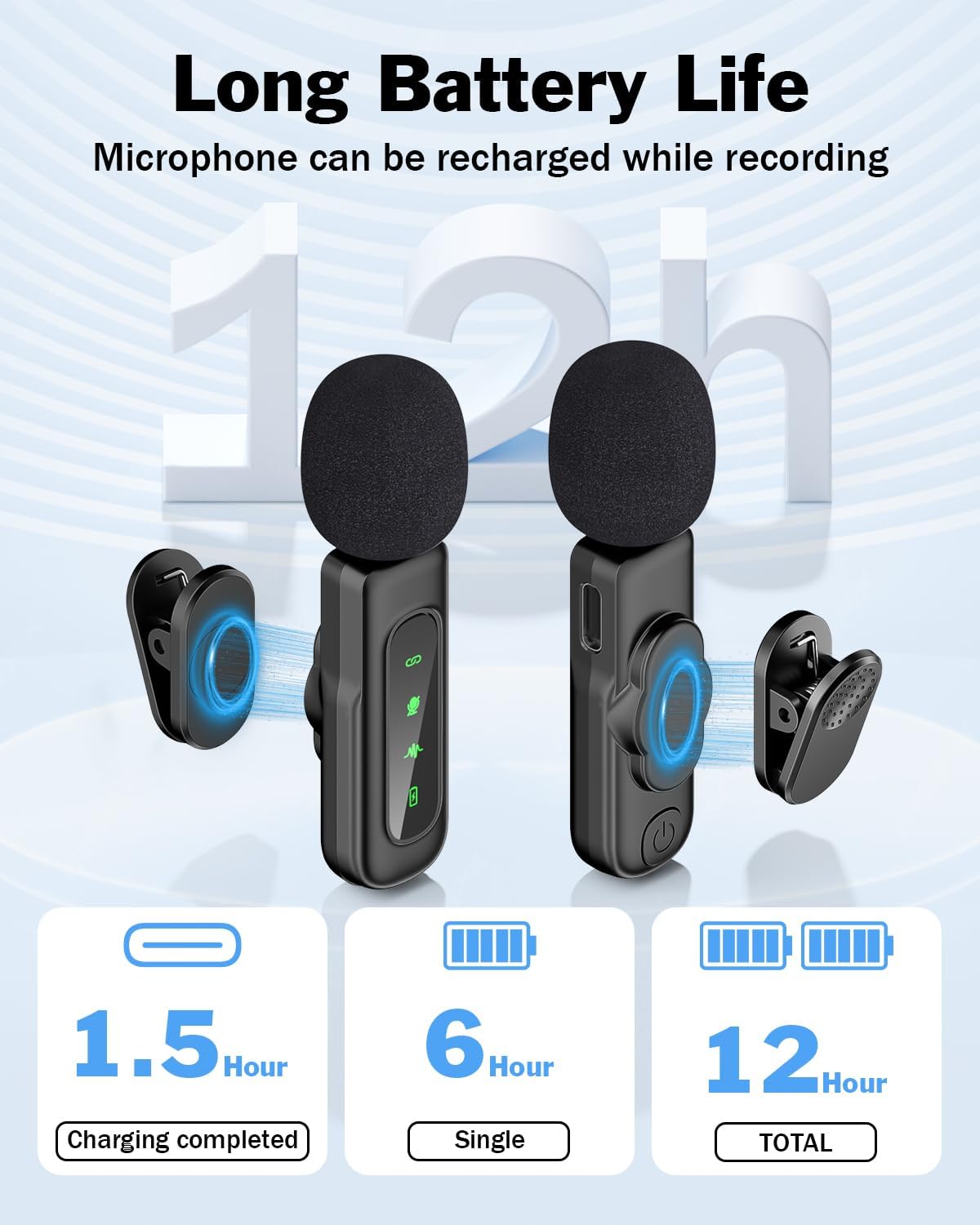
Image 6.2: Diagram showing the battery life: 1.5 hours for full charge, 6 hours for a single microphone, and 12 hours total with two microphones.
6.3. Long-Range Transmission
The system supports stable audio signal transmission up to 65 feet (20 meters) in open, unobstructed environments, making it suitable for various indoor and outdoor recording scenarios.

Image 6.3: A person recording outdoors with the microphone, illustrating the 65ft (20m) long-range transmission capability.
6.4. Àmplia compatibilitat
The receiver is designed with a Type-C connector and includes a Lightning adapter, ensuring compatibility with a broad range of devices including iPhones, iPads, Android smartphones, tablets, and laptops.

Image 6.4: Visual representation of the microphone's wide compatibility with various Type-C and Lightning interface devices, including iPhones, iPads, and Android devices.
6.5. Omnidirectional Pickup
Els micròfons presenten un patró polar omnidireccional, que captura el so per igual des de totes les direccions, cosa que és ideal per a la interacció.views, vlogs, and general recording where sound sources may vary.
6.6. Recording While Charging
The system supports recording while the microphones are being charged, ensuring uninterrupted creative workflow.
7. Manteniment
Proper maintenance ensures the longevity and optimal performance of your microphone system.
- Neteja: Use a soft, dry cloth to clean the microphone transmitters and receiver. Avoid using liquids or abrasive cleaners.
- Emmagatzematge: Store the microphone system in a cool, dry place away from direct sunlight and extreme temperatures.
- Cura de la bateria: For long-term storage, charge the microphones to approximately 50% every three months to preserve battery health.
- Protegir de la humitat: Keep the devices away from water and high humidity to prevent damage to internal components.
- Manejar amb cura: Eviteu deixar caure els dispositius ni sotmetre'ls a impactes forts.
8. Solució De Problemes
If you encounter issues with your PoP voice Wireless Lavalier Microphone J5, refer to the following troubleshooting steps:
| Problema | Causa possible | Solució |
|---|---|---|
| Microphone not connecting/pairing | Microphone not powered on; Receiver not properly connected; Low battery; Out of range. | Ensure microphones are powered on. Re-insert the receiver firmly into your device. Charge microphones fully. Move closer to the receiver (within 65ft/20m). |
| Sense sortida d'àudio | Microphone muted; Device audio settings; App not recognizing external mic. | Check if the microphone is muted (mute indicator off). Verify your device's audio input settings. Ensure your recording app supports external microphones. Restart your recording app or device. |
| Poor audio quality/noise | Noise reduction off; Environmental noise; Microphone placement; Interference. | Activate noise reduction mode. Use windproof furry covers in windy conditions. Adjust microphone placement. Avoid strong electromagnetic interference sources. |
| Durada de la bateria curta | Incomplete charging; Old battery. | Ensure microphones are fully charged (1.5-2 hours). If battery life significantly degrades over time, contact support. |
9. Especificacions
| Característica | Detall |
|---|---|
| Nom del model | J5 |
| Factor de forma del micròfon | Lavalier |
| Patró polar | Omnidireccional |
| Tecnologia de connectivitat | Sense fil de 2.4 GHz |
| Tipus de connector | Lightning, USB tipus C |
| Font d'alimentació | Funciona amb bateria (ió de liti) |
| Battery Capacity (Transmitter) | 60mAh (approx. 6-12 hours working time) |
| Temps de càrrega | 1.5-2 hores |
| Rang de transmissió | Up to 65 feet (20 meters) unobstructed |
| Ràtio senyal / soroll | 65 dB |
| Resposta de freqüència | 20 kHz |
| Característiques especials | Clip, Magnetic, Mute Function, Noise Reduction, Plug and Play |
| Dispositius compatibles | Laptop, Smartphone, Tablet, iPhone, iPad, MacBook |
| Material | Plàstic |
| Pes de l'article | 2.4 unces |
10. Garantia i Suport
PoP voice products are designed for reliability and performance. For warranty information, technical support, or any inquiries regarding your PoP voice Wireless Lavalier Microphone J5, please refer to the contact information provided on the product packaging or visit the official PoP voice weblloc web. Si us plau, conserveu el comprovant de compra per a reclamacions de garantia.


