1. Introducció
This manual provides comprehensive instructions for the installation, operation, and maintenance of your Veise Smart Lock with Handle Set and G1 Gateway. Please read this manual carefully before installation and use to ensure proper function and safety. Keep this manual for future reference.
2. Producte acabatview
The Veise Smart Lock offers advanced security and convenience for your home. It integrates with the KK Home APP and can be controlled remotely via the G1 Gateway.
Característiques principals:
- Five Unlock and Lock Options: App control, fingerprint, password, key fobs, and traditional keys.
- KK Home App Control: Remote access management, temporary code generation, and key sharing. Supports voice announcements in English, Spanish, and French.
- Absolute Security Assurance: AES-128 encryption for biometric data. IP55 weather resistance.
- Seamless Smart Home Integration: Pair with the G1 Gateway for voice commands (Alexa, Google Home compatible), remote unlocking, and activity logs.
- Emergency Charging Port: Ensures access even if batteries are depleted.

Image: The Veise Smart Lock displaying its various access methods including KK Home App control, fingerprint, PIN code, key fobs, and a spare key.

Image: The Veise Smart Lock installed on a door, with the G1 Gateway plugged into an outlet. The image highlights compatibility with KK Home App, Alexa, and Google Home, noting the G1 Gateway is a separate purchase.
3. Configuració
3.1 Installation of the Smart Lock
Follow the detailed instructions provided in the separate installation guide included with your product packaging. Ensure all components are correctly aligned and secured. The lock requires batteries for operation (not included).
3.2 Configuració de la passarel·la G1
- Plug the G1 Gateway into a standard electrical outlet within 32 feet (10 meters) of your smart lock.
- Ensure the gateway is connected to a 2.4G Wi-Fi network.
- Download the KK Home App from your device's app store.
- Follow the in-app instructions to add the G1 Gateway and then pair your Veise Smart Lock.

Image: The G1 Gateway plugged into an outlet, showing its optimal placement within 32 feet (10 meters) of the smart lock and its reliance on 2.4G WiFi. Gateway specifications are also displayed: Working Voltage 100-240V, Max Current 10A, Rated Power 2200W.
3.3 KK Home App Installation and Pairing
- Cerca "KK Home" in your mobile device's app store and install the application.
- Creeu un compte o inicieu sessió.
- Follow the on-screen prompts to add your Veise Smart Lock and G1 Gateway to the app. This typically involves scanning a QR code or entering a device ID.
4. Instruccions de funcionament
4.1 Unlocking and Locking Methods
- Empremta digital: Col·loca el dit registrat al sensor d'empremtes dactilars. El bloqueig es desbloquejarà en aproximadament 0.3 segons.
- Codi PIN: Enter your registered PIN code on the keypad and press the checkmark (✓) button. The lock will unlock in approximately 0.3 seconds.
- Porta claus: Present a registered key fob to the designated area on the lock.
- Clau tradicional: Insert and turn the physical key in the keyhole.
- Aplicació KK Home: Open the app, select your lock, and tap the unlock/lock icon.
- Voice Command (with G1 Gateway): Use compatible voice assistants (e.g., Alexa, Google Home) with commands like "Open the front door."

Image: The Veise Smart Lock installed on a door, illustrating various quick unlock methods including 0.3s fingerprint unlock, 0.3s touch lock (PIN code), app control, and traditional key lock.
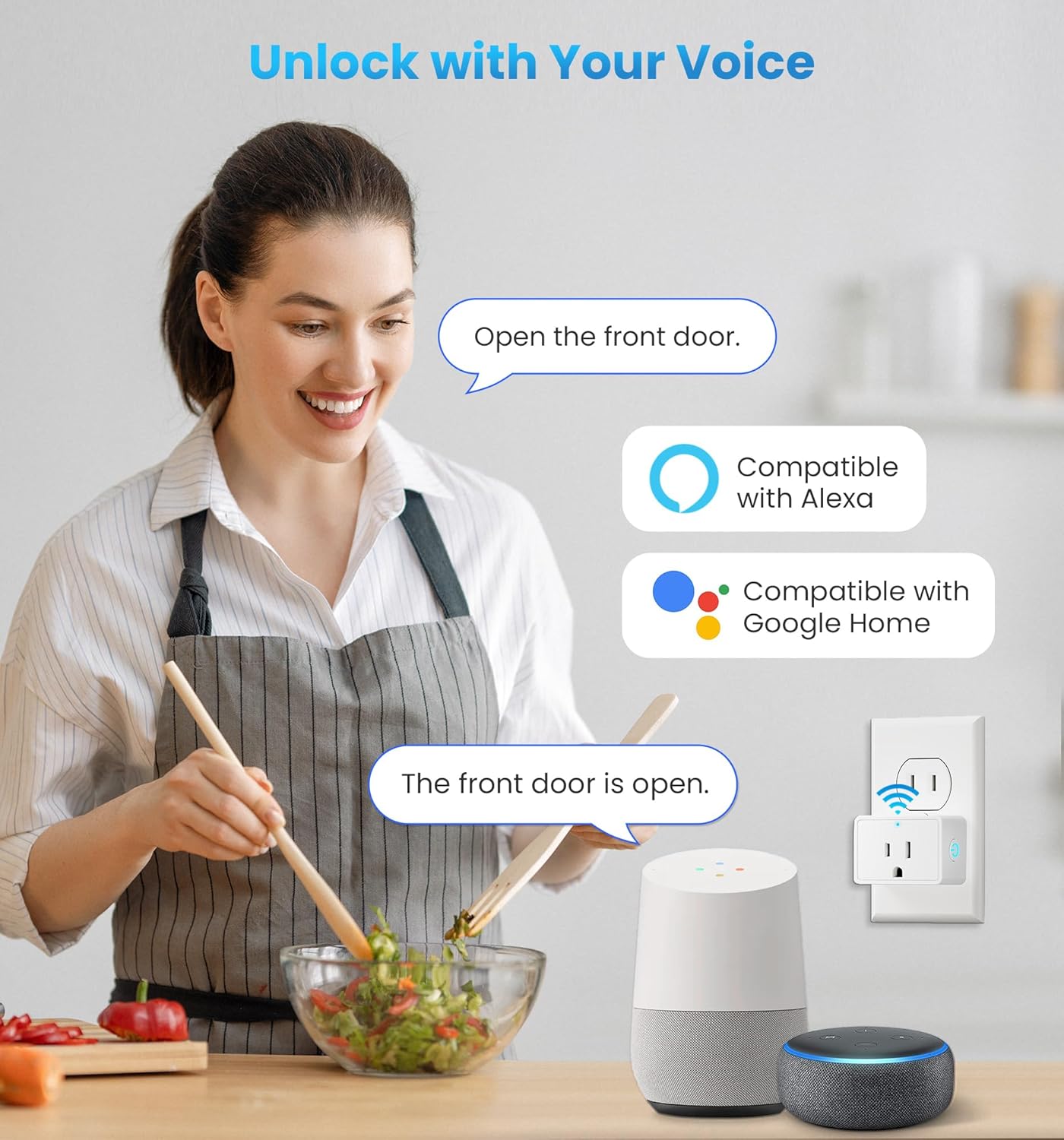
Image: A person using voice commands to unlock the Veise Smart Lock, demonstrating compatibility with Alexa and Google Home smart speakers via the G1 Gateway.
4.2 KK Home App Functions
The KK Home App provides comprehensive control and monitoring capabilities:
- Accés remot: Lock or unlock your door from anywhere.
- Gestió d'usuaris: Add, modify, or delete fingerprints, PIN codes, and key fobs for various users (family, guests).
- Codis temporals: Generate time-sensitive or one-time access codes for visitors.
- Registres d'activitat: View a history of lock and unlock events.
- Alertes en temps real: Receive notifications for lock activity, low battery, or unauthorized access attempts.
- Voice Announcements: Customize voice prompts for lock status in English, Spanish, or French.

Image: A smartphone displaying the KK Home App interface, highlighting features such as convenient remote access, instant password management, real-time alerts, and live lock monitoring.

Image: A smartphone screen showing multiple real-time notifications from the KK Home App, indicating various lock activities such as auto-locking, unlocking by a user, and manual locking/unlocking of a garage door.
5. Manteniment
5.1 Substitució de la bateria
The smart lock requires batteries (typically AA, quantity specified in the installation guide). When the battery level is low, the lock will provide an alert via the app and/or an audible warning. Replace all batteries simultaneously with new, high-quality alkaline batteries.
5.2 Energia d'emergència
In case of complete battery depletion, an emergency charging port (usually Micro-USB or USB-C) is available on the exterior unit. Connect a power bank or a USB power source to temporarily power the lock and gain access.
5.3 Neteja
Netegeu les superfícies exteriors del pany amb un drap suau iamp cloth. Avoid using abrasive cleaners, solvents, or chemical sprays, as these can damage the finish and electronic components. Regularly clean the fingerprint sensor to ensure optimal performance.
5.4 Resistència a la intempèrie
The lock has an IP55 rating, indicating protection against dust ingress and low-pressure water jets. While it can withstand various weather conditions, avoid direct and prolonged exposure to heavy rain or extreme temperatures to prolong its lifespan.
6. Solució De Problemes
If you encounter issues with your Veise Smart Lock, refer to the following common solutions:
- El pany no respon: Check battery levels and replace if necessary. Use the emergency charging port if completely drained.
- Empremta digital no reconeguda: Ensure your finger is clean and dry. Re-register your fingerprint in the app if the issue persists.
- El codi PIN no funciona: Verify the correct code is entered. Ensure the keypad is clean and free from debris.
- Problemes de connectivitat de l'aplicació: Ensure your G1 Gateway is powered on and connected to a stable 2.4G Wi-Fi network. Check if your phone has internet access. Restart the app or your phone.
- Les ordres de veu no funcionen: Confirm your G1 Gateway is properly paired with your smart lock and linked to your voice assistant (Alexa/Google Home) account. Ensure the voice assistant device is online.
- Lock mechanism jammed: Do not force the lock. Check for any obstructions in the door frame or latch. Ensure the lock is properly installed and aligned.
For more detailed troubleshooting or persistent issues, consult the KK Home App's help section or contact Veise customer support.
7. Especificacions
| Marca | Veise |
| Model | B0DTK5RQJZ |
| Color | Negre |
| Acabat exterior | Níquel |
| Tipus de bloqueig | Smart Lock |
| Material del mànec | Acer inoxidable |
| Piles necessàries | Sí (no inclòs) |
| Classificació de protecció d'entrada (IP). | IP55 |
| G1 Gateway Working Voltage | 100-240V |
| G1 Gateway Max Current | 10A |
| G1 Gateway Rated Power | 2200W |
8. Garantia i Suport
8.1 Informació de la garantia
For detailed warranty information, please refer to the warranty card included in your product packaging or visit the official Veise weblloc. La garantia normalment cobreix els defectes de fabricació durant un període especificat a partir de la data de compra.
8.2 Atenció al client
If you require further assistance, technical support, or have questions not covered in this manual, please contact Veise customer support. Contact details can usually be found on the product packaging, the official Veise website, or within the KK Home App.


