1. Introducció
This manual provides detailed instructions for the installation, operation, and maintenance of your KERUI 2.4GHz WiFi Water Leak Detector. Please read this manual thoroughly before using the device to ensure proper function and safety. This device is designed to detect water leaks and water levels, providing real-time alerts to help protect your home from water damage.
2. Producte acabatview

Figura 2.1: The KERUI Water Leak Detector main unit.
2.1 Característiques clau
- 3-in-1 Advanced Functionality: Equipped with a top sensor, two bottom sensors, and an extra-long detachable detection cable (105cm) for comprehensive water leak and water level detection. Easily switch between modes by connecting or disconnecting the cable.
- Notificacions en temps real: Connects to 2.4GHz WiFi to send instant alerts and notifications to your smartphone via the Tuya Smart app when a leak is detected.
- Loud 100dB Alarm: Emits a continuous 100dB audible alarm for 60 seconds upon detection, ensuring you are alerted even if not near your phone.
- Disseny compacte i elegant: Measuring approximately 65x65x28 mm, the detector is discreet and integrates seamlessly into any home environment.
- Classificació impermeable IP67: Durable IP67 waterproof casing and anti-rust coating ensure long-term use in humid environments.
2.2 Contingut del paquet
Verifiqueu que tots els elements siguin presents al vostre paquet:
- KERUI Water Leak Detector
- 105cm External Probe
- Hook and Screws for mounting
- Manual d'usuari
- 4 piles AAA (incloses)

Figura 2.2: The detector unit with its external detection cable.
3. Configuració
3.1 Instal·lació de la bateria
The device requires 4 AAA alkaline batteries. These are typically pre-installed. To activate, open the battery compartment and remove the protective film from the batteries. Ensure correct polarity when inserting or replacing batteries.

Figura 3.1: Illustration of battery installation. Open the compartment, insert 4 AAA batteries, ensuring correct polarity.
3.2 Descàrrega i emparellament de l'aplicació
The KERUI Water Leak Detector operates with the Tuya Smart application. Ensure your smartphone is connected to a 2.4GHz Wi-Fi network before proceeding.
- Descarrega l'aplicació: Scan the QR code provided in the manual or search for "Tuya Smart" in your smartphone's app store (Google Play Store for Android, Apple App Store for iOS).
- Registra't/Iniciar sessió: Open the Tuya Smart app and register a new account or log in with an existing one.
- Afegeix un dispositiu:
- Ensure the detector is powered on (batteries installed and protective film removed).
- In the Tuya Smart app, tap the "+" icon to add a device.
- Select "Security & Sensor" then "Water Leak Detector (Wi-Fi)".
- Follow the on-screen instructions to connect the device to your 2.4GHz Wi-Fi network. This usually involves pressing a button on the detector to enter pairing mode.
- Once connected, you can rename the device for easier identification (e.g., "Kitchen Leak Sensor").
Figura 3.2: Steps for app download and Wi-Fi pairing. Scan the QR code to download the Tuya Smart app, then follow in-app instructions to connect to your 2.4GHz Wi-Fi network.
Descarrega l'aplicació Tuya Smart: https://smartapp.tuya.com/tuyasmart
4. Funcionament
4.1 Modes de detecció
The detector offers three detection methods:
- Water Leak Detection (Default): The two probes on the back of the alarm detect water. When water bridges these probes, the alarm triggers.
- Detecció de degoteig: A probe on the front of the alarm is designed to detect small drips. Place it directly under a potential drip source.
- Monitorització del nivell d'aigua: Use the included 105cm external detection cable with two probes to monitor specific water levels. Connect the cable to the detector to activate this mode.

Figura 4.1: Three usage options for the water immersion alarm. This includes hanging the external probe, placing the unit on the ground to detect leaks from the back sensors, or placing it to detect drips from the front sensor.
4.2 Funcionalitat d'alarma
When water is detected by any of the sensors, the device will:
- Emit a loud 100dB audible alarm for 60 seconds.
- Send instant notifications to your smartphone via the Tuya Smart app.
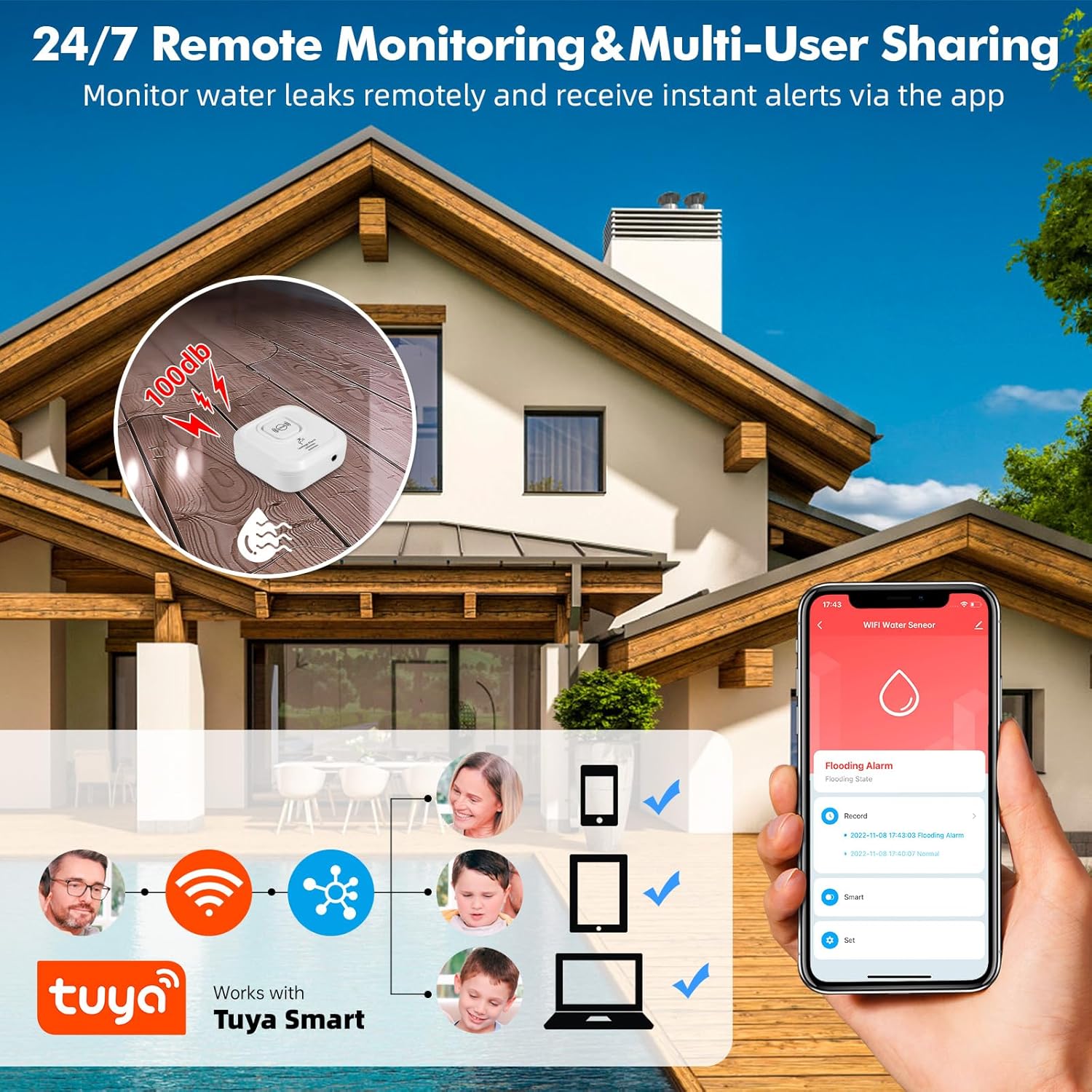
Figura 4.2: The 100dB alarm is designed to be heard across your home, providing immediate awareness of a water event.
4.3 App Notifications and Remote Monitoring
The Tuya Smart app allows for remote monitoring and management:
- Receive real-time push notifications on your phone when a leak is detected, even when you are away from home.
- View the history and timestamps of all alarm events within the app.
- Share device access with multiple users (family members) through the app.
- App notifications are free. Optional phone call and SMS notifications may incur charges (refer to Tuya app for details).

Figura 4.3: Remote monitoring and multi-user sharing capabilities through the Tuya Smart app, allowing multiple family members to receive alerts.

Figura 4.4: Example of real-time water leak notifications received through the Tuya Smart app.
5. Instal·lació i col·locació
The compact design and IP67 rating allow for flexible placement in various locations prone to water leaks.
- Ubicacions recomanades: Near water-containing appliances such as dishwashers, washing machines, water heaters, under sinks, in bathrooms, kitchens, basements, laundry rooms, and near sump pumps.
- Opcions de muntatge:
- Col·locació a terra: Simply place the detector on the floor in areas where leaks are likely to occur. Use the back sensors for general leak detection or the front sensor for drip detection.
- Wall Mounting/Hanging: Utilize the included hook and screws to mount the detector on a wall. The 105cm external probe can then be extended to the desired detection point, such as inside a cabinet under a sink.
- Dispositius de noms: Use the Tuya Smart app to name each detector and specify its location (e.g., "Basement Water Heater," "Kitchen Sink") for clear identification of alarm sources.

Figura 5.1: Examples of suitable locations for installing the KERUI Water Leak Detector.
6. Manteniment
- Substitució de la bateria: The app will notify you when battery levels are low. Replace all 4 AAA batteries promptly to ensure continuous protection. Always use new alkaline batteries.
- Neteja del sensor: Periodically inspect the detection probes for any dirt, dust, or corrosion. Clean them gently with a soft, dry cloth to ensure optimal sensitivity.
- Actualitzacions de firmware: Check the Tuya Smart app regularly for any available firmware updates for your device. Updates can improve performance and add new features.
- Condicions ambientals: While the device is IP67 rated, avoid prolonged submersion or exposure to extreme temperatures outside its operating range.
7. Solució De Problemes
| Problema | Causa possible | Solució |
|---|---|---|
| El dispositiu no s'encén. | Les bateries estan esgotades o instal·lades incorrectament. | Ensure batteries are inserted with correct polarity. Replace with new AAA alkaline batteries. |
| No s'han rebut notificacions de l'aplicació. |
|
|
| Device does not detect water. |
|
|
| Audible alarm is too quiet or not sounding. |
|
|
| Cannot connect to 2.4GHz Wi-Fi. |
|
|
8. Especificacions
| Característica | Detall |
|---|---|
| Marca | KERUI |
| Model | Detector de fuites d'aigua |
| Connectivitat | Wi-Fi de 2.4 GHz |
| Font d'alimentació | 4 x piles alcalines AAA |
| Nivell de so | 100 dB |
| Mètode de control | Tuya Smart Application |
| Dimensions (L x A x A) | 8 x 2.5 x 8 cm (approx. 65x65x28 mm for the main unit) |
| Pes | 44 grams |
| Classificació impermeable | IP67 |
| External Probe Length | 105 cm |
| Max Range (Wireless) | 20 Meters (approximate, depends on environment) |
| La tecnologia de sensors | Sensor de contacte |
9. Informació de seguretat
- Mantingueu el dispositiu fora de l'abast dels nens i les mascotes.
- No intenteu desmuntar ni reparar el dispositiu vosaltres mateixos. Això podria anul·lar la garantia i causar danys.
- Elimineu les piles usades d'acord amb la normativa local. No llenceu les piles al foc.
- Ensure the device is placed on a stable surface or securely mounted to prevent accidental falls.
- This device is designed to detect water leaks and levels. It is not a substitute for proper plumbing maintenance or flood prevention measures.
10. Garantia i Suport
For any questions, suggestions, or technical support regarding your KERUI Water Leak Detector, please contact KERUI customer service. Refer to the product packaging or the official KERUI weblloc per obtenir informació de contacte.
Information regarding specific warranty periods or repair services is not available in this manual. Please retain your purchase receipt for warranty claims.


