1. Introducció
Thank you for choosing the Hbada P2 Air Ergonomic Office Chair. This manual provides detailed instructions for assembly, operation, maintenance, and troubleshooting to ensure you get the most comfortable and supportive experience from your new chair. Please read this manual thoroughly before assembly and use, and keep it for future reference.
2. Producte acabatview
The Hbada P2 Air Ergonomic Office Chair is designed with advanced ergonomic features to promote healthy posture and provide superior comfort during long hours of sitting. Key features include:
- Suport lumbar 3D: Adjustable in height, depth, and width to conform to the natural curve of your spine.
- Reposabraços ajustables 3D: Offers 7.5 cm height adjustment, 4 cm forward/backward adjustment, and 40° rotation for optimal arm support.
- Reposacaps ajustable en 2D: Provides robust support for your head and neck with 13cm height adjustment and 40° swivel.
- Teixit de malla transpirable: High-quality, elastic mesh on the back and seat prevents sweating and resists flattening.
- Generous 135° Reclining Angle: Perfect for work, study, or napping.
- SGS Certified 4-Level Gas Lift: Ensures smooth and safe height adjustment.
- PVC Silent Casters: For smooth and quiet movement.

Figure 2.1: The Hbada P2 Air Ergonomic Office Chair, showcasing its design and presence in a home office environment.

Figure 2.2: Detailed dimensions of the Hbada P2 Air Ergonomic Office Chair, including seat height, backrest height, and overall width/depth.
3. Muntatge i muntatge
Please follow these steps carefully for proper assembly. It is recommended to assemble the chair on a soft, clean surface to prevent scratches.
3.1 Unboxing and Parts Inspection
Carefully open the packaging and remove all components. Verify that all parts are present and undamaged according to the packing list. The parts are securely wrapped in foam to prevent damage during transportation.
Video 3.1: Official Hbada P2 Air Ergonomic Office Chair installation guide. This video demonstrates the complete assembly process from unboxing to final setup.
3.2 Instal·lació de la base i del cilindre de gas
- Take out the 5 chair legs and insert them one by one into the central axis of the chair base.
- Use 10 E screws to tighten and secure each chair leg.
- Remove the casters and align them with the assembly holes on the chair base, then push them in firmly.
- Install the 5 casters one by one in the same manner.
- Insert the gas lift into the assembly hole of the chair base.
3.3 Armrest Installation
- Remove the 2 screws pre-installed on the armrest handles.
- Insert the steel plates into the armrest decorative covers as shown in the video.
- Align the armrest handles with the assembly holes on the bottom of the seat cushion, making sure to distinguish between the left and right armrests.
- Tighten and secure them using the 2 screws you just removed.
- Insert 3 more B screws into the holes.
- Tighten each screw gradually to securely fasten the armrests to the seat cushion. Repeat the same steps for the other side.
3.4 Instal·lació del xassís
- Take out the base plate.
- Align the base plate with the assembly holes on the bottom of the seat cushion.
- Tighten using 4 C screws.
- Install the base plate onto the seat cushion.
3.5 Backrest Installation
- Take out the backrest.
- Align the holes on the backrest with the assembly holes on the base plate.
- Insert the washers and tighten with 3 D screws.
- Securely attach the backrest to the base plate.
- Align the chair with the gas lift now that the backrest is installed.
- Insert it into the hole on the base plate.
3.6 Instal·lació del reposacaps
- Align the headrest with the slide rail and push it in.
4. Instruccions de funcionament
The Hbada P2 Air Ergonomic Office Chair offers multiple adjustment options for personalized comfort.
4.1 Ajust de l'alçada del seient
- To raise the seat height: Lift the lever on the right side of the seat cushion upwards while standing.
- To lower the seat height: Pull up the lever on the right side of the seat cushion while seated.
Video 4.1: Official Hbada P2 Air Ergonomic Office Chair usage guide. This video demonstrates how to adjust various features of the chair for optimal comfort.
4.2 Backrest Recline and Lock
- To recline: Pull the lever on the right side of the seat cushion and lean back. The backrest reclines up to 135°.
- To lock recline: Return the lever to its original position to lock the reclined angle of the backrest.
- To bring backrest upright: Pull the lever again to tilt the person's body forward. Return the lever to its original position to bring the backrest back upright.

Figure 4.1: The Hbada P2 Air Ergonomic Office Chair demonstrating its 135° reclining angle, suitable for various activities from working to napping.
4.3 Ajust del suport lumbar
- Hold onto the lumbar support and pull up or push down to adjust its height.
- The lumbar support also adjusts 10° forwards/backwards and 10° side-to-side automatically to adapt to your posture.

Figura 4.2: Primer pla view of the 3D lumbar adjustment mechanism on the Hbada P2 Air Ergonomic Office Chair, highlighting its forward/backward and height adjustment capabilities.
4.4 Ajust del recolzabraços
- While holding down the button, raise or lower the armrest by pushing it up or down (7.5 cm height adjustment).
- Slide the armrest forward or backward to adjust its position (4 cm forward/backward adjustment).
- Push the armrest to the left or right to rotate it (40° rotation).

Figure 4.3: Illustration of the 3D adjustable armrests on the Hbada P2 Air Ergonomic Office Chair, showing height, forward/backward, and swivel adjustments.
4.5 Ajust del reposacaps
- Hold onto the headrest and pull it up or push it down to adjust its height (13 cm height adjustment).
- Move it forward or backward to adjust its position and angle (40° swivel).
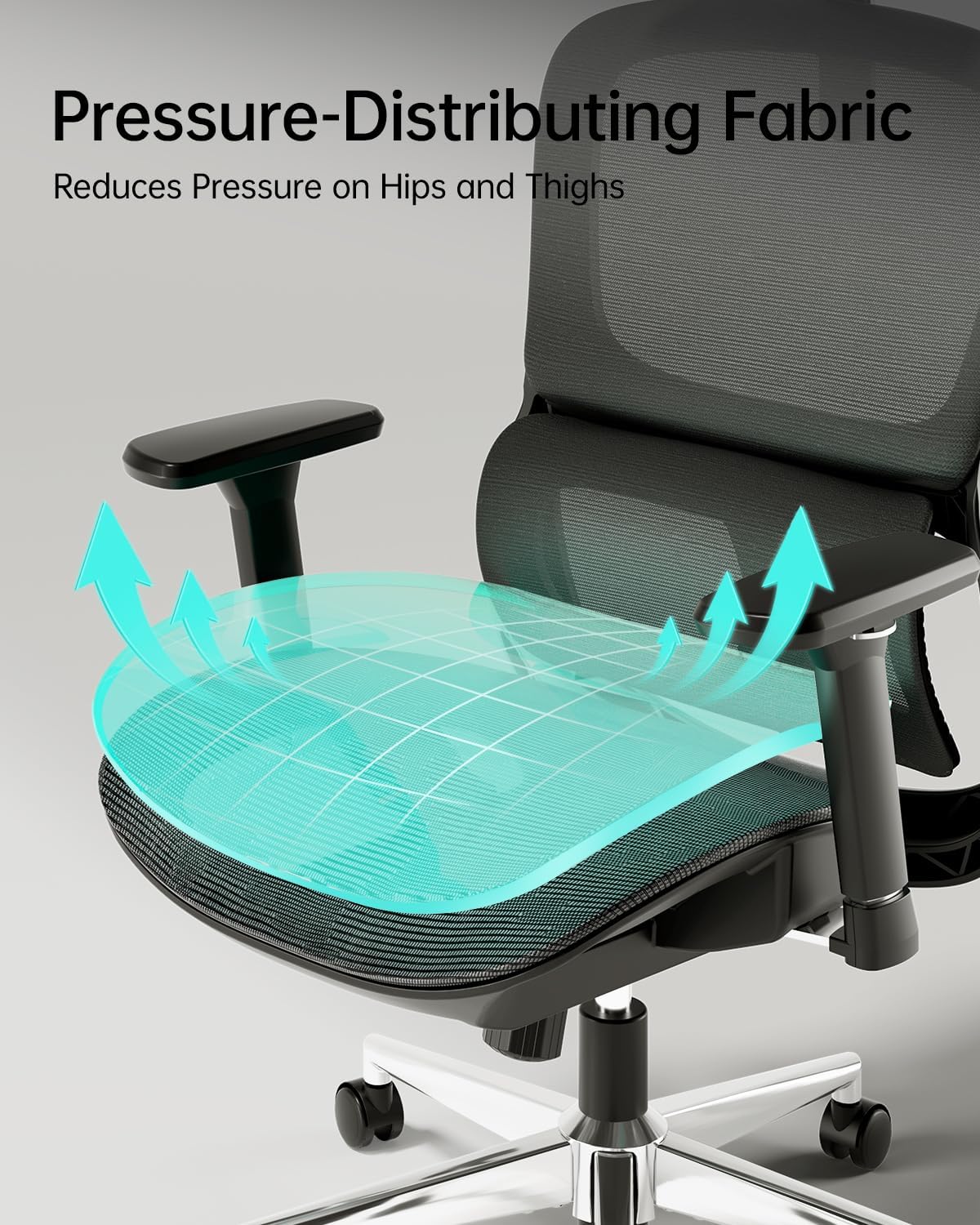
Figura 4.4: Detallada view of the 2D adjustable neck pillow on the Hbada P2 Air Ergonomic Office Chair, illustrating its height and swivel capabilities.
5. Manteniment
Regular maintenance will extend the life and performance of your Hbada P2 Air Ergonomic Office Chair.
- Neteja: Wipe down the mesh and plastic parts with a soft, damp drap. Eviteu productes químics agressius o netejadors abrasius.
- Rodes: Periodically check the casters for hair or debris and clean them to ensure smooth rolling.
- Cargols: De tant en tant, comproveu tots els cargols i perns per assegurar-vos que estiguin ben ajustats. Torneu-los a apretar si cal.
- Ascensor de gas: Do not attempt to disassemble or repair the gas lift. Contact customer service if it malfunctions.
Informació important de seguretat:
- Always use the casters carefully to prevent accidents.
- No supereu la capacitat màxima de pes de la cadira.
6. Solució De Problemes
If you encounter any issues with your Hbada P2 Air Ergonomic Office Chair, please refer to the following common problems and solutions:
| Problema | Causa possible | Solució |
|---|---|---|
| La cadira no s'ajusta en alçada. | Gas lift malfunction or lever not engaged properly. | Ensure the lever is fully pulled/pushed. If issue persists, contact customer service. |
| La cadira trontolla o és inestable. | Cargols solts o terra irregular. | Revisa i estreny tots els cargols de muntatge. Assegura't que la cadira estigui sobre una superfície plana. |
| Casters not rolling smoothly. | Debris (hair, dust) caught in casters. | Turn the chair over and remove any debris from the caster wheels. |
| El respatller no es reclina ni es bloqueja. | Recline mechanism jammed or lever not engaged. | Ensure the recline lever is fully engaged. Check for any obstructions. |
If the problem persists after trying these solutions, please contact Hbada Customer Service for further assistance.
7. Especificacions
| Característica | Detall |
|---|---|
| Marca | Hbada |
| Número de model | 42b5cb4e-b0a6-4259-8ed4-a81392a11f82 |
| Color | Negre |
| Dimensions del producte | 29.33 "P x 12.99" W x 20.86" H |
| Estil d'esquena | Malla |
| Components inclosos | Arm Rest, Cushion |
| Recompte de posicions reclinables | 1 (fins a 135°) |
| Gas Lift Certification | SGS Certified 4-Level Gas Lift |
8. Garantia i Suport
Hbada es compromet a oferir productes d'alta qualitat i un excel·lent servei al client.
- Garantia: The Hbada P2 Pro Ergonomic Office Chair comes with a worry-free 3-year warranty.
- Devolucions: Gaudeix d'una política de devolució gratuïta de 30 dies.
- Igualació de preus: Benefit from a 15-day price match guarantee.
- Danyat a l'arribada: Repair and replacement guaranteed for items damaged upon arrival.
- Atenció al client: For any inquiries or support, please contact our friendly customer service team.

Figura 8.1: Mésview of Hbada's 7-Star Service Content, detailing warranty, return, and support policies.


