Introducció
The Memorex MX-CR40 Digital FM Clock Radio is designed to provide reliable timekeeping, dual alarm functionality, and FM radio entertainment. Featuring a large 1.8-inch red LED display, this clock radio offers clear visibility and essential functions for your daily routine, including snooze, sleep timer, and battery backup for power outages.
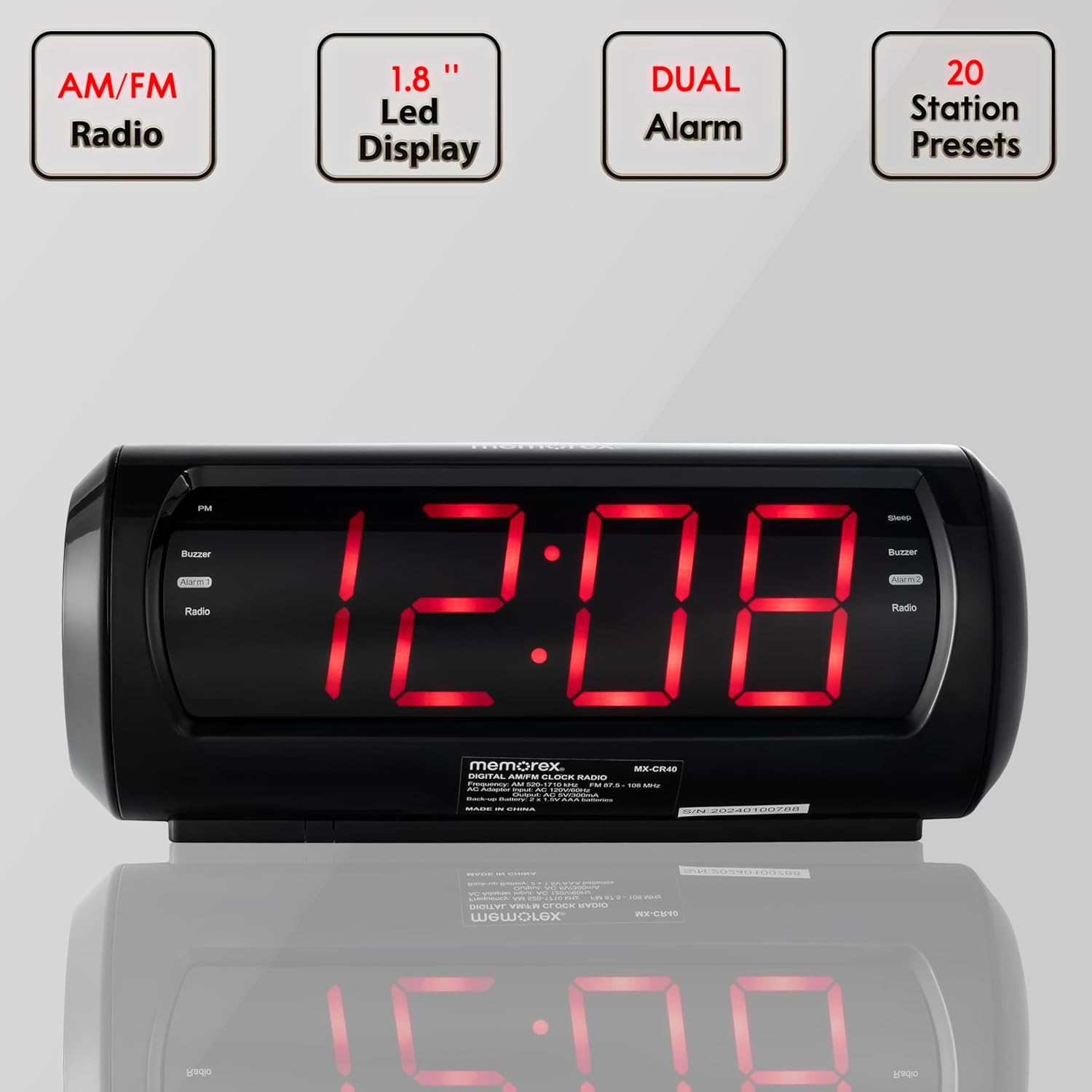
Key features of the Memorex MX-CR40 Digital FM Clock Radio, including AM/FM radio, 1.8-inch LED display, dual alarm capability, and 20 station presets.
Informació de seguretat
- Do not expose this unit to rain or moisture to prevent fire or shock hazards.
- Ensure the power adapter is easily accessible and unplugged during lightning storms or when unused for long periods.
- No bloquegeu les obertures de ventilació. Instal·leu-ho d'acord amb les instruccions del fabricant.
- Utilitzeu només accessoris/accessoris especificats pel fabricant.
- Dispose of used batteries properly according to local regulations. Do not expose batteries to excessive heat.
Contingut del paquet
Verifiqueu que tots els elements estiguin inclosos al paquet:
- Memorex MX-CR40 Digital FM Clock Radio
- Adaptador de corrent alterna
- Manual d'usuari (aquest document)
Producte acabatview
Familiarize yourself with the components and controls of your Memorex MX-CR40.

Davant view of the Memorex MX-CR40 Digital FM Clock Radio, showcasing its large red LED display.
Controls superiors

Part superior detallada view of the Memorex MX-CR40, illustrating the various control buttons for operation.
- SNOOZE/SLEEP/DIMMER Button: Activa la funció de posposició, configura el temporitzador de son o ajusta la brillantor de la pantalla.
- VOLUME + / - Buttons: Ajusta el volum de l'àudio.
- PRESET/CLOCK Button: Used to set the clock and save/recall FM radio presets.
- TUNING + / - Buttons: Sintonitza la freqüència de ràdio FM.
- HOUR / MINUTE Buttons: Used to set hour and minute for clock and alarms.
- Botons AL1 / AL2: Activates/deactivates and sets Alarm 1 and Alarm 2.
- Botó FM: Switches to FM radio mode.
Panell posterior

posterior view of the Memorex MX-CR40, showing the AC power input and the battery backup compartment.
- Presa d'entrada de CA: Connects the included AC power adapter.
- Compartiment de la bateria: Holds 2 x AA batteries for backup power (not included).
- Antena FM: Wire antenna for FM radio reception.
Configuració
1. Connexió d'alimentació
- Plug the included AC power adapter into the AC IN jack on the back of the unit.
- Plug the other end of the adapter into a standard wall outlet (AC 120V ~ 60Hz).
- The display will light up, indicating the unit is powered.
2. Instal·lació de bateria de seguretat
The battery backup feature ensures your time and alarm settings are retained during a power outage.
- Obriu la tapa del compartiment de les piles a la part inferior de la unitat.
- Insert 2 x AA batteries (not included) into the compartment, observing the correct polarity (+ and -) as marked.
- Tanqueu bé la tapa del compartiment de la bateria.
Instruccions de funcionament
Configuració de l'hora del rellotge
- Manteniu premut el botó PRESET/CLOCK botó fins que la pantalla parpellegi.
- Premeu el botó HORA button repeatedly to set the hour. Observe the PM indicator for afternoon hours.
- Premeu el botó MINUT botó repetidament per ajustar els minuts.
- Premeu el botó PRESET/CLOCK button again to confirm and save the time. The display will stop flashing.
Setting Alarms (Alarm 1 & Alarm 2)
La unitat disposa de dues alarmes independents.
- Premeu el botó AL1 or AL2 botó una vegada per mostrar l'hora d'alarma actual.
- Manteniu premut el botó AL1 or AL2 botó fins que l'hora de l'alarma parpellegi.
- Premeu el botó HORA button repeatedly to set the alarm hour.
- Premeu el botó MINUT button repeatedly to set the alarm minute.
- Premeu el botó AL1 or AL2 premeu el botó de nou per seleccionar la font de l'alarma: Zumbador or RàdioL'indicador corresponent (bruix o ràdio) s'il·luminarà.
- Premeu el botó AL1 or AL2 button one more time to confirm and save the alarm setting. The display will stop flashing.
- Per desactivar una alarma, premeu el botó corresponent AL1 or AL2 button until the Buzzer/Radio indicator turns off.
Ús de la ràdio FM
- Premeu el botó FM button to switch to FM radio mode. The current frequency will be displayed.
- Premeu el botó TUNING + or - buttons to manually tune to your desired FM station. Press and hold for automatic scanning.
- Ajusteu el volum amb el botó VOLUM + or - botons.
Saving and Recalling FM Presets
The unit can store up to 10 FM preset stations.
- Sintonitza l'emissora FM desitjada.
- Premeu el botó PRESET/CLOCK button once. The preset number will flash on the display.
- Utilitza el TUNING + or - botons per seleccionar el número preestablert desitjat (P01-P10).
- Premeu el botó PRESET/CLOCK button again to save the station to the selected preset number.
- To recall a preset station, simply press the PRESET/CLOCK button repeatedly to cycle through the saved stations.
Funció de posposar
Quan soni una alarma, premeu el botó SNOOZE/SLEEP/DIMMER per silenciar temporalment l'alarma durant aproximadament 9 minuts. L'alarma tornarà a sonar després del període de posposició.
Temporitzador de dormir
El temporitzador de son et permet adormir-te amb la ràdio, que s'apagarà automàticament després d'un període definit (fins a 90 minuts).
- Mentre sona la ràdio, premeu el botó SNOOZE/SLEEP/DIMMER Premeu el botó repetidament per anar passant per les opcions del temporitzador de son (per exemple, 90, 60, 30, 15 minuts, OFF).
- La ràdio reproduirà durant el temps seleccionat i després s'apagarà automàticament.
Ajust de la brillantor de la pantalla
Premeu el botó SNOOZE/SLEEP/DIMMER button (when the alarm is not sounding and sleep timer is not active) to cycle through the display brightness levels (e.g., High, Low, Off).
Manteniment
- Neteja: Feu servir un drap suau i sec per netejar l'exterior de la unitat. No utilitzeu productes de neteja abrasius ni dissolvents.
- Substitució de la bateria: Replace backup batteries annually or when the unit experiences frequent power outages to ensure reliable backup.
- Emmagatzematge: If storing the unit for an extended period, remove the backup batteries to prevent leakage.
Resolució de problemes
| Problema | Causa possible | Solució |
|---|---|---|
| La unitat no s'encén. | L'adaptador de CA no està connectat correctament. | Assegureu-vos que l'adaptador de CA estigui ben connectat a la unitat i a una presa de corrent que funcioni. |
| L'alarma no sona. | Alarm not set or deactivated. Incorrect alarm time. | Verify alarm is set and activated (Buzzer or Radio indicator lit). Check alarm time. |
| Mala recepció de ràdio FM. | FM antenna not extended or positioned correctly. Interference from other electronics. | Fully extend and reposition the FM wire antenna. Move unit away from other electronic devices. |
| La configuració de l'hora/alarma es perd després d'un apagadatage. | Les bateries de reserva estan gastades o no estan instal·lades. | Install 2 new AA batteries or replace existing ones. |
Especificacions
| Característica | Detall |
|---|---|
| Número de model | MX-CR40 |
| Tipus de visualització | 1.8" Red LED Digital Display |
| Freqüència de ràdio | FM (PLL Digital Tuner) |
| Presets | 10 FM Presets |
| Funcions d'alarma | Alarma dual (bruix o ràdio) |
| Durada de la posposar | Aprox. 9 minuts |
| Temporitzador de dormir | Fins a 90 minuts |
| Font d'alimentació | AC 120V ~ 60Hz (via included adapter) |
| Còpia de seguretat de la bateria | 2 piles AA (no incloses) |
| Dimensions del producte | 11.2 cm d'amplada x 3.73 cm d'alçada |
| Pes de l'article | 1.12 lliures |
| Color | Negre |
| Material | Plàstic |
Garantia i Suport
Memorex products are designed for reliability and performance. For specific warranty information, please refer to the warranty card included with your purchase or visit the official Memorex website. For technical support or customer service inquiries, please contact Memorex customer support through the contact information provided on their official weblloc o embalatge del producte.


