1. Introduction and Applicable Models
This manual provides detailed instructions for the installation, setup, and operation of your XTRONS 10.25 Inch Android 14 Car Stereo. This advanced head unit offers enhanced clarity, vibrant colors, and a high-resolution touchscreen for an optimized driving experience.
Applicable Models & Years:
- For BMW 3 Series F30 F31 F34 (2013-2016) NBT system
- For BMW 4 Series F32 F33 F36 (2013-2016) NBT system
- For BMW M3 F80 F81 (2013-2019)
- For BMW M4 F82 F83 (2013-2019)

2. Característiques clau
- Pantalla IPS de 10.25 polzades: Experience enhanced clarity and vibrant colors with a 1920*720 high-resolution touchscreen. Supports 1080p format video playback for easy visibility and access to all options.
- Built-in Wireless CarAutoPlay / Android Auto: Access GPS, calls, music, Google Assistant, and Siri from your mobile phone for a connected and safer driving experience. Compatible with iPhone 5 and newer (iOS 8+) and Android phones (Android 4.3+).
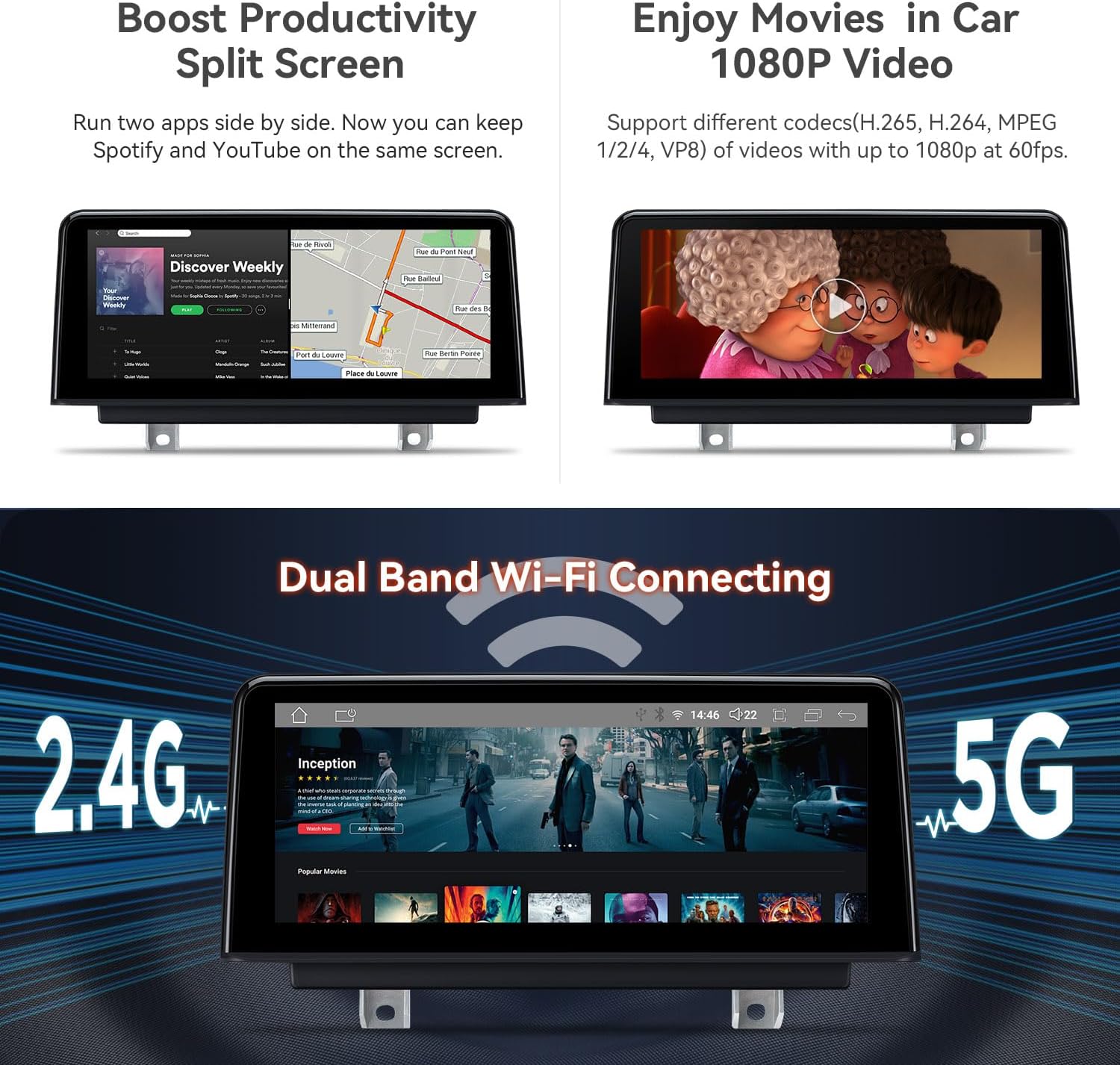
- Bluetooth 5.0 & Dual Band Wi-Fi: Connect your smartphone via Bluetooth for hands-free calls, contact searching, and music streaming. Dual-band Wi-Fi (2.4GHz and 5GHz) ensures flexible and seamless internet connectivity.
- 4G LTE global: Insert a Micro-SIM card for mobile broadband connection anywhere, with download speeds up to 300Mbps. Supports 99% of carriers worldwide.
- Retain iDrive and Original Functions: Maintains iDrive system control and full range of original functions (supported in both original and Android systems). Multiple user interfaces are available.
- Mode de pantalla dividida: Use two apps side-by-side, such as Spotify for music while navigating.


3. Contingut del paquet
The following accessories are included in your XTRONS 10.25 Inch Android 14 Car Stereo package:
- 1 × Arnès de cablejat ISO
- 1 cable USB
- 1 × Antena 4G
- 1 × Antena GPS
- 1 × pinces
- 1 minialtaveu
- 1 × Instruccions d'instal·lació
- 1 × Manual d'usuari

4. Guia d'instal·lació
Follow these steps carefully for proper installation of your XTRONS car stereo. It is recommended to consult a professional if you are unsure about any step.
4.1 Wiring Harness Overview

4.2 Passos d'instal·lació
- Treure els components originals: Carefully pry out the air-conditioning trim panel and the original host panel. Disconnect all associated plugs and remove the original display screen.
- Connecteu el cablejat: Connect the provided Linux ISO harness to the stock main unit. Ensure all connections are secure.
- Cables de ruta: Thread the USB harness plug to the base of the display and lay the female end of the USB connection cable into the passenger compartment.
- Instal·la una nova pantalla: Connect the plugs of the Linux ISO harness and USB harness to the back of the Linux device. Connect the stock LVDS male connector to the back connector of the Linux device. Install the Linux device to the base of the original display and lock the screws to secure it.
- Reinstall Panels: Restore the connection plugs on the back of the air conditioning trim panel and the main engine panel. Put all panels back in their original positions.
4.3 Vídeos d'instal·lació
Refer to the following videos for visual guidance on the installation process:
5. Instruccions de configuració i funcionament
After successful installation, follow these instructions to set up and operate your car stereo.
5.1 Configuració inicial i connectivitat
- Emparellament Bluetooth: Connect your smartphone via Bluetooth 5.0 for hands-free calls and audio streaming.
- Connexió Wi-Fi: Connect to 2.4GHz or 5GHz Wi-Fi networks for internet access and app downloads.
- CarPlay / Android Auto: The unit supports built-in wireless CarAutoPlay and wired Android Auto. Ensure your phone's Bluetooth is connected for seamless integration.
5.2 Basic Operation and Features
- Interfície de pantalla tàctil: Navigate through menus and apps using the responsive 10.25-inch IPS touchscreen.
- Mode de pantalla dividida: Executeu dues aplicacions simultàniament, com ara la navegació i la reproducció de música.
- Navegació GPS: Utilize supported Android OS navigation software like Google Maps, Sygic, or Waze.
- Ús de l'aplicació: Download and use various Android applications, including streaming services and utility apps.
- OEM System Integration: Access original iDrive system controls and vehicle information directly through the new display.

6. Manteniment
Per garantir la longevitat i el rendiment òptim del vostre estèreo de cotxe XTRONS, seguiu aquestes pautes de manteniment:
- Neteja de pantalla: Feu servir un drap suau i sense borrissol per netejar suaument la pantalla tàctil. Eviteu productes de neteja abrasius o productes químics agressius que puguin danyar la pantalla.
- Actualitzacions de programari: Periodically check for firmware updates from XTRONS to ensure you have the latest features and bug fixes.
- Connexions de cable: Assegureu-vos que tots els cables estiguin connectats correctament i no estiguin danyats. Les connexions soltes poden provocar problemes intermitents.
7. Solució De Problemes
If you encounter any issues with your XTRONS car stereo, refer to the following troubleshooting tips:
- Sense problemes de so: If there is no sound, ensure the AUX harness is correctly connected and the car's audio input is set to AUX. Adjust the volume knob on the original car interface.
- Problemes de visualització de la pantalla: If the screen display is not correct (e.g., distorted, incorrect resolution), navigate to the settings menu and adjust the screen resolution to an appropriate option.
- Connectivitat Bluetooth: If Bluetooth is not connecting, ensure the
Documents relacionats - NBT iDrive 4.0 4+64GB

Manual d'usuari japonès de la sèrie XTRONS TX per a DX120L/TX121L
Aquest manual d'usuari proporciona instruccions detallades per al sistema d'infoentreteniment per a cotxes XTRONS sèrie TX, incloent-hi la configuració, el funcionament i la resolució de problemes per als models DX120L i TX121L. Cobreix funcions com ara la ràdio, la reproducció USB/SD, la connectivitat Bluetooth, Carplay/Android Auto, la duplicació de miralls, la navegació i diverses configuracions.
Manual d'usuari de la sèrie XTRONS TIE
Manual d'usuari dels sistemes d'infoentreteniment per a cotxes XTRONS sèrie TIE, que cobreix la configuració, les funcions, la resolució de problemes i les opcions de connectivitat com ara Bluetooth, CarPlay, Android Auto i GPS.
Manual d'usuari de XTRONS TQS113/DQS112L per a Android 11
Manual d'usuari complet per als sistemes d'infoentreteniment per a cotxes Android 11 XTRONS TQS113 i DQS112L, que cobreix la instal·lació, la configuració, les funcions i la resolució de problemes.
Manual d'usuari de XTRONS: instal·lació, ús i característiques
Manual d'usuari complet per a equips d'àudio per a cotxes XTRONS, que cobreix la instal·lació, les operacions bàsiques, les funcions avançades com la ràdio, la navegació i el Bluetooth, així com la configuració i la resolució de problemes.
XTRONS Autoradio Bedienungsanleitung: Installation und Nutzung
Umfassende Bedienungsanleitung for XTRONS Autoradiosysteme mit Android-Betriebssystem. Erfahren Sie mehr über Installation, Funktionen wie Navigation, Bluetooth, Medienwiedergabe und Fehlerbehebung.
XTRONS IXA94RGJL Android 14 Car Radio GPS for Jeep Renegade User Manual
User manual for the XTRONS IXA94RGJL Android 14 car radio GPS system with Carplay and Auto, designed for Jeep Renegade vehicles. Includes installation, operation, and feature details.