1. Introducció
The GOBOULT Crown R Pro 2 Smartwatch is designed to enhance your daily life with advanced features and health monitoring capabilities. It features a 1.43-inch HD AMOLED display, Bluetooth Calling 5.2, and a comprehensive health suite. This manual provides instructions for setup, operation, and maintenance of your smartwatch.

Image: The GOBOULT Crown R Pro 2 Smartwatch, showcasinel seu disseny elegant i la seva pantalla vibrant.
2. Què hi ha a la caixa
Si us plau, comproveu el contingut del paquet en desempaquetar-lo:
- GOBOULT Crown R Pro 2 Smartwatch
- Cable de càrrega
- Manual d'usuari
- Targeta de garantia
3. Primers passos
3.1. Càrrega del dispositiu
Before initial use, fully charge your smartwatch. Connect the magnetic charging cable to the charging points on the back of the watch and plug the USB end into a power adapter (not included) or a computer's USB port.
- Temps de càrrega: aproximadament 150 minuts per a una càrrega completa.
- Battery Life: Up to 7 days on a single charge, depending on usage.
3.2. Encès / apagat
- Encès: Press and hold the side button for a few seconds until the GOBOULT logo appears.
- Apagar: Mantingueu premut el botó lateral i, a continuació, seleccioneu l'opció "Apagar" a la pantalla.
3.3. Instal·lació i emparellament de l'aplicació
Per desbloquejar tot el potencial del teu rellotge intel·ligent, descarrega i instal·la l'aplicació complementària al teu telèfon intel·ligent.
- Scan the QR code in the manual or search for the 'BoultFit' app (or similar, as specified in the included manual) on your smartphone's app store (Google Play Store or Apple App Store).
- Instal·leu l'aplicació i creeu un compte o inicieu la sessió.
- Assegureu-vos que el Bluetooth estigui habilitat al vostre telèfon intel·ligent.
- Open the app, navigate to 'Device' or 'Add Device', and select 'GOBOULT Crown R Pro 2' from the list of available devices.
- Confirma la sol·licitud d'emparellament tant al teu telèfon intel·ligent com al rellotge intel·ligent.
4. Smartwatch Features and Operation
4.1. Pantalla i esferes de rellotge
The smartwatch features a 1.43-inch HD AMOLED display with 600 Nits brightness for clear visibility in various lighting conditions.
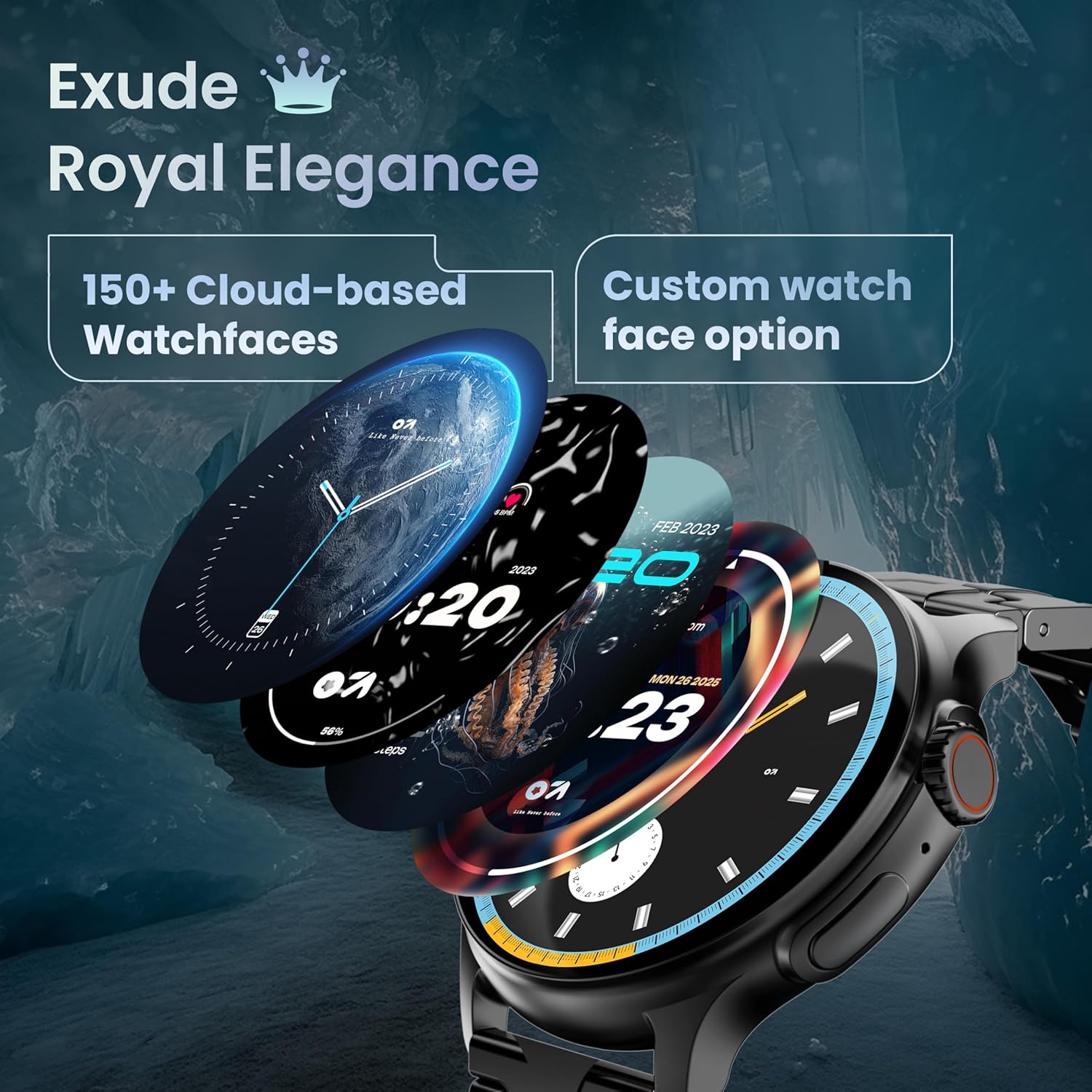
Image: A selection of over 150 watch faces available for customization.
- Canvi de les esferes del rellotge: Long-press the home screen to access watch face options. Swipe left or right to browse and tap to select. More watch faces are available through the companion app.
4.2. Navegació i controls
Navigate the smartwatch interface using touch gestures and the functional 'Working Crown'.

Image: Detail of the working crown, used for navigation and customization.
- Llisca cap avall: Accediu a la configuració ràpida (per exemple, brillantor, No molestar, estalvi de bateria).
- Llisca cap amunt: View notificacions.
- Llisca cap a l'esquerra/dreta: Access widgets and main features (e.g., activity, heart rate, weather).
- Working Crown: Rotate to scroll through menus or lists. Press to return to the home screen or confirm selections.
4.3. Trucades per Bluetooth
The smartwatch supports Bluetooth Calling v5.2, allowing you to make and receive calls directly from your wrist.

Image: Illustration of the smartwatch's Bluetooth calling capabilities with integrated microphone and speaker.
- Contestar trucades: Tap the green phone icon on the screen when a call comes in.
- Fer trucades: Access the dial pad or contacts list from the smartwatch menu.
- Rebutjar trucades: Tap the red phone icon.
4.4. Modes esportius
Track over 120 sports and fitness activities with detailed analytics.

Image: The smartwatch interface showing active sports tracking and various sports icons.
- Access the 'Sports' menu to select your desired activity.
- The watch will record data such as duration, calories burned, and heart rate during your workout.
4.5. Monitorització de la salut
Monitor key health metrics in real-time.

Image: The health suite features, including heart rate, SpO2, and sleep monitoring.
- Monitor de freqüència cardíaca: Provides 24x7 heart rate tracking.
- Monitor de saturació d'oxigen en sang SpO2: Mesura els nivells d'oxigen a la sang.
- Monitorització del son: Fa un seguiment dels patrons i la qualitat del son.
- Seguiment del cicle menstrual femení: Helps track and predict menstrual cycles.
- Seguiment d'activitats: Records steps, distance, and calories burned throughout the day.
- Entrenament de la respiració: Exercicis de respiració guiats per a la relaxació.
4.6. Assistent de veu amb IA
Control your smartwatch hands-free using voice commands.

Image: The AI voice assistant feature, activated by pressing a button for 3 seconds.
- Press the dedicated button (or specified gesture) for 3 seconds to activate the AI voice assistant.
- Use voice commands to ask questions, set reminders, or manage tasks.
4.7. Notifications and Utilities
Receive SMS and push notifications directly on your wrist. The smartwatch also includes useful utilities.

Image: The 'Find My Phone' feature, which causes the connected phone to ring or vibrate.
- Notificacions: Ensure notification permissions are enabled in the companion app for your desired applications.
- Calculadora: Access the calculator from the app menu for quick calculations.
- Troba el meu telèfon: Use this feature from the smartwatch to make your connected phone ring or vibrate, helping you locate it.
4.8. Resistència a l'aigua i la pols (IP67)
The smartwatch is IP67 rated, providing protection against dust and temporary immersion in water.
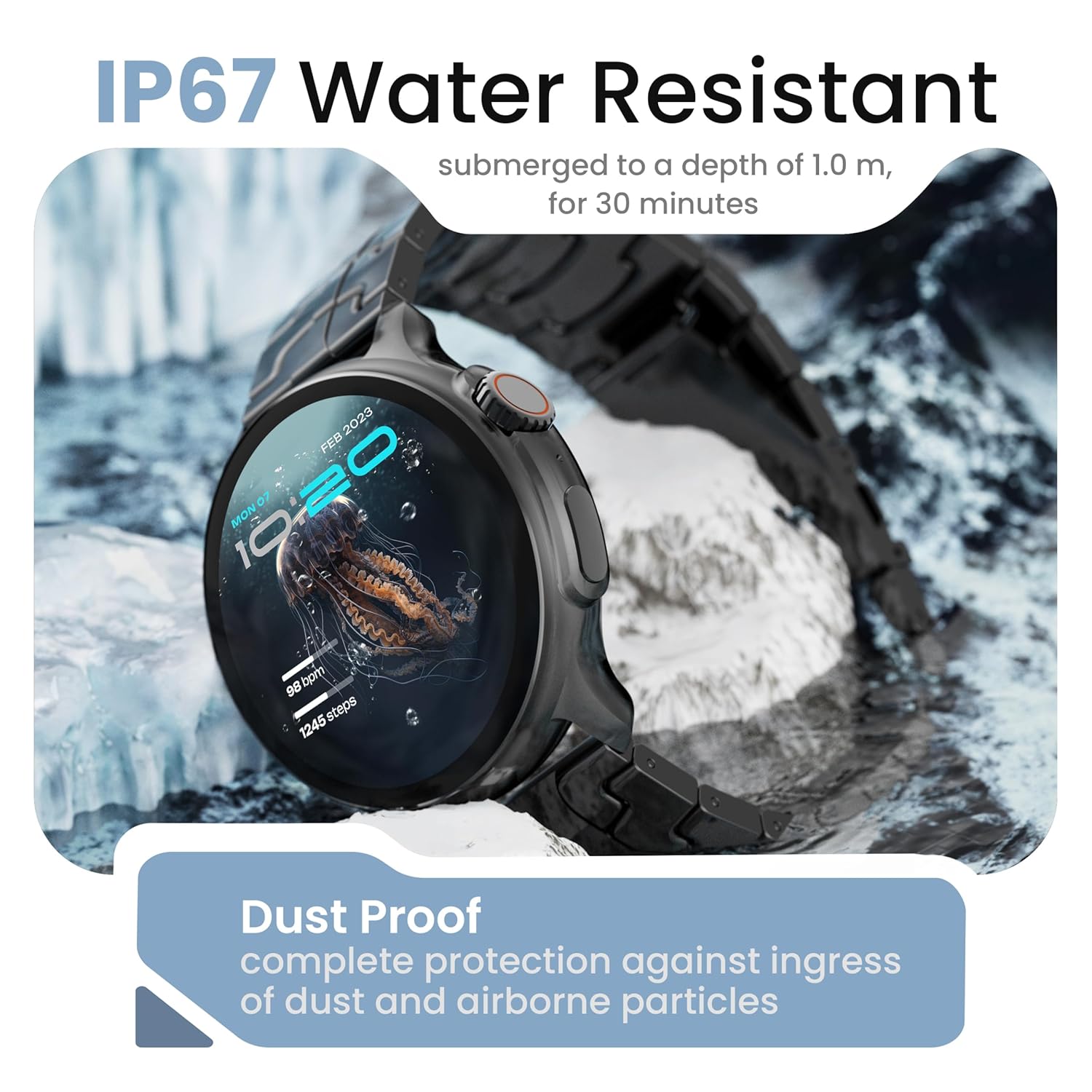
Image: The smartwatch demonstrating its IP67 water resistance, capable of being submerged up to 1 meter for 30 minutes.
- The device is resistant to sweat, splashes, and brief immersion in water up to 1 meter for 30 minutes.
- Avoid using the watch in hot water, saunas, or steam rooms.
- Do not press buttons while the watch is submerged.
5. Cura i Manteniment
- Neteja: Netegeu el rellotge i la corretja regularment amb un drap suau i sec. Si cal, utilitzeu un drap lleugerament sec.amp drap i assecar bé.
- Eviteu productes químics: No utilitzeu productes químics agressius, dissolvents de neteja ni detergents forts, ja que poden danyar l'acabat i els segells del rellotge.
- Emmagatzematge: Guardeu el rellotge intel·ligent en un lloc fresc i sec quan no l'utilitzeu.
- Càrrega: Utilitzeu només el cable de càrrega subministrat.
6. Solució De Problemes
6.1. Smartwatch Not Turning On
- Assegura't que el rellotge estigui completament carregat. Connecta'l al carregador durant almenys 30 minuts.
- Press and hold the side button for an extended period (10-15 seconds) to force a restart.
6.2. No es pot emparellar amb el telèfon intel·ligent
- Ensure Bluetooth is enabled on your smartphone and the smartwatch.
- Make sure the smartwatch is within the Bluetooth range of your phone (typically 10 meters).
- Reinicieu tant el telèfon intel·ligent com el rellotge intel·ligent.
- Esborra la memòria cau de Bluetooth del telèfon (si escau) i torna a intentar emparellar-lo.
- Assegureu-vos que l'aplicació complementària estigui actualitzada a la darrera versió.
6.3. Dades de salut inexactes
- Assegureu-vos de portar el rellotge ben ajustat al canell, ni massa ajustat ni massa fluix.
- Netegeu els sensors de la part posterior del rellotge.
- Eviteu moviments excessius durant les mesures.
- Note that smartwatch health data is for reference only and should not be used for medical diagnosis.
6.4. No apareixen notificacions
- Check if notification permissions are granted for the companion app and individual applications on your smartphone.
- Ensure the smartwatch is connected to your phone via Bluetooth.
- Disable 'Do Not Disturb' mode on both your phone and smartwatch.
7. Especificacions
| Marca | GOBOULT |
| Nom del model | R Pro 2 |
| Mida de la pantalla | 1.43 polzades |
| Tipus de visualització | HD AMOLED |
| Brillantor | 600 Nit |
| Versió Bluetooth | 5.2 |
| Resistència a l'aigua | IP67 |
| Durada de la bateria (mitjana) | 7 dies |
| Temps de càrrega de la bateria | 150 minuts |
| Sistema operatiu | Android (compatible) |
| Pes de l'article | 56.5 g |
| Components inclosos | Smartwatch, Charging Cable, User Manual, Warranty Card |
8. Garantia i Suport
8.1. Informació de la garantia
Your GOBOULT Crown R Pro 2 Smartwatch comes with a standard manufacturer's warranty. Please refer to the included Warranty Card for specific terms, conditions, and duration of the warranty.
8.2. Atenció al client
For any product-related queries, technical assistance, or warranty claims, please contact GOBOULT customer support through the following channels:
- Weblloc: Visit the official GOBOULT weblloc web per a preguntes freqüents i recursos de suport.
- Correu electrònic: Consulteu la targeta de garantia o el formulari oficial weblloc web per a adreces de correu electrònic d'atenció al client.
- Telèfon: Contact numbers may be available on the official GOBOULT website or warranty card.
Please have your product model number (R Pro 2) and purchase details ready when contacting support.


