1. Introducció
This manual provides detailed instructions for the safe and effective use of your pTron Funk Rap 10W Mini Bluetooth Speaker. Please read this manual thoroughly before operating the device and retain it for future reference.
The pTron Funk Rap is a compact and portable Bluetooth speaker designed to deliver clear audio with a 10W output. It features multiple playback options, including Bluetooth 5.4, TF card, and USB, along with a True Wireless Stereo (TWS) function for enhanced sound. The speaker is equipped with a Type-C port for convenient charging and offers up to 8 hours of playtime.
2. Contingut del paquet
Assegureu-vos que tots els elements siguin presents al paquet:
- pTron Funk Rap 10W Mini Bluetooth Speaker
- Power Cable (Type-C USB)
- Guia d'inici ràpid
3. Producte acabatview
The pTron Funk Rap speaker features a durable design with a front metal grill and multi-function control buttons for easy operation. Its compact size and lightweight construction make it suitable for various environments.

Image: The pTron Funk Rap 10W Mini Bluetooth Speaker, shown in blue from an angled perspective, highlighting its compact form factor and design.
3.1 Controls i ports
Familiaritzeu-vos amb els controls i els ports de l'altaveu:
- Botó d'encesa: Mantingueu premut per activar o desactivar l'altaveu.
- Botó Reproduir/Pausa: Premeu per reproduir o posar en pausa l'àudio.
- Botó Pujar volum/Pista següent: Press to increase volume; press and hold for next track.
- Botó per baixar el volum/pista anterior: Press to decrease volume; press and hold for previous track.
- Botó de mode: Press to switch between Bluetooth, TF Card, and USB modes. Long press for TWS pairing.
- Port de càrrega tipus C: Per carregar l'altaveu.
- Ranura per a targetes TF: For inserting a MicroSD/TF card.
- Port USB: For connecting a USB drive.

Image: An infographic illustrating the main features of the pTron Funk Rap speaker, including its 10W sound, portable design, multi-playback modes, Type-C charging, 66mm drivers, 8 hours playtime, Bluetooth 5.4 connectivity, and TWS function.
4. Configuració
4.1 Càrrega de l'altaveu
- Connecteu el cable USB tipus C proporcionat al port de càrrega de l'altaveu.
- Connecteu l'altre extrem del cable a un adaptador de corrent USB (no inclòs) o al port USB d'un ordinador.
- El llum indicador de càrrega s'il·luminarà.
- A full charge typically takes approximately 2 hours. The indicator light will change or turn off once charging is complete.
4.2 Engegada/apagada
- Per encendre: Press and hold the Power button for a few seconds until you hear an audible prompt or see an indicator light.
- Per apagar: Premeu i manteniu premut el botó d'engegada de nou durant uns segons fins que sentiu un missatge audible o l'indicador lluminós s'apagui.
4.3 Vinculació Bluetooth
Per connectar l'altaveu al dispositiu mitjançant Bluetooth:
- Ensure the speaker is powered on and in Bluetooth pairing mode (indicated by a flashing LED light and an audible prompt). If not, press the Mode button to switch to Bluetooth mode.
- Al teu telèfon intel·ligent, tauleta o ordinador portàtil, activa el Bluetooth.
- Cerca dispositius Bluetooth disponibles.
- Select "pTron Funk Rap" from the list of devices.
- Once connected, you will hear a confirmation sound, and the LED indicator will stop flashing.
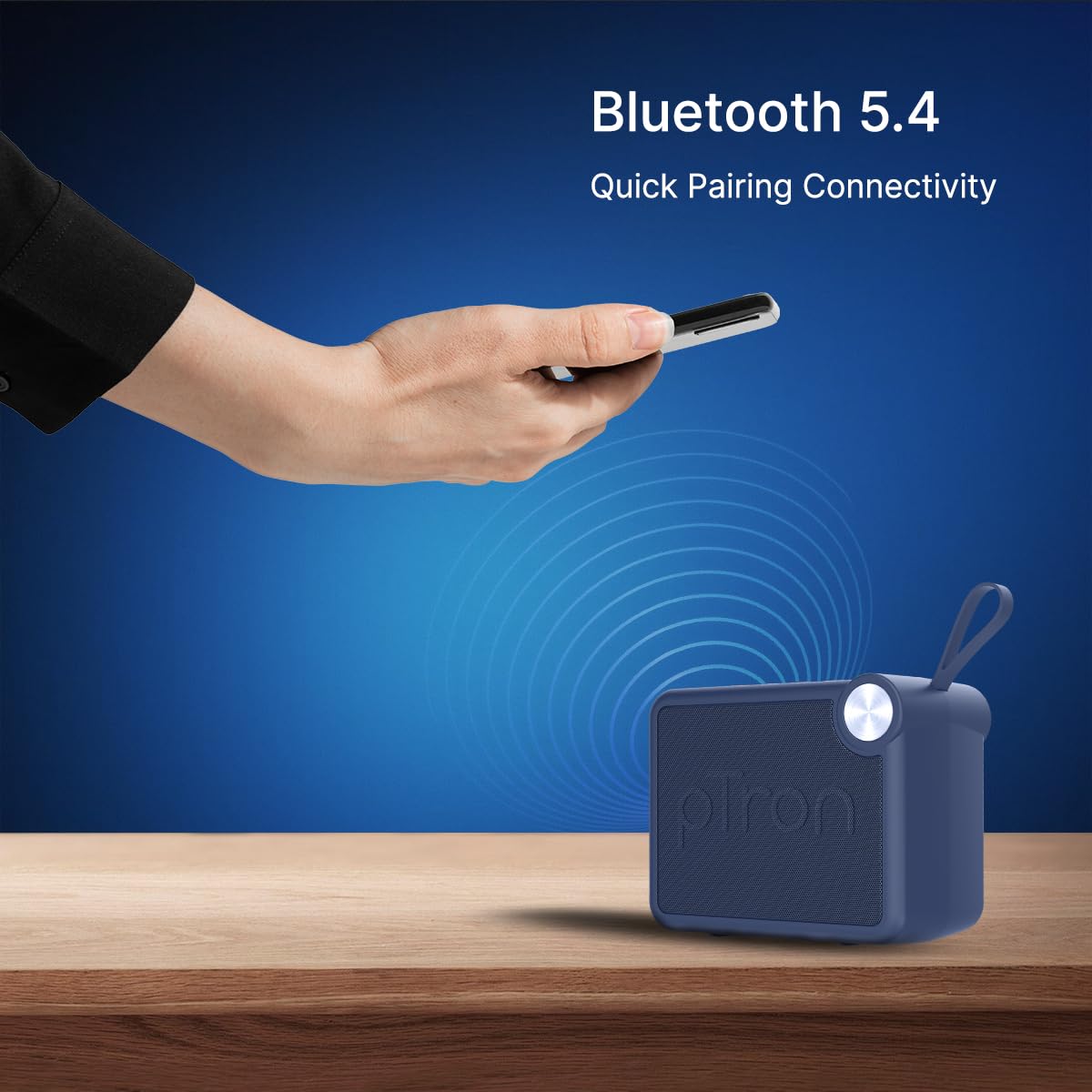
Image: A visual representation of a hand holding a smartphone, indicating the process of connecting to the pTron Funk Rap speaker via Bluetooth 5.4 for quick pairing.
5. Instruccions de funcionament
5.1 Mode Bluetooth
- Reproduir/pausa: Premeu el botó Reproduir/Pausa.
- Ajust de volum: Premeu els botons de pujar o baixar el volum.
- Pista següent: Premeu i manteniu premut el botó de pujar el volum.
- Pista anterior: Manteniu premut el botó de baixar el volum.
5.2 Mode de targeta TF
- Inseriu una targeta TF (MicroSD) amb àudio files a la ranura de la targeta TF.
- The speaker will automatically switch to TF Card mode or you may need to press the Mode button.
- Playback controls (Play/Pause, Volume, Next/Previous Track) function as in Bluetooth mode.
5.3 USB Playback Mode
- Inseriu una unitat flash USB amb àudio files al port USB.
- The speaker will automatically switch to USB mode or you may need to press the Mode button.
- Playback controls (Play/Pause, Volume, Next/Previous Track) function as in Bluetooth mode.
Mode estèreo sense fil 5.4 (TWS)
To pair two pTron Funk Rap speakers for stereo sound:
- Assegureu-vos que tots dos altaveus estiguin encesos i no connectats a cap dispositiu Bluetooth.
- On both speakers, long press the Mode button for approximately 2 seconds.
- You will hear an audible prompt indicating TWS pairing mode. The speakers will automatically connect to each other.
- Once paired, one speaker will act as the master. Connect your device to this master speaker via Bluetooth as described in section 4.3.
- L'àudio ara es reproduirà en estèreo a tots dos altaveus.

Image: Two pTron Funk Rap speakers are depicted, illustrating their ability to connect in True Wireless Stereo (TWS) mode to provide a more immersive audio experience.
5.5 Funcions de trucada
When connected to a smartphone via Bluetooth:
- Respon a la trucada: Premeu el botó Reproduir/Pausa una vegada.
- Finalitzar la trucada: Premeu el botó Reprodueix/Pausa una vegada durant una trucada.
- Rebutja la trucada: Mantén premut el botó Reproduir/Pausa.
6. Manteniment
- Neteja: Feu servir un drap suau i sec per netejar l'altaveu. No utilitzeu productes de neteja abrasius ni dissolvents.
- Emmagatzematge: Guardeu l'altaveu en un lloc fresc i sec, allunyat de la llum solar directa i de temperatures extremes.
- Cura de la bateria: To prolong battery life, charge the speaker fully before first use and at least once every three months if not used regularly. Avoid fully discharging the battery frequently.
- Resistència a l'aigua: Aquest altaveu no és impermeable. Eviteu l'exposició a l'aigua o a una humitat excessiva.
7. Solució De Problemes
Si teniu problemes amb l'altaveu, consulteu els problemes i solucions més comuns següents:
- L'altaveu no s'encén: Assegureu-vos que la bateria estigui carregada. Connecteu l'altaveu a una font d'alimentació amb el cable tipus C.
- No es pot emparellar per Bluetooth:
- Assegureu-vos que l'altaveu estigui en mode d'emparellament Bluetooth (LED parpellejant).
- Assegureu-vos que el Bluetooth estigui activat al dispositiu i que es trobi a menys de 10 metres de l'altaveu.
- Turn off and on both the speaker and your device's Bluetooth.
- Esborreu la llista d'emparellament Bluetooth del dispositiu i torneu a intentar l'emparellament.
- Sense so:
- Comproveu el nivell de volum tant a l'altaveu com al dispositiu connectat.
- Ensure the speaker is correctly connected to your device.
- If using TF card or USB, ensure the audio files are in a supported format and the media is inserted correctly.
- Mala qualitat del so:
- Acosteu l'altaveu al dispositiu Bluetooth per reduir les interferències.
- Assegureu-vos que no hi hagi obstacles entre l'altaveu i el dispositiu.
- Comproveu la qualitat de la font d'àudio.
- Problemes d'emparellament amb TWS:
- Ensure both speakers are fully charged and not connected to any other Bluetooth device before initiating TWS pairing.
- Repetiu els passos d'emparellament del TWS amb cura.
8. Especificacions
| Característica | Detall |
|---|---|
| Nom del model | Funk Rap |
| Tipus d'altaveu | Altaveu portàtil |
| Tecnologia de connectivitat | Bluetooth 5.4, USB |
| Mode de sortida d'àudio | Estèreo (amb TWS) |
| Potència de sortida màxima dels altaveus | 10 watts |
| Mida del controlador d'àudio | 66 Mil·límetres |
| Impedància | 4 ohms |
| Ràtio senyal / soroll | 85 dB |
| Resposta de freqüència | 20000 kHz |
| Interval Bluetooth | 10 metres |
| Font d'alimentació | Funciona amb bateria |
| Tipus de bateria | Polímer de liti (1 x 9V inclosa) |
| Durada mitjana de la bateria | 8 hores |
| Temps de càrrega | 2 hores |
| Mètode de control | Toqueu els botons |
| Material | Acrilonitril butadiè estirè (ABS) |
| Dimensions del producte | 10.4P x 8.6A x 5.8H centímetres |
| Pes de l'article | 271 grams |
| País d'origen | Índia |
9. Garantia i Suport
9.1 Informació de la garantia
The pTron Funk Rap 10W Mini Bluetooth Speaker comes with a 6 mesos de garantia del fabricant from the date of purchase, covering manufacturing defects. This warranty is limited and does not cover damage caused by misuse, accidents, unauthorized modifications, or normal wear and tear.
9.2 Atenció al client
For any product-related queries, technical assistance, or warranty claims, please contact pTron customer support:
- Telèfon: 040-67138888
- Correu electrònic: suport@ptron.in
- Adreça del fabricant: PALRED ELECTRONICS PVT. LTD., SY.NO. 56, 1a PLANTA, GUNDLAPOCHAMPALLY VILLAGE, TECH PARK MTP, TSIIC-IALA NACHARAM, HYDERABAD - 500076, TELANGANA, ÍNDIA


