1. Introducció
Welcome to the user manual for your BERGER Classiq Smart TV. This document provides essential information for setting up, operating, and maintaining your device. Please read it thoroughly before using the product to ensure safe and optimal performance.
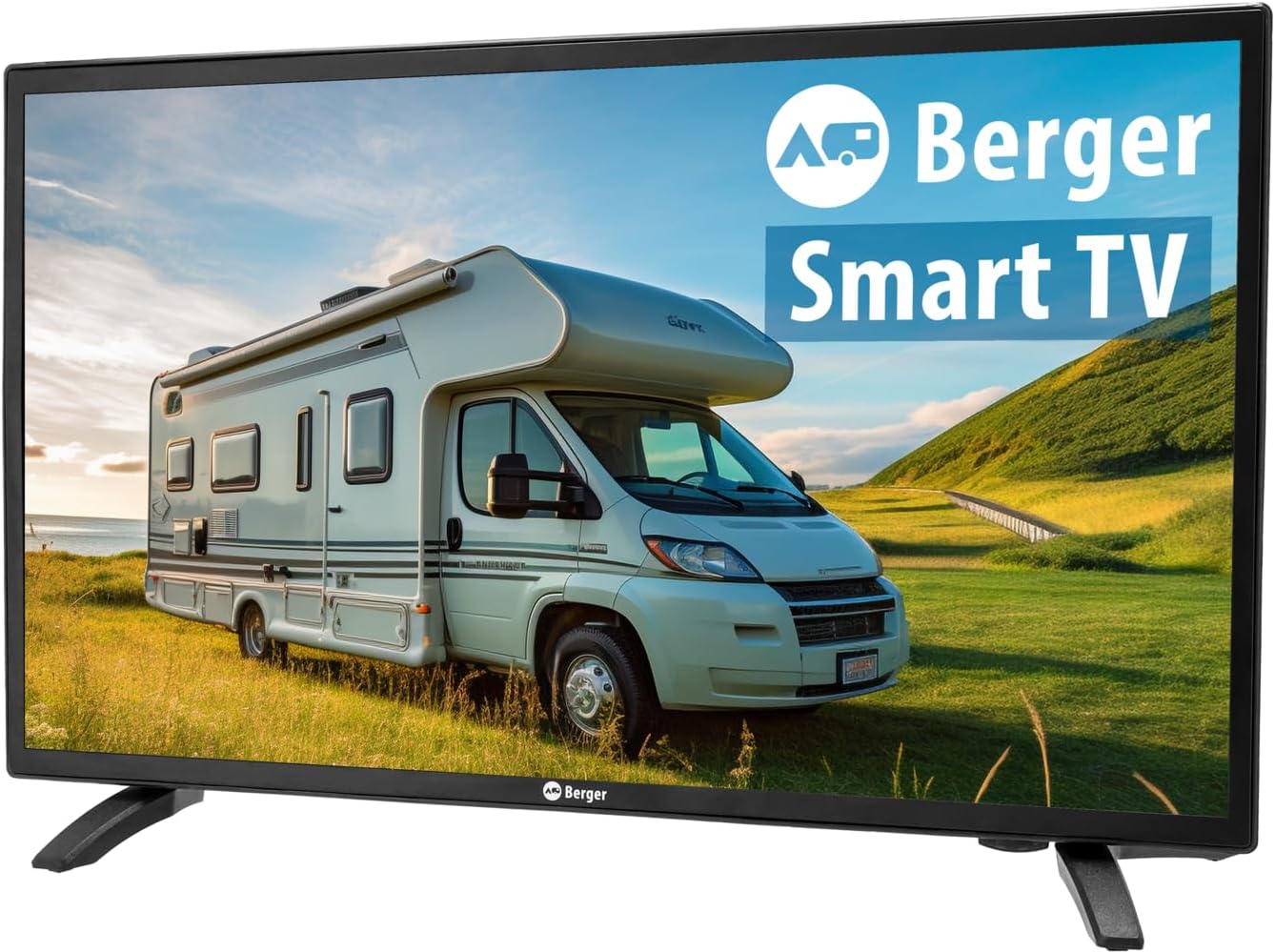
Davant view of the BERGER Classiq Smart TV, showcasing el seu disseny i pantalla elegants.
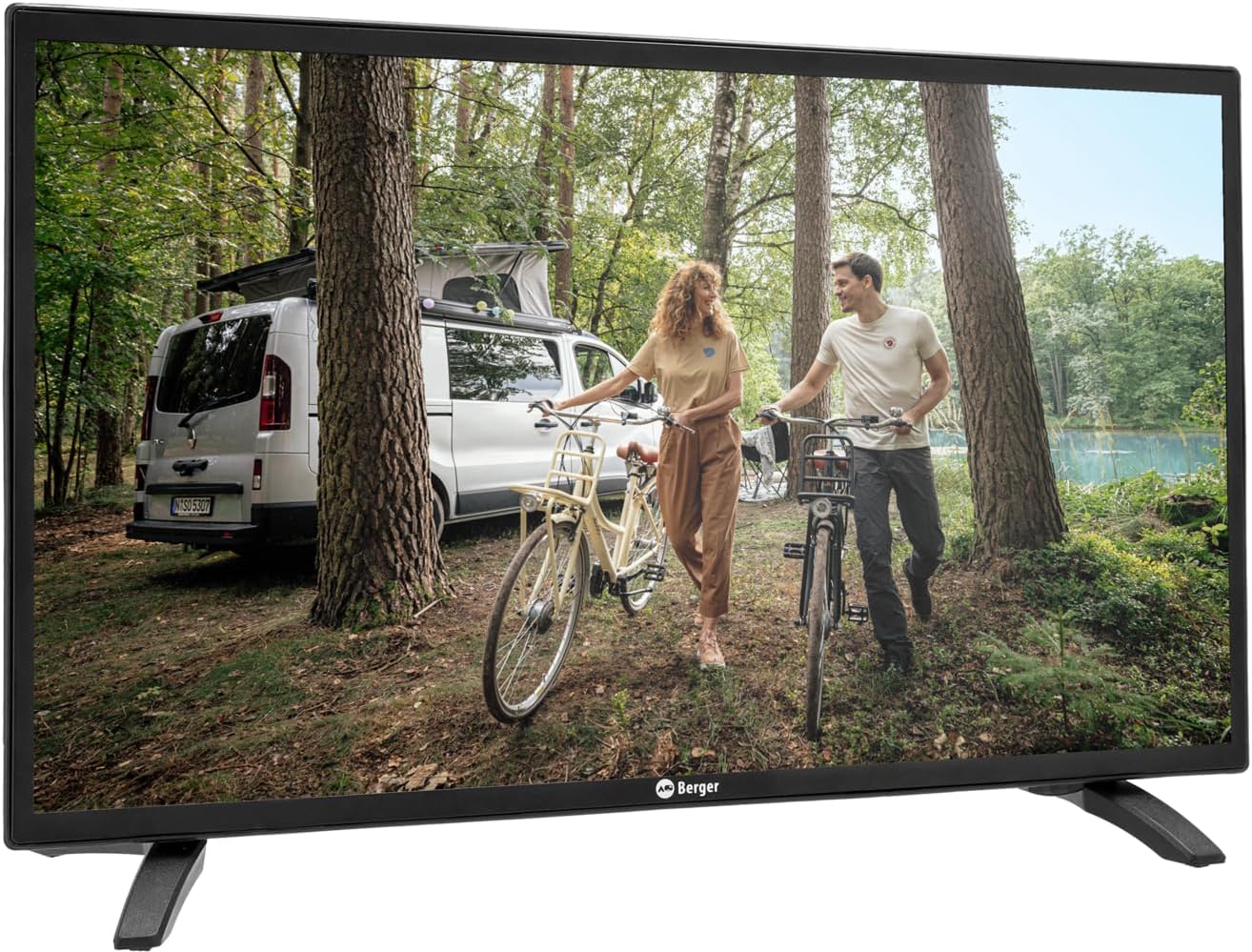
The BERGER Classiq Smart TV displayed in a mobile environment, highlighting its suitability for recreational vehicles.
2. Informació de seguretat
Observeu sempre les següents precaucions de seguretat per evitar descàrregues elèctriques, incendis o lesions:
- No exposeu el televisor a la pluja o la humitat.
- No bloquegeu les obertures de ventilació. Assegureu-vos que hi hagi prou espai al voltant del televisor per a la circulació de l'aire.
- Feu servir només l'adaptador de corrent i els cables subministrats pel fabricant.
- No obriu el televisor casing. Demaneu totes les tasques de manteniment a personal qualificat.
- Mantingueu el televisor allunyat de la llum solar directa, de fonts de calor i de temperatures extremes.
- Netegeu el televisor amb un drap suau i sec. No utilitzeu netejadors líquids ni en aerosol.
3. Contingut del paquet
Si us plau, comproveu que tots els articles estiguin presents i en bon estat en desempaquetar-los:
- BERGER Classiq Smart TV Unit
- IR Remote Control (batteries not included)
- 12/24V Cigarette Lighter Power Cable
- Suport de TV
- Manual d'usuari (aquest document)
- VESA Screws for mounting (please verify presence upon receipt, as some packages may vary)
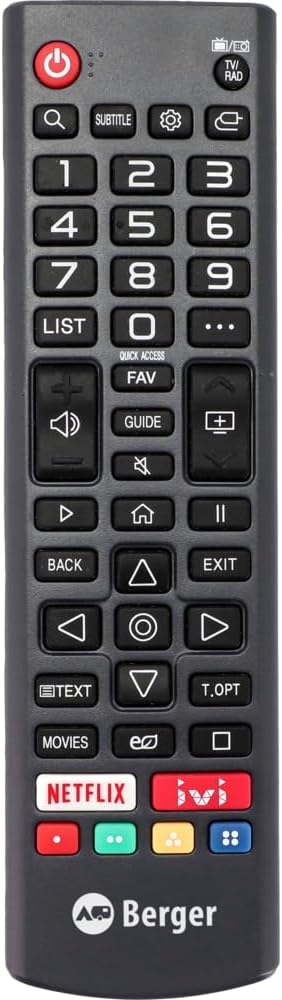
The infrared remote control for the BERGER Classiq Smart TV.

The 12/24V cigarette lighter power cable for mobile use.
4. Configuració
4.1 Desembalatge i col·locació
Carefully remove the TV from its packaging. You can place the TV on its included stand or mount it on a wall using a compatible VESA mount (VESA screws are included in the package). Ensure the TV is placed on a stable, level surface or securely mounted.
4.2 Connexió de potència
For mobile use in RVs, caravans, or trucks, connect the supplied 12/24V cigarette lighter cable to the TV's DC input port and then to your vehicle's 12V or 24V power outlet.
4.3 Antenna/Cable Connection
The BERGER Classiq Smart TV features a built-in Triple Tuner (DVB-S2/T2/C), allowing reception of satellite, terrestrial, and cable signals without additional external tuners.
- DVB-S2 (Satellite): Connect your satellite dish cable to the 'SAT IN' port.
- DVB-T2 (Terrestrial): Connect your terrestrial antenna cable to the 'ANT IN' port.
- DVB-C (Cable): Connect your cable TV signal to the 'ANT IN' port.
4.4 Configuració inicial i escaneig de canals
Upon first power-on, the TV will guide you through the initial setup process. This typically includes language selection, country, and channel scanning. Follow the on-screen prompts. For channel sorting or deletion, navigate to the TV's settings menu after the scan is complete. Detailed instructions for channel management can be found within the TV's on-screen help or settings.
4.5 Network Connection (WebSO)
Per accedir a les funcions de Smart TV, connecteu el televisor a Internet:
- Wi-Fi: Go to Settings > Network > Wi-Fi Connection. Select your network and enter the password. Note that in some mobile environments, Wi-Fi credentials may need to be re-entered if the network changes frequently.
- Amb cable: Connecteu un cable Ethernet des del vostre encaminador al port LAN del televisor.

posterior view of the BERGER Classiq Smart TV showing various input and output ports, including HDMI, USB, and antenna connections.

lateral view of the BERGER Classiq Smart TV, highlighting accessible ports like USB and headphone jack.
5. Funcionament del televisor
5.1 Funcions bàsiques
Use the remote control or the physical buttons on the TV (located on the back) to control basic functions:
- Potència: Premeu el botó d'engegada per encendre/apagar el televisor.
- Volum: Use VOL+/- buttons to adjust volume.
- Canal: Use CH+/- buttons to change channels.
- Font/Entrada: Press the SOURCE button to select input sources (HDMI, AV, Tuner, etc.).

Close-up of the physical control buttons located on the back of the BERGER Classiq Smart TV.
5.2 Funcions de Smart TV (WebSO)
Your BERGER Smart TV runs on WebOS, providing a user-friendly interface for accessing various features:
- App Store: Download and install your favorite streaming apps (e.g., Netflix, YouTube) from the integrated app store.
- Web Navegador: Navega per Internet directament al teu televisor.
- Serveis de streaming: Access pre-installed or downloaded streaming platforms.
5.3 Reproducció multimèdia via USB
Connect a USB drive to the TV's USB port to play back photos, videos, or music files. Navigate to the Media Player app on WebOS to access your content.
5.4 Connectivitat Bluetooth
Pair Bluetooth-enabled devices such as headphones or external speakers with your TV for enhanced audio experience. Go to Settings > Sound > Bluetooth to manage connections.
6. Manteniment
6.1 Neteja
Per netejar la pantalla, netegeu-la suaument amb un drap suau i sense borrissol. Per a marques difícils, netegeu-la lleugerament.ampen the cloth with water or a screen-specific cleaning solution. Do not spray liquid directly onto the screen. Clean the TV casinamb un drap sec i suau.
6.2 Actualitzacions de programari
Your BERGER Smart TV may receive software updates to improve performance and add new features. It is recommended to keep your TV connected to the internet to receive these updates automatically or check for them manually in the settings menu.
7. Solució De Problemes
Si teniu problemes amb el televisor, consulteu la taula següent per veure els problemes habituals i les seves solucions.
| Problema | Causa possible | Solució |
|---|---|---|
| La televisió no s'encén. | Sense font d'alimentació. | Check if the power cable is securely connected to the TV and the power outlet. Ensure the vehicle's power outlet is active. |
| No signal/Blank screen. | Incorrect input source or antenna/cable issue. | Press the SOURCE button on the remote to select the correct input. Check antenna/cable connections. Perform a channel scan if necessary. |
| Mala qualitat d'imatge. | Weak signal or incorrect resolution. | Adjust antenna position or check cable quality. Ensure the TV's resolution settings match the content. |
| Sense connexió a Internet. | Wi-Fi password incorrect or network issue. | Go to Network settings and re-enter your Wi-Fi password. Restart your router. If moving between locations, you may need to re-enter credentials for new networks. |
| WebOS feels slow. | System resources are being used by multiple apps or background processes. | Close unused applications. Restart the TV. Ensure the TV's software is up to date. |
| El comandament a distància no funciona. | Piles gastades o senyal obstruït. | Canvieu les piles. Assegureu-vos que no hi hagi cap obstrucció entre el comandament a distància i el sensor d'infrarojos del televisor. |
| Difficulty sorting/deleting channels. | Unfamiliarity with menu navigation. | Refer to the TV's on-screen settings menu for channel management options. If issues persist, contact customer support. |
8. Especificacions tècniques
| Característica | Especificació |
|---|---|
| Nom del model | Classiq 22 |
| Mida de la pantalla (diagonal) | 22 polzades (55.9 cm) |
| Resolution (22-27 inch models) | 1920x1080 (Full HD) |
| Viewangle ing | 178°/178° |
| Tipus de sintonitzador | Triple-Tuner (DVB-S2/T2/C) |
| Font d'alimentació | 12V/24V (specifically for mobile use) |
| Ranura CI+ | Yes (for Pay-TV cards) |
| Sistema operatiu | WebOS |
| Connectivitat | Wired, Wireless (Wi-Fi), Bluetooth |
| Característiques especials | Portable, Integrated Speaker, USB Media Playback, Web Browser, App Store |
| Dimensions del producte (amb suport) | 16.5 de profunditat x 53.5 d'amplada x 32.8 d'alçada cm |
| Tecnologia de pantalla | LED |
| Freqüència d'actualització | 60 Hz |

Official product data sheet providing detailed technical specifications and energy efficiency information. For more details, visit the Base de dades EPREL.

The energy efficiency label for the BERGER Classiq Smart TV, indicating its energy class and consumption. For more details, visit the Base de dades EPREL.
9. Garantia i Suport
Your BERGER Classiq Smart TV is designed for durability and performance. The manufacturer guarantees product support for a minimum of 8 years. For specific warranty terms and conditions, please refer to the documentation provided with your purchase or contact the manufacturer directly.
Atenció al client:
Fabricant: Berger
Venedor: Fritz Berger GmbH
Weblloc: www.fritz-berger.de
Correu electrònic: Daniel.Sediatschek@fritz-berger.de
Telèfon: 09183 330-0
Si us plau, tingueu a mà el número de model i la informació de compra quan us poseu en contacte amb el servei d'assistència.


