Introducció
This manual provides essential information for setting up, operating, and maintaining your HP 15.6-inch Laptop, model 15-fc0499nr. Designed for everyday use, this laptop features an AMD Ryzen 5 7520U processor, 8 GB of RAM, a 512 GB SSD, and AMD Radeon Graphics, all running on Windows 11 Home. Its HD touchscreen display offers intuitive interaction, while integrated features like a high-quality camera and noise reduction software enhance collaboration. Please read this manual thoroughly to ensure optimal performance and longevity of your device.
1. Configuració inicial
1.1 Unpacking and First Power On
Carefully remove your HP laptop and its accessories from the packaging. Ensure all components listed in the 'What's in the Box' section are present. Connect the 45 W AC power adapter to the laptop and a power outlet. Open the laptop lid and press the power button to turn on the device.
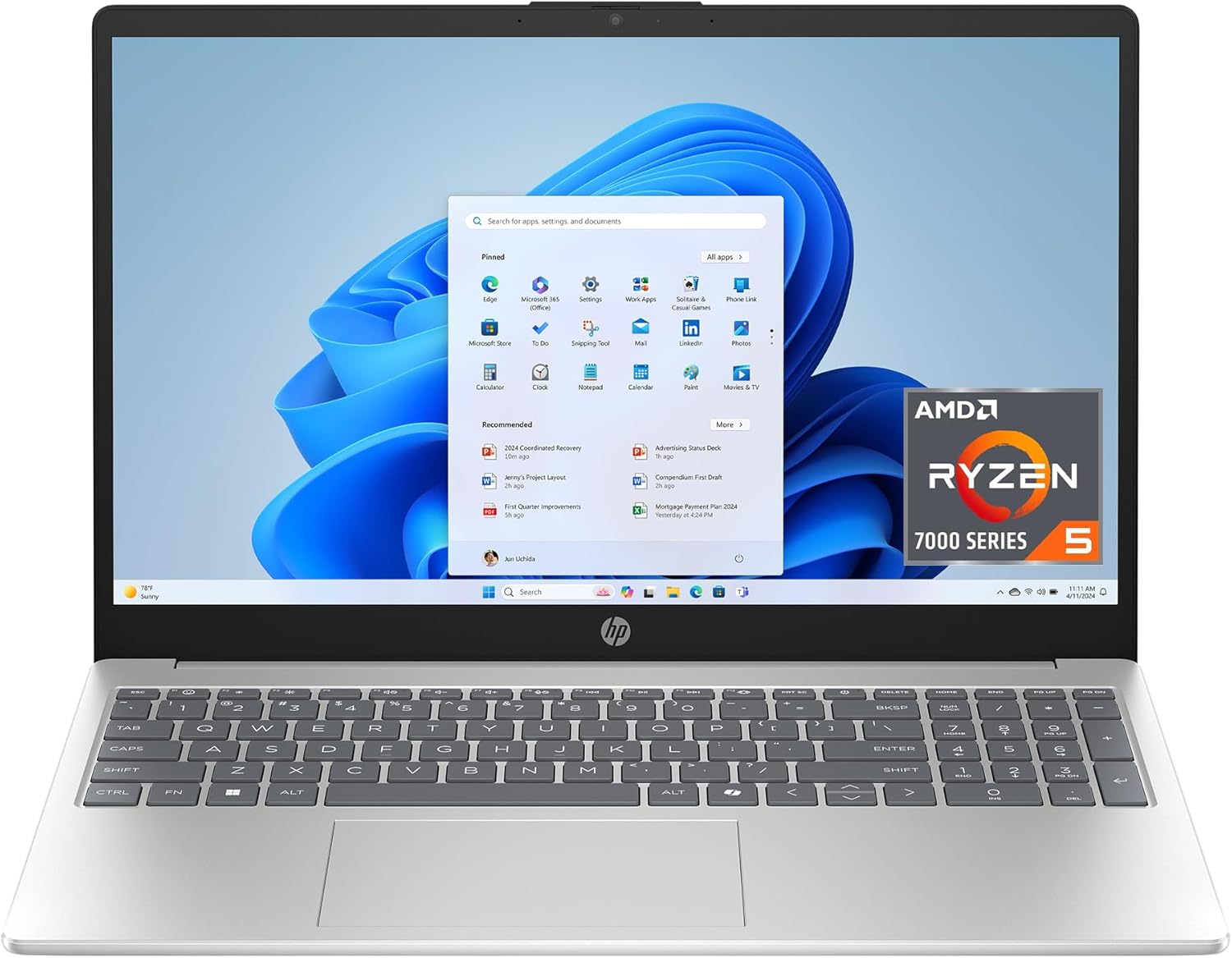
Figure 1: HP 15.6-inch Laptop powered on, displaying the Windows 11 desktop.
1.2 Windows 11 Home Setup
Follow the on-screen instructions to complete the Windows 11 Home setup. This includes selecting your region and language, connecting to a Wi-Fi network, accepting the license terms, and creating a user account. An internet connection is required for initial setup and updates.
1.3 Connexió de perifèrics
El vostre portàtil està equipat amb diversos ports per connectar dispositius externs:
- Ports USB tipus A: Per connectar dispositius USB com ara ratolins, teclats o emmagatzematge extern.
- Port USB tipus C: Per transferència de dades. Note: This port does not support charging or external monitors.
- Port HDMI 1.4b: Per connectar a una pantalla o televisor extern.
- Presa combinada per a auriculars/micròfon: Per connectar auriculars o uns auriculars.
- Pin intel·ligent de CA: Per connectar l'adaptador de corrent.

Figure 2: Left side ports including USB Type-C, HDMI, and headphone/microphone combo jack.

Figure 3: Right side ports including USB Type-A and AC smart pin.
2. Com fer servir el portàtil
2.1 Touchscreen and Touchpad Navigation
The 15.6-inch HD touchscreen allows for direct interaction with the display. Use gestures such as tapping, swiping, pinching, and zooming for navigation. The integrated touchpad also supports multi-touch gestures for precise control.

Figure 4: User interacting with the HD touchscreen display.
2.2 Ús del teclat
The full-size keyboard provides a comfortable typing experience. It includes a dedicated numeric keypad for efficient data entry. Familiarize yourself with function keys (Fn) for quick access to system controls like volume, brightness, and Wi-Fi.
2.3 Windows 11 Features
Your laptop comes with Windows 11 Home, offering a refreshed user interface and new functionalities:
- Redesigned Start Menu: Access your apps and files amb facilitat.
- Snap Layouts and Groups: Organize your open windows for improved multitasking.
- Microsoft Copilot Key: Quickly access AI assistance for intelligent answers and creative tasks.

Figure 5: Close-up of the keyboard highlighting the Microsoft Copilot key.
2.4 Connectivitat sense fil
The laptop supports Wi-Fi 6 (802.11ax) for fast and stable internet connections, and Bluetooth 5.4 for connecting wireless accessories like headphones or speakers.
3. Característiques clau
- Processador: AMD Ryzen 5 7520U (up to 4.3 GHz max boost clock, 4 MB L3 cache, 4 cores, 8 threads) for reliable performance.
- Gràfics: Integrated AMD Radeon Graphics for smooth visuals and casual entertainment.
- Memòria: 8 GB LPDDR5-5500 MT/s RAM (onboard) for efficient multitasking.
- Emmagatzematge: 512 GB PCIe NVMe M.2 SSD for fast boot times and quick application loading.
- Visualització: 15.6-inch diagonal, HD (1366 x 768), touch, micro-edge, anti-glare, 250 nits, 62.5% sRGB.
- Àudio: Tuned stereo speakers for clear sound.
- Càmera: HP True Vision HD camera with temporal noise reduction for clear video calls.
- Micròfon: Dual array digital microphones with noise reduction software.

Figura 6: Mésview of key specifications for the HP 15.6-inch Laptop.

Figure 7: Laptop in use for video conferencing, emphasizing communication features.
4. Gestió de la bateria
The HP 15.6-inch Laptop features a long-lasting battery with HP Fast Charge technology. It can charge from 0% to 50% in approximately 45 minutes. The average battery life is rated at 10.45 hours for mixed usage.
- To maximize battery life, adjust screen brightness, close unused applications, and enable battery saver mode in Windows settings.
- Always use the provided 45 W AC power adapter for charging.

Figure 8: Laptop highlighting long battery life and fast charging capabilities.
5. Manteniment i cura
5.1 Neteja general
To keep your laptop in optimal condition, regularly clean the screen and keyboard. Use a soft, lint-free cloth slightly dampened with water or a screen cleaner for the display. For the keyboard, use compressed air to remove dust and debris.
5.2 Actualitzacions de programari
Ensure your Windows operating system and drivers are up to date. Regular updates provide security enhancements and performance improvements. You can check for updates through Windows Settings.
5.3 Consideracions ambientals
This HP laptop is designed with environmental responsibility in mind, containing recycled materials and being EPEAT Gold registered and ENERGY STAR Certified. Dispose of electronic waste responsibly according to local regulations.

Figure 9: Laptop showcasing its environmental certifications.
6. Resolució de problemes comuns
- El portàtil no s'encén: Assegureu-vos que l'adaptador de corrent estigui connectat correctament i que la presa de corrent funcioni. Proveu una altra presa de corrent.
- Rendiment lent: Close unnecessary applications, check for background processes, and ensure sufficient free space on the SSD. Run Windows Update.
- Problemes de connectivitat Wi-Fi: Restart your router and modem. Check if Wi-Fi is enabled on the laptop and try reconnecting to the network.
- La pantalla tàctil no respon: Restart the laptop. Ensure the display drivers are up to date.
- Keyboard keys not responding: Reinicieu el portàtil. Comproveu si hi ha obstruccions físiques sota les tecles.
7. Especificacions tècniques
| Característica | Detall |
|---|---|
| Nom del model | HP Laptop 15-fc0499nr |
| Processador | AMD Ryzen 5 7520U (fins a 4.3 GHz) |
| RAM | 8 GB LPDDR5-5500 MT/s |
| Emmagatzematge | SSD M.2 PCIe NVMe de 512 GB |
| Gràfics | Gràfics AMD Radeon |
| Mostra | 15.6-inch HD (1366 x 768) Touchscreen, Anti-Glare |
| Sistema operatiu | Windows 11 Home |
| Connectivitat sense fil | Wi-Fi 6 (802.11ax), Bluetooth 5.4 |
| Ports | 1 USB Type-C (data only), 2 USB Type-A, 1 HDMI 1.4b, 1 Headphone/Microphone Combo, 1 AC Smart Pin |
| Durada de la bateria (mitjana) | 10.45 hores |
| Pes | 3.52 lliures |
| Dimensions (LxWxH) | 14.17 x 9.29 x 0.73 polzades |

Figure 10: Physical dimensions and weight of the HP 15.6-inch Laptop.
8. Què hi ha a la caixa
- HP Laptop 15-fc0499nr
- Adaptador de corrent altern de 45 W
- Instruccions de configuració (aquest manual)

Figure 11: Items included with your HP 15.6-inch Laptop.
9. Garantia i Suport
Your HP 15.6-inch Laptop comes with a Garantia limitada de maquinari de 1 anysA més, rebràs 90 days of limited technical support for software and initial setup. For assistance, please refer to the HP support weblloc o contacteu amb el servei d'atenció al client. Web support is available 24 hours a day, 7 days a week.
Per a més informació, visiteu l'oficial Botiga HP a Amazon.