1. Introducció
The Roborock Q7 M5+ is an advanced robotic vacuum and mop designed to provide efficient and hands-free cleaning for your home. Featuring powerful suction, intelligent navigation, and a self-emptying dock, it simplifies your cleaning routine. This manual provides essential information for setting up, operating, maintaining, and troubleshooting your device.

Figure 1: Roborock Q7 M5+ Robot Vacuum and Mop with Auto-Empty Dock and Smartphone App.
2. Què hi ha a la caixa
- Robot (1)
- Moll de buidatge automàtic (1)
- Cable d'alimentació (1)
- Mòdul de fregona (1)
- Mopa (1)
- Estora impermeable (1)
- Guia d'inici ràpid (1)
- Manual d'usuari (1)
3. Configuració
3.1 Desembalatge i col·locació
Carefully remove all components from the packaging. Place the Auto-Empty Dock on a hard, flat surface against a wall, ensuring there is at least 0.5 meters (1.6 feet) of clear space on both sides and 1.5 meters (4.9 feet) in front. Connect the power cord to the dock and plug it into a power outlet.
3.2 Càrrega inicial
Place the robot onto the charging dock. The robot will automatically power on and begin charging. Ensure the robot is fully charged before its first use for optimal performance.
3.3 Instal·lació i connexió de l'aplicació
- Download the Roborock App from your mobile device's app store (iOS or Android).
- Obre l'aplicació i crea un compte o inicia la sessió.
- Follow the in-app instructions to add your Roborock Q7 M5+ device. Ensure your Wi-Fi network is 2.4GHz, as the app supports this frequency only.
- The app will guide you through connecting the robot to your home Wi-Fi network.
3.4 Mapatge inicial
After connecting to the app, initiate a Quick Mapping run. The robot will use its PreciSense LiDAR Navigation System to scan your home and create a detailed map. This map is crucial for efficient cleaning paths and setting up features like no-go zones.

Figure 2: PreciSense LiDAR Navigation for precise mapping.
4. Operating Your Roborock Q7 M5+
4.1 Inici i aturada de la neteja
- Mitjançant l'aplicació: Open the Roborock App and tap 'Clean' to start a full cleaning cycle. You can also select specific rooms or zones to clean.
- Mitjançant botons de robot: Press the Power button on the robot to start or pause cleaning. Press the Home button to send the robot back to its dock.
4.2 Modes i configuracions de neteja
The Roborock Q7 M5+ offers versatile cleaning options:
- Aspirar: Utilizes 10000Pa HyperForce Suction Power for deep cleaning.
- Fregar: Electronically controlled water flow with three adjustable levels for different floor types. Attach the mop module before mopping.
- Vacuum and Mop in One Go: Aspira i frega simultàniament per a una neteja completa.

Figure 3: 10000Pa HyperForce Suction Power for thorough cleaning.

Figure 4: Vacuum and Mop in One Go capability.
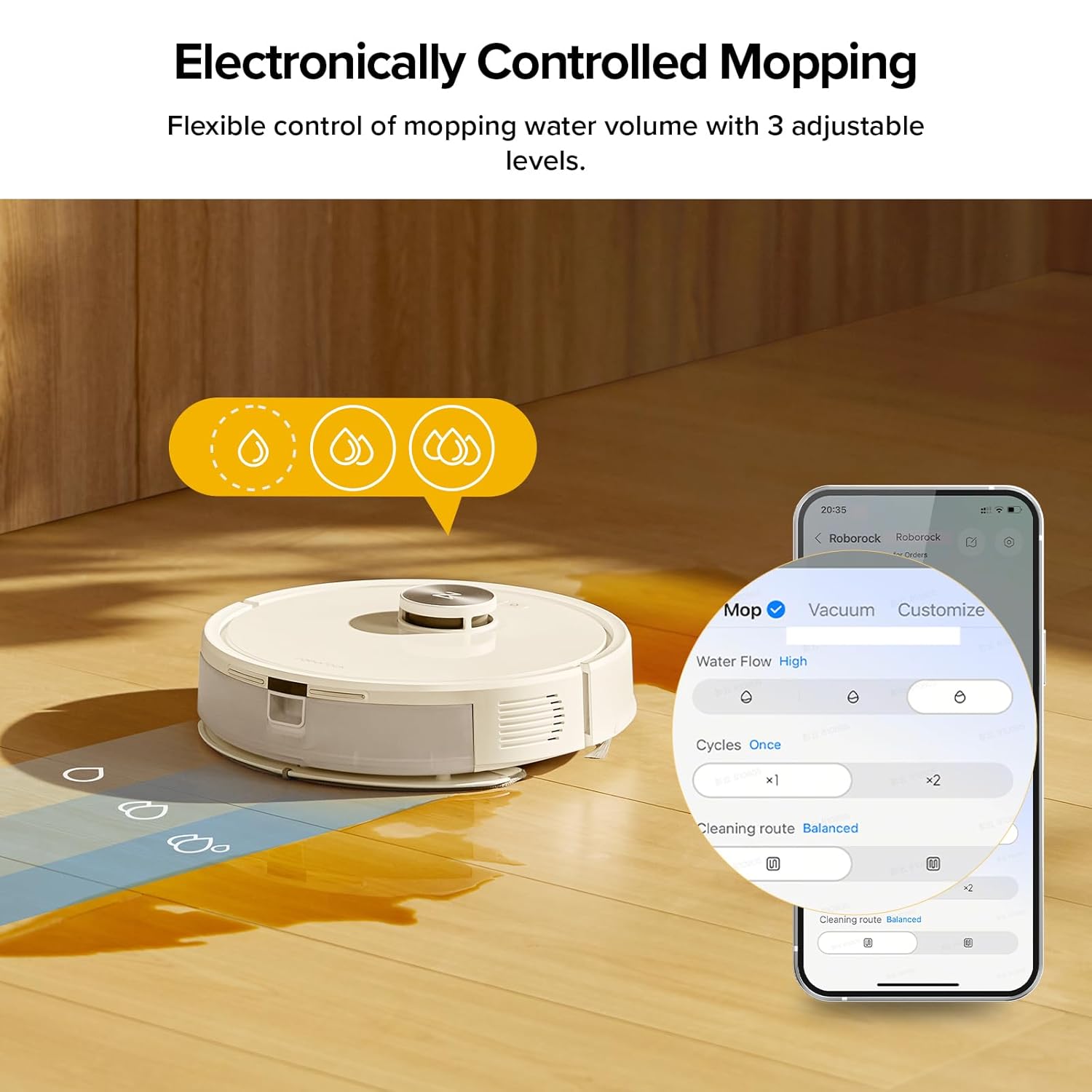
Figure 5: Electronically Controlled Mopping with adjustable water levels.
4.3 Funcions intel·ligents mitjançant el control de l'aplicació
The Roborock App provides extensive control over your robot:
- Neteja programada: Estableix hores específiques perquè el robot netegi automàticament.
- Zones prohibides i murs invisibles: Defineix les zones que el robot ha d'evitar.
- Mapatge multinivell: Supports mapping up to 3 different floor plans.
- Carpet Handling Options: Adjust behavior on carpets (e.g., Carpet Boost for increased suction).
- Bloqueig per a nens: Prevents accidental operation by children or pets.
- Càrrega fora de punta: Schedule charging during off-peak hours to save energy costs.
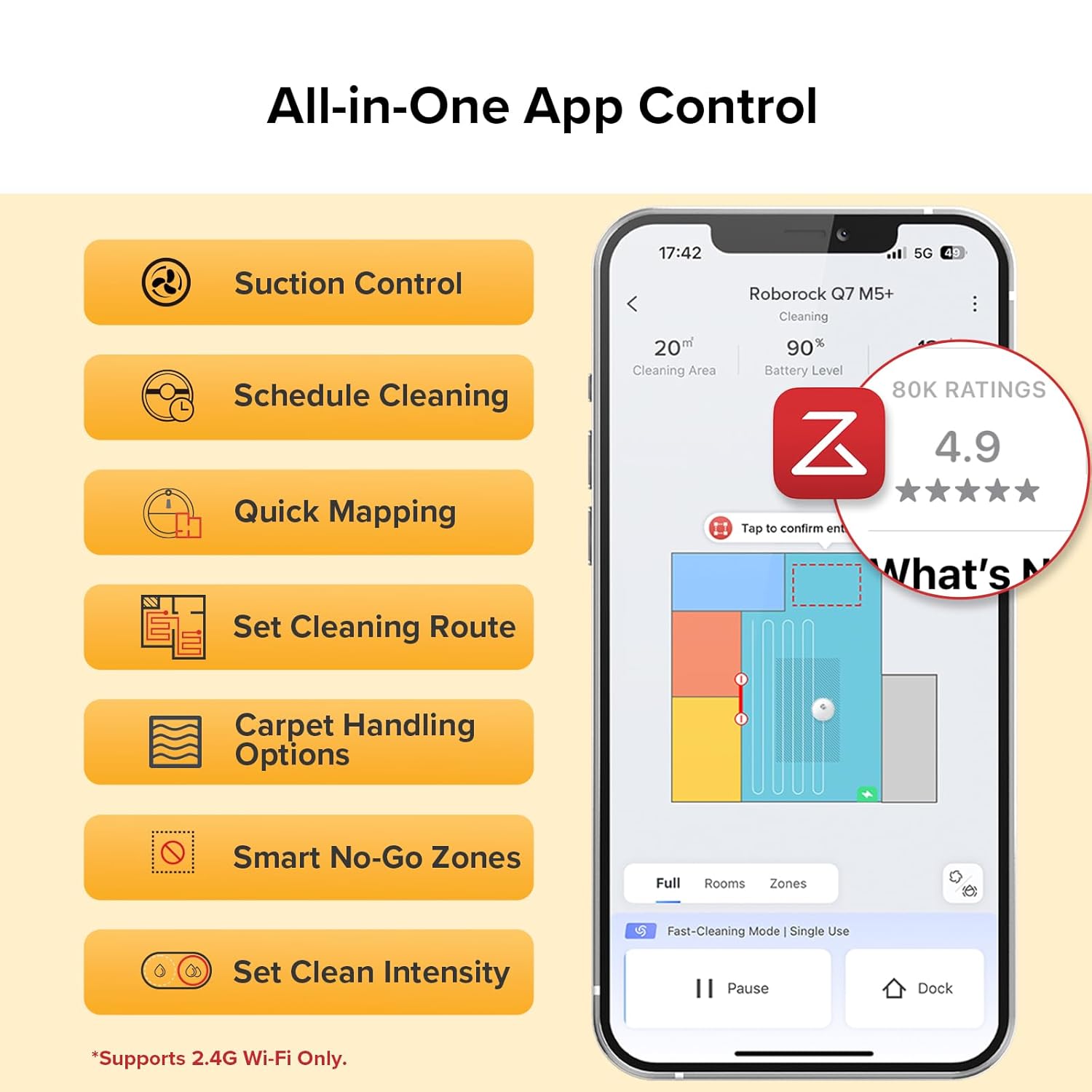
Figure 6: All-in-One App Control for comprehensive management.
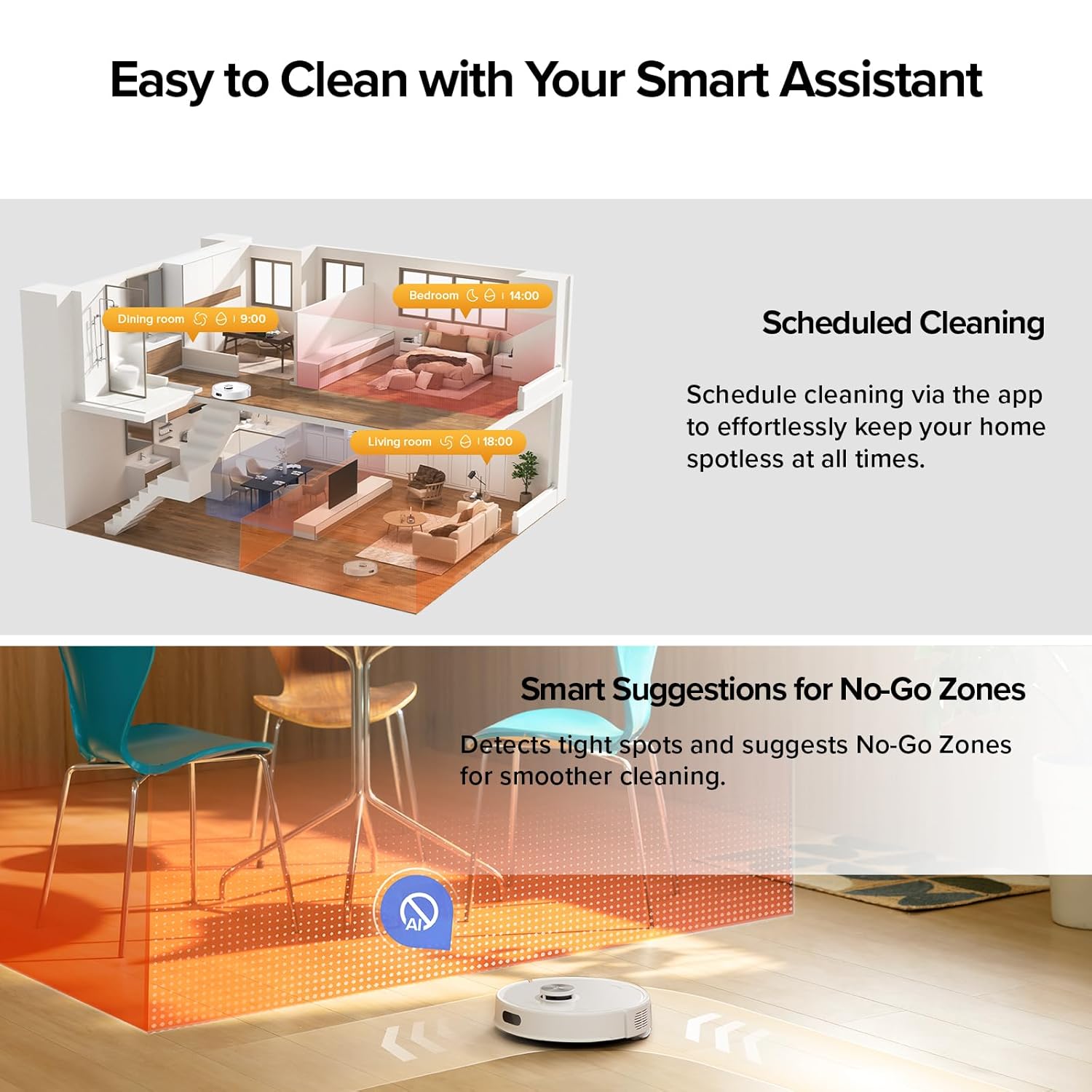
Figure 7: Scheduled Cleaning and Smart Suggestions for No-Go Zones.
5. Manteniment
Regular maintenance ensures optimal performance and extends the lifespan of your Roborock Q7 M5+.
5.1 Base i bossa de pols amb buidatge automàtic
The RockDock Plus features a 2.7L sealed dust bag, allowing for up to 7 weeks of hands-free cleaning. Replace the dust bag when indicated by the app or when full.

Figure 8: The 2.7L dust bag in the Auto-Empty Dock provides 7 weeks of hands-free cleaning.
5.2 Pinzells i filtres
- Pinzell principal: The Dual Anti-Tangle System with JawScrapers main brush reduces hair tangles. Regularly remove the main brush and clean any entangled hair or debris.
- Raspall lateral: The 0% hair-tangling side brush also requires occasional inspection and cleaning to remove any accumulated debris.
- Filtres: Clean the air filter in the robot's dustbin regularly. Tap out dust or rinse with water if applicable (refer to specific filter instructions). Ensure it is completely dry before reinserting.

Figure 9: Dual Anti-Tangle Design for reduced hair wrap.
5.3 Mopping Pad
After each mopping session, remove the mopping pad from the mop module and clean it thoroughly. It can be hand-washed or machine-washed according to care instructions.
5.4 Sensors i contactes de càrrega
Wipe the robot's sensors (cliff sensors, wall sensor, etc.) and the charging contacts on both the robot and the dock with a clean, dry cloth periodically to ensure proper function.
6. Solució De Problemes
If you encounter issues with your Roborock Q7 M5+, refer to the following common problems and solutions:
| Problema | Causa possible | Solució |
|---|---|---|
| El robot no s'engega ni respon. | Bateria baixa; Botó d'engegada no premut; Robot encallat. | Charge the robot; Press and hold the Power button; Clear any obstructions. |
| Mal rendiment de neteja. | Full dustbin; Clogged filter; Worn brushes. | Empty dustbin/replace dust bag; Clean/replace filter; Clean/replace brushes. |
| El robot no pot tornar al moll. | Dock is obstructed; Robot is too far from dock; Dirty charging contacts. | Clear area around dock; Manually place robot near dock; Clean charging contacts. |
| Problemes de connectivitat de l'aplicació. | Incorrect Wi-Fi password; Router issues; 5GHz Wi-Fi network. | Verify password; Restart router; Ensure 2.4GHz Wi-Fi is used. |
| El robot es queda encallat sovint. | Obstacles; No-go zones not set; Robot attempting to climb obstacles. | Clear small obstacles; Set No-Go Zones in app; Relocate bouncers/items that cause it to get stuck. |
For more detailed troubleshooting, please refer to the official User Manual PDF available for download or contact Roborock customer support.
7. Especificacions
| Característica | Especificació |
|---|---|
| Nom del model | Roborock Q7 M5+ |
| Dimensions del producte | 19.57 cm de llargada x 12.8 cm d'amplada x 10.24 cm d'alçada |
| Pes de l'article | 10.58 lliures |
| Potència d'aspiració | 10000Pa HyperForce |
| Capacitat de la bossa de pols | 2.7L (up to 7 weeks hands-free) |
| Sistema de navegació | PreciSense LiDAR |
| Control d'aplicacions | Yes (2.4GHz Wi-Fi only) |
| Tipus de bateria | 4 piles AA (incloses) |
| Color | Blanc |
8. Garantia i Suport
Roborock products are designed for durability and performance. For specific warranty information, please refer to the warranty card included with your product or visit the official Roborock weblloc. També podeu considerar la compraasinPlans de protecció estesa per a una cobertura addicional.
For customer support, technical assistance, or to purchase accessories, please visit the Botiga Roborock a Amazon or consult the full User Manual PDF: Roborock Q7 M5+ User Manual PDF.


