1. Introducció
The MCHOSE G75 Pro is a versatile 75% layout wireless mechanical keyboard designed for optimal performance and user experience. It features a gasket-mounted structure with 5 layers of sound and shock-absorbing dampening, vibrant RGB backlighting, and tri-mode connectivity (2.4GHz wireless, Bluetooth, and wired USB-C). The keyboard also supports hot-swappable switches, allowing for easy customization and maintenance.
2. Contingut del paquet
Si us plau, verifiqueu que tots els elements siguin presents al vostre paquet:
- MCHOSE G75 Pro Wireless Mechanical Keyboard
- Cable USB-C a USB-A
- Receptor sense fils de 2.4 GHz
- Extractor de tecles
- Manual d'usuari (aquest document)
3. Producte acabatview
The MCHOSE G75 Pro features a compact 75% layout, which includes function keys, arrow keys, and a navigation cluster, while minimizing desk space. Its robust construction incorporates a gasket-mounted design for a flexible and comfortable typing feel.

Image: The MCHOSE G75 Pro keyboard showcasing el seu disseny compacte del 75%.
Internally, the keyboard utilizes a 5-layer dampening system, including Poron foam, IXPE foam, and a PET film, to enhance typing acoustics and reduce vibrations, providing a satisfying sound profile.

Image: Diagram illustrating the 5-layer gasket-mounted dampening structure of the keyboard.
The keyboard offers flexible connectivity options through a mode switch located on the side, allowing seamless transitions between wired, 2.4GHz wireless, and Bluetooth modes.
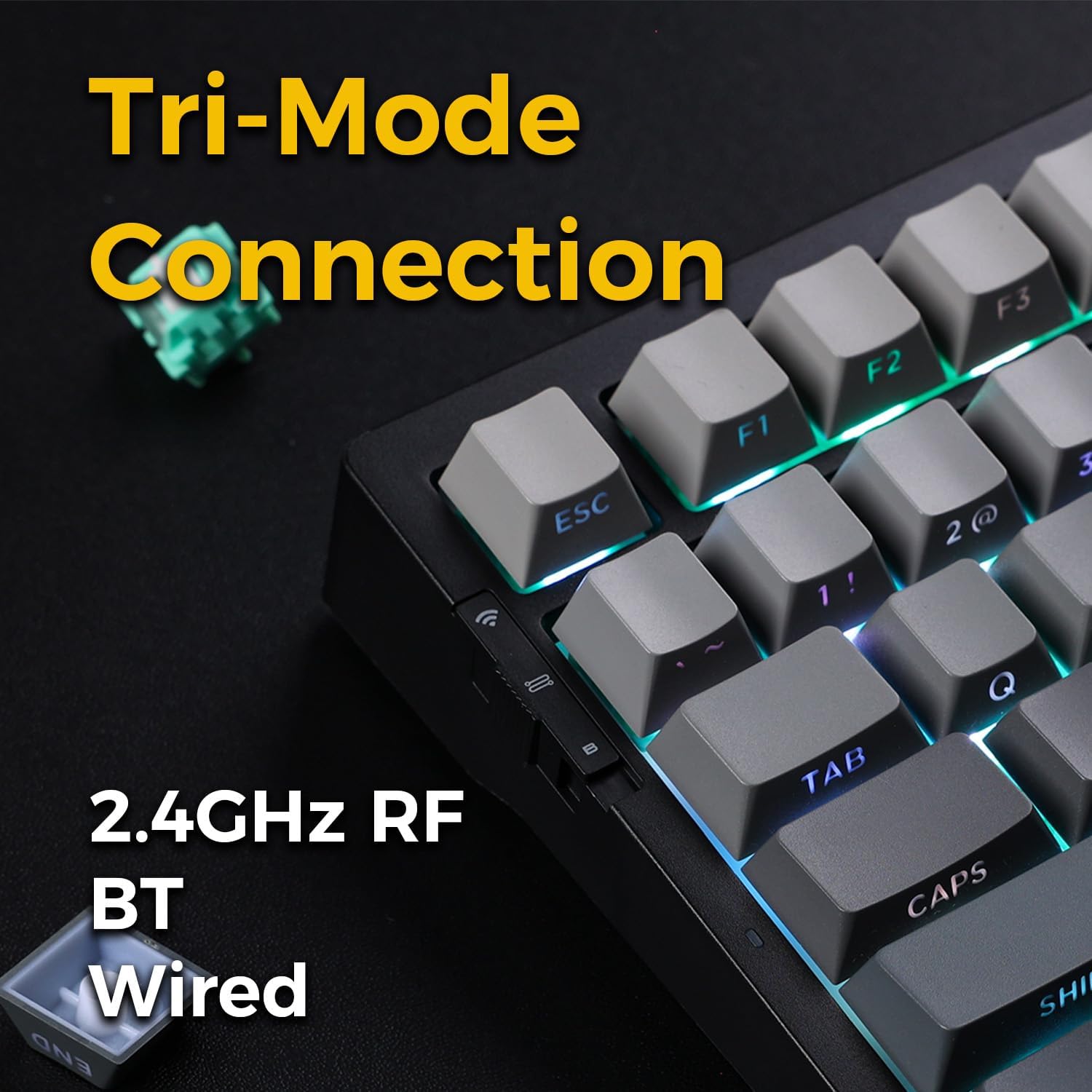
Image: Close-up of the tri-mode connection switch and USB-C port on the keyboard's side.
4. Configuració
4.1 Càrrega inicial
Before first use, connect the keyboard to a USB power source using the provided USB-C cable. The keyboard is equipped with 2 Lithium Polymer batteries. A full charge ensures optimal wireless performance.
4.2 Modes de connectivitat
The MCHOSE G75 Pro supports three connection modes: Wired, 2.4GHz Wireless, and Bluetooth. Use the switch on the side of the keyboard to select your desired mode.
4.2.1 Connexió per cable
- Set the mode switch on the keyboard to the 'Wired' position.
- Connecteu l'extrem USB-C del cable al teclat i l'extrem USB-A a l'ordinador.
- El sistema operatiu reconeixerà automàticament el teclat.
Connexió sense fil 4.2.2 de 2.4 GHz
- Set the mode switch on the keyboard to the '2.4G' position.
- Insert the 2.4GHz wireless receiver into an available USB port on your computer.
- The keyboard should connect automatically. If not, press and hold the Fn key + the 2.4G key (usually indicated by a wireless icon) for 3 seconds to initiate pairing.
4.2.3 Connexió Bluetooth
- Set the mode switch on the keyboard to the 'BT' position.
- A l'ordinador o dispositiu, activeu el Bluetooth i cerqueu dispositius nous.
- On the keyboard, press and hold Fn + 1, Fn + 2, o Fn + 3 for 3 seconds to enter pairing mode for one of the three available Bluetooth channels. The indicator light will flash rapidly.
- Select 'MCHOSE G75 Pro' from the list of available devices on your computer.
- Once paired, the indicator light will stop flashing. You can switch between paired Bluetooth devices by pressing Fn + 1, Fn + 2, o Fn + 3 breument.
5. Instruccions de funcionament
5.1 Funcions clau
The MCHOSE G75 Pro utilizes an Fn (Function) key for accessing secondary key functions, including multimedia controls, lighting adjustments, and system shortcuts. Refer to the keycap legends for specific Fn combinations.
Common Fn Key Combinations:
- Fn + F1-F12: Access multimedia controls or system functions (e.g., volume, play/pause, brightness).
- Fn + Arrow Keys: Adjust RGB lighting effects (e.g., brightness, speed, direction).
- Fn + Retrocés: Delete.
- Fn + Win: Tecla de bloqueig/desbloqueig de Windows.
5.2 Il·luminació de fons RGB
The keyboard features customizable RGB backlighting with south-facing LEDs for enhanced visibility and compatibility with various keycap profiles. You can adjust lighting modes, colors, and brightness.
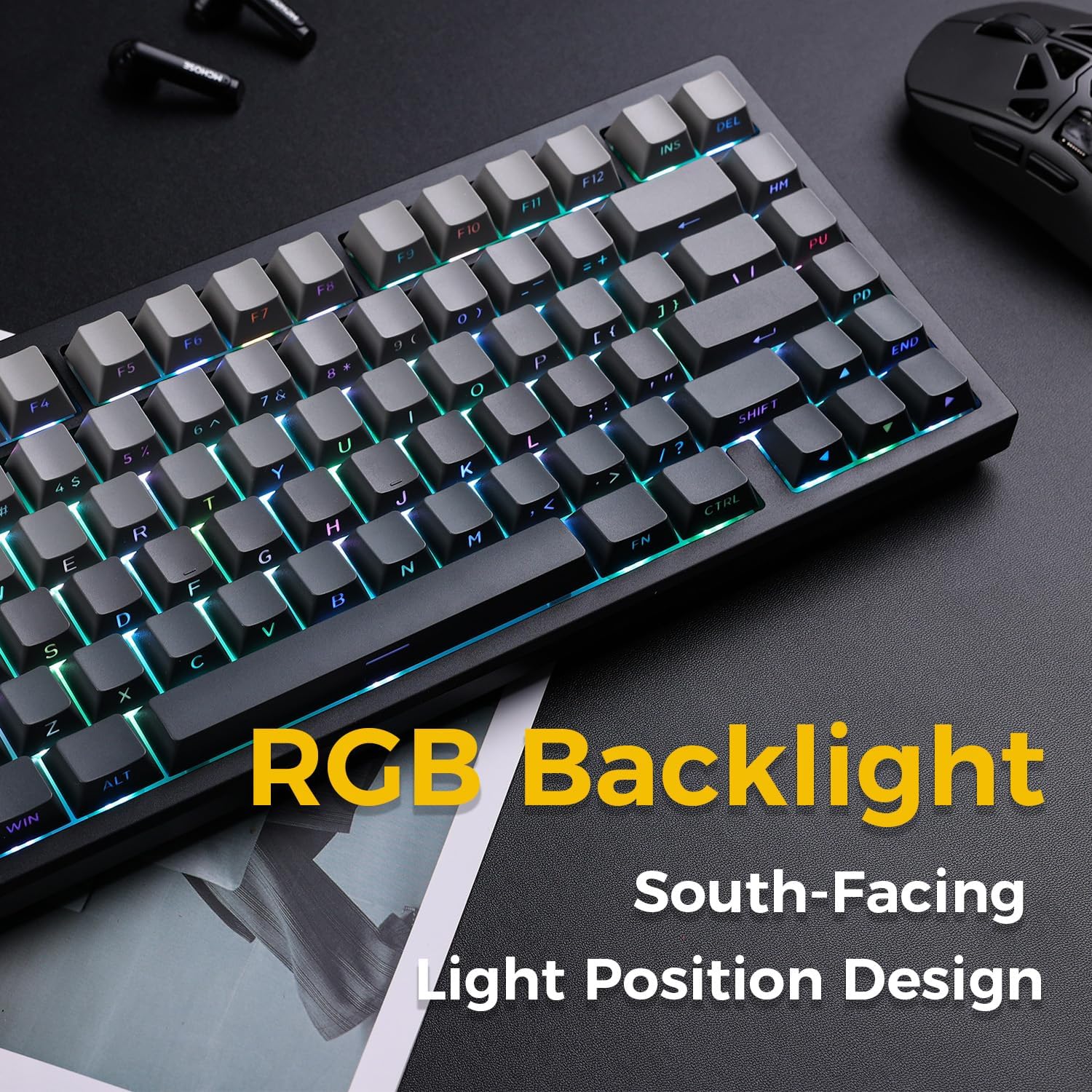
Image: The MCHOSE G75 Pro keyboard displaying its vibrant RGB backlighting.
Adjusting RGB Effects:
- Fn + \|: Canvia entre diferents efectes d'il·luminació.
- Fn +: Decrease lighting speed.
- Fn + >: Increase lighting speed.
- Fn + Fletxa amunt: Augmenta la brillantor.
- Fn + Fletxa avall: Decrease brightness.
5.3 Commutadors intercanviables en calent
The MCHOSE G75 Pro is equipped with hot-swappable sockets, allowing you to easily change mechanical switches without soldering. This feature enables customization of typing feel and sound.
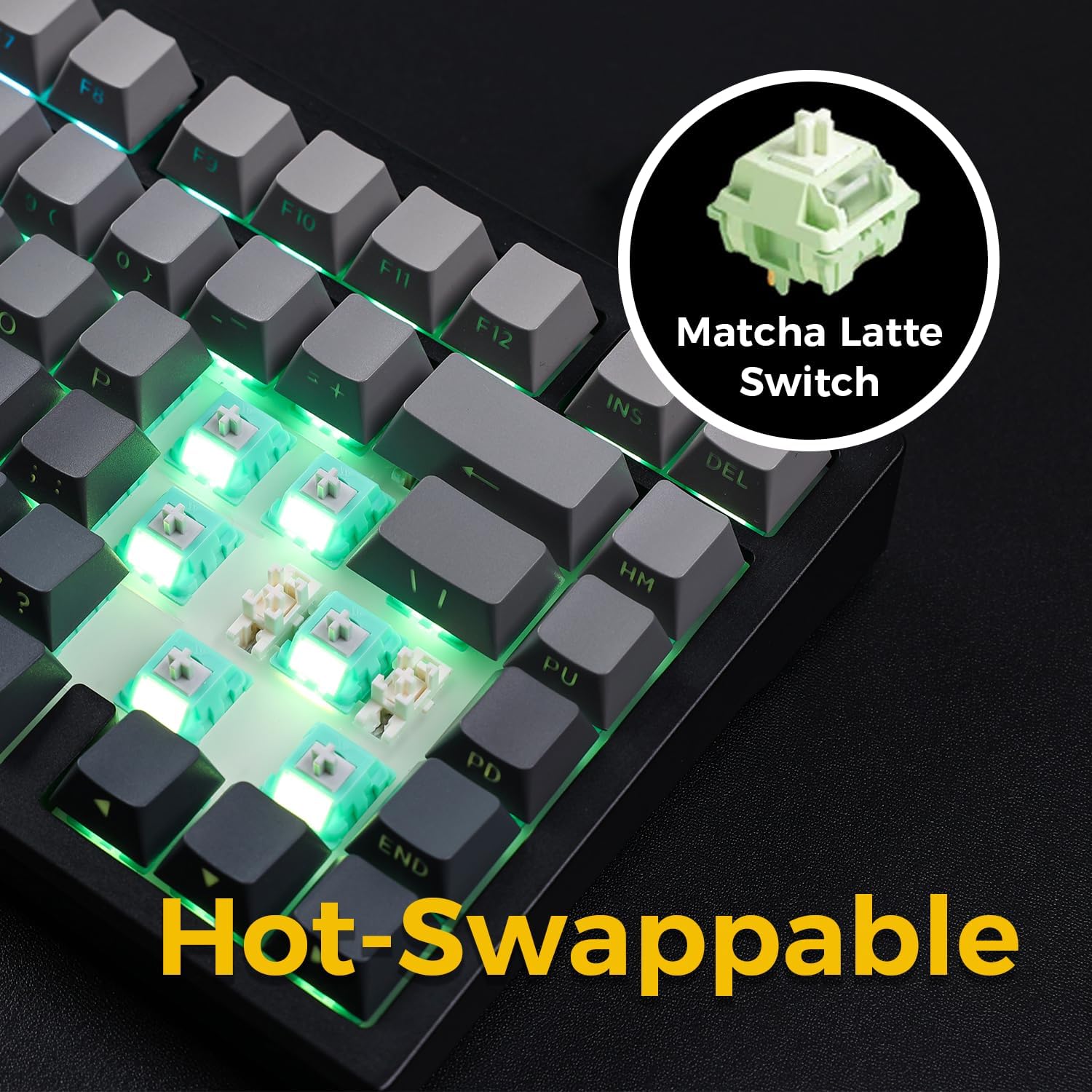
Image: The keyboard with several keycaps and switches removed, demonstrating the hot-swappable feature.
Especificacions de l'interruptor:
The keyboard may come with Matcha Latte Switch V2 or Cabbage Tofu Switch V2, depending on the variant.
- Matcha Latte Switch V2:
Força operativa: 45 ± 8 gf
Previa de viatge: 2.0 ± 0.4 mm
Recorregut total: 3.6 ± 0.2 mm - Cabbage Tofu Switch V2:
Força operativa: 45 ± 5 gf
Previament: 1.9 ± 0.3 mm
Travel distance: 4.0±0.5mm
6. Manteniment
6.1 Neteja
Per mantenir l'aspecte i la funcionalitat del teclat:
- Desconnecteu el teclat de l'ordinador abans de netejar-lo.
- Utilitzeu un drap suau i sense pelusa lleugerament dampesbandiu amb aigua o una solució de neteja suau per netejar les tecles i casing.
- For dust and debris between keycaps, use compressed air or the provided keycap puller to remove keycaps and clean thoroughly.
- Eviteu utilitzar productes químics o materials abrasius.
6.2 Substitució de la tapa de les tecles i l'interruptor
The included keycap puller can be used to carefully remove keycaps. For switch replacement, use a switch puller (not included unless specified) to gently remove the existing switch. Align the new 3-pin or 5-pin mechanical switch with the hot-swap socket and press firmly until it clicks into place. Ensure pins are not bent during installation.
7. Solució De Problemes
7.1 El teclat no respon
- Ensure the keyboard is sufficiently charged.
- Check the mode switch to confirm it is set to the correct connection type (Wired, 2.4G, or BT).
- Per a una connexió amb cable, proveu un port o cable USB diferent.
- For 2.4GHz wireless, ensure the receiver is securely plugged in and try re-pairing (Fn + 2.4G key).
- For Bluetooth, ensure Bluetooth is enabled on your device and try re-pairing (Fn + 1/2/3).
- Reinicieu l'ordinador.
7.2 La retroiluminació RGB no funciona/és incorrecta
- Assegureu-vos que el teclat estigui encès.
- Use Fn key combinations (e.g., Fn + Up/Down Arrow) to adjust brightness.
- Cycle through lighting effects using Fn + \|.
- If specific keys are not lighting up, check if the switch is properly seated or if the LED is damaged.
7.3 Software Compatibility (Windows/macOS)
While the keyboard functions plug-and-play, some advanced customization may require dedicated software. Please note that official software might have limited language support or compatibility issues, particularly with macOS. For optimal functionality, ensure you have the latest drivers or software from the MCHOSE official weblloc si està disponible.
8. Especificacions
| Característica | Detall |
|---|---|
| Número de model | MC-G75 |
| Disseny | 75% |
| Connectivitat | Sense fil de 2.4 GHz, Bluetooth, amb cable (USB-C) |
| Tipus de teclat | Mecànica |
| Estil de muntatge | Junta muntada |
| Dampening Layers | 5 Layers (Poron Foam, IXPE Foam, PET Film) |
| Il·luminació de fons | RGB, South-Facing LEDs |
| Taps de claus | PBT de doble tret |
| Interruptors | Hot-Swappable (3-pin/5-pin compatible) |
| Bateria | 2 bateries de polímer de liti (incloses) |
| Dispositius compatibles | PC |
| Pes de l'article | 3.05 lliures (aprox. 1.38 kg) |
| Dimensions del paquet | 14.96 x 7.17 x 2.17 polzades (aprox. 38 x 18.2 x 5.5 cm) |
9. Garantia i Suport
For warranty information and technical support, please refer to the official MCHOSE weblloc web o poseu-vos en contacte amb el vostre distribuïdor. Conserveu el rebut de compra per a reclamacions de garantia.


