1. Introducció
This manual provides detailed instructions for the operation and maintenance of your LEOTEC FM Radio with Bluetooth. Please read this manual thoroughly before using the device to ensure proper function and to prevent damage.

Figura 1: Frontal view of the LEOTEC FM Radio with Bluetooth. The radio features a wooden exterior, a black speaker grille, a digital display, and a numeric keypad with function buttons.
2. Informació de seguretat
- No exposeu el dispositiu a l'aigua ni a una humitat excessiva.
- Eviteu temperatures extremes, la llum solar directa i els ambients polsegosos.
- No desmunteu ni intenteu reparar el dispositiu vosaltres mateixos. Poseu-vos en contacte amb personal de servei qualificat.
- Mantenir fora de l'abast dels nens.
- Feu servir només el cable de càrrega i l'adaptador de corrent especificats.
- Assegureu-vos que hi hagi una ventilació adequada quan feu servir el dispositiu.
3. Contingut del paquet
Si us plau, comproveu el paquet per veure si hi ha els elements següents:
- LEOTEC FM Radio with Bluetooth (Model: LT-1812)
- Cable de càrrega tipus C.
- Manual d'usuari
- Corda
- Antenna (pre-attached or included separately)
4. Producte acabatview
The LEOTEC FM Radio with Bluetooth is a versatile device combining multiple audio functions with emergency features. Key components include:
- Pantalla digital: Shows frequency, time, and mode.
- Teclat numèric: For direct frequency input and other functions.
- Botons de funció: Power, Mode, Play/Pause, Skip, Volume, Alarm, SOS.
- Antena extensible: Per a la recepció de ràdio FM.
- Ponent: Sortida d'àudio integrada.
- Port de càrrega tipus C: Per a la càrrega de la bateria.
- Port USB: Per a la reproducció des d'una unitat USB.
- Entrada AUX: Per a dispositius d'àudio externs.
- Presa d'auriculars de 3.5 mm: Per a una escolta privada.
- Llanterna LED: Font de llum integrada.
- Botó SOS: Activates emergency alarm.

Figura 2: Mésview of the radio's main features and connectivity options.
5. Configuració
5.1. Carregant la bateria
The radio is equipped with a built-in 1800mAh rechargeable battery. Before first use, or when the battery indicator on the display shows low power, charge the device.
- Connect the provided Type-C charging cable to the Type-C port on the side of the radio.
- Connecteu l'altre extrem del cable a un adaptador de corrent USB (no inclòs) o al port USB d'un ordinador.
- The charging indicator on the display will show charging status. A full charge typically takes approximately 2.5 hours.

Figure 3: The radio connected to a power source for charging via its Type-C port.
5.2. Estendre l'antena
For optimal FM radio reception, fully extend the telescopic antenna located on the top of the radio.
6. Instruccions de funcionament
6.1. Encendre/apagar
To power on the radio, press and hold the power button (usually marked with a power symbol or integrated with the mode button). The display will light up, and a voice prompt will indicate 'Power on'. To power off, press and hold the same button again.
6.2. Funcionament de la ràdio FM
After powering on, the radio typically defaults to FM mode. If not, press the 'M' (Mode) button to switch to FM mode. The display will show the current FM frequency.
- Escaneig automàtic: Press and hold the 'Play/Pause' button to initiate an automatic scan for available FM stations. The radio will scan and save stations with strong signals.
- Sintonització manual: Utilitzeu l'opció "Anterior" (|<) i 'Següent' (>>|) buttons to fine-tune the frequency step by step.
- Entrada de freqüència directa: Use the numeric keypad (0-9) to directly enter the desired FM frequency (e.g., 98.5).
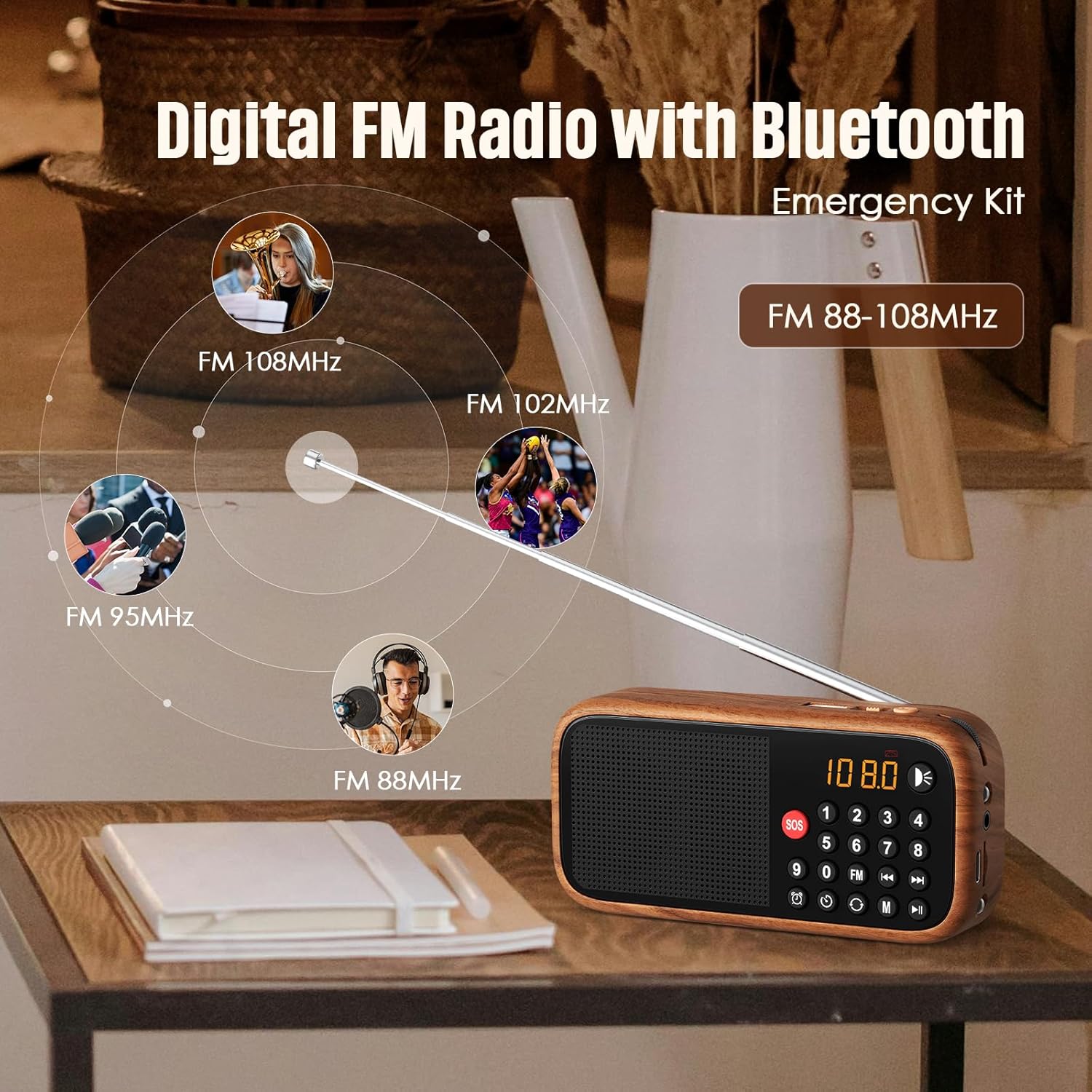
Figure 4: The radio's extendable antenna helps in receiving various FM frequencies.
6.3. Emparellament Bluetooth
Press the 'M' (Mode) button to switch to Bluetooth mode. The radio will enter pairing mode, indicated by a flashing Bluetooth icon on the display or a voice prompt.
- Activa el Bluetooth al teu telèfon intel·ligent o a un altre dispositiu d'àudio.
- Cerca available Bluetooth devices and select 'LEOTEC LT-1812' (or similar name).
- Once paired, the radio will confirm with a voice prompt, and the Bluetooth icon will stop flashing.
- You can now play audio from your connected device through the radio.
6.4. AUX/USB Playback
The radio supports audio playback via AUX input and USB drives.
- Mode AUX: Connect an external audio device (e.g., MP3 player, phone) to the 3.5mm AUX input port using an audio cable (not included). Press the 'M' (Mode) button until 'AUX' mode is selected.
- Mode USB: Inseriu una unitat flash USB que contingui àudio files into the USB port. The radio should automatically switch to USB mode and begin playback. If not, press the 'M' (Mode) button to select USB mode.
6.5. Configuració del despertador
Per configurar l'hora de l'alarma:
- Press the 'Alarm' button (often indicated by a clock icon).
- Use the numeric keypad or navigation buttons to set the desired hour and minute.
- Confirm the setting by pressing the 'Alarm' button again or a designated 'Set' button.
6.6. Funció SOS
The SOS function activates a loud emergency alarm.
- To activate, press and hold the red 'SOS' button.
- To deactivate, press the 'SOS' button again or power off the device.

Figure 5: The SOS button for emergency alerts and the integrated LED light for illumination.
6.7. LED Lantern Operation
The radio includes a built-in LED lantern for illumination.
- To turn on the LED light, press the 'Light' button (often indicated by a light bulb icon).
- Press the button again to turn off the LED light.
7. Manteniment
- Netegeu la ràdio amb un drap suau i sec. No utilitzeu productes de neteja abrasius ni dissolvents.
- Eviteu exposar el dispositiu a temperatures extremes o a la llum solar directa durant períodes prolongats.
- When not in use for an extended period, store the radio in a cool, dry place.
8. Solució De Problemes
| Problema | Causa possible | Solució |
|---|---|---|
| La ràdio no s'encén. | La bateria està baixa o esgotada. | Carregueu la bateria amb el cable tipus C. |
| Recepció FM deficient. | Antenna not fully extended or weak signal area. | Fully extend the antenna. Try repositioning the radio for better signal. |
| El Bluetooth no es connecta. | La ràdio no està en mode d'emparellament Bluetooth o el dispositiu està massa lluny. | Ensure radio is in Bluetooth mode. Move device closer to the radio. Restart both devices. |
| No hi ha so de l'altaveu. | El volum és massa baix o està silenciat. | Increase the volume. Check if headphones are connected. |
9. Especificacions
| Característica | Detall |
|---|---|
| Número de model | LT-1812 |
| Dimensions del producte | 5.63" de llargada x 1.73" d'amplada x 4.02" d'alçada (14.3 x 4.4 x 10.2 cm) |
| Pes de l'article | 4.2 unces (119 grams) |
| Tecnologia de connectivitat | Bluetooth |
| Tecnologia del sintonitzador | FM |
| Bandes de ràdio compatibles | FM |
| Font d'alimentació | Battery Powered (1800mAh rechargeable battery included) |
| Port de càrrega | Tipus C 5V |
| Característiques especials | Portable, Digital Display, Alarm Clock, SOS Function, LED Lantern, USB/AUX Input |

Figure 6: The compact dimensions of the radio, emphasizing its portability.
10. Garantia i Suport
For warranty information and customer support, please refer to the documentation included with your product packaging or visit the official LEOTEC weblloc web. Conserveu el rebut de compra com a comprovant de compra per a reclamacions de garantia.


