1. Introducció
This manual provides detailed instructions for the setup, operation, and maintenance of your Birdfy Smart Bird House with Camera. This device allows you to observe wild birds nesting and hatching with a 1080P Full HD camera, solar power, and smart features.

Figure 1.1: Birdfy Smart Bird House with Camera, featuring a bluebird at the entrance.
2. Què s'inclou
Verifiqueu que tots els components siguin presents al paquet:
- Càmera Birdfy
- Birdfy Bird House
- 2 large hose clamps
- 2 small hose clamps
- 1 tree mounting strap
- 1 positioning sticker
- 1 suport de paret
- 4 cargols grans
- 4 cargols petits
- 4 expansion screws
- 1 tornavís
- 3 replaceable entrance plates (large, medium, small) with 3 matching metal sheets
- 1 rubber strap
- 1 extension control box
- 1 SIM eject pin
- 1 sunshade

Figure 2.1: All components included in the Birdfy Smart Bird House package.
3. Configuració
3.1 Instal·lació de la càmera
- Connect the camera to the solar panel cable.
- Place the camera inside the birdhouse, ensuring the lens faces the entrance.
- Secure the camera using the provided rubber strap.

Figure 3.1: Quick assembly steps for the camera.
3.2 Mounting the Bird House
The birdhouse can be mounted on a tree, wall, or pole using the included mounting kits. Ensure the chosen location receives direct sunlight for optimal solar panel charging.
- Tree Mounting: Use the tree mounting strap and large hose clamps.
- Muntatge a la paret: Use the wall mount bracket, large screws, and expansion screws.
- Muntatge al pal: Use the small hose clamps.

Figure 3.2: Birdfy Smart Bird House mounted on a tree.
3.3 Selecting Entrance Plates
Choose the appropriate entrance plate size based on the target bird species. Three sizes are provided: 0.9 inch, 1.5 inch, and 2 inch.

Figure 3.3: Various entrance plate sizes for different bird species.
3.4 App Setup and Wi-Fi Connection
- Download the Birdfy app from your device's app store.
- Segueix les instruccions de l'aplicació per connectar la càmera a la xarxa Wi-Fi de casa.
- Assegureu-vos que la vostra xarxa Wi-Fi estigui 2.4 GHz. The device is not compatible with 5GHz Wi-Fi.
- For optimal connectivity, position the birdhouse within a reasonable range of your Wi-Fi router.
4. Instruccions de funcionament
4.1 Live Stream and Recording
Access crystal-clear 1080p FHD live stream and recordings through the Birdfy app. The camera features infrared night vision for continuous monitoring, day or night.
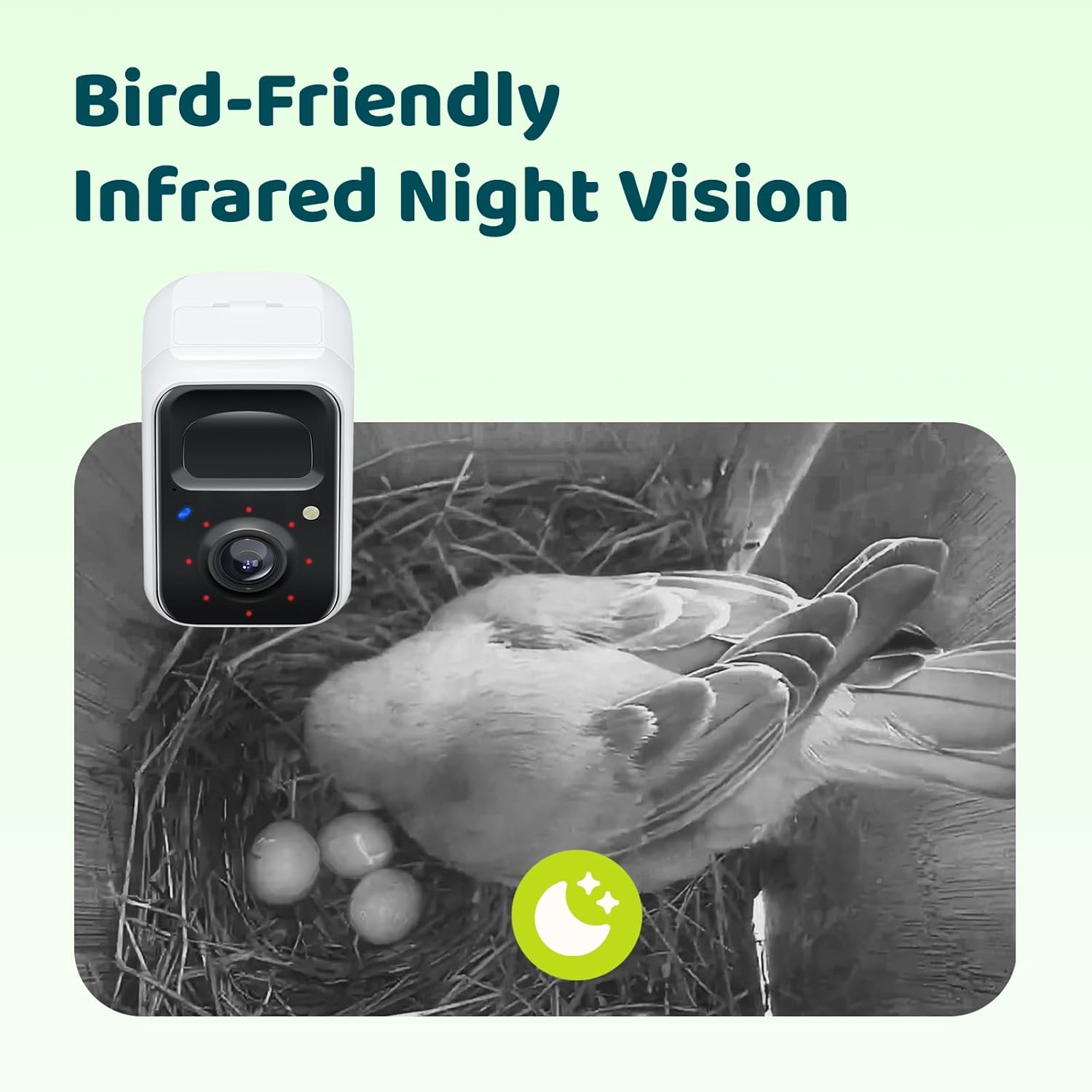
Figure 4.1: Infrared night vision view inside the birdhouse.
4.2 Control remot
Manage camera power and settings remotely via the app, allowing observation without disturbing the birds.
4.3 AI Identification and Story Feature
The Birdfy app utilizes AI to identify bird species and behaviors, automatically compiling significant moments of their nesting journey into a 'Story'.
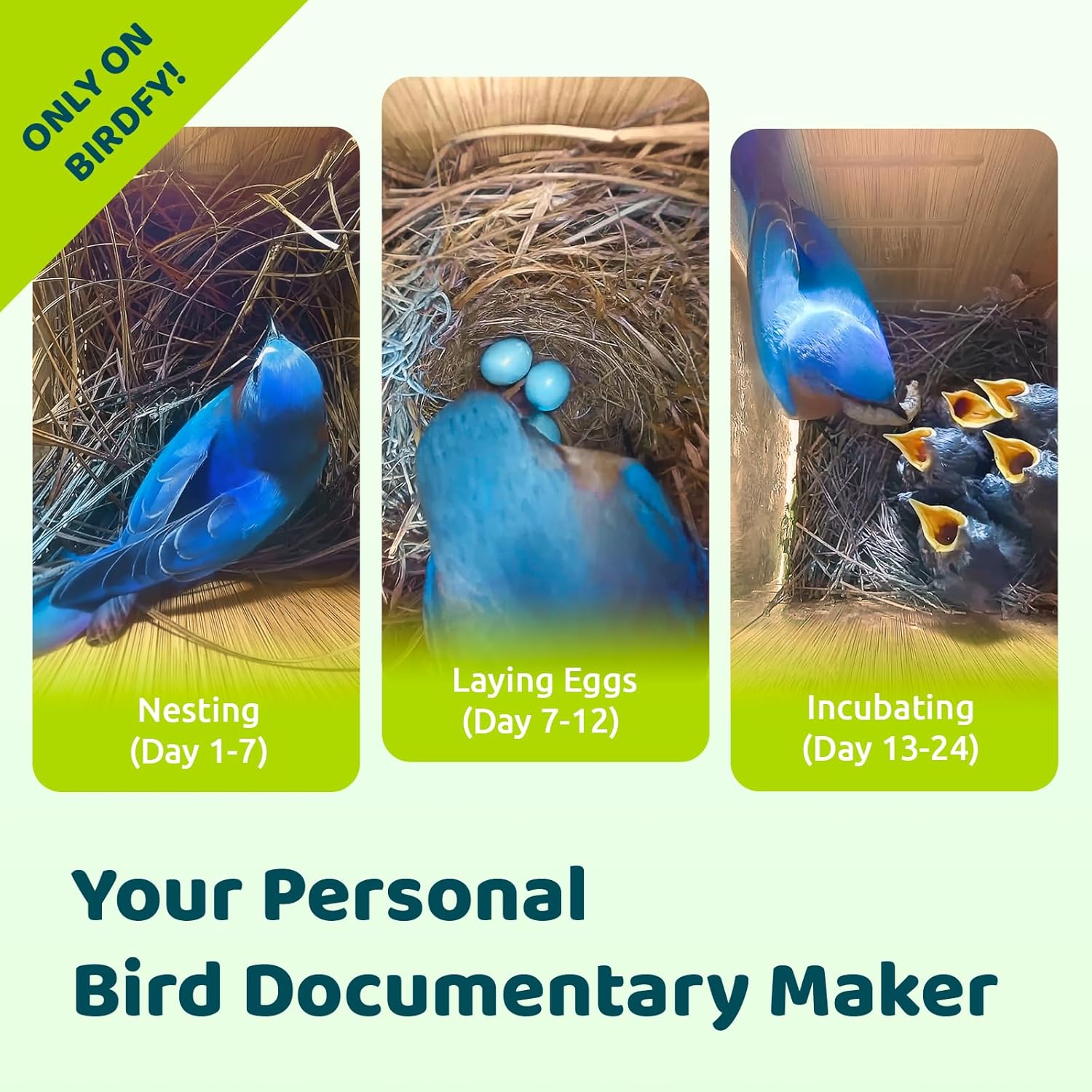
Figure 4.2: Visual representation of bird nesting stages captured by the camera.
4.4 Nesting Stage Notificacions
Receive real-time notifications on your smartphone about key nesting events, such as egg-laying.
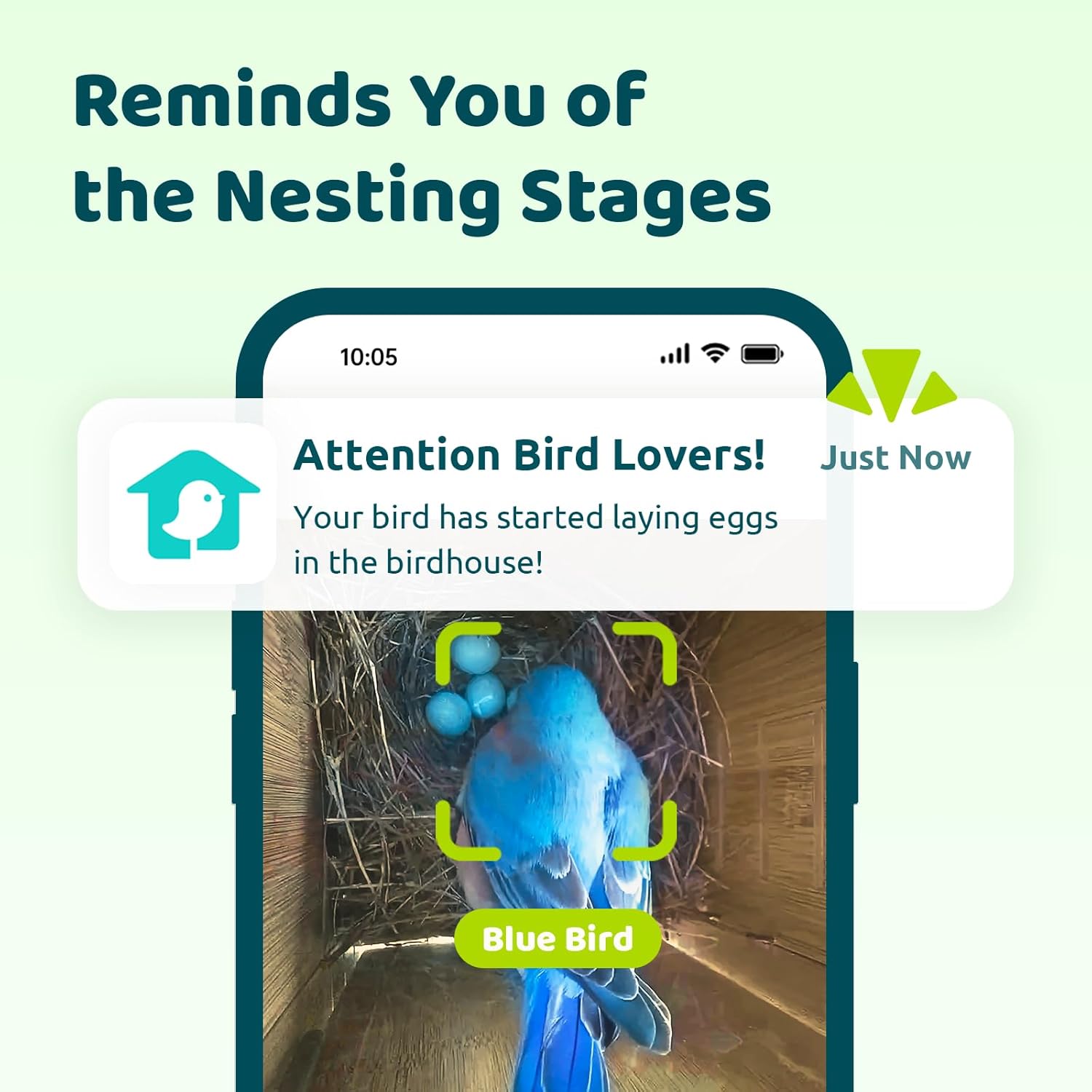
Figura 4.3: Example of a nesting stage notificació.
4.5 Cloud Storage and Guest Access
The Birdfy app offers unlimited free cloud storage with a 30-day retention period for your recorded moments. You can also share access to your birdhouse camera with up to 20 guests.

Figure 4.4: Cloud storage for birdhouse recordings.
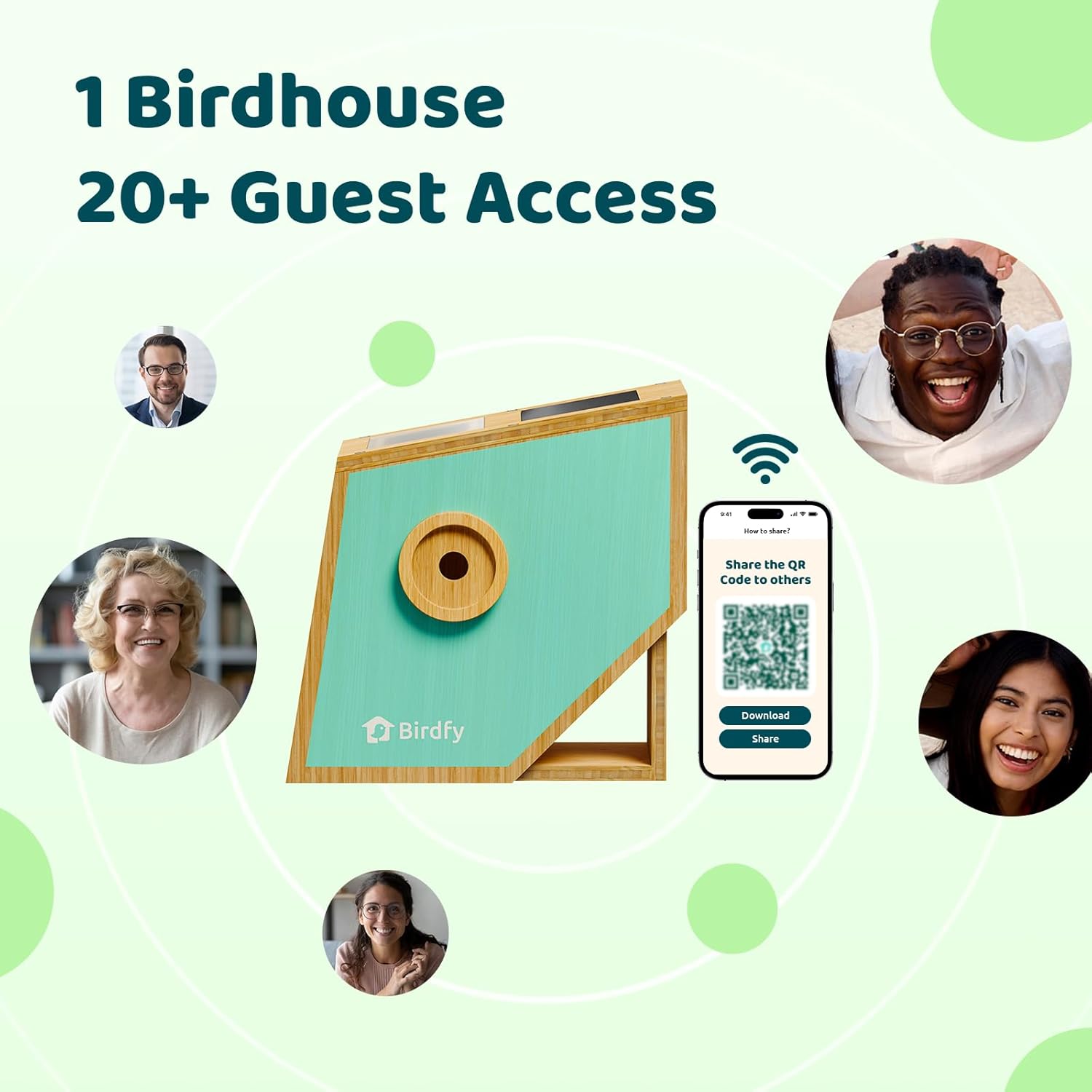
Figure 4.5: Sharing birdhouse access with multiple users.
5. Manteniment
5.1 Cleaning the Bird House
The birdhouse features solid latches that allow for easy opening and cleaning after birds have nested and departed. Regular cleaning helps maintain a healthy environment for future occupants.
5.2 Cura dels panells solars
Ensure the built-in solar panel on top of the birdhouse remains clean and free of debris (e.g., leaves, dirt) to maximize charging efficiency. The 5200mAh rechargeable battery is continuously charged by the solar panel.

Figure 5.1: Built-in solar panel for continuous charging.
5.3 Material Longevity
The birdhouse is constructed from natural bamboo, specially treated for outdoor use. For extended durability, some users may choose to apply an additional water sealant.
6. Solució De Problemes
- Problemes de connectivitat: Ensure the birdhouse is within range of your 2.4GHz Wi-Fi router. 5GHz networks are not supported. If disconnections occur, try repositioning the birdhouse closer to the router or checking for signal interference.
- Problemes de càrrega solar: Verify that the solar panel receives direct sunlight for several hours daily. Obstructions like shade from trees or buildings can hinder charging.
- AI Detection Accuracy: While the AI is designed to identify birds and behaviors, occasional misidentifications may occur. Ensure the camera lens is clean and unobstructed.
- Camera Click Noise: The camera may produce an audible click when switching between day and night vision modes. This is normal operation.
- App Setup Difficulties: Refer to the in-app help section or Birdfy's online support for detailed guidance on app configuration.
7. Especificacions
| Característica | Detall |
|---|---|
| Nom del model | AMZ-4155-5-SB |
| ASIN | B0DX6S6J52 |
| Dimensions del producte | 11.69 "P x 7.09" W x 12.13" H |
| Pes de l'article | 11.64 lliures |
| Material | Bambú |
| Color | Blau |
| Resolució de la càmera | 1080P FHD |
| Visió nocturna | infrarojos |
| Bateria | Ió de liti de 5200 mAh (inclosa) |
| Font d'alimentació | Energia solar |
| Compatibilitat Wi-Fi | 2.4 GHz (no compatible amb 5 GHz) |
| Públic objectiu | Birds, Wildlife |
8. Garantia i Suport
8.1 Informació de la garantia
The Birdfy Smart Bird House with Camera comes with a 2 any de garantia des de la data de compra. Si us plau, conserveu el comprovant de compra per a reclamacions de garantia.
8.2 Atenció al client
For technical assistance, troubleshooting, or warranty inquiries, please contact Birdfy customer support. Refer to the Birdfy app or the official Birdfy weblloc per obtenir dades de contacte.


