1. Introducció
This manual provides detailed instructions for the NBCP Wireless Controller, Model 736C. This controller is designed for a versatile gaming experience across multiple platforms, offering advanced features for enhanced gameplay. Please read this manual thoroughly before use to ensure proper operation and to maximize your gaming potential.
2. Característiques del producte
- Compatibilitat multiplataforma: Compatible with PS4, PS3, PC (Windows 10/11), iOS, and Android devices.
- Disparadors d'efecte Hall dual: Linear and Hall Effect triggers provide precise linearity and improved stability, eliminating drift for millimeter-level accuracy.
- Giroscopi de sis eixos: Equipped with a six-axis gyroscope for precise motion sensing, enhancing aiming, steering, and complex maneuvers.
- Funció turbo: Built-in acceleration for continuous high-frequency combos.
- Motors de doble vibració: Provides an immersive gaming experience with realistic haptic feedback.
- Bateria de 1200 mAh: Built-in rechargeable battery offers up to 8 hours of continuous gaming on a single charge.
- Presa d'auriculars de 3.5 mm: Allows direct connection of headphones for clear game audio and real-time chat.
- Touchpad: Integrated touchpad for additional control options.
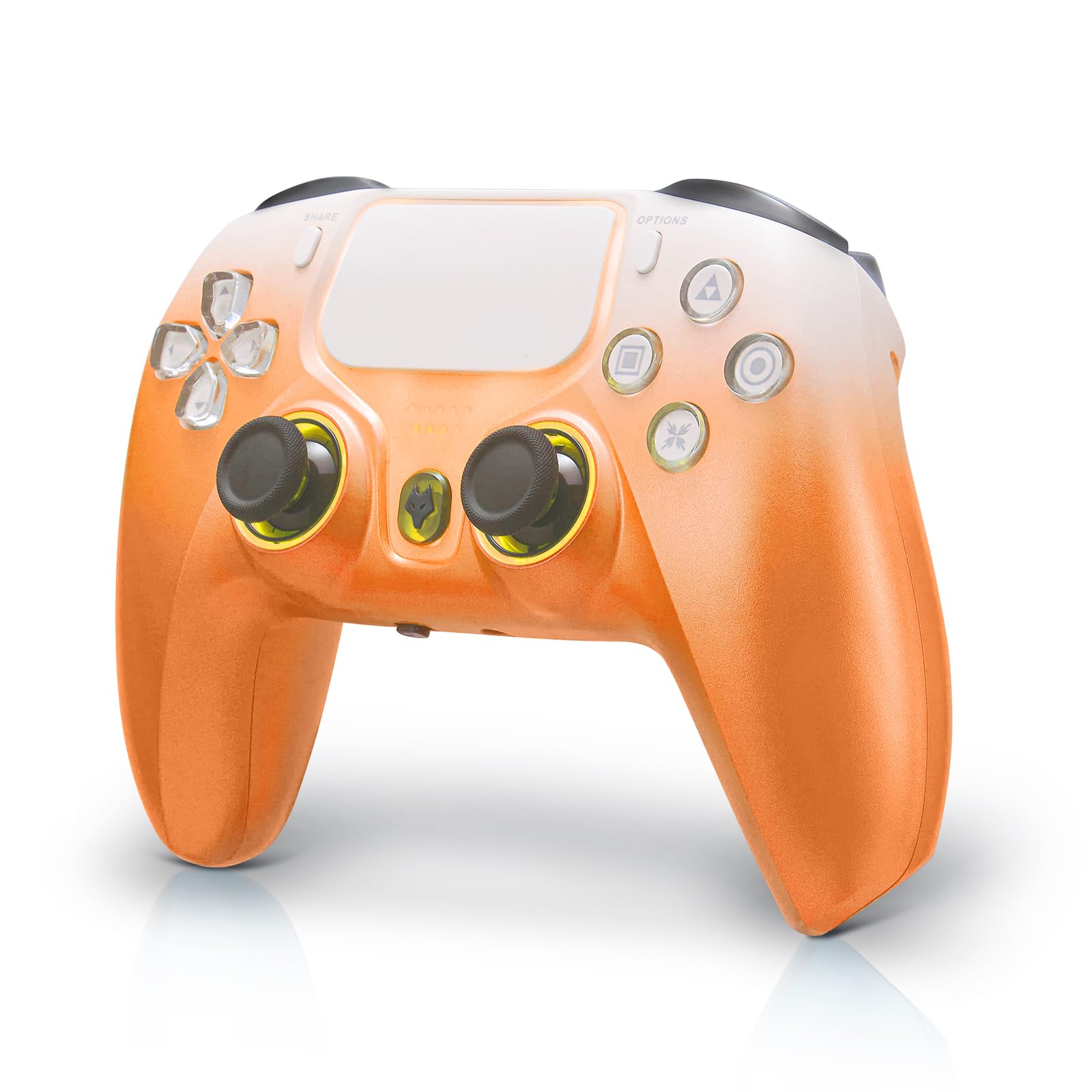
Figure 1: NBCP Wireless Controller (Orange variant).
3. Contingut del paquet
Els articles següents s’inclouen al paquet:
- 1 x NBCP Wireless Controller
- 1 x cable de càrrega USB-C
- 1 x Manual d'usuari
4. Configuració i connexió
4.1 Emparellament inicial
To pair your controller with a device, ensure the controller is powered off. Press and hold the 'F' key and the 'Triangle' key simultaneously until the joystick light begins to flash. This indicates the controller is in pairing mode.
Video 1: Demonstrates the pairing process for the wireless controller.
4.2 Platform Selection
The controller supports various connection modes. Use the on-screen menu to select your desired platform (PC, Tablet, Android TV, Switch) and connection type (Receiver or Bluetooth). Please manually match for the first connection.
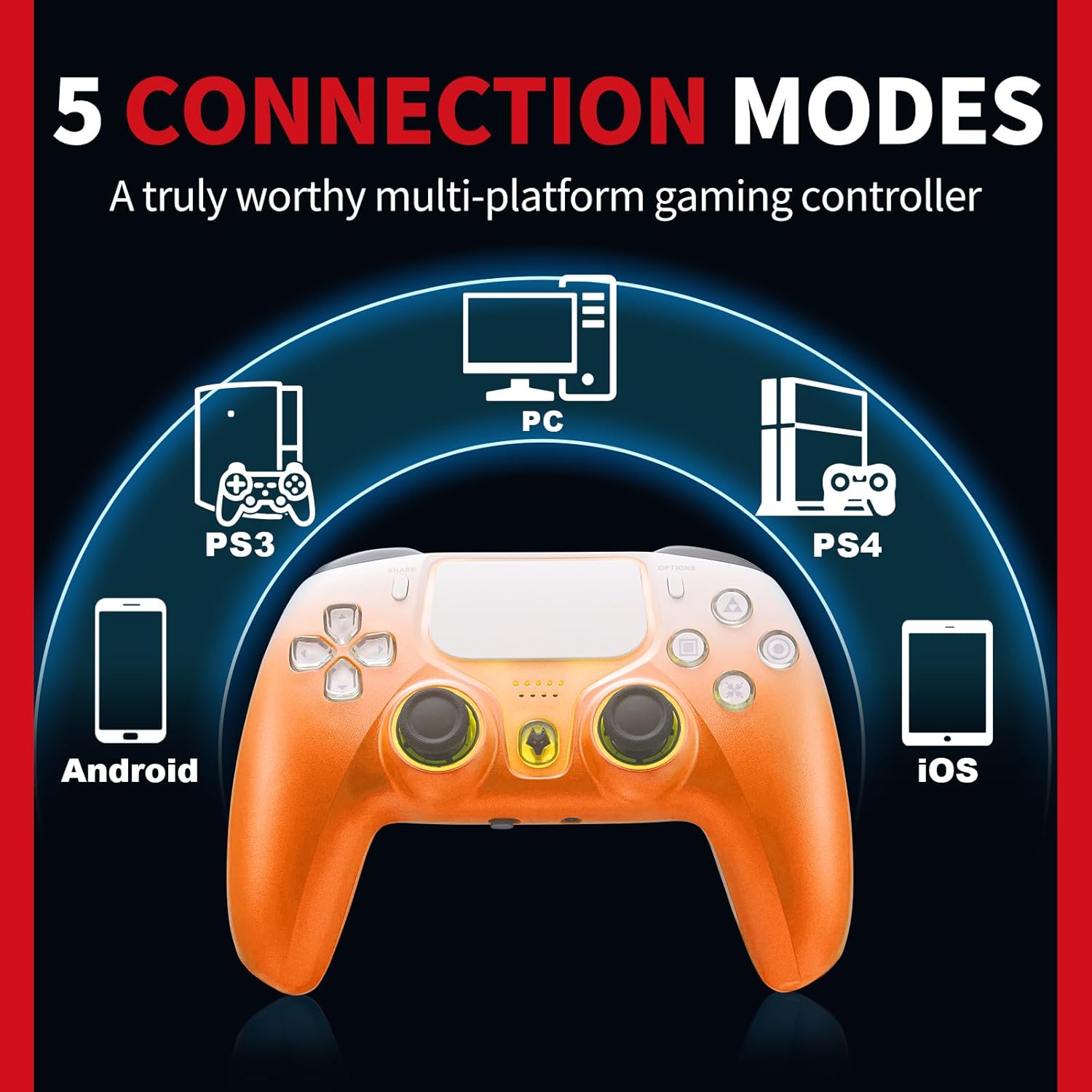
Figure 2: The controller supports 5 connection modes for various devices.
5. Instruccions de funcionament
5.1 Disparadors d'efecte Hall
The Hall Effect triggers provide precise and consistent input, reducing wear and preventing drift. This technology uses magnetic sensors for improved durability and accuracy in games requiring fine trigger control.

Figure 3: Illustration of Hall Effect Linear Trigger technology.
5.2 Funció Turbo
Activate the Turbo function by pressing the designated button to enable continuous high-frequency input, useful for rapid actions in games.

Figure 4: Visual representation of the Turbo Function in action.
5.3 Giroscopi de sis eixos
The integrated six-axis gyroscope allows for motion-sensing controls, providing an immersive experience in games that utilize tilt and movement for input.

Figure 5: The 6-Axis Gyro Sensor provides precise motion control.
5.4 Dual Vibration
Experience enhanced realism with dual vibration motors that provide tactile feedback during gameplay, reacting to in-game events.

Figure 6: Dual Vibration Motors for a realistic gaming experience.
5.5 presa d'auriculars de 3.5 mm
Connect your headphones directly to the controller's 3.5mm audio jack for private listening and clear voice chat with teammates.

Figure 7: Connect headphones via the 3.5mm audio jack for voice chat.
6. Calibració
To ensure optimal performance and address any potential input issues, the controller offers calibration options for its joysticks, triggers, and motion sensing.
6.1 Joystick and Trigger Calibration
If you experience issues such as trigger misalignment or joystick drift, follow these steps to recalibrate:
- Assegureu-vos que el controlador estigui apagat.
- Press and hold the 'F' key and the 'Triangle' key simultaneously until the joystick light flashes.
- Rotate both joysticks twice as far as possible in all directions.
- Press both triggers down as far as they will go twice.
- Press the 'Triangle' key to complete the setting.
Video 2: Step-by-step guide for calibrating the controller's joysticks and triggers to resolve input issues.
6.2 Motion Sensing Calibration
For precise motion control in games, you can calibrate the motion sensing feature through the controller's menu. Refer to the on-screen 'CAL' option for detailed instructions.
7. Manteniment
To maintain the longevity and performance of your NBCP Wireless Controller:
- Mantingueu el controlador net netejant-lo amb un drap suau i sec.
- Eviteu exposar el controlador a temperatures extremes o a la llum solar directa.
- Guardeu el controlador en un lloc segur per evitar danys físics.
- Charge the controller using the provided USB-C cable. The 1200mAh battery provides approximately 8 hours of gameplay on a 3-6 hour charge.

Figure 8: The controller features a 1200mAh built-in battery.
8. Solució De Problemes
8.1 Problemes de connexió
If the controller fails to connect, ensure it is fully charged and within range of your device. Re-attempt the pairing process as described in Section 4.1.
8.2 Input Inaccuracies
For issues with joystick drift or inaccurate trigger responses, perform the calibration steps outlined in Section 6.1.
8.3 Controller Unresponsive
If the controller becomes unresponsive, locate the reset button (often a small pinhole on the back) and use a thin object (like a paperclip) to press it. This will reset the controller.
9. Especificacions
| Característica | Especificació |
|---|---|
| Número de model | 736C |
| Compatibilitat | PS4, PS3, PC (Windows 10/11), iOS, Android |
| Capacitat de la bateria | 1200 mAh |
| Tipus de bateria | 1 bateria de 9V (inclosa) |
| Interfície de càrrega | USB-C |
| Sensor de moviment | Giroscopi de sis eixos |
| Vibració | Motors de doble vibració |
| Port d'àudio | Conector d'auriculars de 3.5 mm |
| Pes de l'article | 13.4 unces |
| Dimensions del paquet | 6.57 x 4.61 x 3.23 polzades |
| Rated Age | Tothom a partir de 10 anys |
10. Garantia i Suport
NBCP is committed to providing quality products. If you have any questions or require assistance with your controller, please feel free to contact us. We aim to respond to all inquiries within 24 hours.
This product is subject to a return policy allowing for refund or replacement within 30 days of purchase.


