1. Producte acabatview
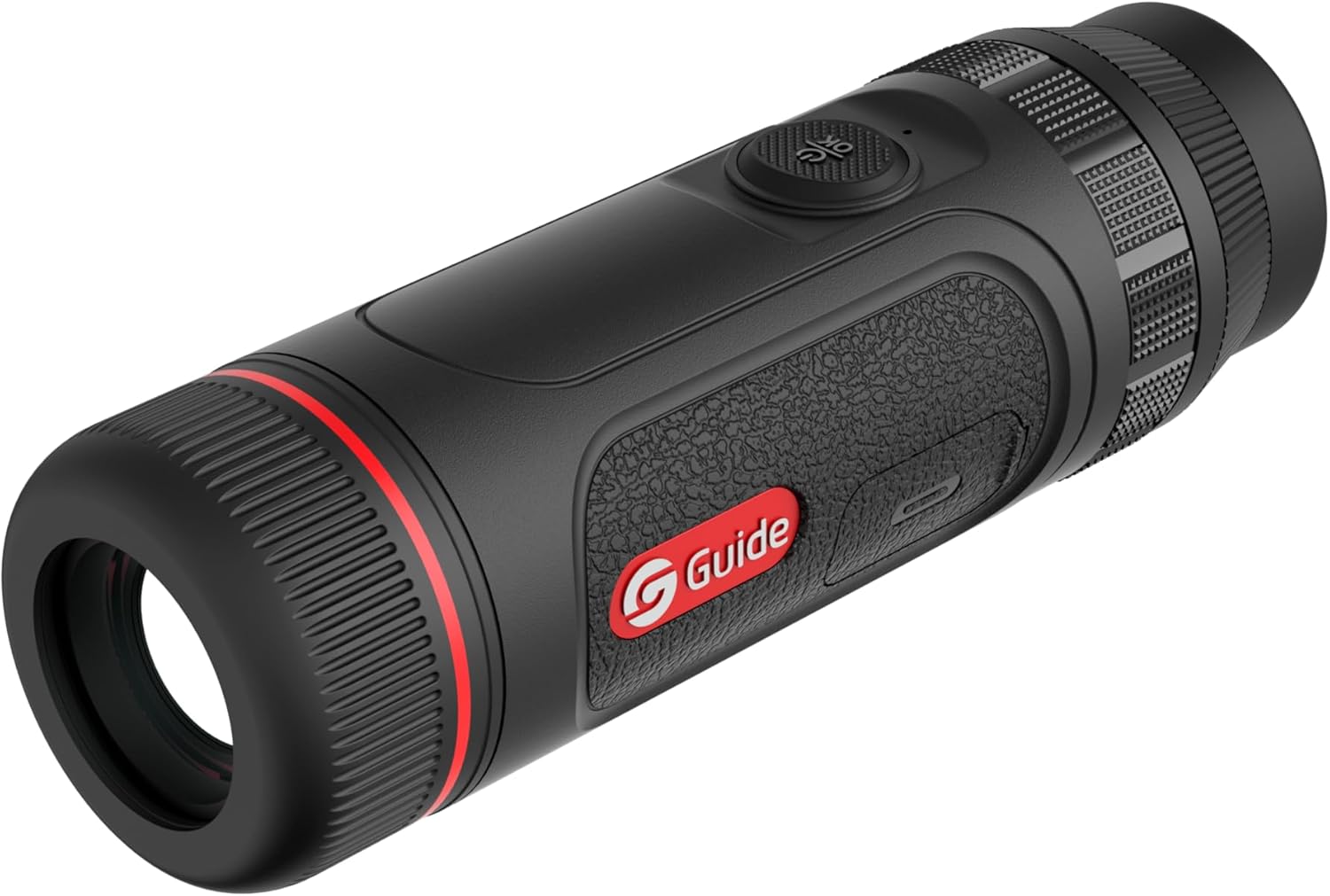
The Guide TE Series Handheld Thermal Imaging Monocular is a compact and reliable device designed for night vision applications, particularly hunting and outdoor observation. It features a high-resolution infrared detector and a powerful lens for extended detection range. Its lightweight and portable design ensures comfortable use and easy transport.
Key features include a 400x300 thermal sensor, 25mK NETD, a 1400-yard detection range, and a large 0.32" AMOLED 800x600 display for clear viewing. The device supports quick charging and offers extended battery life, along with recording capabilities for photos and videos with audio.


2. Què hi ha a la caixa
En obrir el paquet, assegureu-vos que hi hagi tots els elements següents:
- Guide TE421 Thermal Monocular
- Cable de càrrega (USB-C)
- Protective Pouch/Case
- Corretja de canell
- Manual d'usuari (aquest document)
3. Configuració
3.1 Càrrega del dispositiu
Before first use, fully charge the monocular. Connect the provided USB-C cable to the charging port on the device and the other end to a compatible USB power adapter (not included). The device supports 20W quick charging, allowing for approximately 1 hour of operating time with only 10 minutes of charging. A full charge provides up to 5 hours of continuous use.
3.2 Engegada/apagada
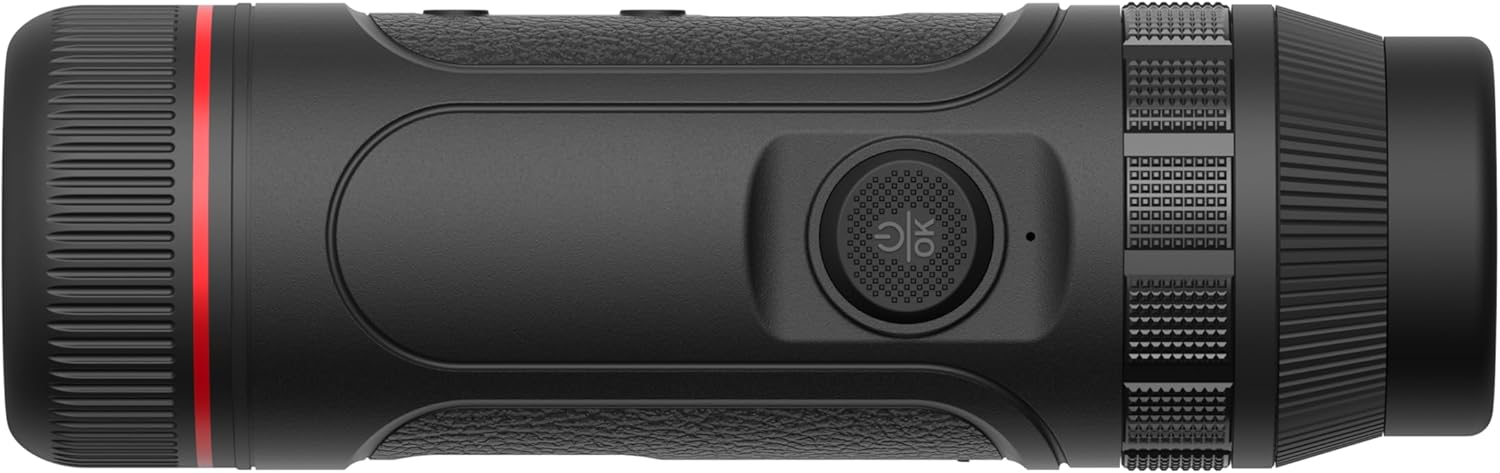
- To power on, press and hold the power button (typically located on the top of the device) for approximately 3 seconds until the display illuminates.
- To power off, press and hold the power button again for approximately 3 seconds until the display shuts down.
3.3 Ajust de diòptries
Adjust the diopter ring located near the eyepiece to achieve a sharp image for your individual eyesight. Rotate the ring until the on-screen display elements appear clear and in focus.
3.4 Connecting to the Target IR App (Wi-Fi)
The Guide TE421 can connect to your smartphone via Wi-Fi using the Target IR App. This allows for remote control, live view, and downloading recorded photos and videos.
- Download the "Target IR" app from your smartphone's app store.
- Turn on the monocular.
- Activate Wi-Fi on the monocular (refer to the device's on-screen menu for Wi-Fi settings).
- On your smartphone, go to Wi-Fi settings and connect to the monocular's Wi-Fi network (the network name will typically start with "Guide" or "TE").
- Open the Target IR App and follow the on-screen instructions to connect to your device.
4. Instruccions de funcionament
4.1 Funcionament bàsic
- Botó d'encesa: Press and hold to turn on/off. Short press to enter/exit standby mode.
- Botó de menú: Short press to access the main menu. Use navigation buttons to select options.
- Botó de zoom: Press to cycle through digital zoom levels (e.g., 1x, 2x, 4x).
- Botó de captura: Short press to take a photo. Press and hold to start/stop video recording.
4.2 Ajust del focus
The TE421 features manual focus. Rotate the objective lens ring to bring distant or close objects into sharp thermal focus.
4.3 Enregistrament d'imatges i vídeos
The monocular has built-in recording capabilities. Photos and videos (with audio) are stored internally and can be downloaded via the Target IR App.
- To take a photo: Short press the Capture button.
- To record video: Press and hold the Capture button to start recording. Press and hold again to stop recording.
4.4 Palette Modes
The TE421 offers various thermal palette modes to suit different viewing preferences and environmental conditions. Common modes include:
- Blanc calent: Els objectes calents apareixen blancs.
- Negre calent: Els objectes calents apareixen negres.
- Roent: Hot objects appear red/yellow.
- Ferro vermell: A common industrial palette.
- Arc de Sant Martí: Displays a spectrum of colors.
Cycle through palette modes using the designated button or through the device's menu.
5. Manteniment
5.1 Neteja del dispositiu
- Lent: Use a soft, lint-free cloth specifically designed for optical lenses. Gently wipe the lens surface. For stubborn smudges, use a small amount of lens cleaning solution applied to the cloth, not directly to the lens.
- Cos: Netegeu el cos del monocular amb un drap suauamp drap. No utilitzeu productes de neteja abrasius, dissolvents ni productes químics agressius.
5.2 Emmagatzematge
When not in use, store the monocular in its protective pouch or case in a cool, dry place, away from direct sunlight and extreme temperatures. Ensure the device is powered off before storage.
5.3 Cura de la bateria
Per allargar la durada de la bateria, eviteu descarregar-la completament amb freqüència. Si la guardeu durant períodes prolongats, carregueu-la aproximadament al 50% cada pocs mesos.
6. Solució De Problemes
This section addresses common issues you might encounter with your Guide TE421 Thermal Monocular.
| Problema | Causa possible | Solució |
|---|---|---|
| El dispositiu no s'encén. | Low battery; incorrect power button press. | Charge the device fully. Press and hold the power button for 3 seconds. |
| La imatge és borrosa. | Diopter not adjusted; objective lens out of focus. | Adjust the diopter ring. Rotate the objective lens focus ring. |
| No es pot connectar a la Wi-Fi/aplicació. | Wi-Fi not enabled on device; incorrect network selected; app issue. | Ensure Wi-Fi is enabled on the monocular. Select the correct Wi-Fi network. Restart the app and device. |
| Durada de la bateria curta. | Frequent use of power-intensive features; aging battery. | Reduce screen brightness. Ensure full charge before use. Contact support if battery degradation is significant. |
7. Especificacions
| Característica | Detall |
|---|---|
| Nom del model | Guide TE 421 |
| Resolució tèrmica | 400 x 300 |
| NETD | 25 mK |
| Diàmetre de la lent objectiu | 25 mil·límetres |
| Interval de detecció | Fins a 1400 metres |
| Tipus de visualització | 0.32" AMOLED |
| Resolució de visualització | 800 x 600 |
| Dimensions del producte | 5.2"D x 1.85"W x 1.85"H (155mm length) |
| Pes | 315 grams |
| Durada de la bateria | Fins a 5 hores |
| Carregant | 20W Quick Charging (1h operation from 10min charge) |
| Connectivitat | Wi-Fi (for Target IR App) |
| Gravació | Photo and Video with Audio |
| Tipus d'enfocament | Enfocament manual |
| Dispositius compatibles | Smartphone |
8. Garantia i Suport
Guide Sensmart stands behind the quality of its products with a comprehensive warranty policy:
- Sensor tèrmic: 10 anys de garantia
- Parts del cos: 5 anys de garantia
- Tots els accessoris: 2 anys de garantia
For technical support, warranty claims, or service inquiries, please contact Guide Sensmart customer service. Their repair center is based in Dallas, Texas.
For the most up-to-date contact information, please visit the official Guide Sensmart weblloc web o consulteu les dades de contacte que us proporcionen amb la documentació de compra.


