1. Introducció
Thank you for choosing the TATTMUSE Inkless Portable Printer. This compact and versatile thermal printer is designed for convenient printing on the go, supporting various paper sizes including US Letter and A4. It's ideal for business travel, home use, and educational purposes, offering inkless printing technology for a hassle-free experience.
This manual provides detailed instructions on setting up, operating, and maintaining your printer to ensure optimal performance.
2. Què hi ha a la caixa
Si us plau, comproveu el contingut del paquet per assegurar-vos que hi hagi tots els elements:
- 1x Portable Thermal Printer
- 1x estoig de transport
- 1 Roll US Letter Size Thermal Paper (pre-installed in the printer paper bin)
- 1 Roll 4.33'' Width Thermal Paper
- 1 Roll 3.14'' Width Thermal Paper
- 1 Roll 2.08'' Width Thermal Paper
- 1x USB-C & USB-A Cable
- 1x Manual d'usuari (aquest document)

Imatge: Més deview of the TATTMUSE Portable Printer and its included accessories.
3. Guia de configuració
3.1. Càrrega de paper
Your printer supports various thermal paper types including roll paper, folded paper, and single sheets. The printer comes with one US Letter size thermal paper roll pre-installed.
- Open the printer cover by gently pressing the release buttons on the sides.
- If loading a new roll, adjust the paper guides to fit the width of your thermal paper roll. Ensure the paper feeds smoothly.
- Pull out approximately 2 cm (0.8 inches) of paper from the roll.
- Tanqueu la coberta de la impressora fermament fins que encaixi al seu lloc.
Video: Demonstrates how to load paper into the TATTMUSE Portable Thermal Printer, including adjusting paper guides and inserting the paper roll.

Image: Illustration of the printer supporting folded, single sheet, and thermal paper rolls, along with various document types.

Image: Visual comparison of using continuous thermal paper versus single sheet thermal paper with the printer.
3.2. Encendre/apagar
To turn on the printer, press and hold the power button for 3 seconds. The indicator light will illuminate. To turn off, press and hold the power button again until the light turns off.
3.3. Connecting to Your Device (Bluetooth)
The printer is compatible with iPhone, Android phones, iPad, and tablets via Bluetooth.
- Download the official TATTMUSE printer app from your device's app store (e.g., Apple App Store or Google Play Store).
- Assegureu-vos que el Bluetooth estigui habilitat al vostre dispositiu mòbil.
- Open the TATTMUSE app and follow the on-screen instructions to connect to your printer. Look for the printer's name (e.g., "A285M" or similar) in the app's device list.
- Once connected, the app will indicate a successful pairing.

Image: Step-by-step guide for connecting the printer to a mobile device via Bluetooth using the dedicated app.
3.4. Connecting to Your Computer (USB)
For laptops and desktop computers (Windows, macOS, Chrome OS, Linux), use the provided USB-C cable for connection. A driver installation is required.
- Connect the printer to your computer using the USB-C cable.
- Visit the official TATTMUSE support website (refer to the user manual for the exact URL) to download the appropriate printer driver for your operating system.
- Instal·leu el controlador seguint les instruccions de la pantalla.
- Once the driver is installed, your computer should recognize the printer, and you can proceed with printing.

Image: Instructions for connecting the printer to a laptop via USB and downloading necessary drivers for various operating systems.
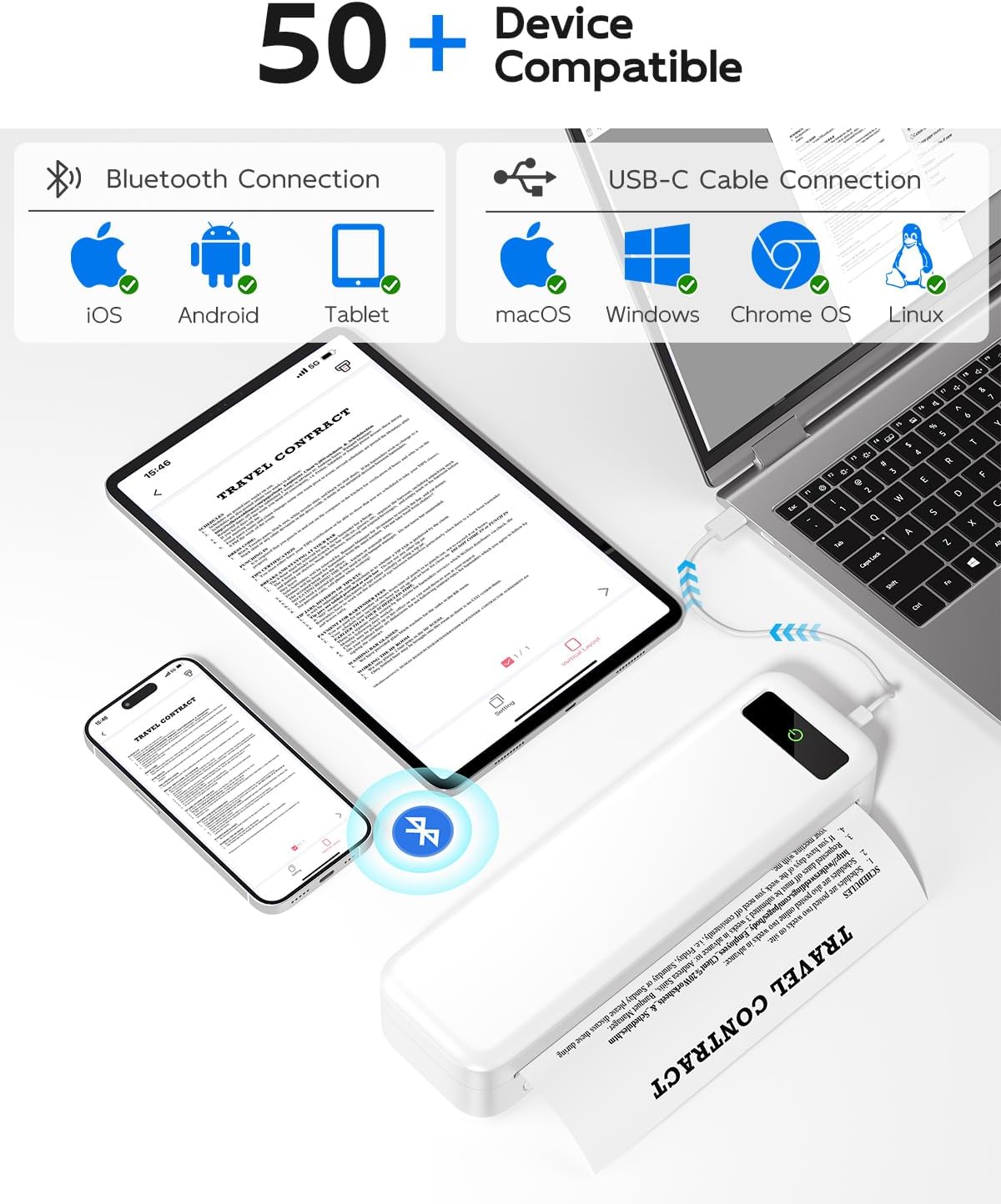
Image: The printer's compatibility with various devices, including iOS, Android, tablets via Bluetooth, and macOS, Windows, Chrome OS, Linux via USB-C.
4. Instruccions de funcionament
4.1. Printing from Mobile Devices
Once connected via Bluetooth, you can print various document types directly from the TATTMUSE app.
- Open the TATTMUSE app.
- Select the document, image, web page, or note you wish to print. The app supports common formats like Word, TXT, PDF, Excel, and JPG.
- Adjust print settings such as print density (light, medium, heavy) and paper size within the app.
- Initiate printing. The printer will feed the thermal paper and produce your printout.
Video: Shows the process of connecting the printer via Bluetooth and printing a document from a mobile phone, demonstrating the print quality.
Video: Illustrates the printer's ability to print various types of content, including images and text, from a mobile device.

Image: Display of the five supported print sizes (US Letter, A4, 4.33'', 3.14'', 2.08'') and compatible file formats (Word, Excel, PDF, JPG, TXT).
4.2. Printing from Computers
After installing the necessary drivers and connecting via USB, your computer will recognize the TATTMUSE printer as a standard printing device.
- Obriu el document o file you wish to print on your computer.
- Seleccioneu "Imprimeix" al menú de l'aplicació (per exemple, File > Imprimeix).
- Trieu la impressora TATTMUSE de la llista d'impressores disponibles.
- Adjust print preferences as needed (e.g., paper size, orientation, print quality).
- Feu clic a "Imprimeix" per enviar la feina a la impressora.
4.3. Supported Paper Sizes and Types
The TATTMUSE printer is designed exclusively for thermal paper and supports multiple sizes:
- 8.5" x 11" US Letter
- A4 (210 mm x 297 mm)
- 4.33'' (110mm) width
- 3.14'' (80mm) width
- 2.08'' (53mm) width
It can accommodate thermal roll paper, folded thermal paper, and single sheet thermal paper. Note: This printer only supports black and white printing and does not use ink, toner, or ribbons.

Image: Visual confirmation that the printer operates without the need for ink or toner cartridges.
5. Manteniment
5.1. Neteja de la impressora
To maintain print quality and prolong the life of your printer, regular cleaning is recommended.
- Turn off the printer and disconnect it from any power source.
- Gently wipe the exterior of the printer with a soft, dry cloth.
- Per netejar el capçal d'impressió tèrmica, utilitzeu un bastonet de cotó suaument humit.ampened with isopropyl alcohol. Wipe the print head gently and allow it to dry completely before closing the cover or turning on the printer.
- Remove any paper dust or debris from the paper path.
5.2. Informació de la bateria
The printer features a built-in 2600mAh rechargeable battery, capable of printing up to 160 sheets of 8.5" x 11" thermal paper on a single charge.
- Charge the printer using the provided USB-C cable connected to a compatible power adapter or computer USB port.
- El llum indicador mostrarà l'estat de càrrega (per exemple, vermell per a la càrrega, verd per a la càrrega completa).
- Per a una durada òptima de la bateria, eviteu descarregar-la completament amb freqüència.
6. Solució De Problemes
| Problema | Causa possible | Solució |
|---|---|---|
| Printer not turning on. | Bateria baixa o botó d'engegada no premut prou estona. | Charge the printer. Press and hold the power button for 3 seconds. |
| Poor print quality (faint or incomplete). | Low battery, dirty print head, or incorrect paper. | Charge the printer. Clean the print head (see Maintenance section). Ensure you are using thermal paper. |
| Printer not connecting via Bluetooth. | Bluetooth off, app not open, or printer not discoverable. | Ensure printer is on and Bluetooth is enabled on your device. Restart the app and printer. Try re-pairing. |
| Impressora no reconeguda per l'ordinador. | Driver not installed or incorrect USB connection. | Install the correct driver for your OS (see Setup section). Ensure the USB cable is securely connected. Try a different USB port. |
| Emballament de paper. | Improper paper loading or foreign object. | Turn off the printer. Open the cover and carefully remove any jammed paper. Ensure paper is loaded correctly. |
7. Especificacions
| Característica | Detall |
|---|---|
| Número de model | A285M-WH-SNH |
| Tecnologia d'impressió | Tèrmica |
| Resolució d'impressió | 300 DPI |
| Connectivitat | Bluetooth, USB-C |
| Mides de paper admeses | 8.5" x 11" US Letter, A4, 4.33'' (110mm), 3.14'' (80mm), 2.08'' (53mm) |
| Capacitat de la bateria | 2600 mAh |
| Capacitat màxima del full d'entrada | 160 sheets (8.5" x 11" thermal paper) |
| Dimensions del producte | 10.39 x 3.07 x 1.77 polzades |
| Pes de l'article | 1.5 lliures |
| Color | Blanc |
8. Garantia i Suport
TATTMUSE products are manufactured to the highest quality standards. For warranty information, technical support, or service inquiries, please refer to the contact details provided on the official TATTMUSE weblloc web o l'embalatge del producte. Conserveu el rebut de compra com a comprovant de compra per a reclamacions de garantia.
You can also find additional resources and FAQs on the TATTMUSE store page: TATTMUSE Store.


