Introducció
Gràcies per la compraasing the Greadio Bluetooth CD Player. This portable audio device combines multiple playback options with a unique triangular design and vibrant RGB lighting. Featuring a 20W speaker and a 4000mAh rechargeable battery, it offers versatile music enjoyment at home or on the go. Please read this manual carefully to ensure proper use and maintenance of your device.
Què hi ha a la caixa
- Portable CD Player x 1
- Control remot x 1
- Type-C Charging Cord x 1
- Manual d'usuari x 1
- Reset Pin x 1
Característiques del producte
- HiFi Speaker System: Dual 10W speakers with independent sound cavity design for enhanced sound detail and boosted bass. Supports CD/CD-R/CD-RW/MP3/WMA formats with 5 EQ presets.
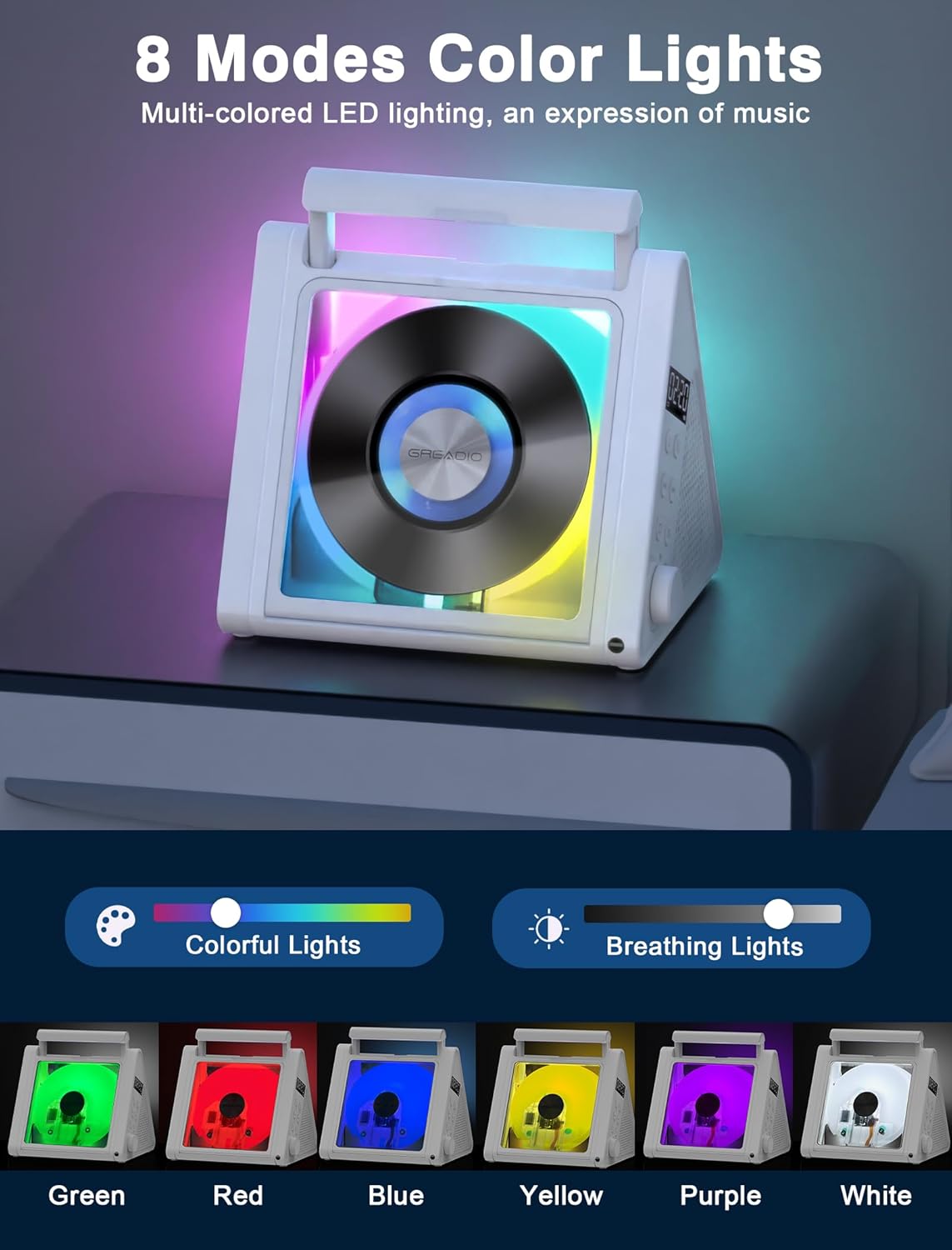
- Modern Triangular Design with RGB Lights: Unique triangular shape for stability and a dust cover for CD protection. Features 6-color LED modes (R/G/B/Y/P/W) for ambient lighting.
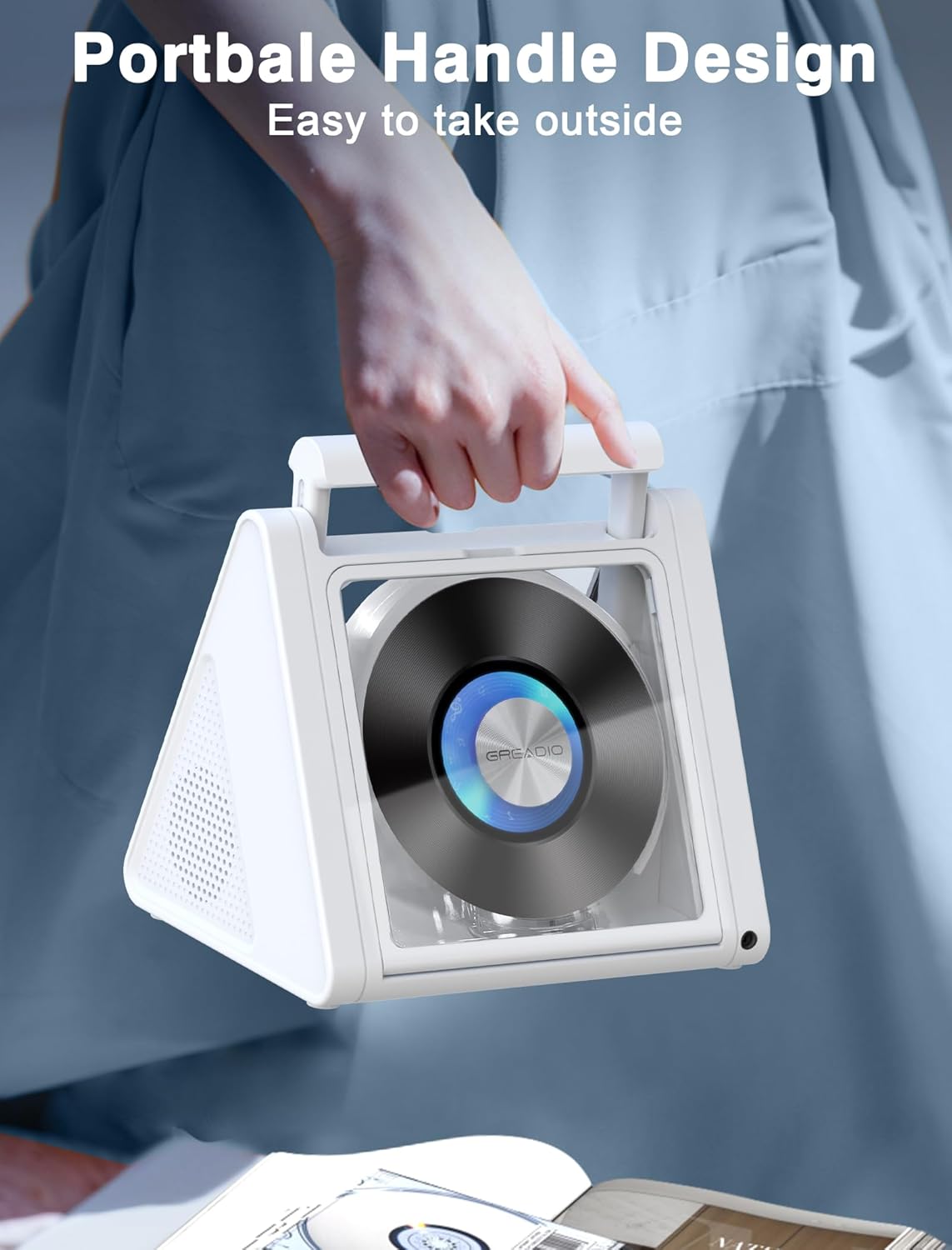
- Portable with Long Battery Life: Built-in 4000mAh rechargeable battery provides 6-12 hours of playback. Includes a remote control for convenience.
- All-in-One Connectivity: Supports CD, USB, FM radio, Optical output, Bluetooth 5.3, and 3.5mm audio input/output.
- Tapa transparent: Allows visibility of the spinning disc.



Configuració
Càrrega del dispositiu
Before first use, fully charge the CD player using the provided Type-C charging cord. Connect the Type-C end to the player's charging port and the USB-A end to a compatible USB power adapter (not included) or computer USB port. The LED display will indicate charging status. A full charge typically takes 4-5 hours.

Inserció d’un CD
- Gently lift the transparent dust cover from top to bottom.
- Col·loqueu el CD a l'eix amb l'etiqueta cap amunt.
- Close the dust cover securely.
Instruccions de funcionament
Controls bàsics
The device features controls on its side panel and a remote control for convenient operation.
- Botó d'encesa: Premeu per activar/desactivar.
- Botó de mode: Short press to switch between CD, USB, FM, Optical, Bluetooth, and AUX modes.
- Pom de volum: Gira per ajustar el volum.
- Botó Reproduir/Pausa: Premeu per reproduir o posar en pausa la reproducció.
- Botons de pista anterior/següent: Premeu curt per saltar pistes; premeu llargament per avançar/rebobinar ràpidament.
- Botó EQ: Short press to cycle through 5 EQ presets (POP, FLAT, JAZZ, ROC, CLA).

Reproducció de CD
After inserting a CD, the player will automatically begin playback. Use the track navigation buttons to select desired songs.
Mode Bluetooth
- Short press the Mode button until "BT" appears on the display.
- On your external device (phone, tablet, laptop), enable Bluetooth and search for "CD02".
- Select "CD02" to pair. A confirmation sound will indicate successful connection.
Note: Not suitable for connecting to car Bluetooth. Keep only one Bluetooth device around that needs to be connected to avoid interference.

Mode de ràdio FM
- Short press the Mode button to switch to FM mode.
- Short press the next song button to tune into your favorite channel or long press to auto search radios.
- The built-in antenna receives the radio signal and plays it stably.
Reproducció USB
Insert a USB flash drive (max 128GB) into the USB port. The player will automatically switch to USB mode and begin playback of compatible audio files (MP3/WMA).
Mode AUX
Connect an external audio device (e.g., smartphone, MP3 player) to the 3.5mm AUX input jack using an audio cable (not included). Switch to AUX mode using the Mode button.
Sortida òptica
Connect the optical output port to a compatible high-end speaker or home theater system for enhanced audio experience.
Funció de repetició AB
- Press the A-B button on the remote control to set the start point "A".
- Press the A-B button again to set the end point "B".
- The CD player will automatically repeat the music in the A-B interval.
- Press the A-B button for the third time to exit the repeat function and the screen will display "OFF".
Ús del comandament a distància
The included remote control allows for convenient operation from a distance (up to 32.8 feet in an unobstructed environment). It can control volume, track selection, mode switching, EQ settings, and A-B repeat.

Manteniment
- Keep the device clean by wiping with a soft, dry cloth.
- Eviteu exposar el dispositiu a temperatures extremes, humitat o llum solar directa.
- No utilitzeu netejadors abrasius ni dissolvents.
- Handle CDs by the edges to prevent scratches and smudges.
- Quan no l'utilitzeu durant períodes prolongats, guardeu el dispositiu en un lloc fresc i sec.
Resolució de problemes
| Problema | Possible solució |
|---|---|
| El dispositiu no s'encén. | Ensure the battery is charged. Connect the Type-C charging cable and try again. If unresponsive, use the reset pin in the reset hole. |
| El CD no es reprodueix o salta. | Check if the CD is clean and free of scratches. Ensure the CD is properly seated on the spindle. Try a different CD. |
| Sense so. | Check the volume level. Ensure the correct mode (CD, BT, FM, etc.) is selected. If using external speakers, check their connection and power. |
| L'aparellament de Bluetooth falla. | Ensure the player is in Bluetooth mode. Turn off Bluetooth on other nearby devices. Move the player closer to your device. Try unpairing and re-pairing. |
| La recepció de ràdio FM és deficient. | Adjust the position of the player. Move away from potential interference sources (e.g., Wi-Fi routers, other electronics). |
Especificacions
- Model: CD02
- Dimensions del producte: 7.32 x 6.3 x 5.85 polzades
- Pes de l'article: 2.58 lliures
- Fabricant: Greadio
- Bateria: 4000mAh Rechargeable (2 Nonstandard Battery batteries included)
- Connectivitat: Bluetooth 5.3, USB, 3.5mm Audio Jack (Input/Output), Optical Output
- Sortida de l'altaveu: 2 x 10 W (Total 20 W)
- Formats de disc compatibles: CD, CD-R, CD-RW, MP3, WMA
- Característiques especials: Anti-Skip Protection, RGB Lighting, Remote Control, Portable Handle
Garantia i suport
Greadio offers a 12 mesos de garantia for this product, along with a Garantia de devolució de 30 dies. For any inquiries or assistance, please contact our Atenció al client 24/7. We are committed to providing high-quality products and excellent customer experience.
For further support, please visit the official Greadio Store: Greadio Store on Amazon


