1. Introducció
This user manual provides detailed instructions for the setup, operation, maintenance, and troubleshooting of your SABLUTE MA22 Plus Wireless Keyboard and Mouse Combo. Designed for ergonomic comfort and efficiency, this combo offers seamless connectivity for both Windows and Mac operating systems. Please read this manual thoroughly to ensure optimal performance and longevity of your device.
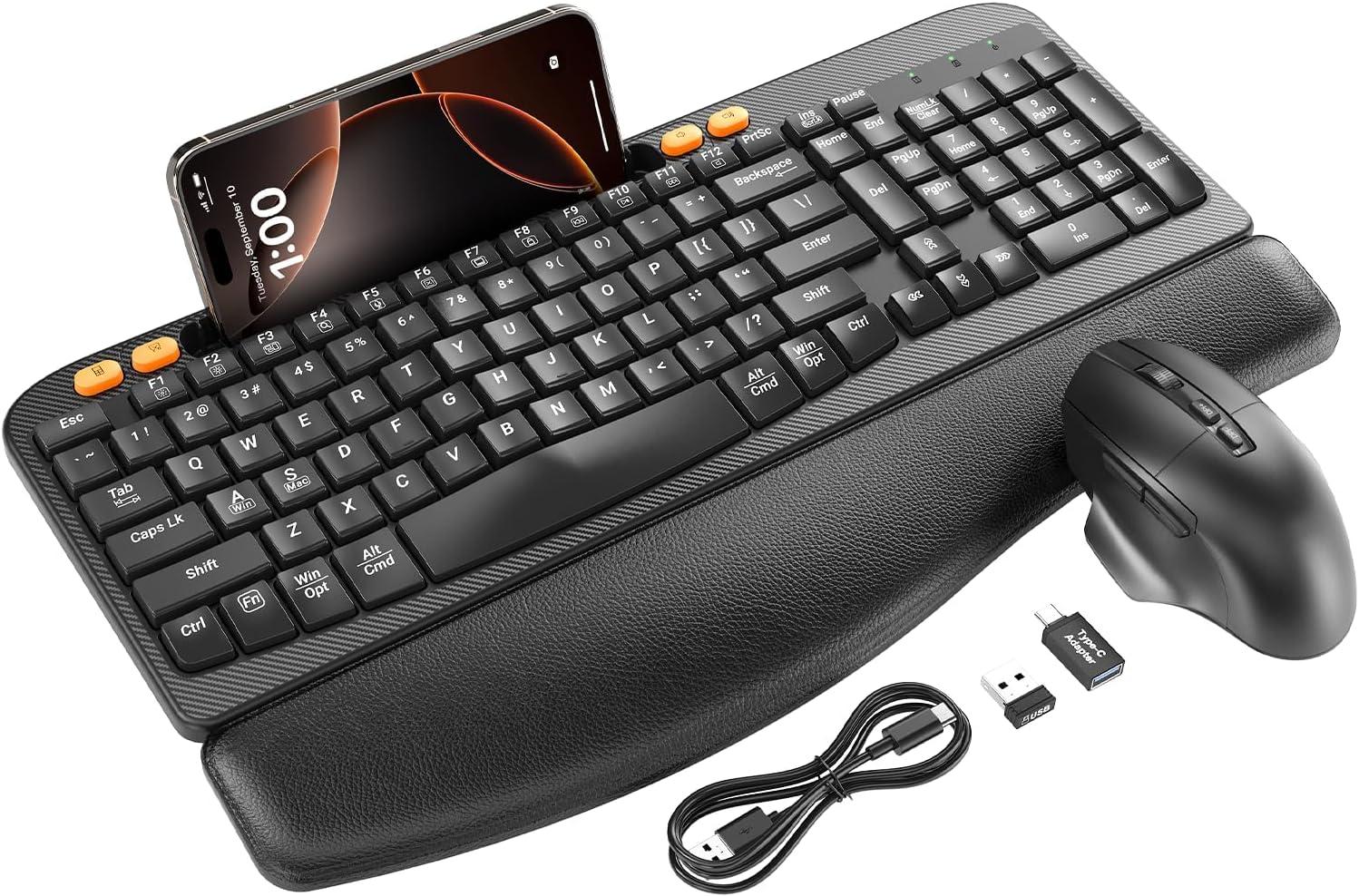
Figure 1.1: The SABLUTE MA22 Plus Wireless Keyboard and Mouse Combo, featuring the ergonomic keyboard with integrated palm rest, a multi-function mouse, USB-A dongle, USB-C adapter, and charging cable.
2. Contingut del paquet
Si us plau, verifiqueu que tots els elements siguin presents al vostre paquet:
- Ergonomic Wireless Keyboard x 1
- Multi-Function Wireless Mouse x 1
- USB-A Dongle x 1
- USB-C Converter x 1
- Cable de càrrega USB-C x 1
- Manual d'usuari x 1
3. Instruccions de configuració
3.1. Connexió del dispositiu
The SABLUTE MA22 Plus uses 2.4G wireless technology for a stable and lag-free connection. Both the keyboard and mouse connect via a single USB dongle.
- Locate the USB-A dongle. It may be stored in the mouse's battery compartment for safekeeping.
- Plug the USB-A dongle into an available USB-A port on your computer. If your computer only has USB-C ports, use the provided USB-C converter by plugging the USB-A dongle into the converter, then plugging the converter into your computer's USB-C port.
- Ensure both the keyboard and mouse are powered on. The devices are plug-and-play and should connect automatically within a few seconds.

Figure 3.1: The included USB-A dongle and USB-C converter, allowing versatile connectivity options for various computer ports.
3.2. Càrrega dels dispositius
Both the keyboard and mouse are equipped with built-in rechargeable batteries, eliminating the need for frequent battery replacement.
- Connecteu el cable de càrrega USB-C proporcionat al port de càrrega del teclat i del ratolí.
- Connecteu l'altre extrem del cable a una font d'alimentació USB (per exemple, un port USB de l'ordinador, un adaptador de paret USB).
- A full charge typically takes 2-3 hours. The charging indicator light will change to indicate a full charge.
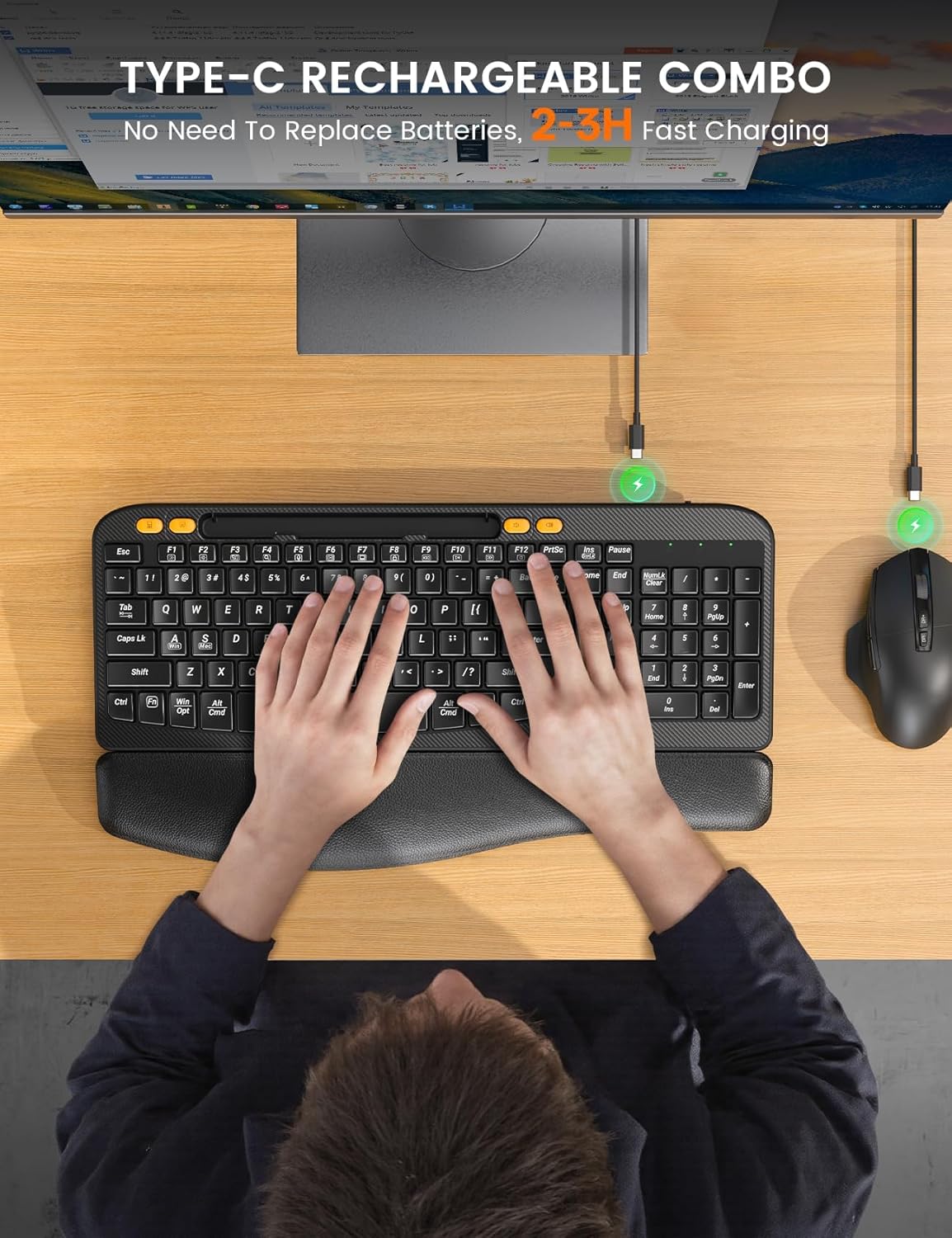
Figure 3.2: The keyboard and mouse being charged via their respective Type-C ports, illustrating the convenience of rechargeable batteries.
4. Instruccions de funcionament
4.1. Característiques del teclat
- Ergonomic Curved Design: The keyboard features an ergonomic arc design that naturally fits the curve of the palm, reducing wrist pressure and promoting a neutral typing posture.
- Reposa-canell de cuir suau: An integrated, sponge-filled leather wrist rest provides soft support, dispersing pressure and relieving fatigue during long typing sessions.
- Canvi de sistema operatiu: Quickly switch between Windows and Mac operating systems by pressing the FN + A (per a Windows) o FN + S (for Mac) keys.
- Tecles de drecera d'un sol toc: The keyboard includes 4 dedicated one-touch hotkeys for enhanced efficiency:
- Calculadora
- Captura de pantalla
- Baixa el volum
- Puja el volum
- Suport de telèfon integrat: A 7.28-inch holder is built into the keyboard, allowing you to conveniently place your mobile phone or small tablet for multitasking.

Figure 4.1: The ergonomic wave key design of the keyboard, illustrating the natural and comfortable typing experience it provides.
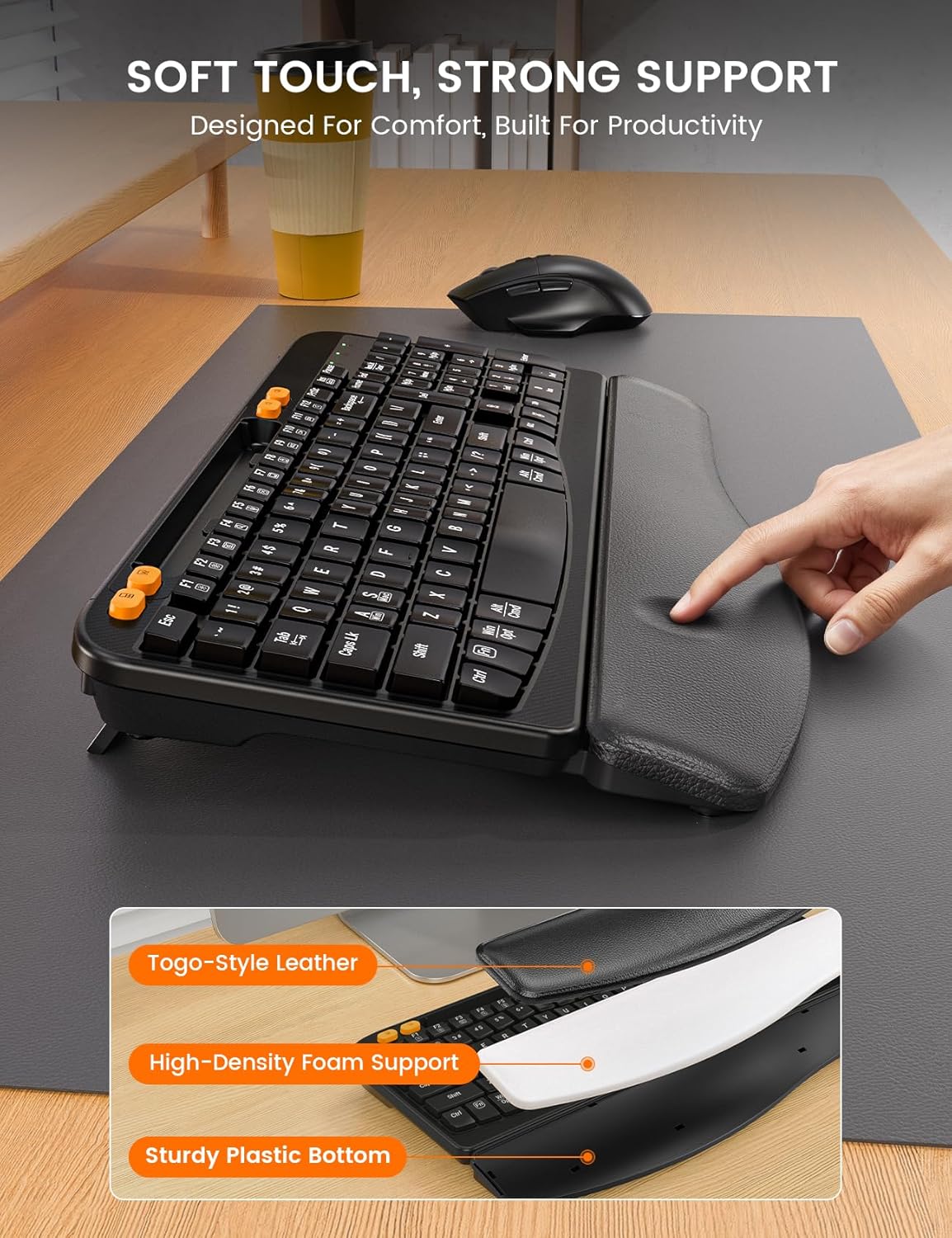
Figura 4.2: Un primer pla view of the soft leather wrist rest, highlighting its construction with Togo-style leather and high-density foam support for enhanced comfort.

Figure 4.3: The dedicated one-touch shortcut keys located on the keyboard, providing quick access to common functions like calculator, screenshot, and volume control.
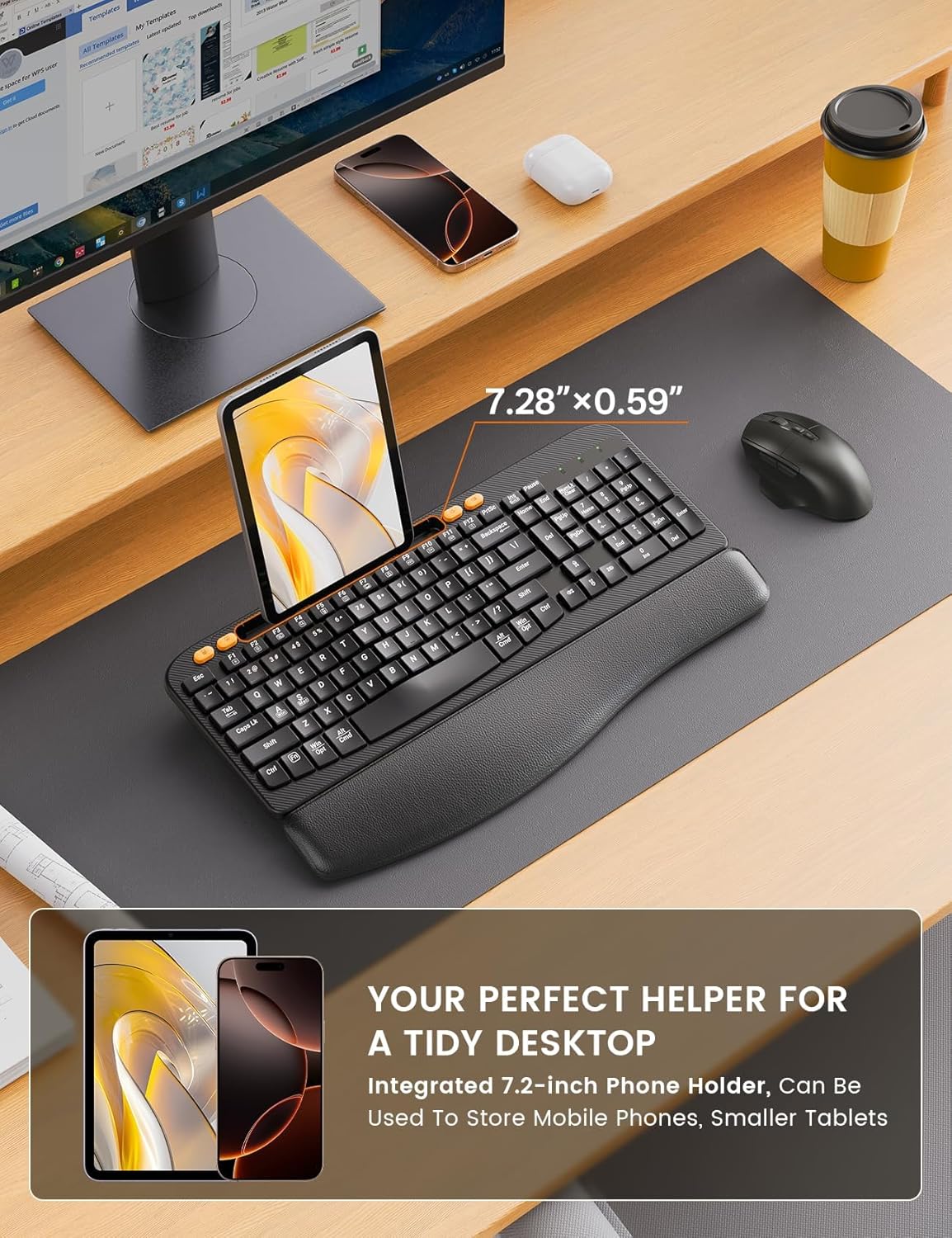
Figure 4.4: The integrated 7.28-inch phone holder on the keyboard, designed to keep your mobile device upright and accessible while you work.
4.2. Característiques del ratolí
- Silent Switch Technology: The mouse features Silent Switch technology and a rubber scroll wheel, reducing click noise by 90% for a quieter working environment.
- DPI ajustable: Customize the mouse's tracking speed with 3 adjustable DPI levels (800, 1200, 1600, 2000 DPI) to suit your preference and task requirements.
- Botons Endavant/Enrere: Convenient side buttons allow for quick navigation (forward/backward) in web navegadors i file exploradors.
- Disseny ergonòmic: The mouse is shaped to fit comfortably in your hand, with a dedicated finger rest for prolonged use.
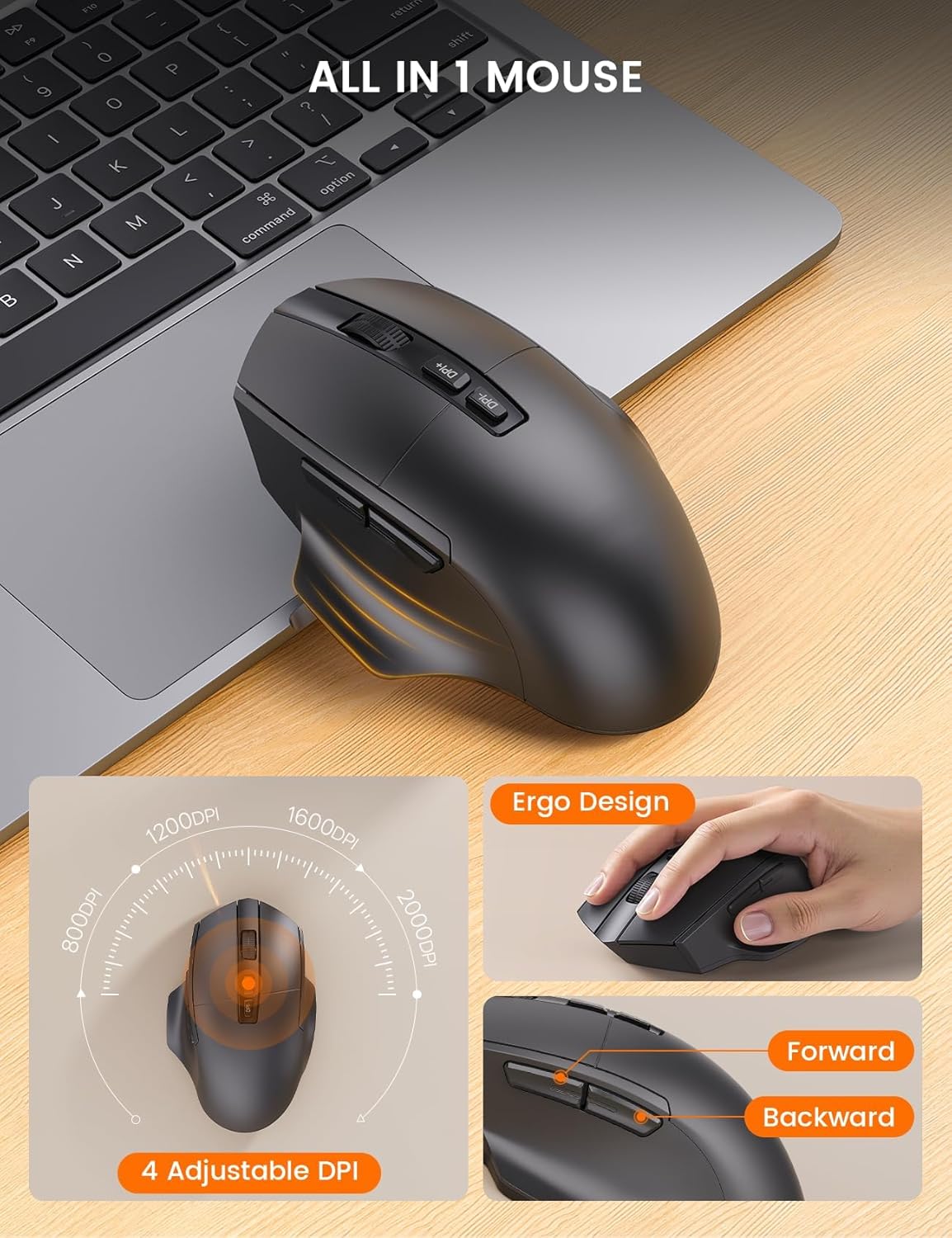
Figure 4.5: The multi-function wireless mouse, showcasing its ergonomic design, adjustable DPI settings, and convenient forward/backward buttons.
5. Manteniment
To ensure the longevity and optimal performance of your SABLUTE MA22 Plus combo, follow these maintenance guidelines:
- Neteja: Use a soft, dry cloth to wipe down the keyboard and mouse. For stubborn dirt, slightly dampNetegeu el drap amb aigua o un netejador suau i no abrasiu. Eviteu la humitat excessiva.
- Emmagatzematge: Quan no els utilitzeu durant períodes prolongats, guardeu els dispositius en un lloc fresc i sec, allunyats de la llum solar directa i de temperatures extremes.
- Càrrega: Avoid overcharging the batteries. Disconnect the charging cable once the devices are fully charged.
6. Solució De Problemes
If you encounter any issues with your SABLUTE MA22 Plus, please refer to the following common solutions:
- Sense connexió/Retard:
- Ensure the USB dongle is securely plugged into your computer's USB port (or via the USB-C converter).
- Verify that both the keyboard and mouse are powered on.
- Move the devices closer to the USB dongle to reduce interference.
- Try plugging the USB dongle into a different USB port on your computer.
- Recharge the keyboard and mouse to ensure they have sufficient battery power.
- Keys Not Responding/Mouse Not Moving:
- Comproveu els nivells de la bateria i recarregueu-la si cal.
- Apagueu els dispositius i torneu-los a encendre.
- Ensure the correct operating system mode (Windows/Mac) is selected on the keyboard using FN+A/S.
- For the mouse, ensure the optical sensor on the bottom is clean and unobstructed.
- Problemes de càrrega:
- Ensure the USB-C charging cable is properly connected to both the device and the power source.
- Try a different USB-C cable or power source.
If the issue persists after trying these steps, please contact SABLUTE customer support.
7. Especificacions
| Característica | Descripció |
|---|---|
| Número de model | MA22 Plus |
| Marca | SABLUTE |
| Tecnologia de connectivitat | 2.4G USB sense fil |
| Dimensions del teclat (L x A x A) | 16.5 x 9.15 x 1.89 polzades |
| Dimensions del ratolí (L x A x A) | 5.12 x 3.15 x 1.50 polzades |
| Pes de l'article | 2.77 lliures |
| Font d'alimentació | Type-C Rechargeable Batteries (650mAh) |
| Temps de càrrega | 2-3 hores |
| Dispositius compatibles | Ordinador portàtil, ordinador personal, televisió |
| Compatibilitat de sistemes operatius | Windows, Mac OS |
| Nivells de DPI del ratolí | 800, 1200, 1600, 2000 |
| Tecles d'accés ràpid del teclat | Calculator, Screenshot, Volume Down, Volume Up |
| Mida del suport del telèfon | 7.28 polzades |

Figure 7.1: Detailed dimensions of the SABLUTE MA22 Plus keyboard and mouse for reference.
8. Garantia i Suport
SABLUTE is committed to providing high-quality products and excellent customer service. Your SABLUTE MA22 Plus Wireless Keyboard and Mouse Combo comes with a standard manufacturer's warranty. For specific warranty terms and conditions, please refer to the warranty card included in your package or contact customer support.
Atenció al client:
- Suport per correu electrònic: sabluteservices@outlook.com
- Assistència telefònica (EUA): +1-213-296-1273
- Horari de funcionament: Mon-Fri 9am-1pm, 2pm-6pm (PST)


