1. Introducció
This manual provides essential information for the safe and efficient use of your Xiaomi Pad 7 Pro. Please read this manual thoroughly before using the device and keep it for future reference.
The Xiaomi Pad 7 Pro is a high-performance tablet designed for productivity and entertainment, featuring an 11.2-inch 3.2K 144Hz display, powered by the Snapdragon 8s Gen 3 Mobile Platform, and running on Android 14 with HyperOS. This is a WiFi-only version and does not support cellular calls or text messages, nor does it have a SIM card or SD card slot.

Figure 1.1: Xiaomi Pad 7 Pro device overview.
2. Configuració
2.1 Desembalatge i càrrega inicial
Your Xiaomi Pad 7 Pro comes with a USB Type-C Cable and this manual. A power adapter is not included in the box. For optimal charging, a 45W turbo charging adapter is recommended and sold separately.
- Connect the USB Type-C cable to the tablet's charging port and to a compatible power adapter (not included) or a computer's USB port.
- Allow the tablet to charge until the battery indicator shows a sufficient charge, or fully charged, before first use.
2.2 Engegada i configuració inicial
- Press and hold the power button (located on the side) until the Xiaomi logo appears.
- Segueix les instruccions que apareixen a la pantalla per seleccionar l'idioma i la regió i connectar-te a una xarxa Wi-Fi.
- Inicia la sessió amb el teu compte de Google o crea'n un de nou per accedir als serveis de Google i a Play Store.
- Set up your screen lock method, which can include a PIN, pattern, password, or biometric options like the side fingerprint sensor or face unlock.
2.3 Biometric Security Setup
- Navega a Settings > Face data & screen lock or Settings > Side fingerprint sensor.
- Follow the instructions to register your fingerprint or face data for quick and secure unlocking.
3. Com utilitzar el teu Xiaomi Pad 7 Pro
3.1 Pantalla i experiència visual
The Xiaomi Pad 7 Pro features an 11.2-inch 3.2K (3200 x 2136 pixels, 345 ppi) display with a refresh rate of up to 144Hz. It supports Dolby Vision and offers 800 nits peak brightness for an immersive visual experience. The display includes multi-dimensional eye-care functions, such as 4096 levels of brightness adjustment, and has attained TÜV Rheinland eye comfort certifications (Low Blue Light, Flicker Free, Circadian Friendly) to protect your eyes during extended use.
3.2 Rendiment i capacitats d'IA
Powered by the 4nm Snapdragon 8s Gen 3 Mobile Platform with an Octa-core processor up to 3.0GHz and Adreno GPU, the tablet delivers robust performance. It integrates a Qualcomm AI engine, enabling new AI capabilities for handling diverse office tasks, generating texts and images, and conducting meetings seamlessly. The proprietary AIGC and cloud computing technology allow for quick transformation of sketches into masterpieces.
3.3 Sistema d'àudio
The tablet is equipped with quad speakers supporting Dolby Atmos, providing an immersive sound experience. It also features a 200% volume boost for enhanced audio output.
3.4 Càmeres
- Càmera posterior: 50MP (JN1, 1/2.76", f/1.8, PDAF) with 4K video recording at 30fps/60fps and 1080P/720P video at 30fps/60fps. Supported modes include Photo, Video, Portrait, Document, Dual video, Director mode, Teleprompter, Dynamic shot, and HDR.
- Càmera frontal: 32MP (1/3.6", f/2.2) with 1080P/720P video recording at 30fps. Supported modes include Photo, Video, Portrait, Dual video, Teleprompter, Dynamic shot, and HDR.
3.5 Connectivitat i sensors
The Xiaomi Pad 7 Pro supports Wi-Fi 6E (2x2 MIMO, 8x8 Sounding for MU-MIMO, Wi-Fi Direct, Miracast) and Bluetooth 5.4 (AAC / LDAC / LHDC 5.0, IPv6). It includes a comprehensive set of sensors: Accelerometer, Gyroscope, Front Ambient light (color temperature), Rear Ambient light, Flicker, Hall, Side fingerprint, Magnetic, Proximity, RGB LED, and IR remote control.
3.6 Operating System: HyperOS 2
The tablet runs on Android 14 with HyperOS 2, which introduces new core technologies and intelligent computing power scheduling for seamless multi-tasking. HyperOS 2 accurately allocates resources based on window visibility prioritization for a smoother user experience. It also enhances connectivity with the refreshed Xiaomi HyperConnect and provides evolved Conference tools with features like Fill light, Interpret, and Cross-device camera for improved meeting and office experiences.
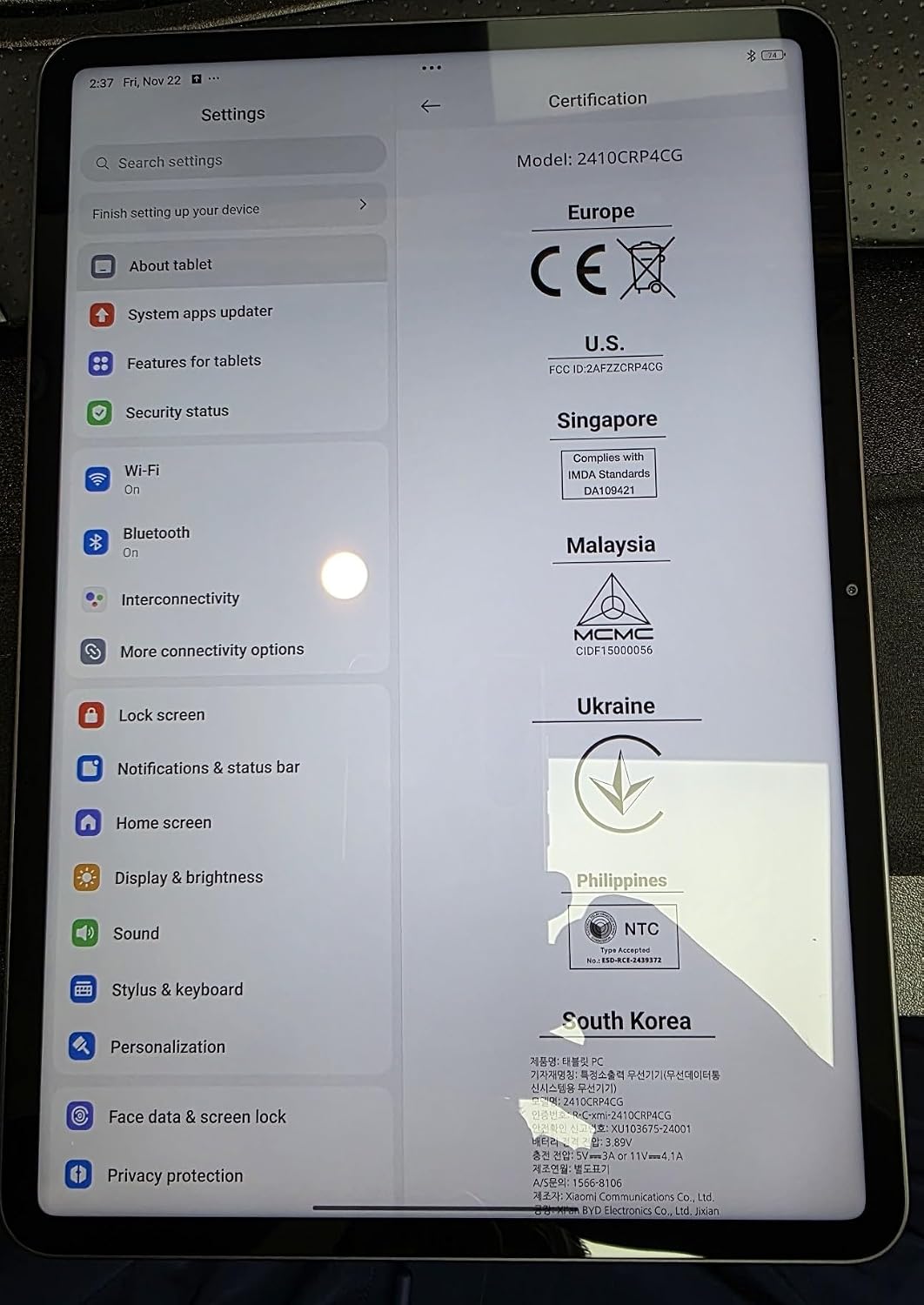
Figure 3.1: Xiaomi Pad 7 Pro Settings interface.
4. Manteniment
4.1 Neteja del vostre dispositiu
- Feu servir un drap suau i sense borrissol per netejar la pantalla i la carcassa.
- Per a taques persistents, lleugerament dampNetegeu el drap amb aigua o un netejador de pantalles dissenyat per a electrònica.
- Eviteu utilitzar productes químics agressius, materials abrasius o aerosols directament sobre la tauleta.
4.2 Actualitzacions de programari
Regularly check for system updates to ensure your device has the latest features, security patches, and performance improvements.
- Vés a Settings > About tablet > System apps updater or Settings > My device > MIUI version (or HyperOS version) to check for updates.
- Ensure your device is connected to Wi-Fi and has sufficient battery life before starting an update.
4.3 Cura de la bateria
The Xiaomi Pad 7 Pro is equipped with an 8850mAh (typ) battery. To prolong battery life:
- Eviteu temperatures extremes.
- No deixeu que la bateria es descarregui completament amb freqüència.
- Use the recommended 45W turbo charging adapter for faster and safer charging.
5. Solució De Problemes
5.1 Problemes comuns i solucions
- El dispositiu no s'encén: Ensure the battery is charged. Connect to a power source and try again. If unresponsive, press and hold the power button for 10-15 seconds to force a restart.
- Problemes de connectivitat Wi-Fi: Comprova si el Wi-Fi està activat a la configuració. Reinicia el teu encaminador Wi-Fi. Oblida't de la xarxa i torna a connectar-te.
- Les aplicacions es bloquegen o es bloquegen: Tanca l'aplicació i torna-la a obrir. Esborra la memòria cau i les dades de l'aplicació. Configuració > AplicacionsAssegureu-vos que l'aplicació estigui actualitzada a la seva darrera versió.
- Rendiment lent: Close unnecessary background apps. Clear cache regularly. Ensure sufficient storage space is available.
- Problemes de càrrega: Ensure the USB Type-C cable is securely connected. Try a different cable or power adapter. Verify the power adapter meets the recommended specifications (e.g., 45W).
5.2 Important Note on Connectivity
Please remember that the Xiaomi Pad 7 Pro (Global WiFi Version) does no support cellular calls or text messages and does no have a SIM card slot. All communication and internet access are via Wi-Fi.
6. Especificacions
| Característica | Especificació |
|---|---|
| Nom del model | Xiaomi Pad 7 PRO |
| Número de model de l'article | 62767 |
| Sistema operatiu | Android 14 HyperOS |
| Mida de la pantalla | 11.2 polzades |
| Resolució de pantalla | 3200 x 2136 pixels (3.2K), 345 ppi |
| Freqüència d'actualització | Fins a 144 Hz |
| Lluminositat màxima | 800 nits |
| Processador | Plataforma mòbil Snapdragon 8s Gen 3 (octa-nucli, fins a 3.0 GHz) |
| GPU | Adreno GPU |
| RAM | 12 GB |
| Mida de la memòria flash | 512 GB |
| Càmera posterior | 50MP |
| Càmera frontal | 32MP |
| Capacitat de la bateria | 8850 mAh (tipus) |
| Carregant | 45W turbo charging (adapter not included) |
| Tipus sense fil | Wi-Fi 6E (802.11a/b/g/n/ac/ax), Bluetooth 5.4 |
| Dimensions del producte (LxWxH) | 9.89 x 6.83 x 0.24 polzades |
| Pes de l'article | 1 lliures |
| Color | Gris |
7. Garantia i Suport
Your Xiaomi Pad 7 Pro comes with a standard manufacturer's warranty. For detailed warranty terms and conditions, please refer to the warranty card included with your purchase or visit the official Xiaomi support weblloc.
For further assistance, technical support, or to explore accessories, please visit the official XIAOMI Store or support channels:
Always ensure you are referring to official Xiaomi resources for accurate and up-to-date information.


