1. Introducció
The HANMATEK IE01 Industrial Endoscope is designed for detailed visual inspection in confined or hard-to-reach areas. This manual provides instructions for the safe and effective use of your endoscope, covering setup, operation, maintenance, and troubleshooting.
The IE01 features a 4.3-inch TFT screen with 1080P resolution, a 16.5-feet (5-meter) flexible cable, an 8mm camera with adjustable LED lights, and an IP67 waterproof rating. It is powered by a lithium battery offering up to 4 hours of continuous use and charges via USB-C.
2. Contingut del paquet
Verifiqueu que tots els elements siguin presents al paquet:
- 1x HANMATEK IE01 Industrial Endoscope
- Cable de càrrega USB-C
- Manual d'usuari
- Accessories (Mirror, Hook, Magnet)

Image: The HANMATEK IE01 Industrial Endoscope, its accessories (mirror, hook, magnet), USB-C charging cable, and user manual, all neatly arranged with the product packaging in the background.
3. Característiques del producte
- Pantalla d'alta resolució: 4.3-inch TFT screen with 1080P resolution for clear and detailed imaging.
- Flexible Snake Cable: 16.5 feet (5 meters) long flexible cable for easy access to hard-to-reach areas.
- Il·luminació LED ajustable: 8 adjustable LED lights for improved visibility in dark environments.
- Impermeable i durador: IP67 waterproof rating for reliable performance in wet conditions.
- Multi-Function Controls: Buttons for zooming (1x-2x-3x), brightness adjustment, 180° image rotation, and color mode switching (color/black & white).
- Llarga vida útil de la bateria: 2600mAh lithium battery provides up to 4 hours of continuous use, with Type-C charging.
- Portable & Easy to Use: Compact design suitable for various industrial and maintenance applications.
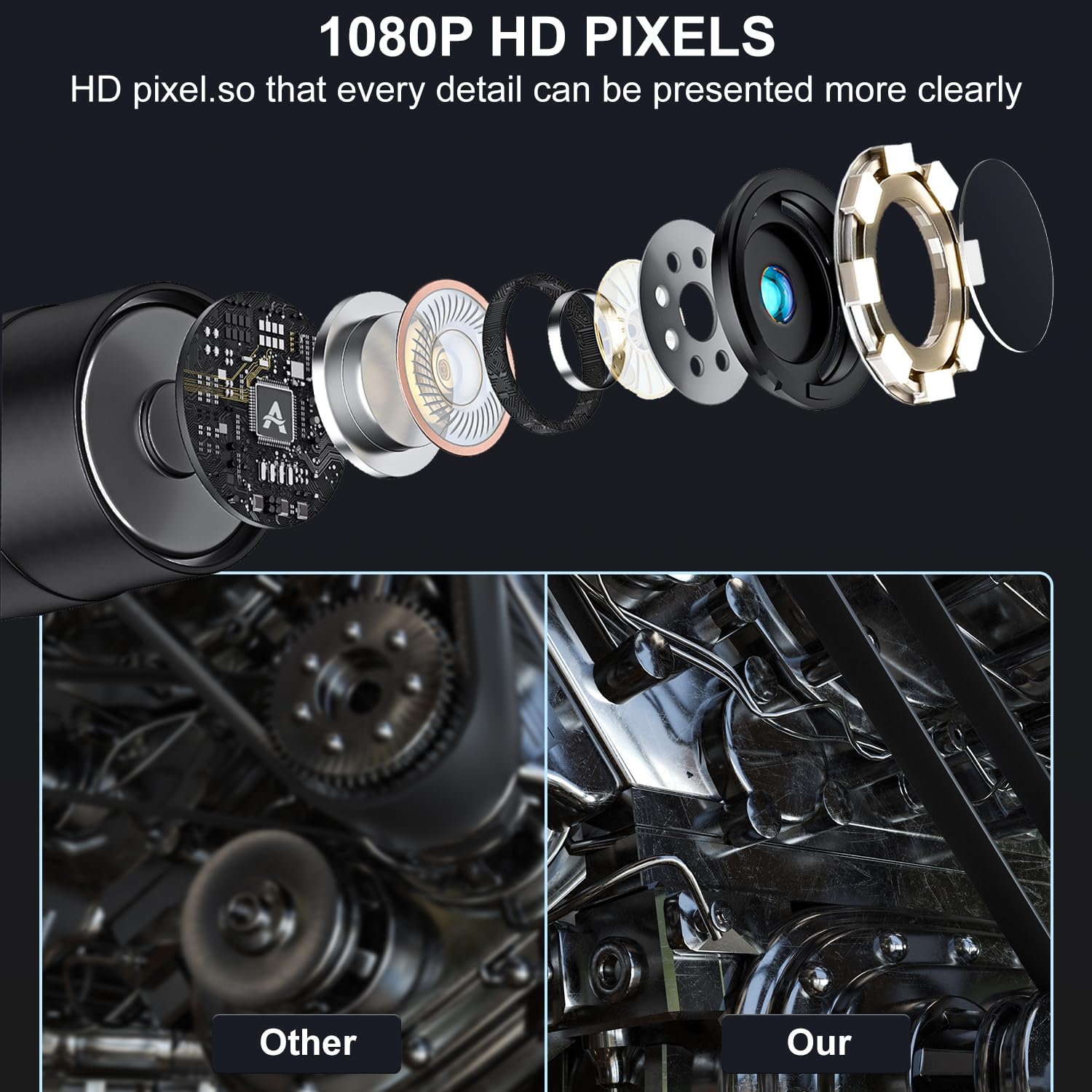
Image: An exploded diagram illustrating the internal components of the endoscope camera, alongside a visual comparison demonstrating the superior clarity of 1080P HD pixels compared to a standard image.
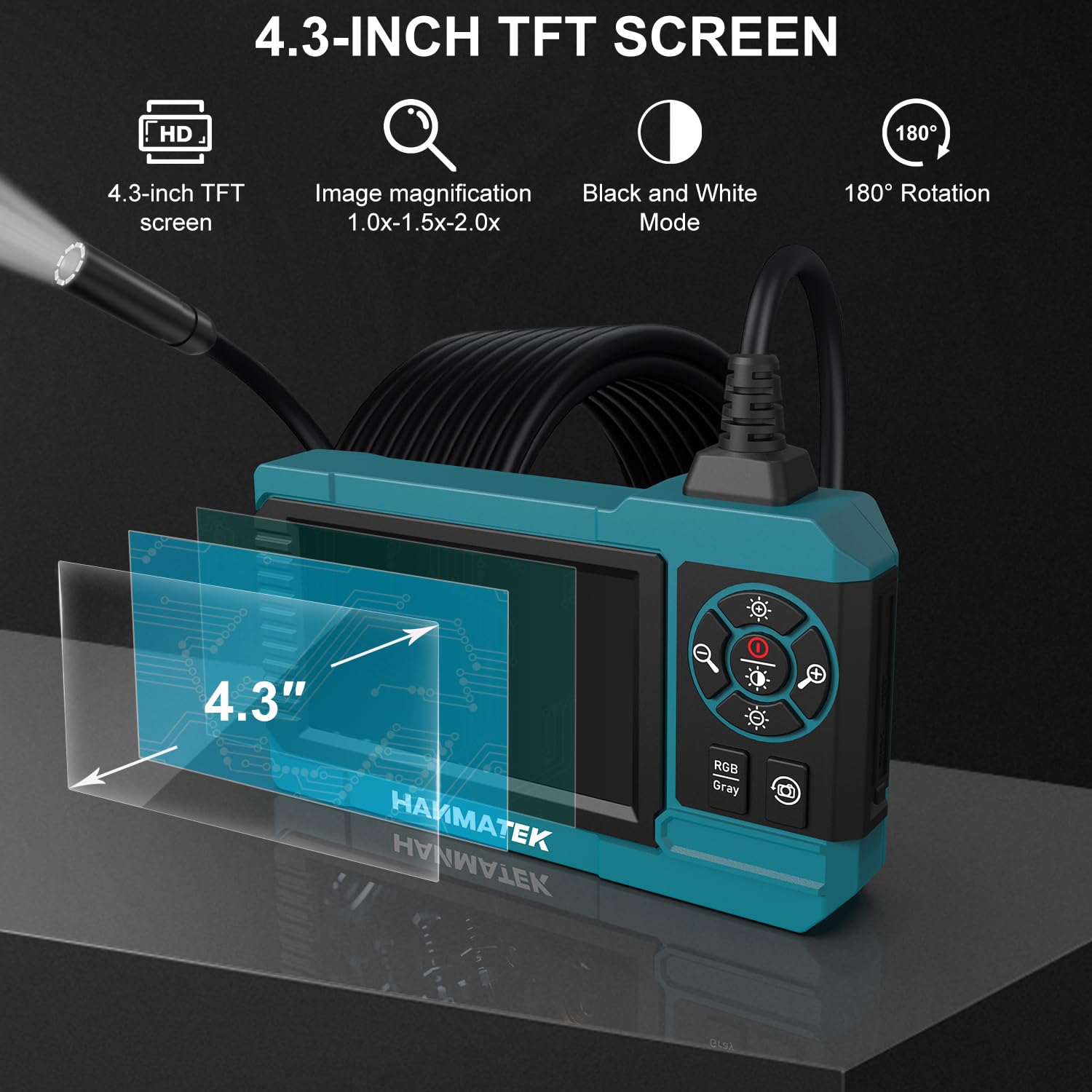
Image: A visual representation of the endoscope's 4.3-inch TFT screen, highlighting its features such as image magnification, black and white mode, and 180-degree rotation capability.
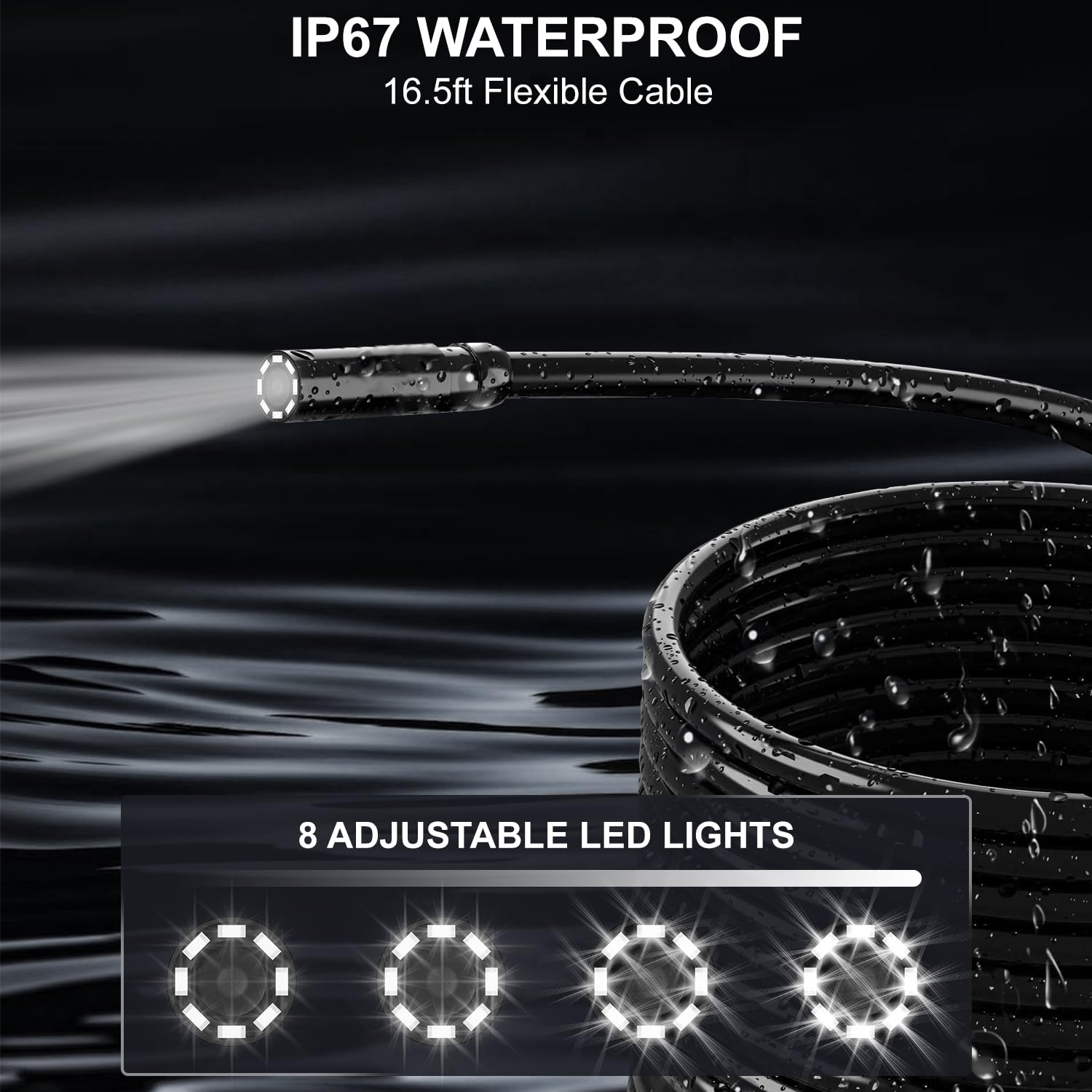
Image: The IP67 waterproof flexible cable of the endoscope, submerged in water, showcasing its durability and the 8 adjustable LED lights at the camera tip for illumination.
4. Configuració
4.1 Càrrega del dispositiu
- Connect the provided USB-C charging cable to the charging port on the endoscope unit.
- Connect the other end of the cable to a standard USB power adapter (not included) or a computer's USB port.
- El llum indicador de càrrega s'il·luminarà durant la càrrega. Una càrrega completa sol trigar aproximadament 4 hores.
- Disconnect the cable once fully charged. The device can be used for up to 4 hours on a full charge.

Image: The HANMATEK IE01 endoscope unit, illustrating its 2600mAh capacity battery and indicating a 4-hour working time, with the charging port visible.
4.2 Col·locació d'accessoris
The endoscope comes with a mirror, hook, and magnet accessory. To attach an accessory:
- Carefully slide the desired accessory onto the camera head until it is securely in place.
- Ensure the accessory does not obstruct the camera lens or LED lights.
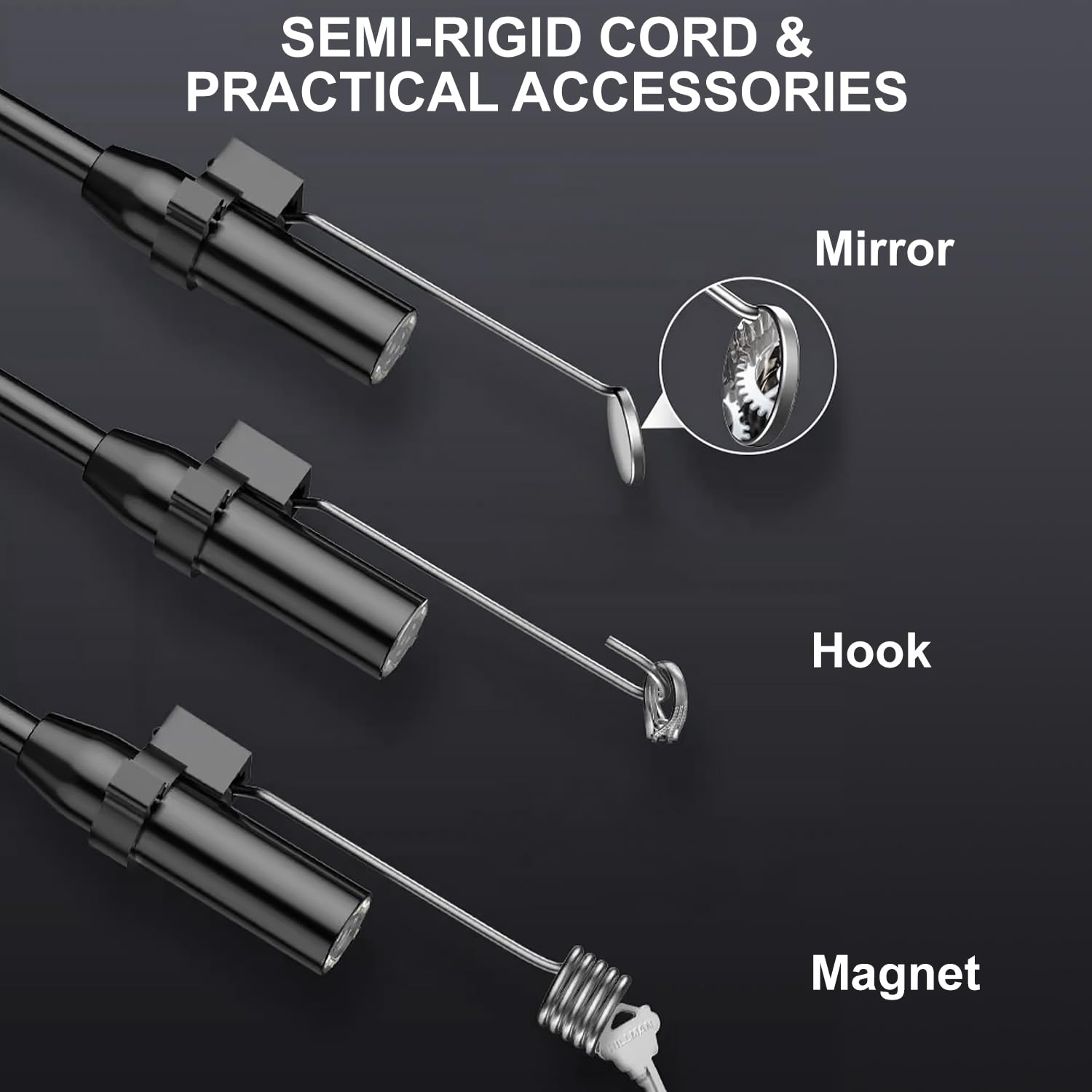
Imatge: Un primer pla view of the endoscope's semi-rigid cord, demonstrating how the mirror, hook, and magnet accessories attach to the camera head.
5. Instruccions de funcionament
5.1 Encès/Apagat
- Per engegar-lo, premeu i manteniu premut el botó d'engegada fins que la pantalla s'il·lumini.
- Per apagar l'aparell, premeu i manteniu premut el botó d'engegada de nou fins que la pantalla s'apagui.
5.2 Navegació per la interfície
The endoscope features intuitive controls located next to the display screen:
- Funció de zoom: Use the zoom buttons (typically marked with '+' and '-') to magnify the image (1x, 2x, 3x).
- Ajust de brillantor: Press the brightness control button to cycle through 4 levels of LED light intensity.
- Rotació de la imatge: Press the rotation button to rotate the image 180 degrees for optimal viewangle de ing.
- Mode de color: Switch between color and black & white display modes using the dedicated button.

Image: A user holding and operating the HANMATEK IE01 industrial endoscope, demonstrating its standalone functionality without requiring external devices or applications.
5.3 Realització d'una inspecció
- Gently insert the flexible cable with the camera head into the area to be inspected.
- Adjust the LED light brightness as needed for clear visibility.
- Maneuver the semi-rigid cable to navigate through tight spaces.
- Use the zoom and image rotation functions to get a detailed view de la zona d'inspecció.
- For side views or retrieving small objects, attach the mirror, hook, or magnet accessories as required.

Image: A collage of four images illustrating diverse applications of the industrial endoscope, including mechanical interior inspection, pipeline maintenance, leakage detection, and general home cleaning tasks.
6. Manteniment
6.1 Neteja
- Càmera i cable: The camera head and flexible cable are IP67 waterproof. After use in wet or dirty environments, wipe them clean with a damp tela. No utilitzeu netejadors abrasius.
- Unitat principal: Wipe the main display unit with a soft, dry cloth. Avoid getting liquids into the charging port or control buttons.
6.2 Emmagatzematge
- Store the endoscope in a cool, dry place, away from direct sunlight and extreme temperatures.
- Ensure the cable is coiled loosely to prevent damage.
- Keep the device and accessories in their original packaging or a protective case when not in use.
6.3 Cura de la bateria
- Per allargar la durada de la bateria, carregueu el dispositiu regularment, fins i tot si no l'utilitzeu amb freqüència.
- Eviteu descarregar completament la bateria durant períodes prolongats.
7. Solució De Problemes
| Problema | Causa possible | Solució |
|---|---|---|
| El dispositiu no s'encén. | Bateria baixa. | Carregueu el dispositiu amb el cable USB-C proporcionat. |
| La imatge és borrosa o poc clara. | Camera lens is dirty; insufficient lighting; focus issue. | Clean the camera lens. Adjust LED brightness. Ensure the object is within the camera's focal range. |
| Els llums LED no funcionen. | Brightness set to minimum; device malfunction. | Increase LED brightness using the control button. If problem persists, contact support. |
| La pantalla està congelada o no respon. | Error temporal de programari. | Premeu i manteniu premut el botó d'engegada durant 10 segons per forçar un reinici. |
8. Especificacions
| Model | IE01 |
| Pantalla de visualització | TFT de 4.3 polzades |
| Resolució de captura de vídeo | 1080p |
| Diàmetre de la càmera | 8 mm |
| Longitud del cable | 16.5 peus (5 metres) |
| Classificació impermeable | IP67 (for camera and cable) |
| Llums LED | 8 LED ajustables |
| Tipus de bateria | Ió de liti de 2600 mAh |
| Durada de la bateria | Fins a 4 hores |
| Port de càrrega | USB-C |
| Zoom òptic | 3x |
| Rotació de la imatge | 180° |
| Pes de l'article | 581 g |
| País d'origen | EUA |
9. Garantia i Suport
For warranty information or technical support, please refer to the contact details provided with your purchase documentation or visit the official HANMATEK weblloc.
Si us plau, conserveu el comprovant de compra per a qualsevol reclamació de garantia.


