1. Introducció
The Mini FPV DVR is a compact and versatile digital video recorder designed for capturing and digitizing analog video footage. It supports multiple recording resolutions and is compatible with both NTSC and PAL video formats, making it ideal for converting content from various analog sources such as VHS, Hi8, and Betamax camcorders.
Característiques principals:
- Multi-Resolution Recording: Selectable video resolutions including VGA (640x480), D1 (720x480), and HD (1280x720) for versatile video capture.
- Àmplia compatibilitat: Supports NTSC and PAL video formats for broad analog source compatibility.
- Built-in Battery & Compact Design: Features a 3.7V/400mAh rechargeable Li-ion polymer battery for up to 2 hours of continuous recording. Ultra-portable at 53mm x 33mm x 9mm and 24.5g.
- Easy AV Connectivity: Equipped with 3.5mm AV input/output interfaces and a micro USB charging port for direct connection to monitors or TVs.
- Convenient File Gestió: Supports up to 32GB TF cards (Class 10 recommended) with adjustable cyclic recording times (10/20/30 minutes).
Contingut del paquet:
Si us plau, verifiqueu que tots els elements siguin presents al vostre paquet:
- Mini FPV DVR Unit
- AV Cables (3.5mm to RCA)
- Cable de càrrega USB
- Manual d'usuari
- Accessories (e.g., Velcro strap)
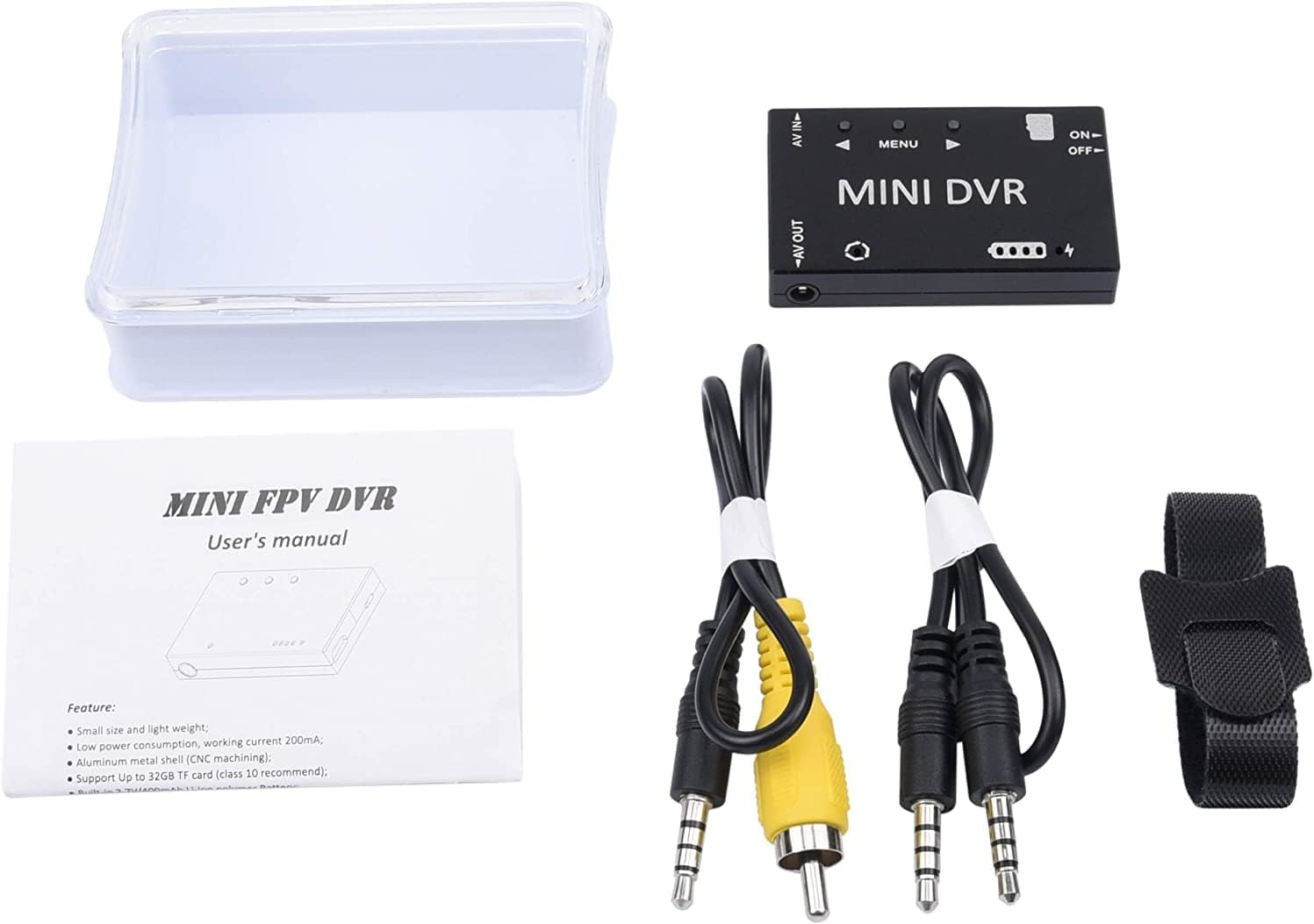
Figure 1.1: Package Contents of the Mini FPV DVR.
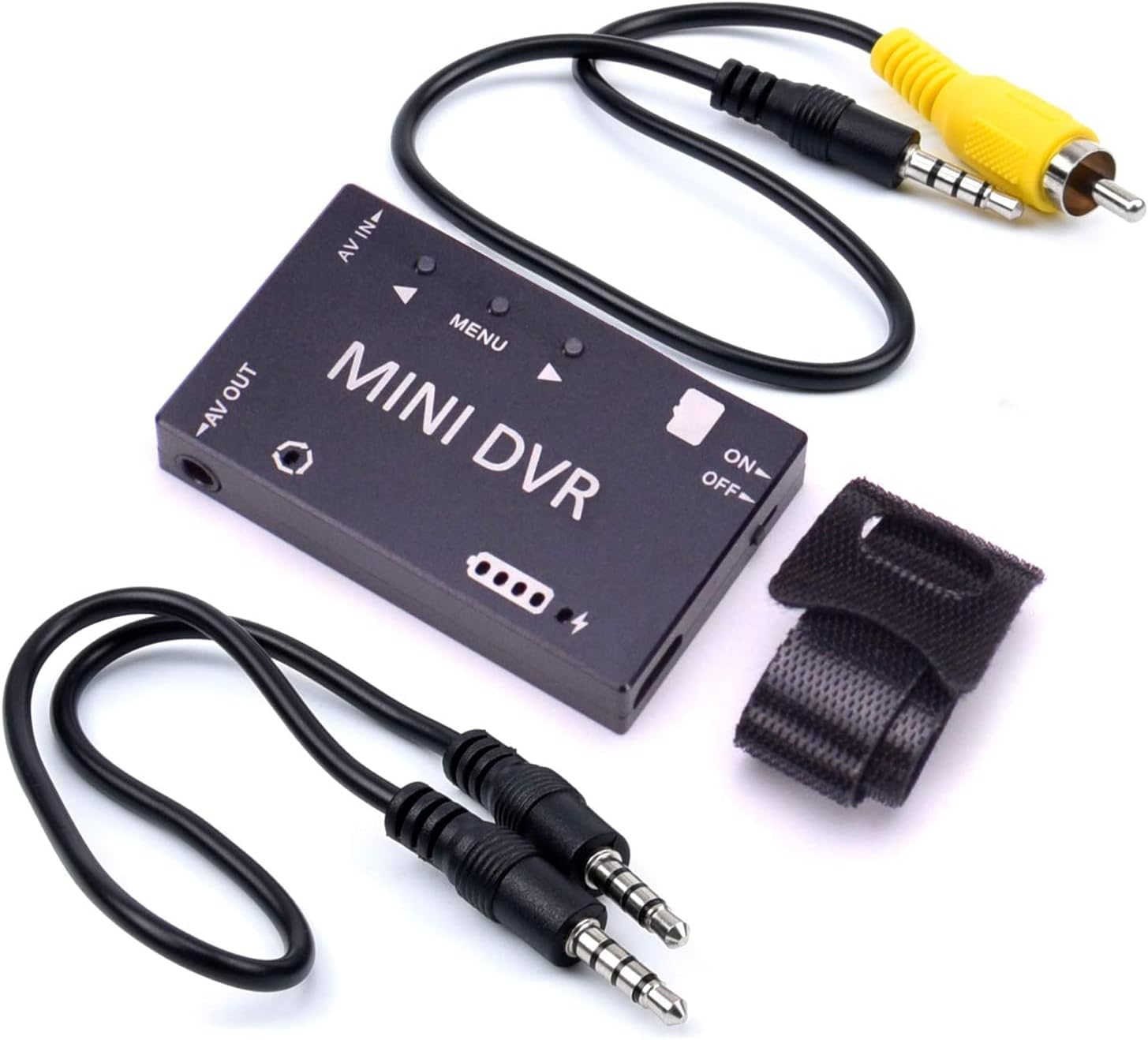
Figure 1.2: Mini FPV DVR with included accessories.

Figure 1.3: The compact size of the Mini FPV DVR.
2. Configuració
2.1 Càrrega de la bateria
Before first use, fully charge the built-in 3.7V/400mAh Li-ion polymer battery. Connect the Mini FPV DVR to a 5V DC power source (e.g., a computer USB port or a USB wall adapter) using the provided Micro USB cable. The charging current is 500mA Max. A full charge provides approximately 1.5 to 2 hours of working time.
2.2 Inserció de la targeta TF
The device supports TF cards up to 32GB (Class 10 recommended). Locate the TF card slot on the side of the DVR. Gently insert the TF card with the gold contacts facing down until it clicks into place. To remove, push the card in slightly until it springs out.
2.3 Connexió a dispositius
The Mini FPV DVR features 3.5mm AV input and output interfaces. Use the provided AV cables to connect to your source and display devices.
- AV IN: Connect your analog video source (e.g., camcorder, VCR) to the AV IN port using the appropriate 3.5mm to RCA cable.
- SORTIDA AV: Connect a monitor or TV to the AV OUT port to view live video feed or recorded playback.

Figure 2.1: Mini FPV DVR ports and controls.

Figura 2.2: Example connection of the Mini FPV DVR.
3. Instruccions de funcionament
3.1 Engegada/apagada
To power on the device, slide the ON/OFF switch to the 'ON' position. The system startup time is approximately 3 seconds. To power off, slide the switch to the 'OFF' position.
3.2 Navegació de menús
The Mini FPV DVR features a simple button interface for menu navigation:
- Botó MENÚ: Press to enter or exit the menu, and to confirm selections.
- Botó ▲ (Amunt): Navegueu cap amunt per les opcions del menú o augmenteu els valors.
- Botó ▼ (avall): Navegueu cap avall per les opcions del menú o disminuïu els valors.

Figura 3.1: Disposició del panell de control.
3.3 Gravació de vídeo
Once the device is powered on and an AV input source is connected, you can begin recording:
- Ensure a formatted TF card is inserted.
- Navigate to the 'Record File Resolution' option in the menu to select your desired resolution: VGA (640x480), D1 (720x480), or HD (1280x720).
- Set 'Record Sound' to ON or OFF as desired.
- Adjust 'Cyclic Record Time' (10Min / 20Min / 30Min) if you wish for the DVR to automatically create new files after a set duration.
- Press the appropriate button (refer to on-screen prompts or manual for specific record button) to start recording. Press again to stop. Recorded files are saved in AVI format.
3.4 Reproducció de vídeo
To play back recorded videos:
- Connect the AV OUT port to a monitor or TV.
- Navigate to the playback mode or file browser within the DVR's menu.
- Seleccioneu el vídeo desitjat file from the list on the TF card.
- Press the MENU button to start playback.
4. Manteniment
4.1 Neteja
Wipe the device with a soft, dry cloth. Do not use liquid cleaners or solvents, as they may damage the surface or internal components.
4.2 Emmagatzematge
Store the Mini FPV DVR in a cool, dry place away from direct sunlight and extreme temperatures. If storing for extended periods, ensure the battery is partially charged (around 50%) to prolong its lifespan.
4.3 Cura de la bateria
To maximize battery life, avoid fully discharging the battery frequently. Recharge the battery when the low battery indicator appears. Do not expose the device to temperatures below -10°C or above 60°C.
5. Solució De Problemes
5.1 El dispositiu no s'encén
- Assegureu-vos que l'interruptor ON/OFF estigui a la posició 'ON'.
- Check if the battery is charged. Connect the device to a power source using the USB cable and allow it to charge for at least 30 minutes before attempting to power on again.
5.2 No Video Signal on AV OUT / No Recording from AV IN
- Verify that the AV cables are securely connected to both the DVR and the source/display device.
- Ensure the correct AV input is selected on your monitor/TV.
- Check the video input format setting (NTSC/PAL) on the DVR matches your source device. The DVR supports both, but the setting must correspond.
- Confirm that the source device (e.g., camcorder) is powered on and outputting a video signal.
- If recording, ensure a TF card is inserted and has sufficient free space. Try formatting the TF card through the DVR's menu (this will erase all data).
5.3 Mala qualitat de vídeo
- Check the selected recording resolution in the menu. For higher quality, select HD (1280x720).
- Ensure the AV cables are not damaged and are properly connected.
- The quality of the original analog source will affect the recorded digital file.
6. Especificacions
The following table outlines the technical specifications for the Mini FPV DVR:

Figure 6.1: Mini FPV DVR Specifications Table.
| Categoria | Paràmetre | Valor |
|---|---|---|
| Paràmetres elèctrics | Temps d'inici del sistema | 3 segons |
| Format d’entrada de vídeo | NTSC/PAL | |
| Impedància d'entrada de vídeo | 75Ω Typ. | |
| Video Compress Format | MJPEG | |
| Registre File Resolució | VGA (640×480) / D1 (720×480) / HD (1280×720) selectable | |
| Registre File Format | AVI | |
| Configuració de gravació | Gravar so | ON/OFF selectable |
| Cyclic Record Time | 10Min / 20Min / 30Min selectable | |
| Velocitat de fotogrames | 30 marcs | |
| Sortida de vídeo | Format de sortida de vídeo | NTSC/PAL switchable |
| Video Output Impedance | 75Ω Typ. | |
| Reproducció de vídeo | CVBS output (connect to monitor) | |
| Memory & Language | Targeta de memòria | TF-Card, Support Up to 32GB (Class 10 recommended) |
| Idioma del menú | 11 kinds of language choices | |
| Freqüència de la llum | 50Hz / 60Hz selectable | |
| Interfícies | Interfície d'entrada AV | 3.5mm AV Jack |
| Interfície de sortida AV | 3.5mm AV Jack | |
| Interfície de càrrega | Interfície micro USB | |
| Dispositius compatibles | Laptop, Monitor, Personal Computer, Smartphone, Tablet, Television | |
| Potència i bateria | Vol. De càrregatage | 5V DC |
| Corrent de càrrega | 500 mA màx | |
| Battery (not detachable) | Built-in 3.7V/400mAh Li-ion polymer Battery | |
| Durada de la bateria | Each full charge provides around 1.5~2 hours working time | |
| Medi ambient | Temperatura de funcionament | -10~60°C |
| Humitat de funcionament | 85% HR | |
| Característiques físiques | Dimensió | 53 mm * 33 mm * 9 mm |
| Pes | 24.5 g | |
| Color | Negre |
7. Garantia i Suport
For warranty information, technical support, or service inquiries, please contact the manufacturer, RunCam, or your authorized reseller. Keep your purchase receipt as proof of purchase for any warranty claims.
You can visit the official RunCam store for more information: RunCam Store on Amazon


