1. Introducció
Thank you for choosing the Jonsbo ZB-120W PC Case Fan. This fan is designed to provide efficient cooling for your computer system while offering customizable ARGB lighting effects through its unique infinity mirror design. This manual provides detailed instructions for installation, operation, maintenance, and troubleshooting to ensure optimal performance and longevity of your product.
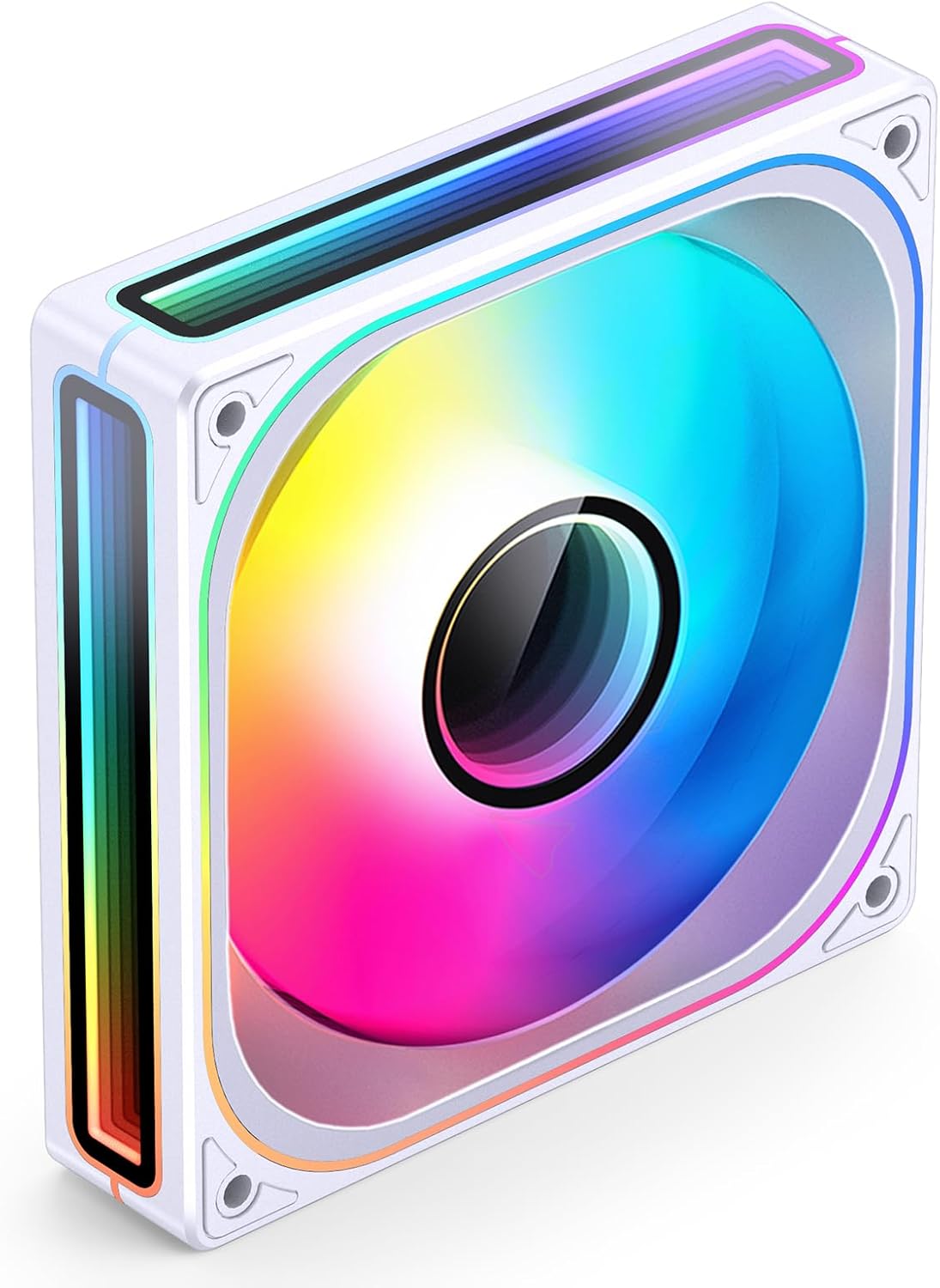
Imatge 1.1: The Jonsbo ZB-120W PC Case Fan, showcasing its vibrant ARGB lighting and infinity mirror effect.
2. Informació de seguretat
- Always disconnect power from your computer before installing or handling any internal components.
- Manegeu el ventilador pel marc per evitar danys a les aspes o al cablejat.
- Assegureu-vos d'una connexió a terra adequada per evitar danys per descàrrega electrostàtica (ESD) als components.
- Do not attempt to modify the fan or its cables. Unauthorized modifications may void the warranty and pose safety risks.
- Mantingueu el ventilador allunyat de líquids i d'humitat excessiva.
3. Contingut del paquet
Verifiqueu que tots els elements siguin presents al paquet:
- Jonsbo ZB-120W PC Case Fan (1 unit)
- Cargols de muntatge (4 unitats)
- Manual d'usuari (aquest document)
4. Instal·lació
4.1 Muntatge físic
- Identify the desired mounting location within your PC case (e.g., front, top, rear, bottom).
- Position the fan in the chosen location, ensuring the airflow direction is correct for your cooling setup (typically intake from front/bottom, exhaust from rear/top).
- Align the fan's screw holes with the corresponding holes on your PC case or radiator.
- Secure the fan using the provided mounting screws. Do not overtighten.

Imatge 4.1: Example of Jonsbo ZB series fans installed within a computer case.
4.2 Connexions elèctriques
The Jonsbo ZB-120W fan features an integrated cable design for simplified wiring, connecting to your motherboard via a single line for both power and ARGB control.

Imatge 4.2: The integrated cable design simplifies connection to the motherboard.
- Locate the 4-pin PWM fan header on your motherboard. This header controls fan speed.
- Connect the fan's 4-pin PWM connector to the motherboard's 4-pin fan header.
- Locate the 3-pin 5V ARGB header (often labeled 'ADD_HEADER', 'JRAINBOW', 'VDG', or '5V-D-G') on your motherboard. No connecteu a un connector RGB de 12V, ja que això danyarà els LED.
- Connect the fan's 3-pin ARGB connector to the motherboard's 3-pin 5V ARGB header. The fan also features male and female ARGB connectors for daisy-chaining multiple ARGB devices.
- Assegureu-vos que totes les connexions siguin segures.

Imatge 4.3: Close-up of the fan's integrated 4-pin PWM and 3-pin ARGB connectors.
5. Funcionament
5.1 Control de velocitat del ventilador (PWM)
The Jonsbo ZB-120W fan utilizes Pulse Width Modulation (PWM) technology, allowing your motherboard to dynamically control the fan speed based on system temperature. This ensures optimal cooling performance and reduced noise levels when full speed is not required.
- Access your motherboard's BIOS/UEFI settings or use motherboard-specific software (e.g., ASUS AI Suite, Gigabyte SIV, MSI Dragon Center) to configure fan curves.
- Adjust the fan speed profile to balance cooling performance and acoustic levels according to your preferences.
5.2 Control d'il·luminació ARGB
The fan's Addressable RGB (ARGB) lighting can be synchronized and controlled through compatible motherboard software. This allows for a wide range of customizable lighting effects, including the unique infinity mirror illusion.

Imatge 5.1: The infinity mirror effect on the Jonsbo ZB-120W fan.
- Install the ARGB control software provided by your motherboard manufacturer (e.g., ASUS Aura Sync, MSI Mystic Light Sync, Gigabyte RGB Fusion, ASRock Polychrome Sync).
- Ensure the software detects the connected ARGB devices.
- Use the software to select desired lighting modes, colors, and effects.

Imatge 5.2: The Jonsbo ZB-120W fan supports various motherboard ARGB synchronization software.
Vídeo 5.1: Un acabatview of the Jonsbo ZA/ZB series fans, demonstrating their ARGB lighting effects and design.
6. Manteniment
Regular maintenance helps ensure optimal performance and extends the lifespan of your fan.
- Neteja: Periodically clean dust from the fan blades and frame using compressed air or a soft, dry cloth. Ensure the computer is powered off and unplugged before cleaning.
- Inspecció: Reviseu els cables per detectar qualsevol signe de desgast o dany. Assegureu-vos que totes les connexions estiguin ben fixades.
7. Solució De Problemes
If you encounter issues with your Jonsbo ZB-120W fan, refer to the following common problems and solutions:
| Problema | Causa possible | Solució |
|---|---|---|
| El ventilador no gira | Loose or incorrect PWM connection; insufficient power. | Ensure the 4-pin PWM connector is securely attached to the motherboard. Check BIOS/UEFI settings for fan control. |
| ARGB lighting not working or incorrect colors | Loose or incorrect ARGB connection; incompatible ARGB header (12V instead of 5V); software issue. | Verify the 3-pin ARGB connector is securely attached to a 5V ARGB header. Ensure motherboard ARGB software is installed and updated. Restart the system. |
| Soroll excessiu | Dust accumulation; fan operating at high RPM; loose mounting. | Clean the fan blades. Adjust fan speed curves in BIOS/UEFI or software. Ensure mounting screws are tightened appropriately. |
8. Especificacions
Detailed technical specifications for the Jonsbo ZB-120W PC Case Fan:
| Característica | Especificació |
|---|---|
| Marca | Jonsbo |
| Model | ZB-120W |
| Tipus de connector d'alimentació | 4-Pin PWM (Fan), 3-Pin 5V ARGB (Lighting) |
| Voltage | DC 12 Volts (Fan), 5 Volts (LED) |
| Wattage | 1 watts |
| Mètode de refrigeració | Aire forçat |
| Dispositius compatibles | Ordinadors d'escriptori |
| Material | Plàstic |
| Velocitat de rotació màxima | 2400 RPM |
| Dimensions | 7.01 x 5.75 x 1.26 polzades (paquet) |
| Pes de l'article | 7 unces |

Imatge 8.1: Performance specifications for Jonsbo ZB series fans, including noise, rotational speed, and airflow.
9. Garantia i Suport
Jonsbo products are manufactured to high-quality standards. For warranty information, technical support, or service inquiries, please contact your retailer or visit the official Jonsbo weblloc web. Si us plau, conserveu el comprovant de compra per a reclamacions de garantia.
Jonsbo Official Weblloc: www.jonsbo.com


