Introducció
The Avantree Voyager is a versatile Bluetooth 5.4 audio adapter designed to provide wireless audio connectivity for various devices, particularly in travel environments like airplanes. Featuring an OLED display, Auracast support, and aptX Adaptive technology, it allows you to use your favorite Bluetooth headphones with non-Bluetooth audio sources.

The Avantree Voyager adapter shown with its accessories, including a dual-prong airplane adapter and a small carrying pouch.
Configuració
1. Càrrega inicial
Before first use, fully charge the Avantree Voyager using the provided USB-C cable. The OLED display will indicate charging status.
2. Pairing with Headphones
- Ensure your Bluetooth headphones are in pairing mode. Refer to your headphone's manual for specific instructions.
- Slide the power switch on the Voyager to 'ON'. The OLED screen will display "Searching...".
- Use the '+' and '-' buttons on the Voyager to navigate and select your headphones from the list on the OLED display.
- Press the central button once to connect. Once connected, the screen will show your headphone's name.

The OLED display clearly shows connected devices and battery levels.
3. Connexió a la font d'àudio
Plug the 3.5mm audio jack of the Voyager into the audio output of your desired source (e.g., airplane entertainment system, gym machine, PC). Audio will now stream wirelessly to your paired headphones.
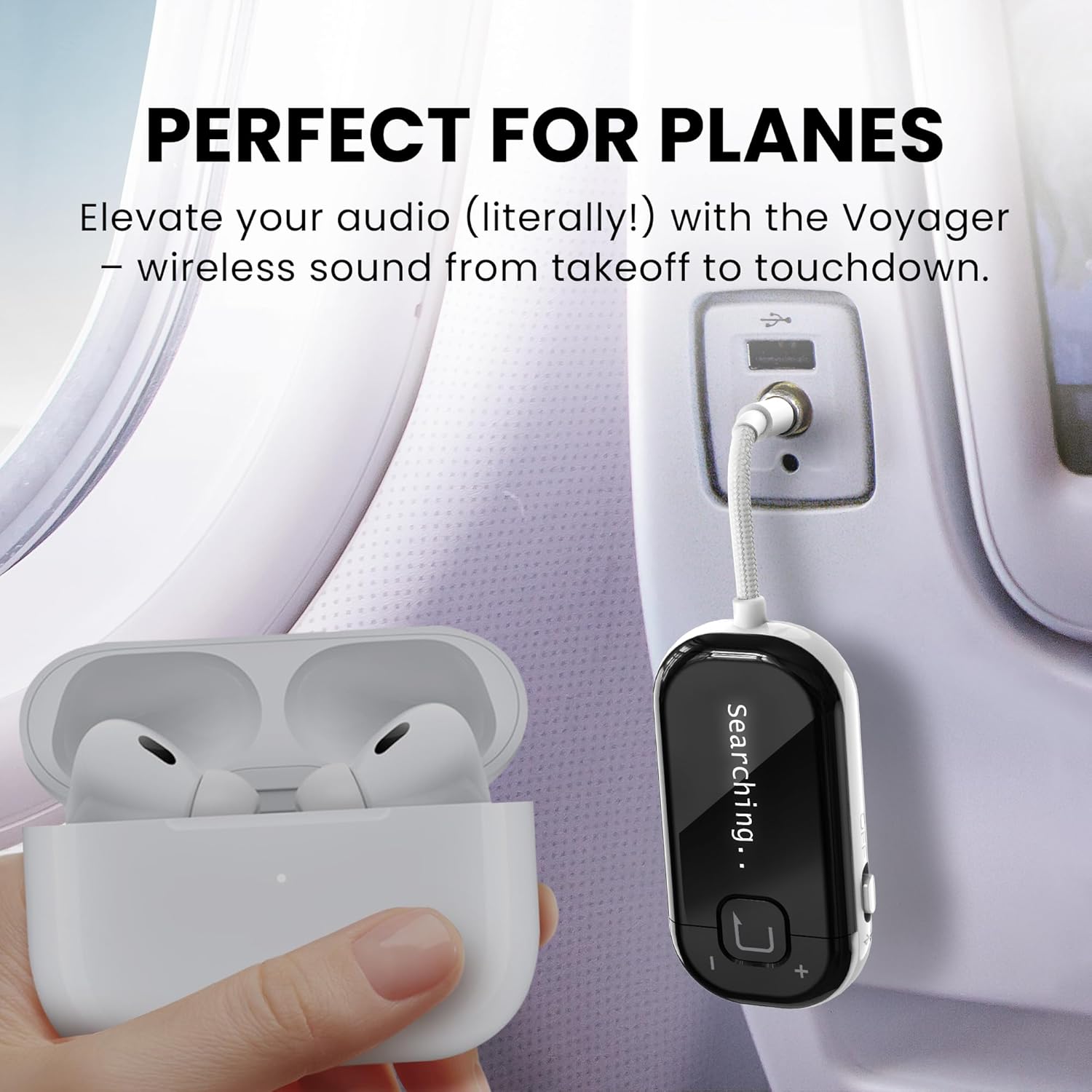
The Voyager connected to an airplane's audio system, enabling wireless listening with personal headphones.
Guia de vídeo de configuració
This video provides an interactive setup guide for the Avantree Voyager, demonstrating the steps to connect your headphones and audio source.
Instruccions de funcionament
Encès/Apagat
Slide the side switch to 'ON' to power on the device. Slide to 'OFF' to power off.
Control de volum
Use the '+' and '-' buttons on the side of the device to adjust the audio volume.
Informació de la pantalla OLED
The OLED screen provides real-time information including:
- Estat de la connexió: Indicates if headphones are connected.
- Nom del dispositiu: Shows the name of the currently connected headphones.
- Nivell de bateria: Displays the remaining battery life of the Voyager.
- Mode d'àudio: Shows whether it's in Classic Bluetooth or Auracast mode.
Auracast Mode (Audio Sharing)
The Voyager supports Auracast broadcast mode, allowing you to share one audio source with multiple Auracast-enabled headphones simultaneously. To activate, ensure your headphones support Auracast and follow their pairing instructions while the Voyager is in broadcast mode.

The Voyager's Auracast feature allows sharing audio with multiple compatible headphones.
Mode Bluetooth clàssic
In Classic Bluetooth mode, the Voyager connects to a single Bluetooth headset for personal listening. This is the default mode for most standard Bluetooth headphones.
Manteniment
Cura de la bateria
The Voyager has a built-in Lithium Polymer battery. For optimal battery life, avoid extreme temperatures and fully charge the device regularly. The device offers up to 15 hours of playtime on a full charge.

The Voyager provides up to 15 hours of extended playtime.
Actualitzacions de firmware
Regular firmware updates are available to enhance performance, add new features, and improve compatibility. Visit the Avantree support website to download the latest firmware updater for Windows or macOS and follow the on-screen instructions.

Keep your Voyager updated with the latest firmware for new features and improved performance.
Atenció General
Clean the device with a soft, dry cloth. Avoid exposure to water or extreme conditions. Store in a cool, dry place when not in use.
Resolució de problemes
- No es pot emparellar? Ensure your headphones are in pairing mode. Approximately 95% of pairing issues are due to headphones not being in the correct pairing state.
- AirPods Disconnect? Turn off Bluetooth on nearby Apple devices (e.g., iPhone) to avoid interference and ensure a stable connection with the Voyager.
- Dual Link Not Working? The Classic Bluetooth mode of the Voyager supports only one headset connection. For dual connections, consider other Avantree models like Relay or SoundJet R1.
- Audio Delay? For the best low-latency audio experience, use headphones that support aptX Adaptive or aptX-HD codecs.
- Not for Hearing Aids, Phones & TVs: The Voyager is not compatible with hearing aids, phones, tablets, musical instruments, or TVs without a 3.5mm AUX output. If you require Auracast-enabled hearing aid compatibility, choose the Avantree Voyager HA model.
Producte general acabatview
This introductory video provides an overview of the Avantree Voyager Airplane Adapter and its features.
Característiques del producte i ús
This video highlights the key features and usage scenarios of the Avantree Voyager Bluetooth Airplane Adapter.
Especificacions
| Número de model | BTTC-228 |
| Dimensions del producte | 4.65 x 1.25 x 0.49 polzades |
| Pes de l'article | 3.52 unces (0.1 quilograms) |
| Tecnologia de connectivitat | Bluetooth 5.4 |
| Font d'alimentació | Funciona amb bateria (1 bateria de polímer de liti inclosa) |
| Característiques especials | OLED Display, Auracast Support, Qualcomm Chip & aptX Adaptive |
| Fabricant | Avantree |
Garantia i Suport
Avantree products typically come with a manufacturer's warranty. For specific warranty details, product registration, or technical assistance, please visit the official Avantree support website. You can also scan the QR code on the product packaging for direct access to support resources and interactive guides.
For additional help or to contact customer service, please refer to the contact information provided on the Avantree weblloc.


