Introducció
The MAONO MaonoCaster E2 Gen2B is an all-in-one podcast equipment bundle designed for two-person podcasting, live streaming, and content creation. This audio interface mixer integrates essential features such as dual XLR inputs, high-quality preamps, noise reduction, custom sound effects, and versatile connectivity options, making it suitable for both beginners and experienced users. This manual provides detailed instructions for setting up, operating, maintaining, and troubleshooting your MaonoCaster E2 Gen2B to ensure optimal performance.

Image: The MAONO MaonoCaster E2 Gen2B audio interface mixer with two included XLR condenser microphones and their desktop stands.
Contingut del paquet
Please verify that all items listed below are included in your package. If any items are missing or damaged, please contact MAONO customer support.
- 1 x Audio interface mixer (MaonoCaster E2 Gen2B)
- 1 x USB-A/USB-C to USB-C cable
- 1 cable d'àudio de 3.5 mm
- 2 x XLR Condenser Microphones
- 2 x Microphone Stands
- 2 x XLR Cables
- 1 x Manual d'usuari (aquest document)

Image: All components of the MaonoCaster E2 Gen2B bundle, including the mixer, microphones, cables, and stands, neatly arranged.
Característiques del producte
The MaonoCaster E2 Gen2B is equipped with a range of features designed to enhance your audio production experience:
- Dual XLR Combo Inputs: Supports two XLR microphones simultaneously, ideal for two-person podcasts or interviews. Features 60dB preamps per a un àudio clar.
- Studio-Grade Preamps with 48V Phantom Power: Baix soroll preamps deliver pristine audio quality. Independent 48V phantom power buttons for each XLR input support condenser microphones.
- 2-Level Noise Reduction: Built-in noise reduction technology helps eliminate unwanted background noise, ensuring a cleaner audio signal.
- 8 Custom Sound FX Buttons: Personalize your broadcasts with pre-recorded sound effects, intros, or jingles. Each button's volume can be adjusted independently.
- One-Touch Mute: Quickly mute your microphone input with a dedicated button for convenience during live sessions.
- Real-Time Voice Monitoring: Monitor your audio input in real-time through headphones, allowing for immediate adjustments and ensuring optimal sound.
- Funció de bucle: Essential for single-PC streaming, this feature allows you to record both your microphone input and computer audio simultaneously.
- Voice Effects & Reverb Presets: Transform your voice with pitch-shifting effects and apply various reverb presets to add depth and atmosphere.
- Connectivitat multiplataforma: Connects to computers, smartphones, and tablets via USB-C and 3.5mm audio cables. Bluetooth connectivity is available for background music.
- Bateria incorporada: Features an 8-hour battery life, providing portability and flexibility for recording on the go.

Image: Visual representation of the key upgrades and features of the MaonoCaster E2 Gen2B, highlighting its dual XLR inputs, soundpads, and noise reduction capabilities.
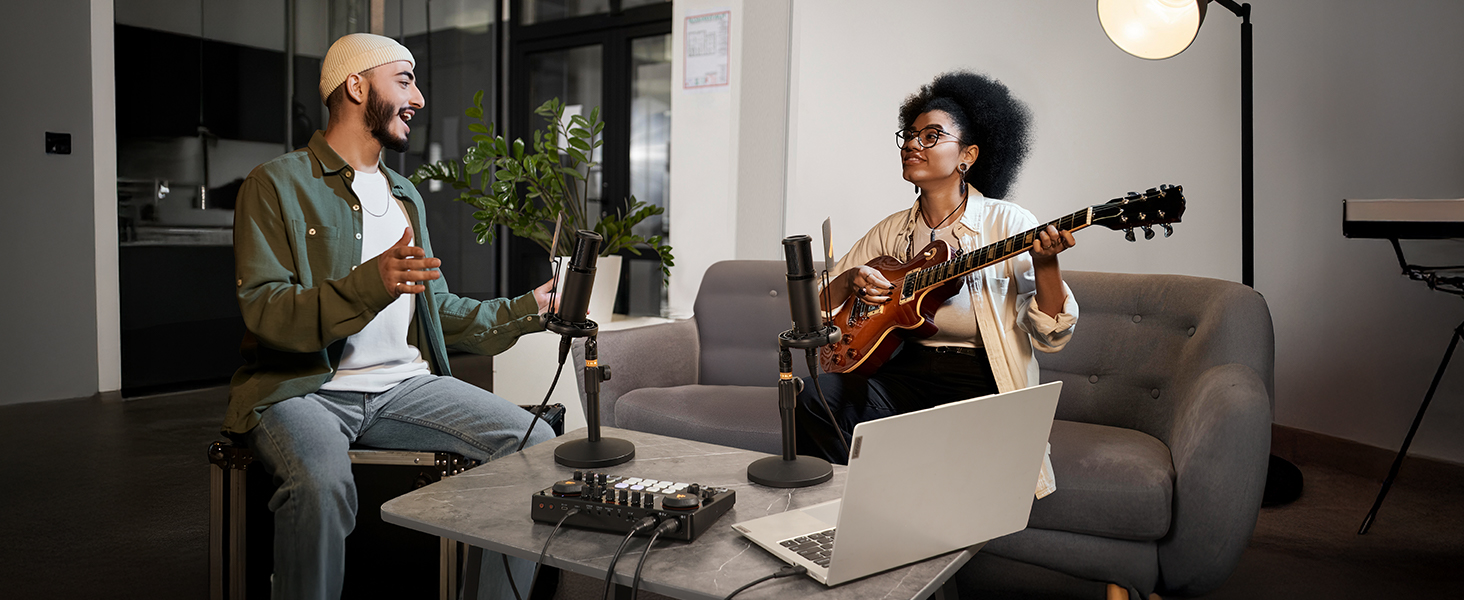
Imatge: Més deview of the MaonoCaster E2 Gen2B's connectivity options, including USB-C, 3.5mm audio jacks, and XLR inputs, demonstrating its versatility for various devices and platforms.
Guia de configuració
Follow these steps to set up your MaonoCaster E2 Gen2B for your podcasting or streaming session:
- Carregueu el dispositiu: Before first use, ensure the MaonoCaster E2 Gen2B is fully charged using the provided USB-C cable and a compatible power adapter (not included). The battery indicator lights will show charging status.
- Connecteu els micròfons:
- Attach the included XLR condenser microphones to their respective desktop stands.
- Connect the XLR cables from the microphones to the XLR combo inputs (labeled 1 and 2) on the back of the MaonoCaster E2 Gen2B.
- If using condenser microphones, press the 48 V phantom power button for each connected microphone on the mixer's control panel. The indicator light will illuminate.
- Connecteu els auriculars: Plug your monitoring headphones into the "HEADPHONES" output jack on the front of the mixer.
- Connect to Computer/Smartphone:
- Per a ordinador: Use the USB-A/USB-C to USB-C cable to connect the MaonoCaster E2 Gen2B to your computer's USB port. The device should be recognized automatically. Select "MaonoCaster E2 Gen2B" as your input and output device in your computer's sound settings and recording software (e.g., OBS, Audacity).
- For Smartphone/Tablet: Use the 3.5mm audio cable to connect your smartphone/tablet to the "AUX IN" port for background music or the "STREAM OUT" port for recording. For direct digital connection, some devices may support USB-C audio.
- Encès: Press and hold the power button on the mixer until the indicator lights illuminate.

Image: A typical setup for a two-person podcast using the MaonoCaster E2 Gen2B, illustrating the connection of microphones and headphones to the mixer, and the mixer to a laptop.
Instruccions de funcionament
Familiarize yourself with the controls and functions of the MaonoCaster E2 Gen2B for effective audio management:
- Control de guany: Use the "Gain" knobs for each microphone input to adjust the sensitivity of the microphones. Adjust until the input level indicators (LED meters) are mostly in the green range, occasionally peaking into yellow, but avoiding red (clipping).
- Volum de música: The "MUSIC" knob controls the volume of background music played via Bluetooth or AUX input.
- Volum dels auriculars: The "HEADPHONES" knob adjusts the volume for your monitoring headphones.
- Volum de sortida: The large "OUTPUT" knob controls the overall master output volume sent to your computer or streaming device.
- Soundpads: The 8 customizable soundpads (A-H) can be loaded with your own audio clips. To record to a soundpad, press and hold the desired pad, speak into the microphone, and release to save. To play, simply press the pad. Adjust soundpad volume with the "PAD VOL" knob.
- Reducció de soroll: Press the "NOISE REDUCER" button to activate noise reduction. Press again to cycle through 1-level and 2-level reduction, or turn off.
- Voice Effects (PITCH): Use the "PITCH" knob to modify your voice's pitch.
- Reverb Presets: The "REVERB PRESETS" button cycles through different reverb effects. Adjust the reverb level with the "REVERB" knob.
- Loopback: Activate the "LOOP BACK" button when streaming or recording on a single computer to ensure all audio (microphone, music, computer sounds) is captured.
- Monitor: The "MONITOR" button toggles real-time monitoring of your microphone input through your headphones.
- Connectivitat Bluetooth: Press the "BT" button to enable Bluetooth. Pair your smartphone or tablet to the MaonoCaster E2 Gen2B to stream background music wirelessly.

Imatge: Detallada view of the mixer's top panel, highlighting the gain controls and input level meters for precise audio adjustment.

Image: The soundpad section of the mixer, illustrating the 8 customizable buttons for triggering sound effects and the 'PAD VOL' knob for volume control.
Manteniment
To ensure the longevity and optimal performance of your MaonoCaster E2 Gen2B, follow these maintenance guidelines:
- Neteja: Use a soft, dry cloth to wipe down the mixer and microphones. Avoid using abrasive cleaners, solvents, or excessive moisture, which can damage the components.
- Emmagatzematge: When not in use, store the equipment in a cool, dry place away from direct sunlight, extreme temperatures, and high humidity.
- Cura del cable: Handle cables carefully. Avoid sharp bends, kinks, or excessive pulling, which can damage internal wiring.
- Cura de la bateria: For optimal battery life, avoid fully discharging the unit frequently. If storing for extended periods, charge the battery to about 50-70% every few months.
- Protegir de la pols: Keep the unit covered when not in use to prevent dust accumulation in ports and on controls.
Resolució de problemes
If you encounter issues with your MaonoCaster E2 Gen2B, refer to the following common problems and solutions:
| Problema | Causa possible | Solució |
|---|---|---|
| No sound output from headphones/speakers. |
|
|
| Microphone not picking up sound. |
|
|
| Audio is distorted or clipping. |
|
|
| Background noise is present. |
|
|
| Problemes de connexió Bluetooth. |
|
|
Especificacions
Detailed technical specifications for the MAONO MaonoCaster E2 Gen2B:
| Característica | Especificació |
|---|---|
| Número de model | E2 Gen2B |
| Pes de l'article | 7.26 lliures |
| Dimensions del producte | 9.64 x 6.18 x 2.16 polzades |
| Bateries | Necessita 1 bateria de ions de liti (inclosa) |
| Tipus de bateria | Polímer de liti |
| Font d'alimentació | Funciona amb bateria |
| Voltage | 5 Volts |
| Nombre de canals | 10 |
| Tecnologia de connectivitat | Auxiliar, Bluetooth, USB |
| Dispositius compatibles | Headphone, Laptop, Microphone, Personal Computer, Smartphone |
| Programari compatible | OBS (and other standard audio recording software) |
| Compatibilitat de sistemes operatius | Android, ChromeOS, Windows, iOS, macOS |
Garantia i Suport
MAONO products are designed and manufactured to the highest quality standards. For information regarding warranty coverage, technical support, or service inquiries, please visit the official MAONO weblloc web o contacteu directament amb el servei d'atenció al client. Conserveu el rebut de compra com a comprovant de compra per a reclamacions de garantia.
Official MAONO Weblloc: www.maono.com


