1. Producte acabatview
The Mesqool CR1028R is a versatile digital alarm clock featuring a dynamic RGB LED display, dual alarms, adjustable brightness and volume, and convenient USB charging ports. This manual provides detailed instructions for its setup and operation.
1.1 Contingut del paquet
- Mesqool CR1028R Digital Alarm Clock
- Cable d'alimentació USB-C
- Adaptador d'alimentació
- Manual d'usuari

Image: The Mesqool CR1028R alarm clock, USB-C power cable, power adapter, and user manual are shown as included in the package.
1.2 Button Functions and Ports
Familiarize yourself with the buttons on the top and ports on the back of the alarm clock for easy operation.

Image: Top panel of the alarm clock displaying buttons for Time, Dimmer, Alarm 1, Alarm 2, 12/24 Hour format, DST, Volume, RGB, and Snooze/OK.

Imatge: Part posterior view of the alarm clock highlighting the DC IN power jack, USB-A charging port, Type-C charging port, and the battery backup compartment.
2. Configuració
2.1 Connexió d'alimentació
- Connect the provided USB-C power cable to the DC IN port on the back of the alarm clock.
- Connecteu l'altre extrem del cable USB-C a l'adaptador de corrent.
- Insert the power adapter into a standard wall outlet. The clock display will light up.
2.2 Còpia de seguretat de la bateria (opcional)
The clock requires 2 AAA batteries (not included) for backup. These batteries maintain time and alarm settings during a power outage but will not power the display. The display will remain off during battery backup mode.
- Obriu la tapa del compartiment de les piles a la part posterior del rellotge.
- Introduïu 2 piles AAA, assegurant-vos de la polaritat correcta (+/-).
- Tanqueu la tapa del compartiment de la bateria.

Image: The alarm clock connected to a power adapter, with an illustration showing the battery backup function for retaining settings during power loss.
3. Instruccions de funcionament
3.1 Configuració de l'hora
- Manteniu premut el botó TEMPS durant 3 segons per entrar al mode de configuració de l'hora. Els dígits de les hores parpellejaran.
- Utilitza el + or - botons per ajustar l'hora.
- Premeu el botó TEMPS de nou. Els dígits dels minuts parpellejaran.
- Utilitza el + or - botons per ajustar el minut.
- Premeu el botó TEMPS Premeu el botó una vegada més per confirmar i sortir de la configuració de l'hora.
Format 3.1.1 12/24 hores
- Premeu el botó 12/24H per canviar entre els formats de 12 hores (amb indicador AM/PM) i 24 hores.
3.1.2 Horari d'estiu (DST)
- Premeu el botó DST button to activate or deactivate Daylight Saving Time. When activated, the time will adjust by one hour.

Image: Three alarm clocks demonstrating the 12-hour format with AM/PM, 24-hour format, and DST adjustment.
3.2 Configuració de l'alarma (AL1 / AL2)
The clock supports two independent alarms, AL1 and AL2.
- Premeu el botó AL1 (o AL2) button. The alarm icon will appear on the screen, and the hour digits will flash.
- Utilitza el + or - botons per ajustar l'hora de l'alarma.
- Premeu AL1 (o AL2) again. The minute digits will flash.
- Utilitza el + or - botons per ajustar el minut de l'alarma.
- Premeu AL1 (o AL2) a third time to confirm the alarm time.
- After setting the time, use the switches on the back of the clock to select the alarm mode: DUN-D (every day), DILLUNS-DIV (weekdays), or DS-D (weekends).
Video: This short video demonstrates the process of setting an alarm, including adjusting the hour and minute digits, and confirming the setting. It also shows the alarm icon appearing on the display.
3.2.1 Ajust del volum de l'alarma
The alarm volume can be adjusted to 5 levels, ranging from 76dB to 116dB.
- While the alarm is sounding or during alarm setting, press the VOL button repeatedly to cycle through the 5 volume levels (76-86-96-106-116dB).

Image: The alarm clock display with an overlay indicating 5 adjustable volume levels and three alarm modes: Monday-Sunday, Monday-Friday, and Saturday-Sunday.
3.3 Funció de repetició
Quan soni l'alarma, premeu el botó POSSONAR/OK button to activate the snooze function. The alarm will pause for 9 minutes and then sound again. This can be repeated up to 9 times.
- Per aturar l'alarma completament, premeu qualsevol altre botó (per exemple, AL1, AL2, TEMPS).
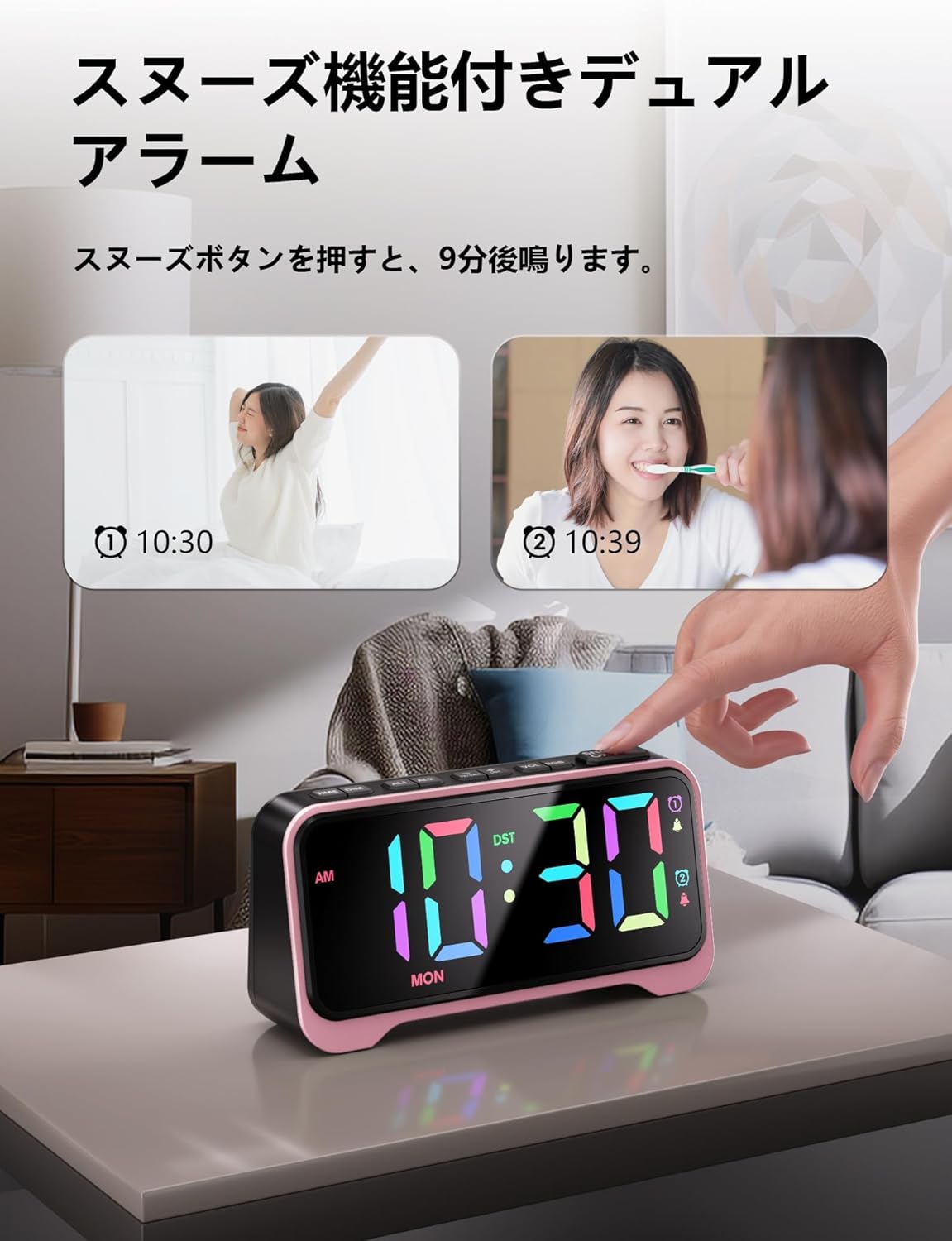
Image: The alarm clock with an illustration of the snooze function, showing the time at 10:30 and then 10:39 after a 9-minute snooze.
3.4 Ajust de la brillantor de la pantalla
The LED display brightness can be adjusted to 7 levels for optimal visibility in various lighting conditions.
- Premeu el botó DIM button repeatedly to cycle through the 7 brightness levels (L01 to L07).

Image: The alarm clock display illustrating the 7 adjustable brightness levels, from dimmest (L01) to brightest (L07).
3.5 Display Color Adjustment (RGB)
The clock offers 10 display color modes, including 6 static colors and 4 dynamic RGB color-changing effects.
- Premeu el botó RGB button repeatedly to cycle through the available color modes.

Image: The alarm clock display showcasing 10 different color options, including various static colors and dynamic RGB transitions.
4. Característiques addicionals
4.1 Llum nocturna
The clock includes a soft, warm night light at its base, with 3 adjustable brightness levels.
- Premeu el botó POSSONAR/OK button (short press) to turn the night light on/off or cycle through its 3 brightness levels.
Image: The alarm clock on a bedside table with its warm night light illuminated, indicating three adjustable brightness levels.
4.2 ports de càrrega USB
The back of the clock features a USB-A port and a Type-C port, both providing 5V/1A output for charging small electronic devices.
- Connect your device's charging cable to the appropriate USB port on the back of the clock.
- Ensure the alarm clock is powered on for the charging ports to function.
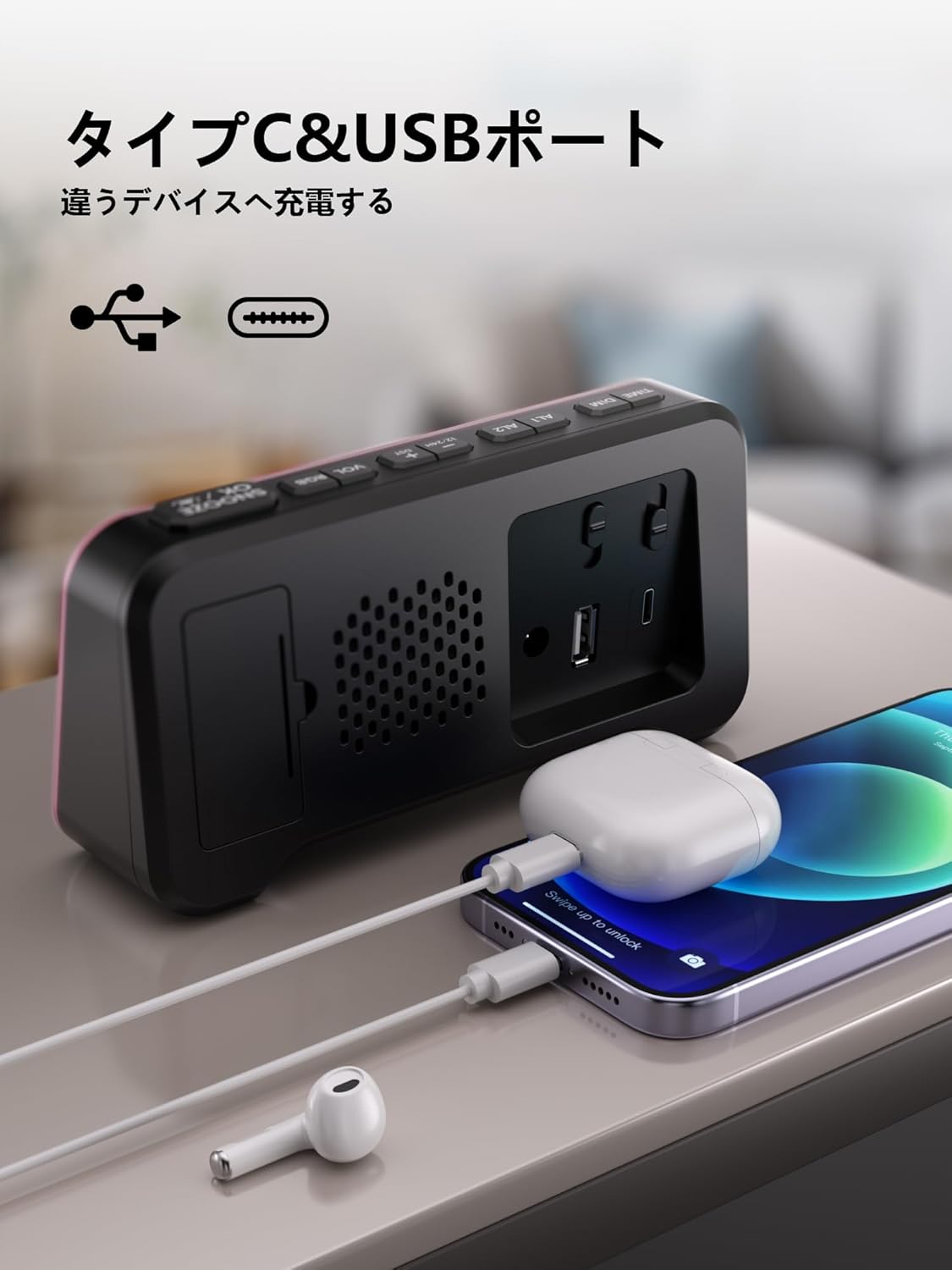
Image: The back of the alarm clock with a smartphone and wireless earbuds charging via the USB-A and Type-C ports.
5. Solució De Problemes
| Problema | Causa possible | Solució |
|---|---|---|
| La pantalla del rellotge està apagada. | No hi ha connexió o apagadatage. | Ensure the power adapter is securely plugged in. Check power outlet. If using battery backup, the display remains off. |
| L'alarma no sona. | L'alarma no està activada o el volum és massa baix. | Ensure the alarm icon (AL1 or AL2) is visible on the display. Check alarm mode (MON-SUN, MON-FRI, SAT-SUN) on the back. Increase alarm volume using the VOL button. |
| Reinici de l'hora/configuració després d'una fallada d'alimentació. | No hi ha piles de reserva o les piles estan esgotades. | Instal·leu 2 piles AAA noves al compartiment de les piles. |
| La càrrega USB no funciona. | Clock not powered or cable issue. | Ensure the clock is connected to main power. Check if the USB cable is properly connected and functional. |
6. Especificacions
| Característica | Detall |
|---|---|
| Número de model | CR1028R |
| Tipus de visualització | LED digital |
| Colors de visualització | 10 (6 static, 4 dynamic RGB) |
| Brillantor de la pantalla | 7 nivells regulables |
| Alarm Quantity | 2 independent alarms |
| Modes d'alarma | Weekdays, Weekends, Everyday |
| Volum de l'alarma | 5 nivells (76-116dB) |
| Durada de la posposar | 9 minuts (fins a 9 vegades) |
| Llum nocturna | 3 nivells regulables |
| Format horari | 12H/24H selectable |
| DST Support | Sí |
| Ports de càrrega USB | 1x USB-A, 1x Type-C (5V/1A output each) |
| Font d'alimentació | Elèctric amb cable |
| Còpia de seguretat de la bateria | 2x AAA batteries (not included) for memory retention |
| Dimensions del producte | 16.9 cm (W) x 4.4 cm (H) |
| Tipus de muntatge | Taula |
7. Garantia i Suport
Mesqool products are designed for reliability and performance. For any questions, technical support, or warranty claims, please contact Mesqool customer service through your purchase platform or visit the official Mesqool weblloc.


