1. Producte acabatview
The MARS HYDRO 2025 iFresh MarsPro Add-On Pack is designed to enhance the functionality of your iFresh Inline Duct Fan. This pack includes an iConnectu Controller and a Temperature Sensor, enabling real-time environmental monitoring and intelligent fan control through the MarsPro mobile application.

Image 1.1: MARS HYDRO iConnectu Controller and Temperature Sensor. The controller is a compact black unit with a USB-C connector, and the sensor is a rectangular black unit with a grey RJ12 cable.
2. Contingut del paquet
- iConnectu Controller
- Temperature Sensor with RJ12/RJ cable
- Manual d'usuari (aquest document)
3. Instruccions de configuració
This add-on pack requires assembly and is specifically designed for use with the MARS HYDRO 2025 iFresh Inline Duct Fan. Ensure your fan is compatible before proceeding.
3.1 Connecting the iConnectu Controller
- Locate the USB interface on your MARS HYDRO 2025 iFresh Inline Duct Fan.
- Insert the iConnectu Controller's USB connector into the fan's USB interface.
- Ensure the connection is secure. The controller may have a status indicator light to confirm power.
3.2 Connecting the Temperature Sensor
- Locate the RJ interface on your MARS HYDRO 2025 iFresh Inline Duct Fan.
- Connect the RJ12/RJ cable from the Temperature Sensor to the fan's RJ interface.
- Ensure the cable is firmly seated in the port.

Image 3.1: Diagram illustrating the connection of the iConnectu Controller via USB and the Temperature Sensor via RJ interface to the MARS HYDRO iFresh Inline Duct Fan.

Image 3.2: Detailed diagram showing the USB interface for the iConnectu smart controller and the RJ interface for the sensor, connecting to the inline duct fan.
4. Instruccions de funcionament
The iFresh MarsPro Add-On Pack enables intelligent control and monitoring through the MarsPro mobile application. Ensure your iFresh Inline Duct Fan is powered on and the add-on pack is correctly installed.
4.1 MarsPro App Installation and Connection
- Download the MarsPro App from the App Store (iOS) or Google Play Store (Android).
- Obriu l'aplicació i seguiu les instruccions a la pantalla per crear un compte o iniciar sessió.
- Use the app to connect to your iFresh Inline Duct Fan system via Bluetooth/WiFi. The app will guide you through the pairing process.
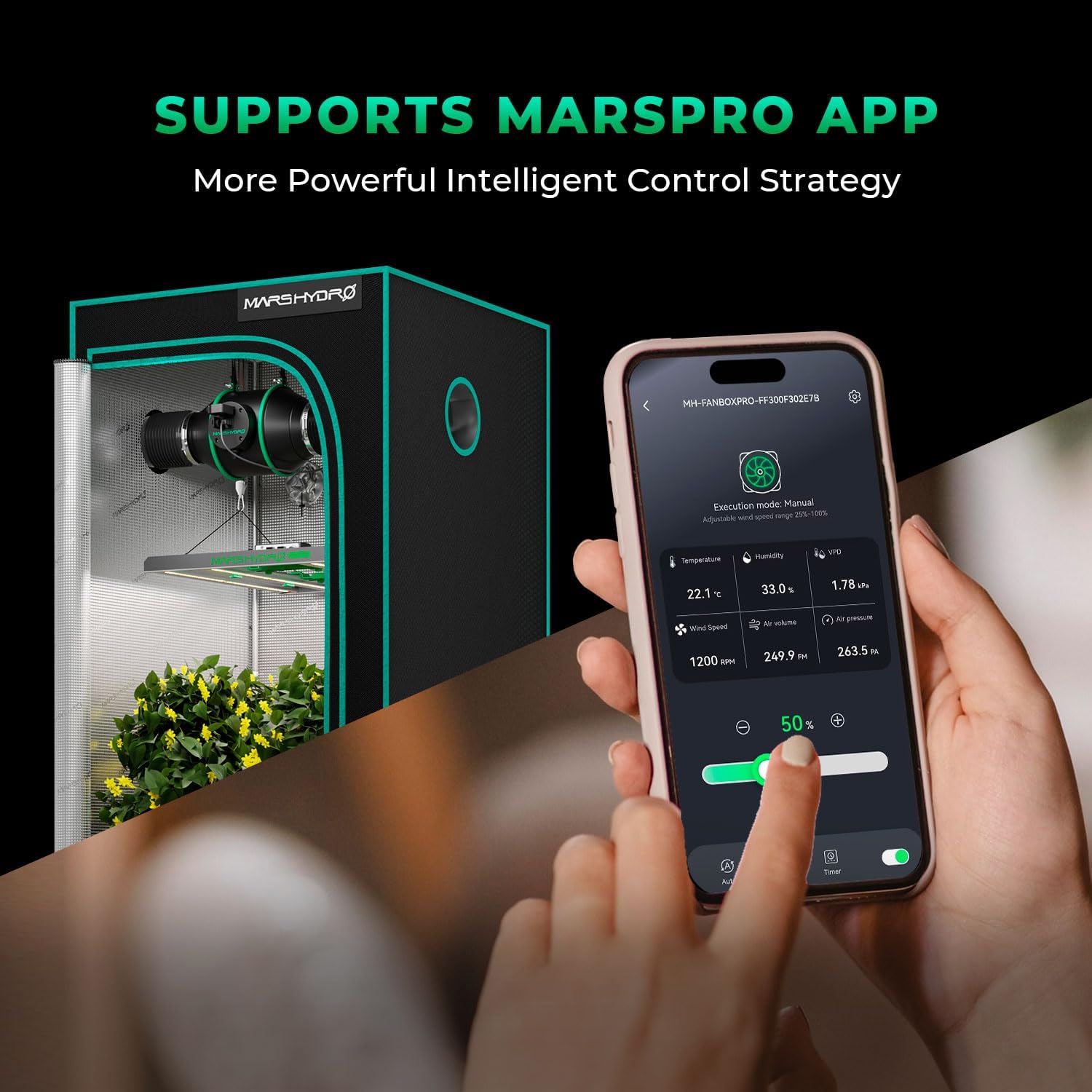
Image 4.1: A smartphone displaying the MarsPro App interface, showing real-time environmental data and fan control options within a grow tent setup.

Imatge 4.2: acabatview of the Mars Hydro Smart Grow System, highlighting the MarsPro App and its availability on App Store and Google Play.
4.2 Monitorització en temps real
Once connected, the MarsPro App will display real-time data from the Temperature Sensor and fan, including:
- Temperatura
- Humitat
- VPD (Vapor Pressure Deficit) value
- Velocitat del vent
- Pressió de l'aire
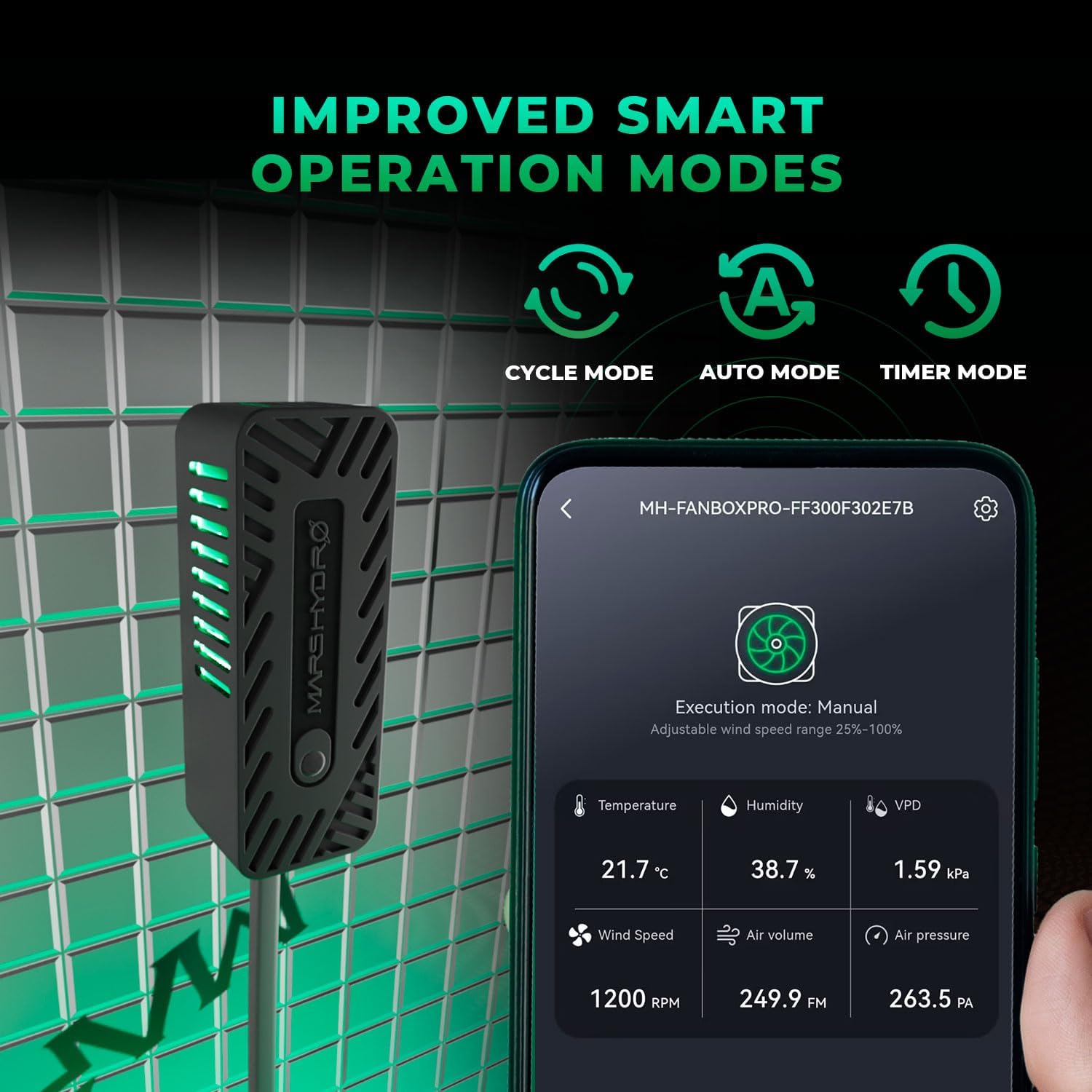
Image 4.3: The MarsPro App interface showing current readings for temperature, humidity, VPD, wind speed, air volume, and air pressure.
4.3 Smart Operation Modes
The iConnectu Controller supports three intelligent operation modes, adjustable via the MarsPro App:
- Mode automàtic: The system automatically detects and adjusts fan speed based on set temperature and humidity parameters to maintain optimal environmental conditions.
- Mode de cicle: Provides effortless, automatic cycle operation, maintaining stable airflow within a defined cycle.
- Mode de sincronització: Allows customization of fan speeds and timings for specific periods throughout the day, adapting to different growth stages.

Image 4.4: Visual representation of the three improved smart operation modes: Cycle Mode, Auto Mode, and Timer Mode.

Image 4.5: Explanations for Cycle Mode (automatic cycle operation), Auto Mode (automatic temperature and humidity control), and Timer Mode (customizable speeds and timings).
4.4 Mode d'espera
The system can be configured with a Standby Mode to maintain a steady 25% fan speed even when idle, ensuring continuous fresh air circulation. This mode must be set separately within one of the three primary operation modes.

Image 4.6: An inline duct fan operating in Standby Mode, indicated by a 25% fan speed, ensuring continuous fresh air.
5. Manteniment
To ensure optimal performance and longevity of your MARS HYDRO 2025 iFresh MarsPro Add-On Pack, follow these general maintenance guidelines:
- Neteja: Periodically wipe the iConnectu Controller and Temperature Sensor with a soft, dry cloth to remove dust and debris. Do not use harsh chemicals or abrasive cleaners.
- Comprovació de la connexió: Regularly inspect all cable connections (USB and RJ12/RJ) to ensure they are secure and free from damage. Loose connections can affect performance.
- Actualitzacions de programari: Keep the MarsPro App updated to the latest version to benefit from new features, performance improvements, and bug fixes.
- Condicions ambientals: Ensure the operating environment for the sensor and controller is within recommended ranges to prevent damage and ensure accurate readings.
6. Solució De Problemes
If you encounter issues with your iFresh MarsPro Add-On Pack, refer to the following troubleshooting steps:
6.1 Connectivity Issues (Bluetooth/WiFi)
- Comproveu la potència: Ensure the iFresh Inline Duct Fan is powered on and the iConnectu Controller is securely connected to the fan's USB port.
- Reinici de l'aplicació: Close and reopen the MarsPro App on your mobile device.
- Reinici del dispositiu: Power cycle your iFresh Inline Duct Fan.
- Bluetooth/WiFi: Verify that Bluetooth is enabled on your mobile device and that your device is connected to a stable 2.4GHz WiFi network (if using WiFi).
- Proximitat: Ensure your mobile device is within close range of the iConnectu Controller for initial Bluetooth pairing.
- Reemparella el dispositiu: If issues persist, try removing the device from the MarsPro App and re-pairing it according to the app's instructions.
6.2 Inaccurate Sensor Readings
- Col·locació del sensor: Ensure the Temperature Sensor is placed in an area that accurately reflects the environment you wish to monitor, away from direct heat sources or drafts.
- Comprovació de la connexió: Verify that the RJ12/RJ cable connecting the sensor to the fan is securely attached at both ends.
- Factors ambientals: Extreme environmental conditions or rapid changes can sometimes cause temporary fluctuations in readings. Allow time for stabilization.
- Comparació: If you suspect inaccuracy, compare readings with another calibrated thermometer/hygrometer. If discrepancies are significant and persistent, contact customer support.
7. Especificacions
| Característica | Detall |
|---|---|
| Número de model | MH-iConnectu-TEMP |
| Dimensions del producte | 7.5 x 5.1 x 2 polzades |
| Pes de l'article | 6.4 unces (0.18 quilograms) |
| Fabricant | HIDRO DE MART |
| Muntatge obligatori | Sí |
| Piles necessàries | No |
| Color | GRIS |
| Connectivitat | Bluetooth, WiFi (2.4GHz) |
| Interfície | USB (Controller), RJ12/RJ (Sensor) |
| Tipus de visualització | App-based (LCD or LED refers to app display) |
8. Garantia i Suport
For information regarding product warranty, returns, or technical support, please refer to the official MARS HYDRO weblloc web o contacteu directament amb el seu servei d'atenció al client. Normalment, els detalls es troben a l'embalatge del producte o als recursos oficials en línia del fabricant.
Fabricant: HIDRO DE MART
Weblloc: www.marshydro.com (Exampl'enllaç, si us plau, verifiqueu-ho oficialment weblloc)


