1. Introducció
This manual provides detailed instructions for the installation, operation, and maintenance of your AINAVI 13.5" Android 13 Car TV Headrest Monitor. Please read this manual thoroughly before using the device to ensure proper functionality and safety.
2. Informació de seguretat
- No intenteu desmuntar o modificar el dispositiu.
- Ensure all cables are securely connected to prevent disconnections during vehicle movement.
- Eviteu exposar el dispositiu a temperatures extremes, a la llum solar directa durant períodes prolongats o a la humitat.
- Clean the screen with a soft, dry cloth. Do not use liquid cleaners.
- Operate the device only within the specified voltage range (12V DC for car use).
3. Contingut del paquet
Verifiqueu que tots els elements que s'enumeren a continuació s'inclouen al vostre paquet:
- 13.5 Inch Headrest Monitor x 1
- Universal Mounting Bracket x 1
- 12V DC Adapter x 1 (for home use)
- Cigarette Lighter Power Cable x 1 (for car use)
- Cable HDMI x 1
- Manual d'usuari x 1

Figure 3.1: Included accessories and the headrest monitor.
4. Producte acabatview i Característiques
The AINAVI 13.5" Android 13 Car TV Headrest Monitor is designed to provide a comprehensive entertainment experience for rear-seat passengers. Key features include:
- Sistema operatiu: Android 13 with Cortex A55 CPU.
- Visualització: 13.5-inch 1920x1080 touchscreen, supporting 4K video playback.
- Memòria: 4GB RAM + 64GB ROM.
- Connectivitat: 5G/2.4 GHz WiFi, Bluetooth, Phone Mirroring (Happycast, iOS AirPlay, Android Miracast).
- Ports: SD card slot, USB port, HDMI input, HDMI output, Audio Out.
- Àudio: Built-in dual speakers, FM transmitter, 3.5mm headphone jack.
- Personalització: Customizable wallpaper, 7-color ambient LED lights.
- Suport de l'aplicació: Google Play Store certified for safe app installation (e.g., YouTube, Netflix, Disney+, HBO, TikTok).

Figure 4.1: Key features of the headrest monitor.
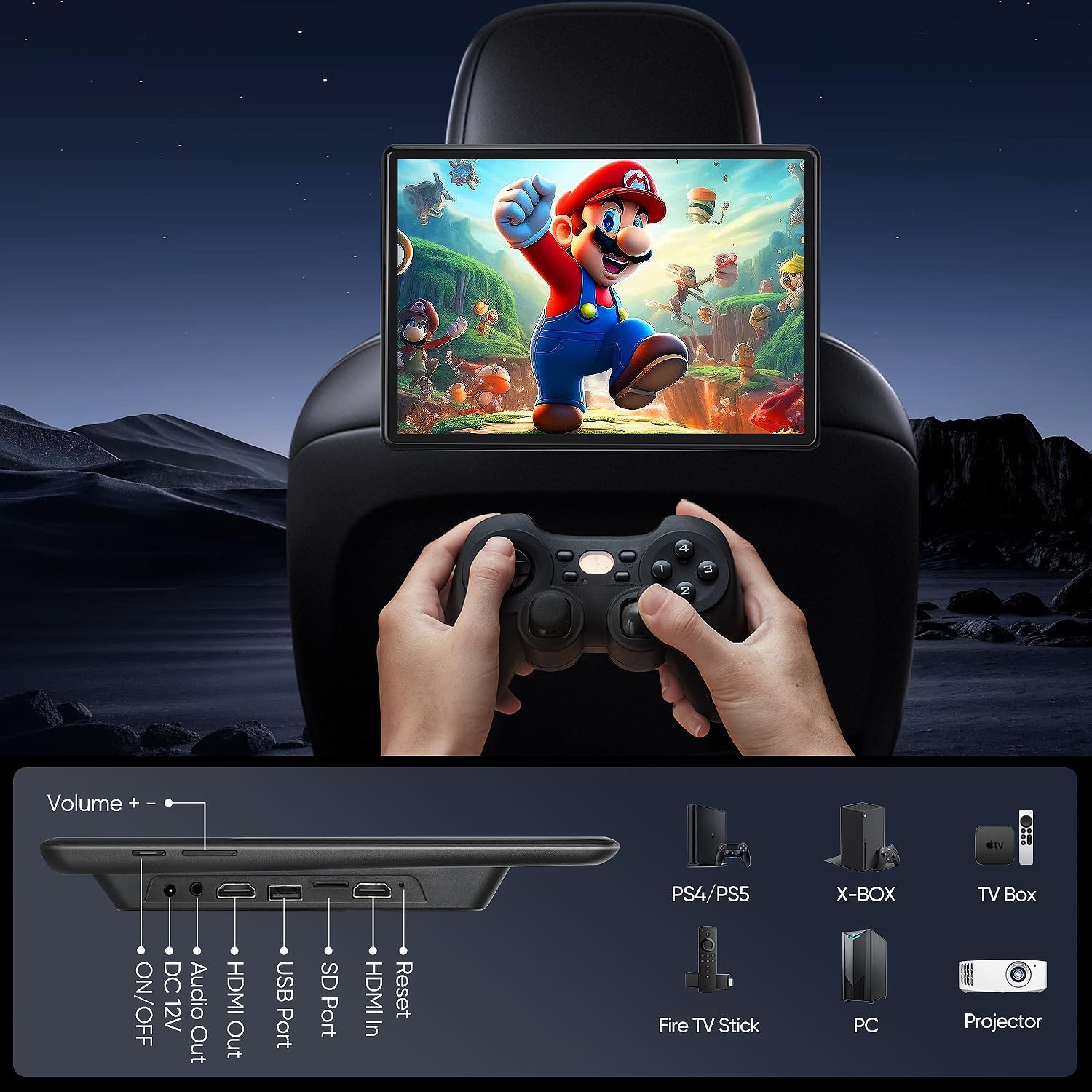
Figure 4.2: Device ports and compatible external devices.
5. Configuració
5.1 Muntatge del monitor
The universal mounting bracket is designed for easy installation on most car headrest poles. It supports round headrest poles with a diameter between 130-200 mm. Square poles or headrests without poles are not compatible.
- Adjust the universal mounting bracket to fit the distance between your headrest poles.
- Securely attach the bracket to the headrest poles.
- Slide the monitor onto the bracket until it clicks into place.

Figure 5.1: Headrest mounting bracket installation.
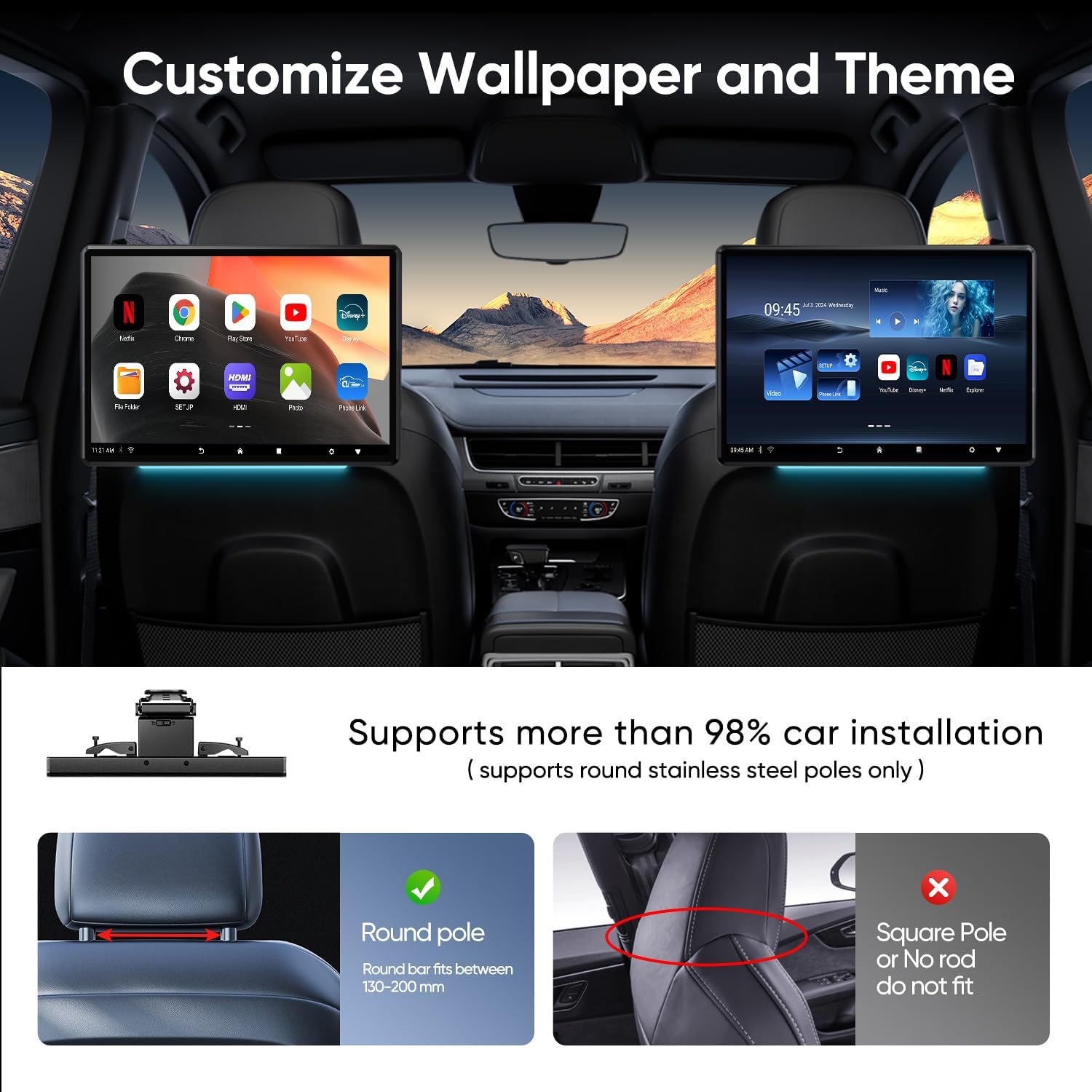
Figure 5.2: Headrest pole compatibility guide.
5.2 Connexió d'alimentació
The monitor supports multiple power supply methods:
- In-Car Use: Connect the Cigarette Lighter Power Cable to your vehicle's 12V cigarette lighter socket and the monitor's DC 12V input.
- Ús domèstic: Connect the 12V DC Adapter to a standard wall outlet and the monitor's DC 12V input.

Figure 5.3: Power connection options for car and home use.
5.3 Engegada inicial i configuració del Wi-Fi
- After connecting power, press the ON/OFF button to power on the device.
- Seguiu les indicacions de la pantalla per a la configuració inicial.
- Navega a Configuració > Xarxa i Internet > Wi-Fi.
- Select your desired Wi-Fi network and enter the password to connect.
6. Instruccions de funcionament
6.1 Navegació bàsica
The monitor features a responsive touchscreen. Swipe to navigate between screens, tap to select icons, and use pinch-to-zoom gestures where applicable.
6.2 Instal·lació i ús de l'aplicació
The device is Google Play Protect certified, allowing safe installation of applications from the Google Play Store. You can download streaming services, games, and social media apps.
- Ensure the monitor is connected to Wi-Fi.
- Obriu el Google Play Store aplicació des de la pantalla d'inici.
- Cerca your desired app and select Instal·lar.
- Once installed, the app icon will appear on your home screen or app drawer.

Figure 6.1: Available streaming and entertainment applications.
6.3 Reproducció multimèdia
The monitor supports various media formats via USB, SD card, and streaming services.
- Targeta USB/SD: Insert a USB drive into the USB port or an SD card into the SD card slot. The device will detect the media, and you can use a file manager app to browse and play content. Supported formats include MP4, MPG, AVI, MKV, MOV, 3GP, MP3, WAV, FLAC, AAC, OGG, OGA.
- Transmissió en temps real: Use installed apps like Netflix, YouTube, Disney+, etc., to stream content over Wi-Fi.
6.4 Screen Mirroring (Phone Link)
Mirror your smartphone screen to the monitor using Happycast, iOS AirPlay, or Android Miracast.
- Ensure both your phone and the monitor are connected to the same Wi-Fi network.
- On the monitor, open the screen mirroring application (e.g., Happycast).
- On your phone, activate screen mirroring (e.g., AirPlay for iOS, Smart View/Cast for Android) and select the monitor from the list of available devices.
You can also use the MyCar Link app on your phone to control the monitor remotely.

Figure 6.2: Phone screen mirroring in action.

Figure 6.3: Screen mirroring options and MyCar Link app.
6.5 HDMI Input and Output
The monitor features both HDMI input and output ports, allowing for versatile connectivity.
- Entrada HDMI: Connect external devices such as gaming consoles (PS4, PS5, Xbox), TV boxes, or PCs to the monitor using an HDMI cable to use it as a display.
- Sortida HDMI: Connect two AINAVI monitors via HDMI cable to sync and play the same content simultaneously.
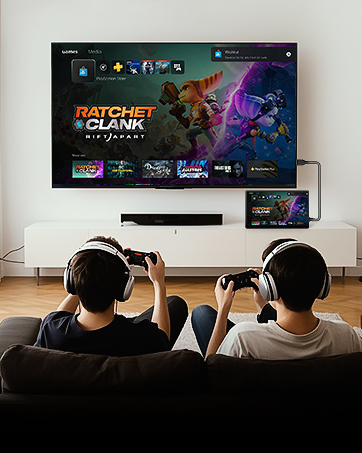
Figure 6.4: Using HDMI output to connect to an external display.
6.6 Opcions de sortida d'àudio
You have several options for audio output:
- Altaveus integrats: The monitor has integrated speakers for direct audio playback.
- Transmissor FM: Transmit audio to your car's speakers by tuning both the monitor's FM transmitter and your car radio to the same FM frequency.
- Bluetooth: Connect Bluetooth headphones or a Bluetooth speaker/subwoofer for wireless audio.
- Auriculars amb cable: Use the 3.5mm audio out port to connect wired headphones.

Figura 6.5: Diversos mètodes de sortida d'àudio.
6.7 Personalització
- Fons de pantalla: Customize the device wallpaper through the settings menu to personalize your experience.
- Llums ambientals: The monitor features 7-color ambient LED lights. These can be set to switch automatically or manually selected via the settings.
Figure 6.6: Customizable wallpaper and themes.
7. Manteniment
- Neteja: Use a soft, lint-free cloth to clean the screen and exterior. Do not use abrasive cleaners or solvents.
- Actualitzacions de programari (OTA): The device supports Over-The-Air (OTA) system updates. Ensure the device is connected to Wi-Fi to receive and install updates for optimal performance and app compatibility.
8. Solució De Problemes
| Problema | Causa possible | Solució |
|---|---|---|
| El dispositiu no s'encén. | No hi ha connexió elèctrica o cable defectuós. | Check power cable connection to the device and power source. Ensure the power source is active. |
| No es pot connectar a la Wi-Fi. | Incorrect password, out of range, or network issue. | Verify Wi-Fi password. Move closer to the Wi-Fi source. Restart your router and the monitor. |
| El mirall de pantalla no funciona. | Devices not on the same Wi-Fi network, or mirroring feature not activated. | Ensure both phone and monitor are on the same Wi-Fi. Activate mirroring on both devices. |
| No sound from car speakers via FM. | Incorrect FM frequency or car radio not tuned. | Ensure the monitor's FM transmitter and car radio are set to the exact same, clear frequency. |
| Les aplicacions són lentes o es bloquegen. | Massa aplicacions en execució, poc espai d'emmagatzematge o programari obsolet. | Close unused apps. Clear cache/data for problematic apps. Check for and install OTA updates. |
9. Especificacions
| Característica | Detall |
|---|---|
| Marca | AINAVI |
| Número de model | 4G Ram+64G Rom |
| Sistema operatiu | Android 13 |
| Mida de la pantalla | 13.5 polzades |
| Tipus de visualització | Pantalla tàctil LED |
| Resolució | 1920 x 1080 |
| RAM | 4 GB |
| ROM | 64 GB |
| Connectivitat | 5G/2.4GHz WiFi, Bluetooth |
| Suport als mitjans | SD Card, USB |
| Formats de vídeo | MP4, MPG, AVI, MKV, MOV, 3GP (and others) |
| Formats d'àudio | MP3, WAV, FLAC, AAC, OGG, OGA (and others) |
| Ports | USB, SD, HDMI In, HDMI Out, Audio Out, DC 12V |
| Entrada de potència | DC 12V (Car), AC Adapter (Home) |
| Color | Negre |
| Pes de l'article | 4.49 lliures |
| Dimensions del paquet | 10.5 x 10.2 x 10 polzades |
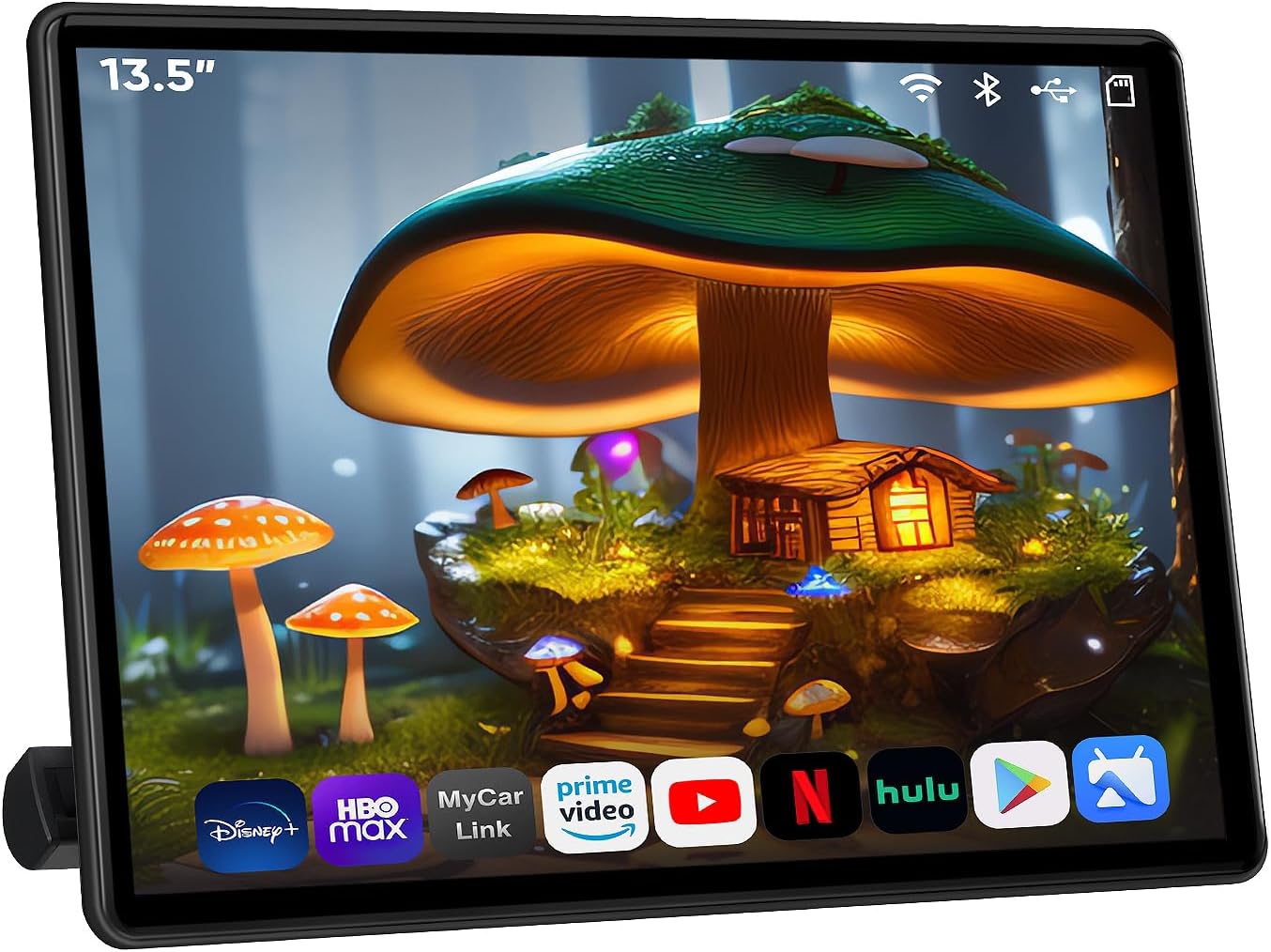
Figure 9.1: AINAVI 13.5" Android 13 Car TV Headrest Monitor.
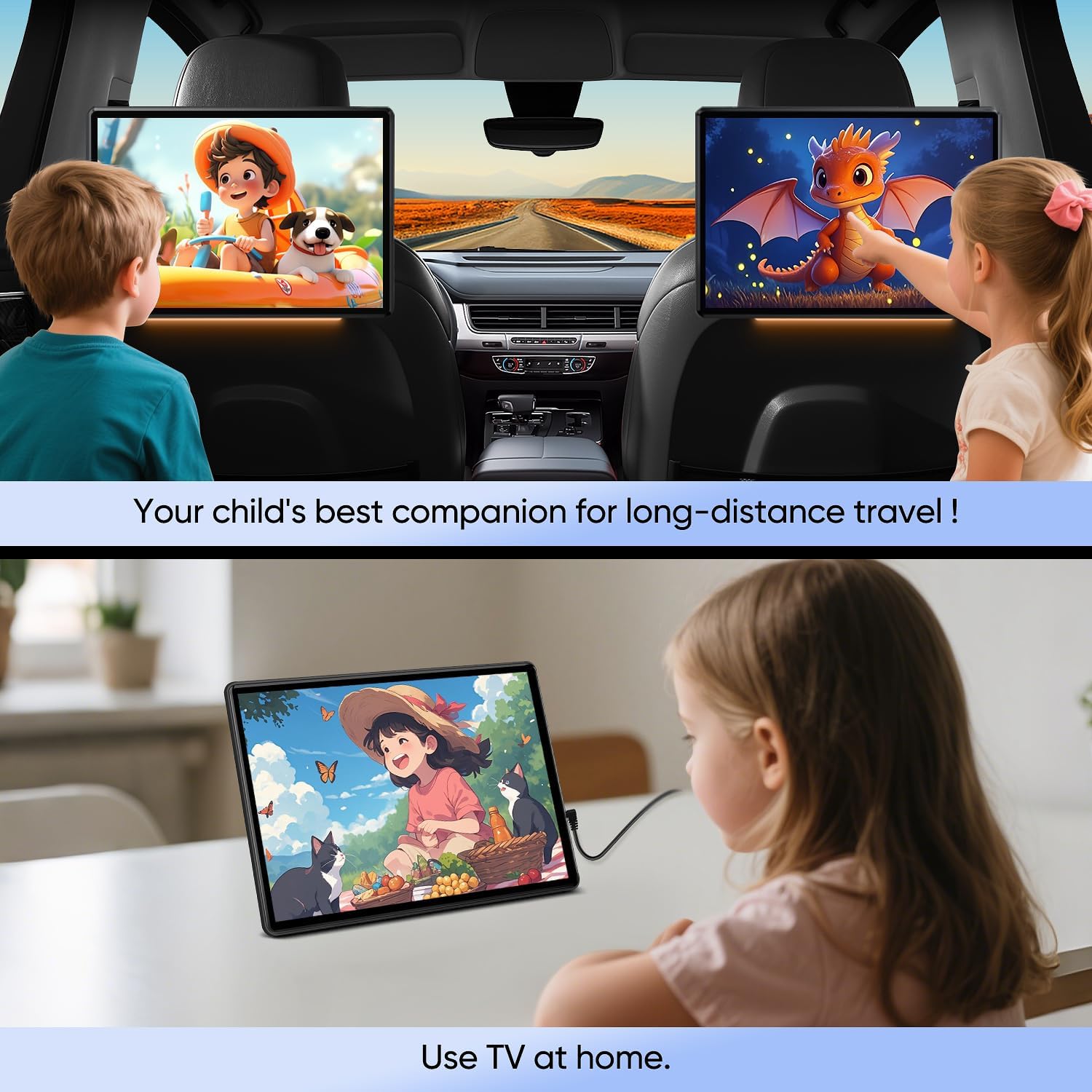
Figure 9.2: Monitor usage in car and at home.
10. Garantia i Suport
This product comes with a standard manufacturer's warranty. For specific warranty details, please refer to the documentation included with your purchase or contact AINAVI customer support.
For technical assistance, troubleshooting, or further inquiries, please visit the official AINAVI weblloc web o poseu-vos en contacte amb el seu departament d'atenció al client. La informació de contacte normalment es pot trobar a l'embalatge del producte o a la presència oficial en línia de la marca.


