1. Introducció
The Alacrity Industrial-Grade Wireless 2-in-1 Barcode Scanner with Screen and Dock (Model NA-2023-Base) is designed for efficient and reliable barcode scanning in various environments, including retail, warehouses, and logistics. This device offers dual connectivity modes (Bluetooth and 433MHz wireless) and features a built-in screen for real-time data display. Its robust design ensures durability and consistent performance in demanding industrial settings.
Les característiques clau inclouen:
- Dual-Mode Versatility: Functions as a handheld scanner and integrates with a dock featuring a screen, allowing seamless switching between mobile and stationary scanning.
- Connectivitat de llarg abast: Utilizes 433MHz wireless technology for a range of up to 1500 meters (4900 feet) and Bluetooth for shorter distances (up to 15 meters/49 feet).
- Escaneig d'alta velocitat: Equipped with an advanced laser engine for rapid and accurate decoding of 1D and 2D barcodes, even in challenging conditions.
- Robust i fiable: Engineered for industrial use with a durable build and a long-lasting 2600mAh battery.
- Smart Display Dock: The integrated screen on the scanner displays real-time scanning data, connection status, and battery level. The dock provides convenient charging and storage.
2. Contingut del paquet
Before setup, please verify that all items are present in the package:
- Alacrity Barcode Scanner
- Charging Base / Dock with Built-in 433MHz Receiver
- Cable USB
- Manual d'instruccions

Figure 2.1: Package Contents. The image displays the scanner, charging base, USB cable, and instruction manual.
3. Configuració
3.1 Càrrega de l'escàner
The scanner is equipped with a 2600mAh Lithium Polymer battery. For optimal performance, fully charge the scanner before first use.
- Connect the USB cable to the charging base and then to a power source (e.g., computer USB port or USB wall adapter).
- Place the scanner into the charging base. Ensure it is seated correctly.
- The charging LED on the base will indicate charging status. A full charge typically takes approximately 4-5 hours.
Figure 3.1: Charging the Scanner. The scanner is shown in its charging base, connected to a power source.
3.2 Connexió de l'escàner
The scanner supports two primary connection modes: 433MHz wireless via the charging base and Bluetooth.
3.2.1 433MHz Wireless Connection (via Charging Base)
This mode provides a long-range connection, ideal for large warehouses or outdoor environments.
- Connect the charging base to your computer using the provided USB cable. The base acts as the 433MHz receiver.
- Assegureu-vos que l'escàner estigui engegat.
- The scanner should automatically attempt to pair with the base. If not, refer to the troubleshooting section or scan the pairing barcode (usually found in the printed manual) to initiate pairing.
- Once connected, the scanner's screen will display the connection status. The effective range is up to 1000m (3280ft) outdoors and 15m (49ft) indoors.
3.2.2 Connexió Bluetooth
This mode is suitable for connecting directly to Bluetooth-enabled devices like laptops, tablets, or smartphones.
- Assegureu-vos que l'escàner estigui engegat.
- Activate Bluetooth on your host device (computer, tablet, etc.).
- Scan the Bluetooth pairing barcode (typically found in the printed manual or on the scanner's screen via settings).
- On your host device, search for available Bluetooth devices and select the Alacrity scanner.
- Confirm the pairing. The scanner's screen will update to show Bluetooth connection status. The effective range is up to 15m (49ft).
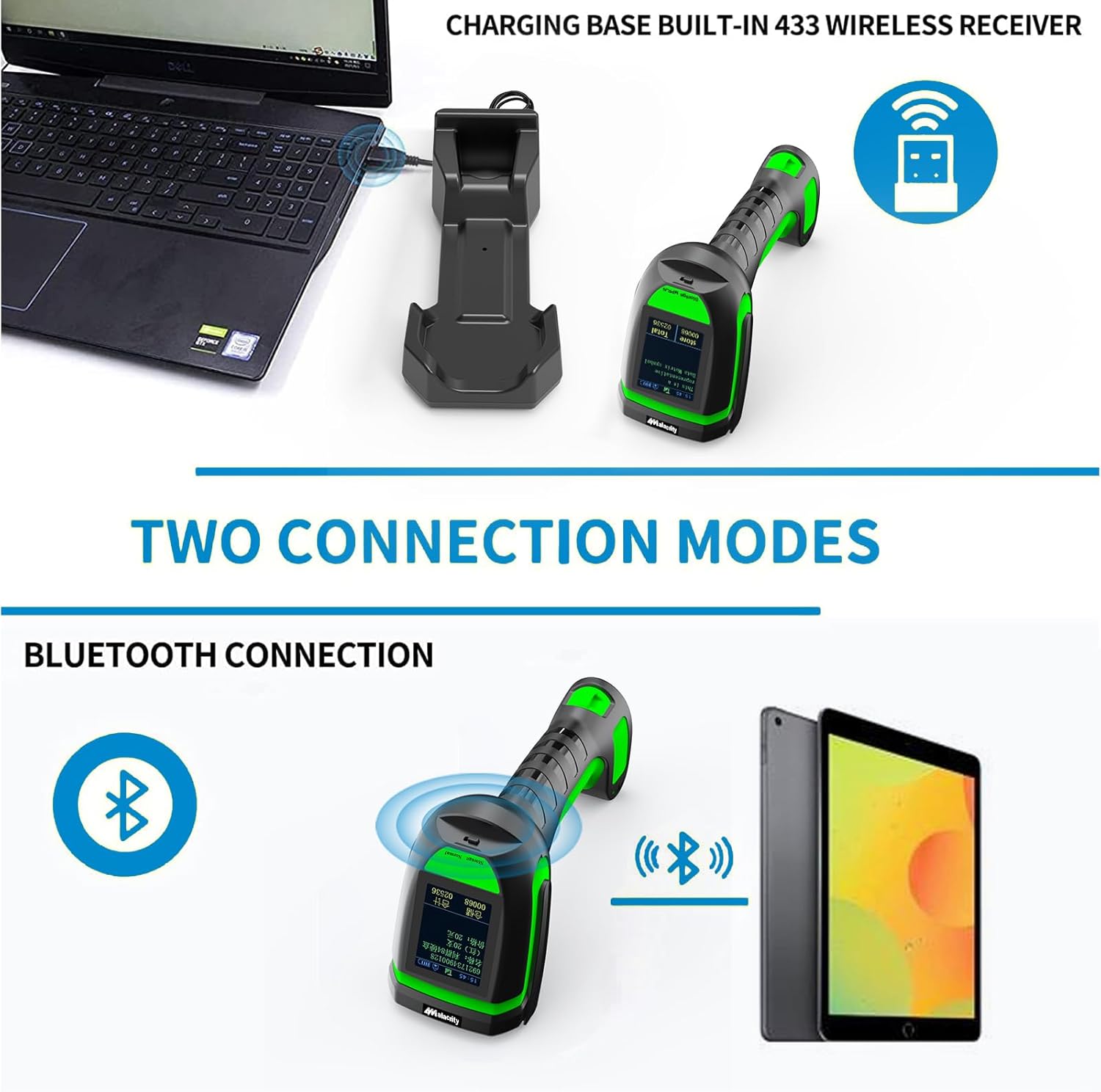
Figure 3.2: Two Connection Modes. The image shows the scanner connecting via 433MHz to a laptop through its base, and via Bluetooth to a tablet.
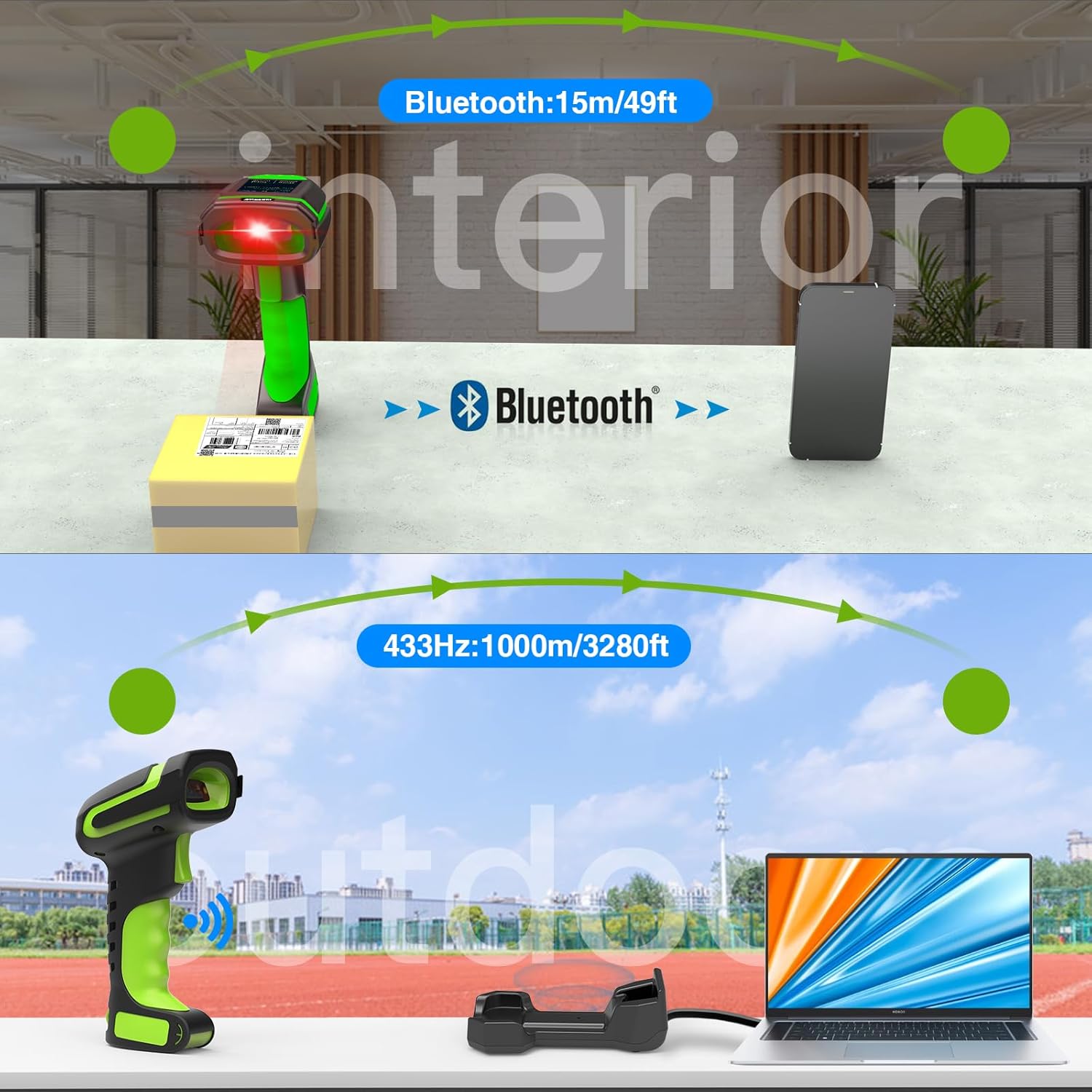
Figure 3.3: Wireless Range Comparison. This image illustrates the typical operational ranges for Bluetooth and 433MHz connections.
4. Instruccions de funcionament
4.1 Escaneig de codis de barres
The scanner is capable of reading various 1D and 2D barcode types.
- Apunteu la finestra de l'escàner cap al codi de barres que voleu escanejar.
- Press the trigger button. A red aiming light will appear, followed by a green light upon successful scan.
- The decoded barcode data will be transmitted to your connected device and displayed on the scanner's screen.
Tipus de codis de barres compatibles:
- 1D Codes: EAN, UPC, DataBar, Interleaved 2 of 5, Matrix 2 of 5, Industrial 2 of 5, etc.
- 2D Codes: QR Code, DataMatrix, PDF 417, Aztec, etc.
The scanner can recognize 1D/2D codes on PCB boards and in challenging lighting conditions.
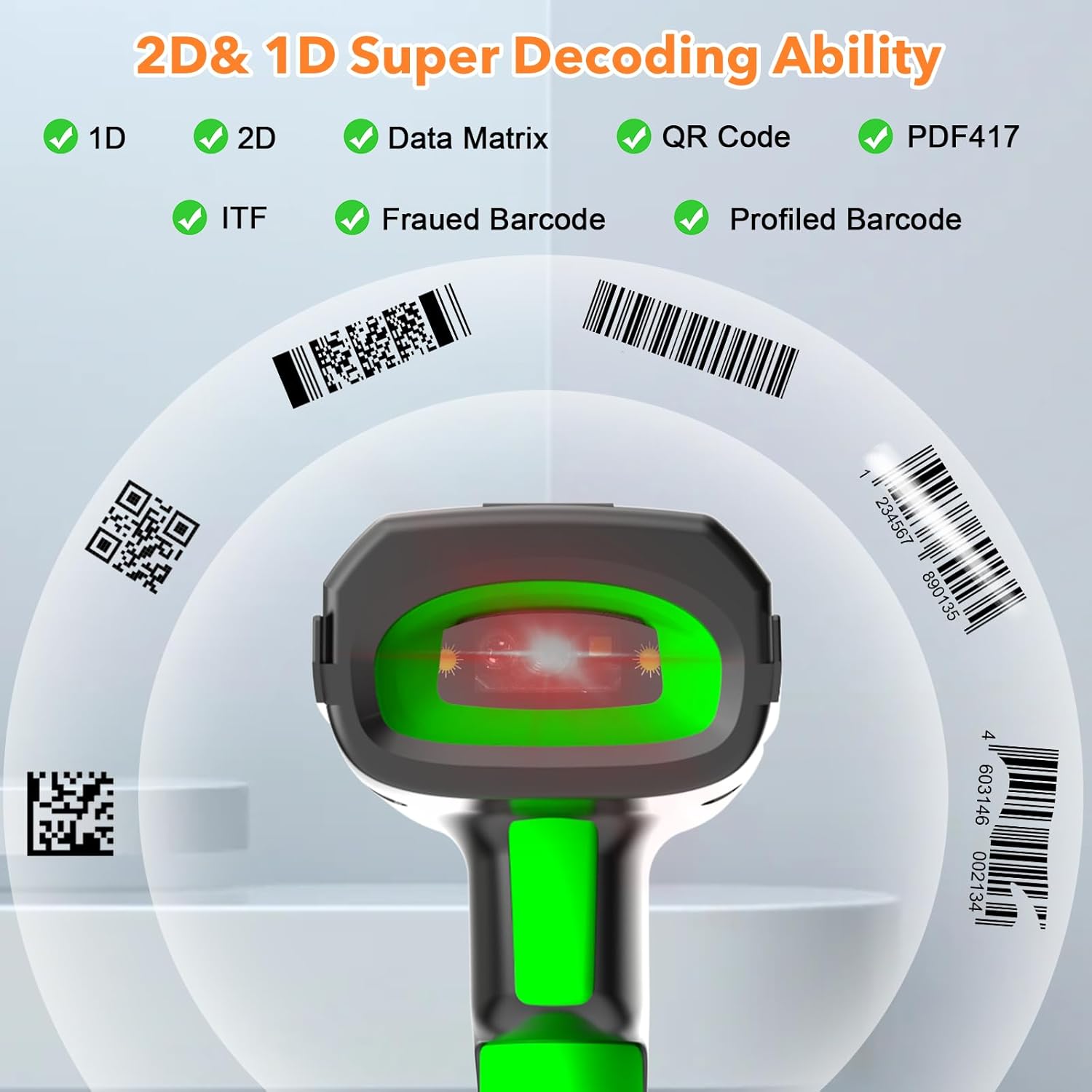
Figure 4.1: 1D and 2D Decoding Ability. The image highlights the scanner's capability to read multiple barcode formats.
4.2 Understanding the Screen Display
The 1.77-inch TFT colorful screen on the scanner provides essential information at a glance:
- 1. Hora: Hora actual.
- 2. Estat de la connexió: Indicates if the scanner is connected (e.g., signal strength icon).
- 3. Connection Mode: Shows the active connection type (e.g., Bluetooth or 433MHz).
- 4. Electricity Level: Indicador de càrrega de la bateria.
- 5. Store: Number of barcodes stored in internal memory.
- 6. Total: Total number of scans performed.

Figure 4.2: Scanner Screen Display. This image labels the various indicators on the scanner's screen.
4.3 Mode d'emmagatzematge
The scanner features an internal memory of 16MB, capable of storing approximately 50,000 barcodes. This allows for data collection even when out of range or disconnected, with subsequent upload when reconnected.
To switch between Normal mode (real-time transmission) and Storage mode (data collection), refer to the specific barcode commands in the full instruction manual provided with the product. The screen will indicate the active mode.
5. Manteniment
5.1 Neteja
To maintain optimal scanning performance, keep the scanner's window clean.
- Utilitzeu un drap suau i sense pelusa lleugerament dampamb aigua o una solució de neteja suau.
- Do not use abrasive cleaners or solvents, as these can damage the scanner's surface or window.
- Assegureu-vos que l'escàner estigui apagat abans de netejar-lo.
5.2 Cura de la bateria
The scanner's 2600mAh battery provides up to 30 hours of continuous scanning time and 30 days of standby time.
- Eviteu descarregar completament la bateria amb freqüència.
- Charge the scanner regularly, especially if it will be stored for an extended period.
- Guardeu l'escàner en un lloc fresc i sec quan no l'utilitzeu.

Figure 5.1: Battery Capacity and Life. This image details the scanner's battery specifications.
5.3 Durabilitat
The scanner features an anti-shock design, capable of withstanding multiple drops from a height of 2.5 meters (8 feet) onto concrete surfaces.
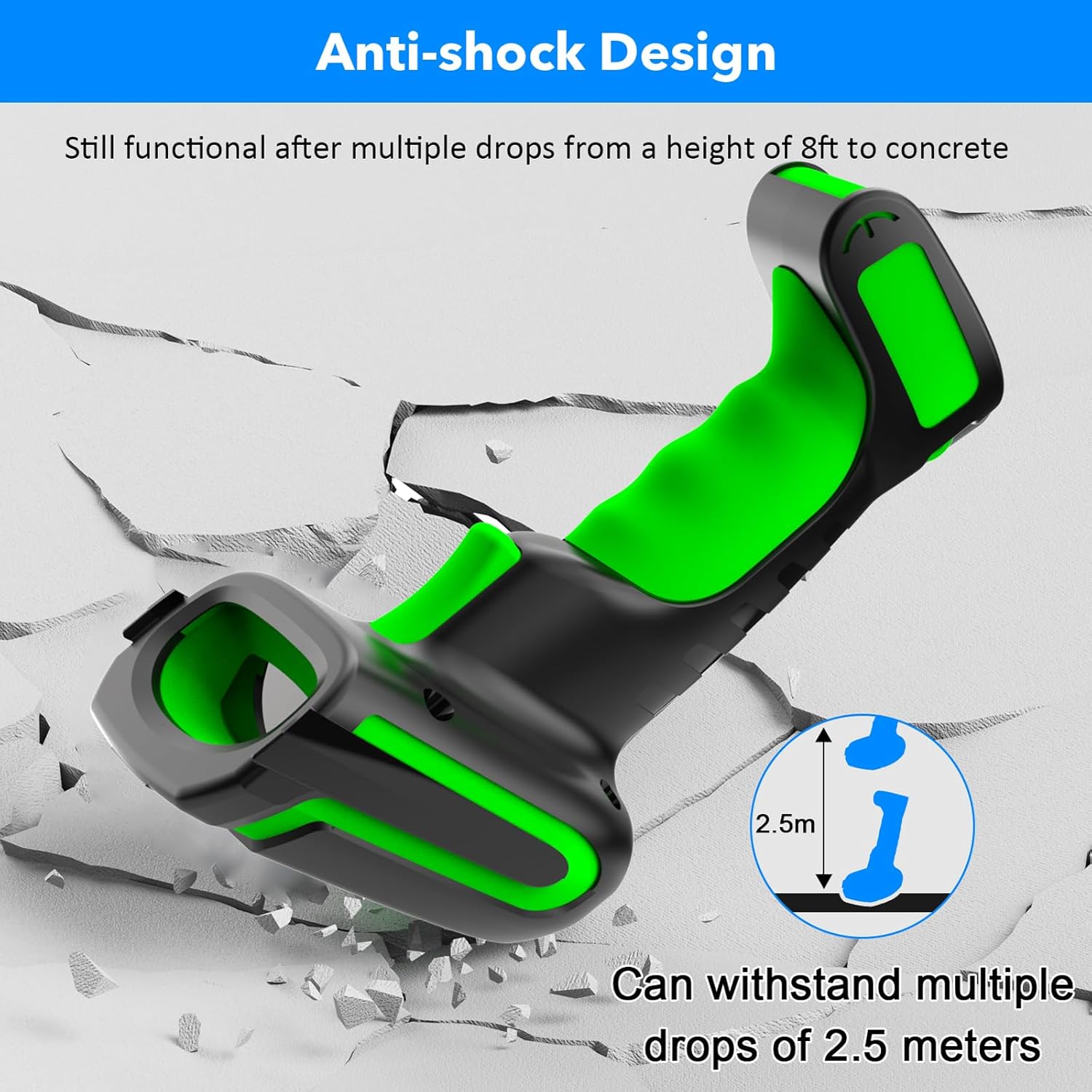
Figure 5.2: Anti-shock Design. The image illustrates the scanner's rugged construction.
6. Solució De Problemes
If you encounter issues with your Alacrity barcode scanner, refer to the following common problems and solutions:
| Problema | Causa possible | Solució |
|---|---|---|
| L'escàner no s'encén. | Bateria baixa; botó d'engegada no premut correctament. | Charge the scanner fully. Press and hold the power button for a few seconds. |
| Scanner fails to pair with the base or Bluetooth device. | Incorrect pairing procedure; Out of range; Interference; Base not recognized. | Ensure the base is correctly connected to the computer. Scan the correct pairing barcode from the physical manual. Ensure the scanner is within range. Restart both scanner and host device. |
| L'escàner no llegeix codis de barres. | Barcode damaged or poorly printed; Scanner window dirty; Incorrect barcode type setting; Scanner not connected. | Ensure barcode is clear. Clean the scanner window. Verify scanner is connected. Check scanner settings for supported barcode types (refer to full manual). |
| Data not transmitting to host device. | Scanner not connected; Host device not ready to receive input; Scanner in storage mode. | Confirm connection status on scanner screen. Ensure cursor is in a text field on the host device. Switch scanner to Normal mode if it is in Storage mode. |
If the problem persists, consult the comprehensive instruction manual provided with your product or contact customer support.
7. Especificacions
| Característica | Especificació |
|---|---|
| Número de model | NA-2023-Base |
| Tecnologia de connectivitat | Bluetooth, 433MHz Wireless |
| Wireless Range (433MHz) | Fins a 1000 m (3280 peus) a l'exterior, 15 m (49 peus) a l'interior |
| Abast sense fil (Bluetooth) | Fins a 15 m (49 peus) |
| Tipus de bateria | 1 bateria de polímer de liti (inclosa) |
| Capacitat de la bateria | 2600 mAh |
| Temps de càrrega | Aprox. 4-5 hores |
| Temps d'escaneig | Fins a 30 hores |
| Temps d'espera | Fins a 30 dies |
| Mostra | 1.77-inch TFT Colorful Screen |
| Emmagatzematge intern | 16MB (approx. 50,000 barcodes) |
| Capacitat de descodificació | 1D (EAN, UPC, DataBar, Interleaved 2 of 5, Matrix 2 of 5, Industrial 2 of 5, etc.), 2D (QR Code, DataMatrix, PDF 417, Aztec, etc.) |
| Resistència a les caigudes | Withstands multiple drops from 2.5m (8ft) to concrete |
| Pes de l'article | 1.39 lliures |
| Dimensions del paquet | 9.72 x 4.92 x 4.09 polzades |
| Dispositius compatibles | Escriptori, ordinador portàtil |
| Fabricant | atesa |
8. Garantia i Suport
8.1 Informació de la garantia
This product is covered by a manufacturer's warranty. Please refer to the warranty card included in your product packaging or contact the seller/manufacturer for specific warranty terms and conditions. Keep your proof of purchase for warranty claims.
8.2 Atenció al client
For technical assistance, troubleshooting beyond this manual, or service inquiries, please contact Alacrity customer support through the retailer's platform or the contact information provided in your product documentation.


