Producte acabatview
The INEAUTO AX1800 Outdoor WiFi 6 Extender is a high-performance device designed to extend your wireless network coverage to large outdoor areas. Featuring the latest WiFi 6 technology, it offers ultra-fast speeds, enhanced capacity, and reduced latency for all your connected devices. Its robust IP67 weatherproof housing ensures reliable operation in various outdoor conditions, including rain, snow, and extreme temperatures. With flexible Passive PoE installation, it can be powered and connected via a single Ethernet cable, making it ideal for hard-to-reach outdoor locations.

The INEAUTO AX1800 Outdoor WiFi 6 Extender provides robust outdoor connectivity.
Què hi ha a la caixa
Verifiqueu que tots els elements siguin presents al paquet:
- 1x AX1800 WiFi 6 Extender
- 1x adaptador de corrent
- 1x cable Ethernet
- 4x brides de cable
- Mounting Hardware (screws, metal clamp)
- Guia ràpida d'usuari

Tots els components inclosos a l'embalatge del producte.
Característiques clau
- Ultra-Fast WiFi 6 Technology: Dual-band support (5GHz/1201Mbps & 2.4GHz/574Mbps) for smooth HD streaming, gaming, and browsing.
- Durabilitat a tot temps: IP67 waterproof housing and lightning protection for reliable performance in harsh outdoor conditions.
- Powerful Coverage: Equipped with 6 high-gain 8dBi antennas and dual PA/LNA amplifiers for extended signal coverage up to 300m.
- Flexible Passive PoE Installation: Powered and connected via a single Ethernet cable, allowing installation in any outdoor location.
- Modes versàtils: Supports AP, router, and repeater modes to adapt to various network scenarios.
- Seguretat millorada: WPA/WPA3 and WPA-PSK/WPA3-PSK protocols maximize network security.
- Configuració sense esforç: Simple and intuitive setup process with compatibility across over 99% of market routers.

Acabatview of the AX1800's advanced features and capabilities.
Guia de configuració
1. Powering the Extender
Connect the provided Ethernet cable from the PoE port on the power adapter to the PoE port on the extender. Plug the power adapter into a power outlet. The LED indicator on the extender should turn solid once powered on. Note that the PoE converter is not waterproof and must be installed indoors or in a protected outdoor area.
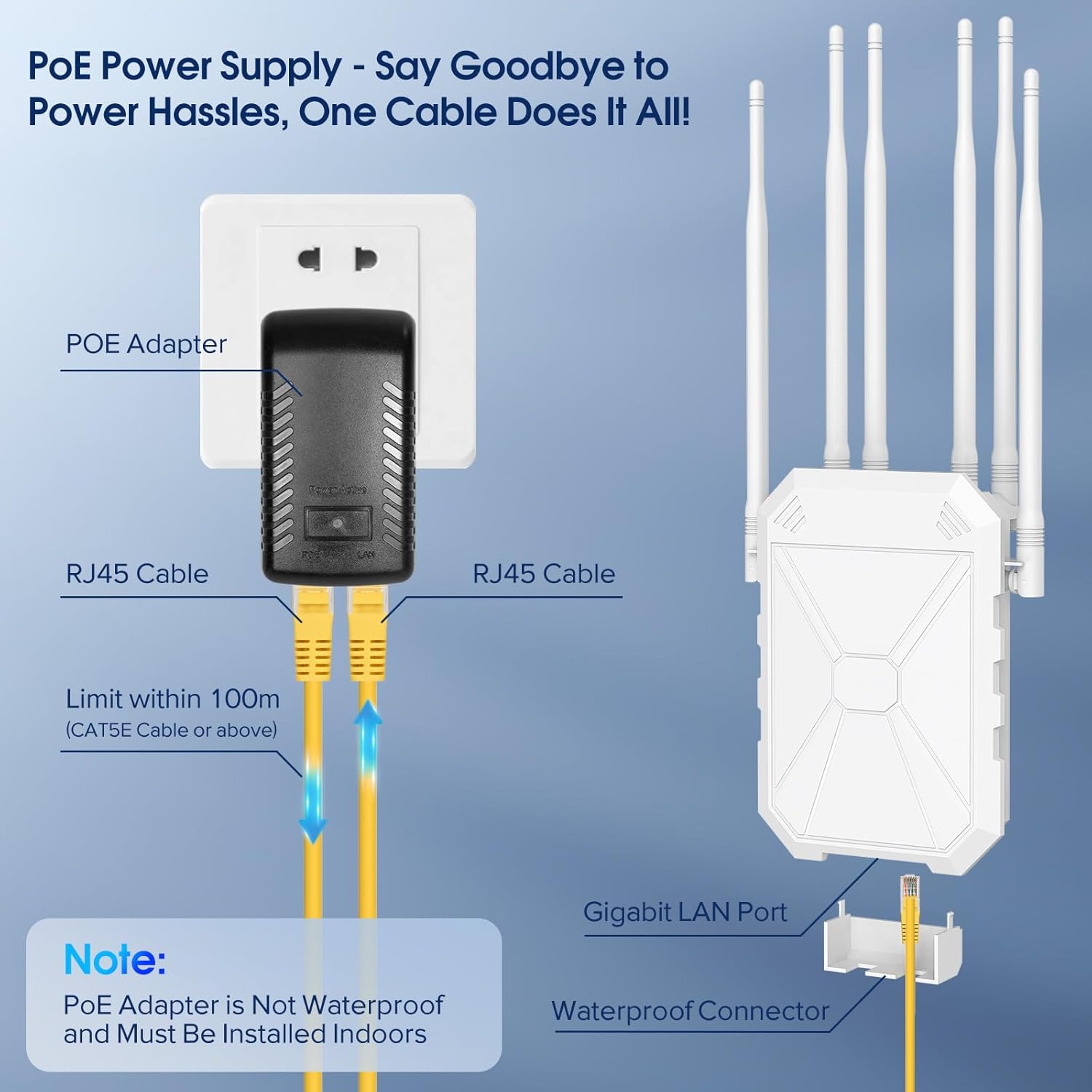
Illustration of the Passive PoE power supply connection.
2. Instal·lació física
The extender offers multiple installation options:
- Muntatge a la paret: Use the screw holes on the back of the unit to mount it directly to a wall.
- Muntatge al pal: Utilize the provided metal clamp or cable ties to secure the extender to a pole or fence.
Ensure the antennas are adjusted for optimal signal direction. They can be moved to suit your specific coverage needs.

The six high-gain antennas provide extensive Wi-Fi coverage.
3. Initial Configuration (Seller Video Guide)
For a detailed visual guide on setting up your extender, please refer to the official seller's video below. This video demonstrates the connection process and initial setup steps.
Official setup guide for the Outdoor WiFi Extender by INEAUTO.
The extender is compatible with Starlink systems, allowing you to extend your satellite internet signal across your property.

The extender can be seamlessly integrated with Starlink for expanded coverage.
Modes de funcionament
The AX1800 offers multiple operating modes to suit your networking needs:
- Mode AP (punt d'accés): Converts a wired network connection into a wireless one, creating a new Wi-Fi hotspot.
- Mode d'encaminador: Functions as a primary router, managing network traffic and providing internet access.
- Mode de repetidor: Extends the range of an existing Wi-Fi network by receiving and re-transmitting the signal.
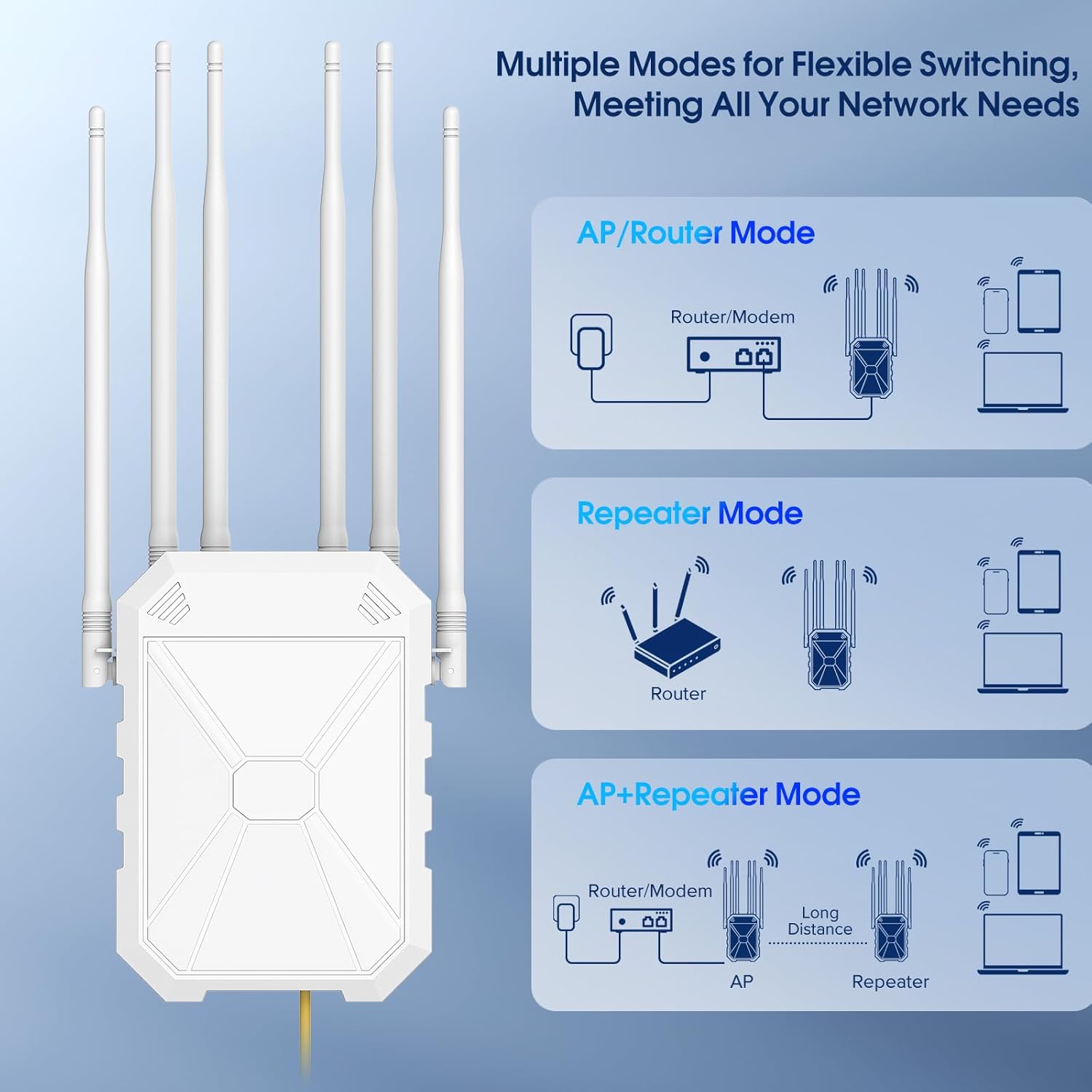
Choose from AP, Router, or Repeater modes for flexible network management.
Manteniment
The INEAUTO AX1800 is designed for minimal maintenance due to its durable construction and IP67 weatherproof rating. However, regular checks can ensure optimal performance:
- Neteja periòdica: Gently wipe the exterior of the unit with a soft, damp cloth to remove dust or debris. Avoid harsh chemicals.
- Comprovació de l'antena: Periodically ensure the antennas are securely attached and positioned for the best signal.
- Inspecció del cable: Check the Ethernet cable for any signs of wear, damage, or loose connections.
- PoE Adapter Protection: As the PoE adapter is not waterproof, ensure it remains in a dry, protected environment.
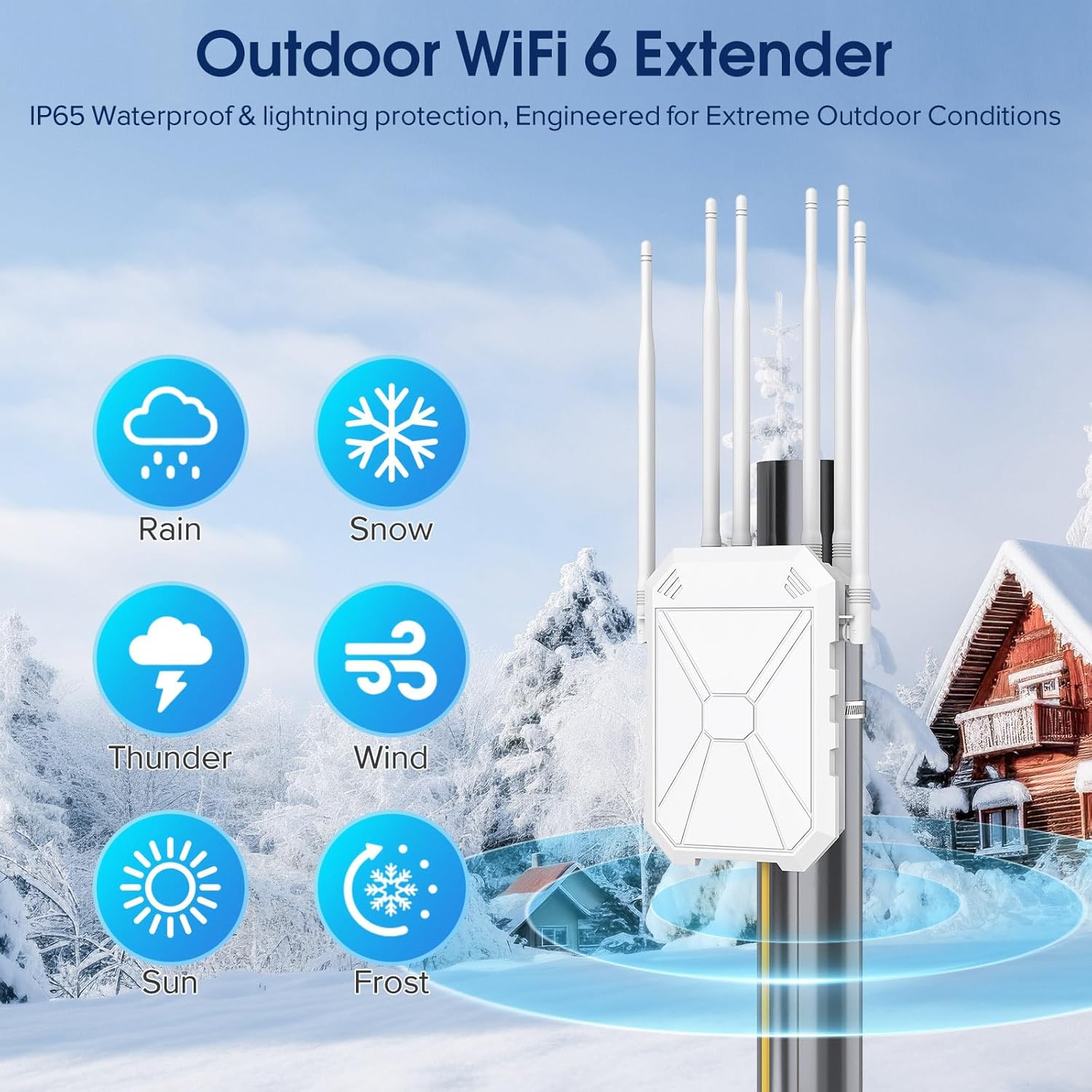
The extender is built to withstand various weather conditions.
Resolució de problemes
If you encounter issues with your AX1800 extender, try the following steps:
- Sense alimentació/LED apagat: Ensure the power adapter is securely plugged into a working outlet and the Ethernet cable is correctly connected to the PoE port on both the adapter and the extender.
- Sense connexió a Internet: Verify that your main router has an active internet connection. Check all Ethernet cable connections. If in repeater mode, ensure the extender is within range of your main router's signal.
- Weak Signal/Slow Speed: Adjust the position and orientation of the extender's antennas. Relocate the extender to a more central location between your router and the desired coverage area. Check for physical obstructions.
- No es pot accedir a la pàgina de configuració: Ensure your device is connected to the extender's default Wi-Fi network (e.g., "Repeater_XXX"). Try clearing your browser's cache or using a different browser.
- Restabliment de l'extensor: If issues persist, a factory reset may be necessary. Locate the reset button (often a small pinhole) on the unit. With the extender powered on, use a paperclip to press and hold the reset button for approximately 10 seconds until the LED indicators change. This will restore the extender to its factory default settings.
Especificacions
| Atribut | Valor |
|---|---|
| Número de model | AX1801 |
| Comunicació sense fils estàndard | 802.11a/b/g/n/ac, 802.11ax |
| Classe de banda de freqüència | Doble banda (5 GHz, 2.4 GHz) |
| Velocitat de transferència de dades | 1800 megabits per segon |
| Antenes | 6 High Gain 8dBi Antennas |
| Classificació impermeable | IP67 |
| Font d'alimentació | PoE passiu |
| Pes de l'article | 2.25 lliures |
| Dimensions del paquet | 14.48 x 8.9 x 3.58 polzades |

Detailed dimensions of the extender and its components.
Garantia i Suport
INEAUTO products are designed for reliability and performance. For warranty information, technical support, or service inquiries, please refer to the contact details provided in your Quick User Guide or visit the official INEAUTO weblloc. Conserveu el rebut de compra per a reclamacions de garantia.
