Introducció
The EZON L008 Digital Sports Watch is designed for active individuals, offering a range of features to support both sports activities and daily life. This manual provides detailed instructions on how to set up, operate, and maintain your watch, ensuring optimal performance and longevity.
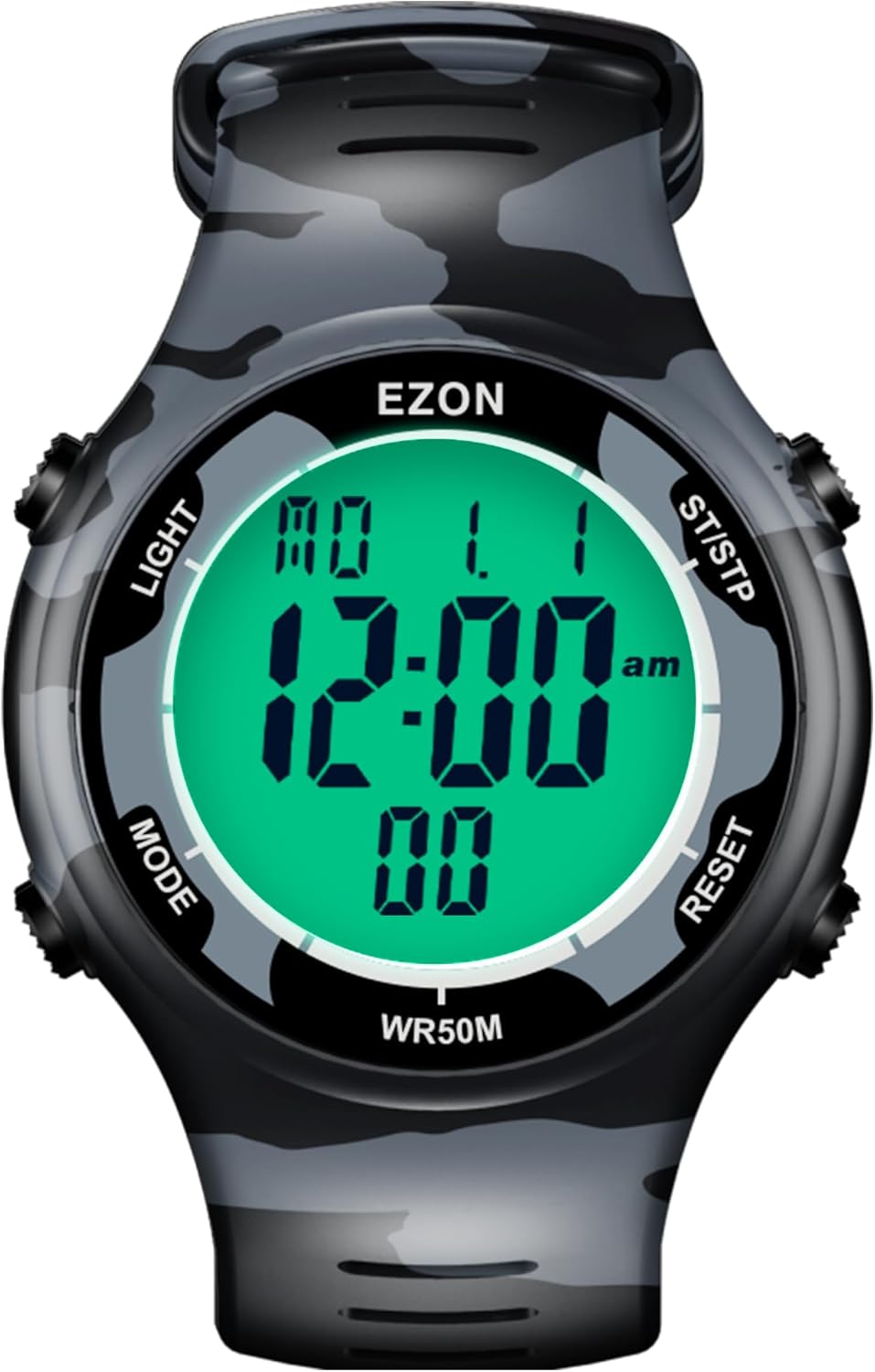
Imatge: Frontal view of the EZON L008 Digital Sports Watch, displaying time and date.
Vigilarview i funcions de botons
Your EZON L008 watch features four buttons for navigation and function control. Understanding their roles is key to operating your watch effectively.
- LLUM (A dalt a l'esquerra): Activates the EL backlight for visibility in low-light conditions. Also used for setting adjustments.
- MODE (Part inferior esquerra): Cycles through different operational modes (Time, Stopwatch, Countdown Timer, Alarm, Data).
- ST/STP (Top Right): Starts and stops functions like the stopwatch or timer. Also used for increasing values during settings.
- REINICIAR (Part inferior dreta): Resets functions or confirms settings. Long press to turn keytone on/off.
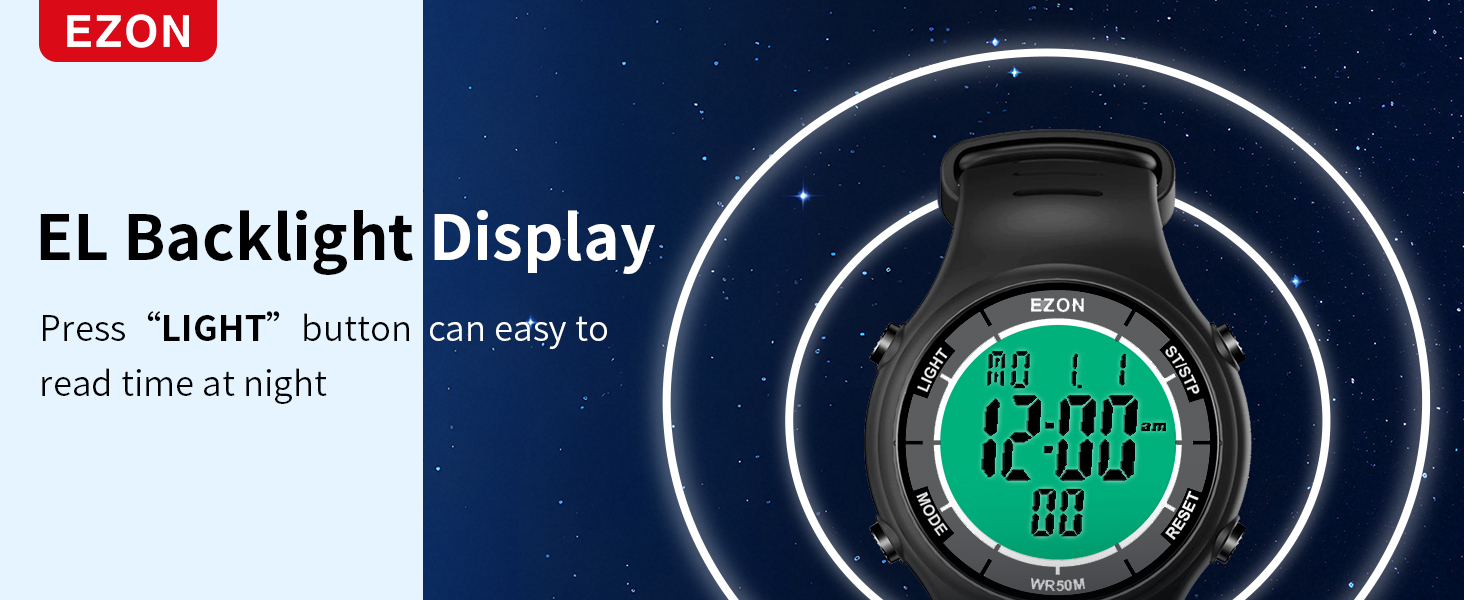
Image: Diagram illustrating the location and labels of the four control buttons on the watch.
Configuració
Configuració de l'hora i la data
- En el mode de temps, premeu i manteniu premut el botó MODE botó fins que els segons comencin a parpellejar.
- Premeu el botó RESET button to cycle through the settings: Seconds, Hour, Minute, Year, Month, Day, 12/24-hour format.
- Utilitza el ST / STP botó per ajustar el valor intermitent.
- Un cop tots els paràmetres siguin correctes, premeu el botó MODE botó per sortir del mode de configuració.
Portant el rellotge
The watch features a comfortable and durable TPU strap with a secure buckle. To wear, unlatch the side part of the strap, hook it around your wrist, and then latch it down. Ensure it is snug but not too tight for comfort and to prevent it from falling off during activities.

Imatge: Primer pla view of the watch's soft strap, durable buckle, and stainless steel back cover.
Modes de funcionament
Mode horari
This is the default display mode, showing the current time, date, and day of the week.
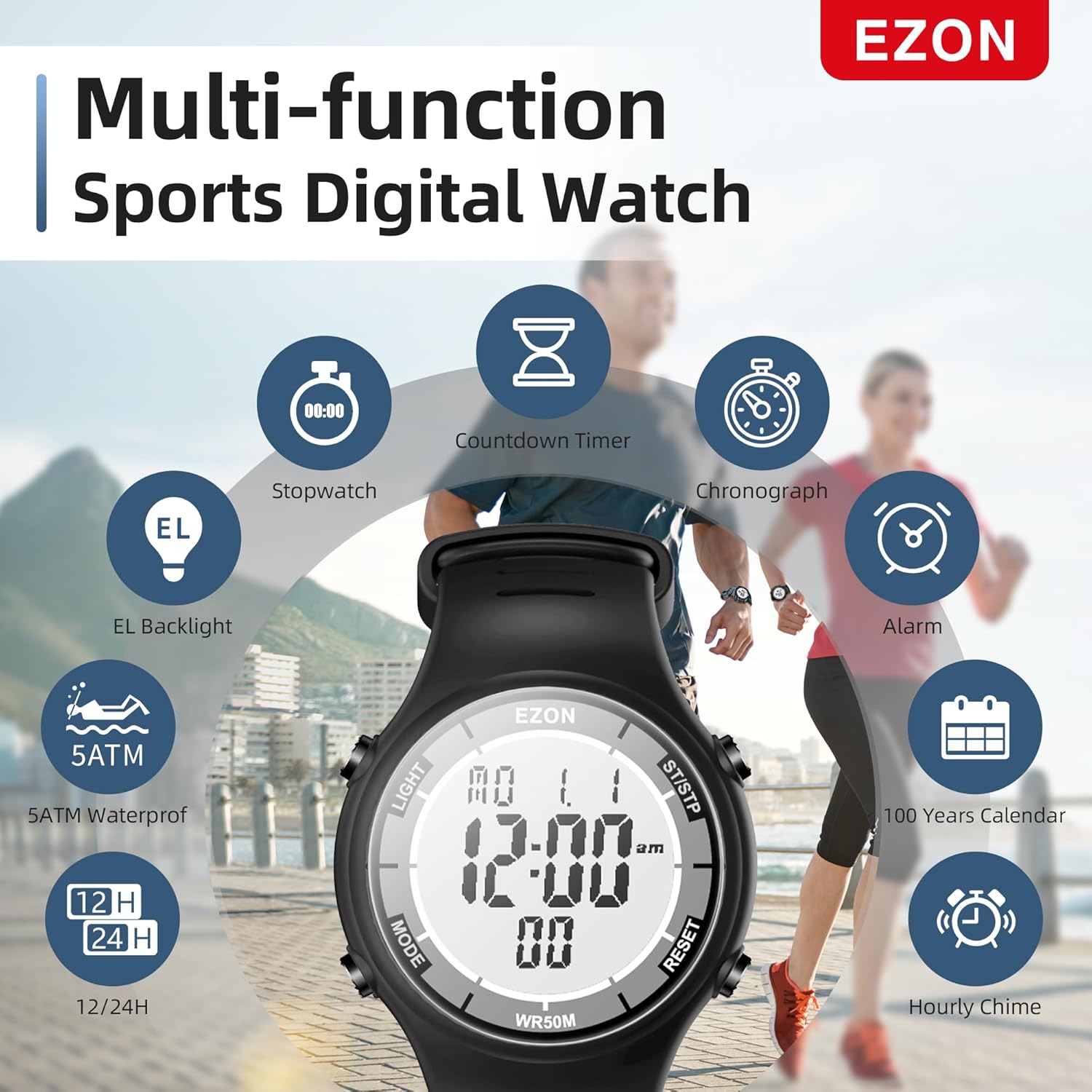
Image: The watch display showing various functions including time, countdown timer, chronograph, alarm, and EL backlight.
Mode de cronòmetre
The stopwatch measures time with 1/100 second precision, ideal for tracking workouts, races, or other timed activities.
- Des del mode Hora, premeu la tecla MODE button until "CHRONO" or stopwatch display appears.
- Premeu ST / STP per iniciar el cronòmetre.
- Premeu ST / STP de nou per fer una pausa.
- Premeu RESET per posar el cronòmetre a zero.
- Per registrar temps de volta, premeu RESET during an active stopwatch to display the lap time. The stopwatch continues running in the background. Press RESET again to return to the running stopwatch display. The watch can record up to 10 laps.
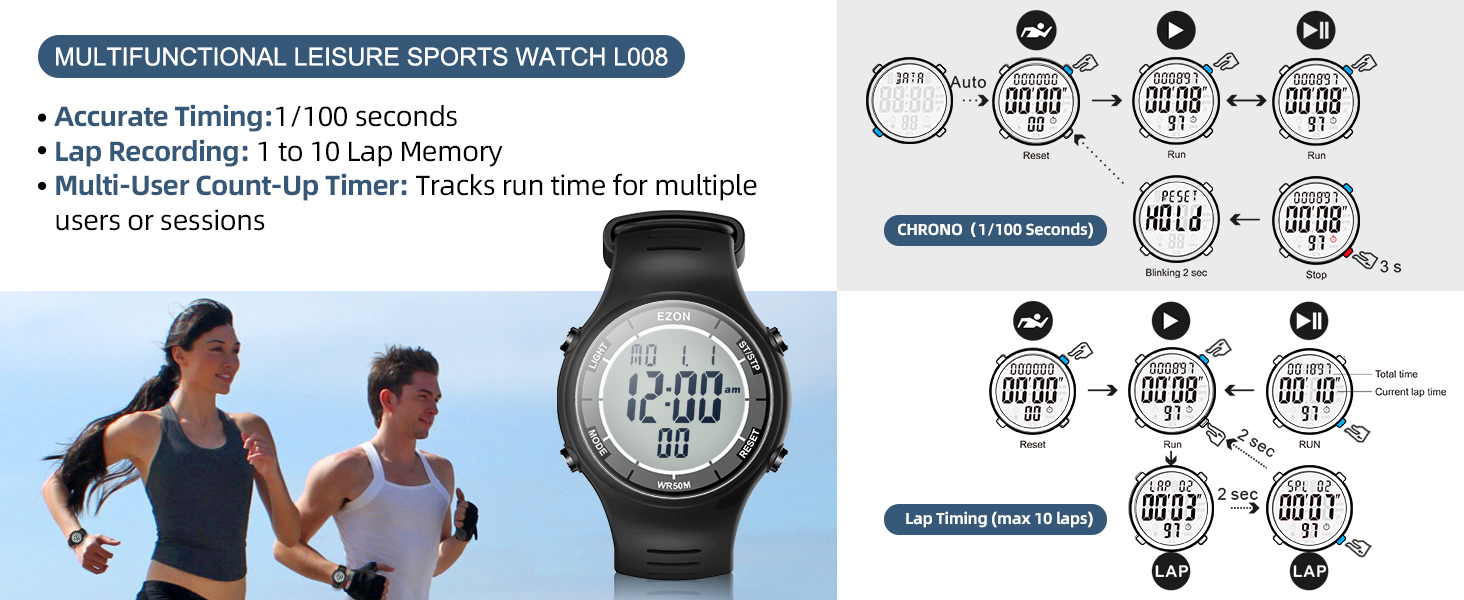
Image: Visual guide for accurate timing, lap recording, and multi-user count-up timer features.
Mode de temporitzador de compte enrere
The countdown timer supports multi-stage training (warm-up, workout, rest, repeat, sets) and can be set for up to 23 hours, 59 minutes, and 59 seconds.
- Des del mode Hora, premeu la tecla MODE button until "TIMER" appears.
- Premeu llargament el botó LLUM button to enter settings. The time value will flash.
- Ús ST / STP per augmentar el valor i RESET to move to the next digit (hours, minutes, seconds).
- To set multi-stage training: After setting the initial countdown, press MODE to cycle through Warm-up, Run, Rest, Repeat, and Cool-down settings. Adjust each stage's duration using ST / STP i RESET.
- Premeu LLUM per sortir de la configuració.
- Premeu ST / STP per començar el compte enrere.
- Premeu ST / STP de nou per fer una pausa.
- Premeu RESET per reiniciar el temporitzador.
Video: Demonstration of setting up and using the interval training timer for warm-up, run, rest, and cool-down phases.
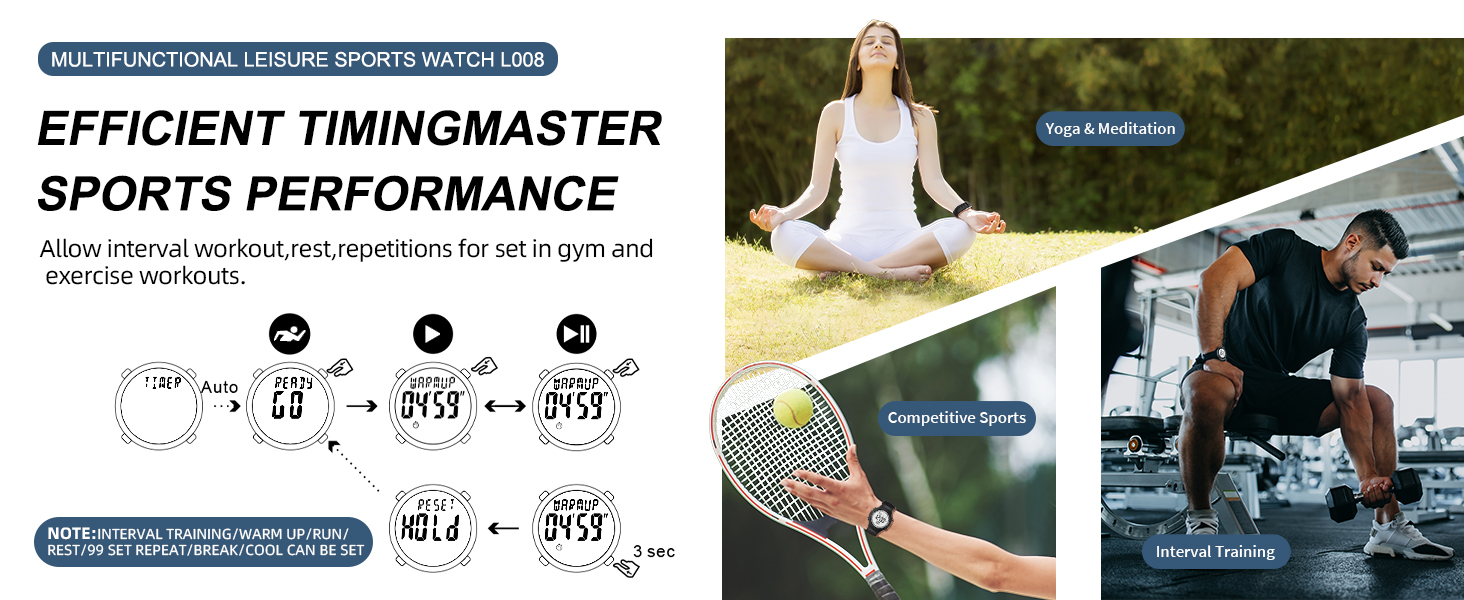
Image: Detailed diagrams showing how to set up the multi-stage interval training timer for various workout phases.
Mode d'alarma
Set an alarm to alert you at a specific time. The watch also features an hourly chime option.
- Des del mode Hora, premeu la tecla MODE fins que aparegui "ALARMA".
- Premeu llargament el botó LLUM button to enter alarm setting mode. The hour will flash.
- Ús ST / STP per ajustar l'hora i RESET passar als minuts.
- Premeu LLUM per sortir de la configuració.
- Per activar/desactivar l'alarma o l'horaurly chime, press ST / STP while in Alarm Mode (without long-pressing LIGHT).
Contrallum EL
Premeu el botó LLUM button (top left) to illuminate the display for a few seconds, allowing easy reading in dark environments.
Video: Demonstration of the EL backlight feature and 50M water resistance.

Image: The watch display with its EL backlight activated, showing clear readability in low light.
Manteniment
Resistència a l'aigua
The EZON L008 watch is rated for 5ATM (50 meters) water resistance. This means it is suitable for handwashing, showering, and swimming. It is not recommended for diving or exposure to hot water, as this can compromise the seals.

Image: The EZON L008 watch being worn by a swimmer, highlighting its 5ATM waterproof capability.
Durada de la bateria
The watch uses a CR2025 battery, which provides a long-lasting power supply of up to 48 months (approximately 4 years). No charging is required.
Atenció General
- Netegeu el rellotge regularment amb un drap suau i sec.amp tela.
- Eviteu exposar el rellotge a temperatures extremes o a la llum solar directa durant períodes prolongats.
- Do not press buttons underwater to maintain water resistance.
Resolució de problemes
- La pantalla està en blanc o té poca llum: Pot ser que la bateria estigui baixa. Substitueixi la bateria CR2025.
- Els botons no responen: Ensure the watch is not in a locked mode (if applicable, though not explicitly stated for this model, it's a common watch feature). Try resetting the watch by pressing all four buttons simultaneously for a few seconds, if the issue persists, contact support.
- L'hora és incorrecta: Re-enter the time and date settings as described in the "Setting Time and Date" section.
- Aigua dins de la pantalla: Immediately stop using the watch and contact customer support. Do not attempt to open the watch yourself.
Especificacions
| Característica | Detall |
|---|---|
| Marca | EZON |
| Nom del model | L008D12 |
| Número de part | L008D |
| Color | Camouflage Blue |
| Profunditat de resistència a l'aigua | 50 metres (5 ATM) |
| Pes de l'article | 0.15 lliures |
| Dimensions de l'article (LxWxH) | 9.4 x 1.57 x 0.4 polzades |
| Tipus de bateria | CR2025 |
| Tipus de visualització | Digital amb retroiluminació EL |
| Funcions | Time (12/24H), Date, Weekday, Calendar, Alarm, Hourly Chime, Stopwatch (1/100s, 10 laps), Countdown Timer (multi-stage) |
Suport i garantia
EZON is committed to providing excellent customer service and product reliability.
- Suport de per vida: Our customer service team is available to assist you with any questions or issues you may encounter.
- Resposta en 24 hores: Expect a prompt response to your inquiries within 24 hours.
- Política de devolució de 30 dies: Si no esteu satisfets amb la vostra compra, podeu retornar-la en un termini de 30 dies.
- Substitució gratuïta durant 1 any: In case of manufacturing defects, your watch is eligible for a free replacement within one year of purchase.
For support, please visit the official EZON store on Amazon or contact us directly through the platform.


